1. ಪರಿಚಯ
Thank you for choosing Ledvion Sevilla Smart LED Downlights. These recessed spotlights are designed to provide versatile and intelligent lighting for your home or commercial space. Featuring RGBWW color changing, dimmable functionality, and WiFi connectivity, they offer advanced control via a smartphone app and compatibility with voice assistants like Google Home and Alexa.
This manual will guide you through the installation, setup, operation, and maintenance of your new LED downlights. Please read all instructions carefully before installation and retain this manual for future reference.
2. ಸುರಕ್ಷತೆ ಮಾಹಿತಿ
ಬೆಂಕಿ, ವಿದ್ಯುತ್ ಆಘಾತ ಮತ್ತು ವೈಯಕ್ತಿಕ ಗಾಯದ ಅಪಾಯವನ್ನು ಕಡಿಮೆ ಮಾಡಲು ವಿದ್ಯುತ್ ಉತ್ಪನ್ನಗಳನ್ನು ಸ್ಥಾಪಿಸುವಾಗ ಮತ್ತು ನಿರ್ವಹಿಸುವಾಗ ಯಾವಾಗಲೂ ಮೂಲಭೂತ ಸುರಕ್ಷತಾ ಮುನ್ನೆಚ್ಚರಿಕೆಗಳನ್ನು ಅನುಸರಿಸಿ.
- ವೃತ್ತಿಪರ ಅನುಸ್ಥಾಪನೆ: ಸ್ಥಳೀಯ ವಿದ್ಯುತ್ ಸಂಕೇತಗಳಿಗೆ ಅನುಗುಣವಾಗಿ ಅರ್ಹ ಎಲೆಕ್ಟ್ರಿಷಿಯನ್ ಮೂಲಕ ಅನುಸ್ಥಾಪನೆಯನ್ನು ನಿರ್ವಹಿಸಬೇಕು.
- ವಿದ್ಯುತ್ ಸಂಪರ್ಕ ಕಡಿತ: Ensure the power supply is switched off at the main circuit breaker before any installation, maintenance, or cleaning.
- ಸಂಪುಟtage: These downlights operate on 230 Volts. Verify your electrical system's voltagಇ ಹೊಂದಾಣಿಕೆ.
- ಒಳಾಂಗಣ ಬಳಕೆ ಮಾತ್ರ: These fixtures are designed for indoor use in dry locations. Do not expose to moisture or extreme temperatures.
- ಶಾಖ: LED lights generate heat. Ensure adequate ventilation around the fixture. Do not cover with insulating material unless specifically rated for IC (Insulated Contact) applications.
- ಹಾನಿ: Do not operate if the product is damaged. Contact customer support for assistance.
3. ಪೆಟ್ಟಿಗೆಯಲ್ಲಿ ಏನಿದೆ
ಅನುಸ್ಥಾಪನೆಯನ್ನು ಪ್ರಾರಂಭಿಸುವ ಮೊದಲು ಎಲ್ಲಾ ಘಟಕಗಳು ಇವೆಯೇ ಎಂದು ಪರಿಶೀಲಿಸಿ.
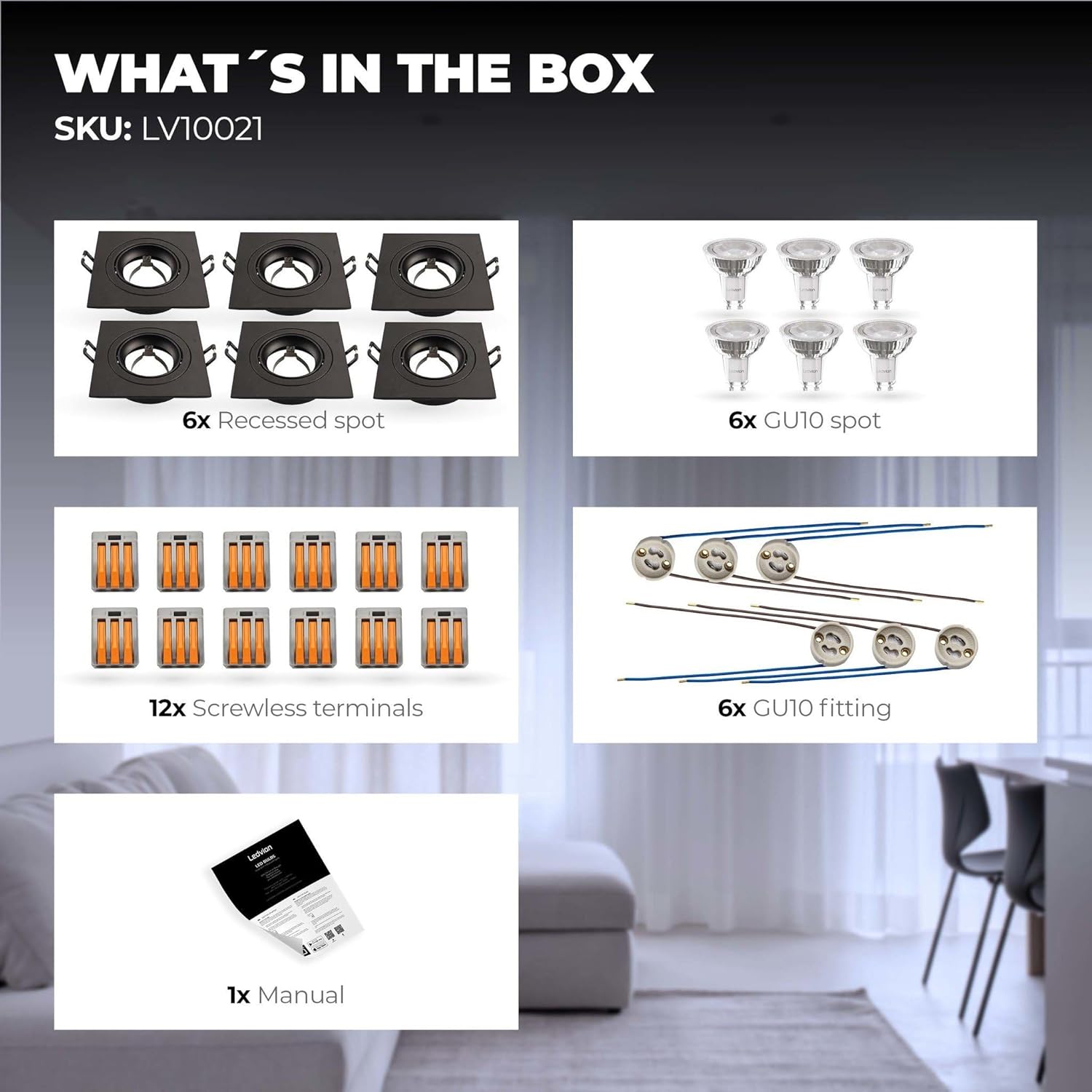
Image: The package contents include recessed spots, GU10 bulbs, screwless terminals, GU10 fittings, and a manual.
- 6x Recessed Spotlights (Black, Aluminum)
- 6x Smart Ledvion WiFi GU10 LED Bulbs (RGBWW, Dimmable)
- 12x Screwless Terminals
- 6x GU10 Fittings
- 1x ಬಳಕೆದಾರ ಕೈಪಿಡಿ
4. ವಿಶೇಷಣಗಳು
| ವೈಶಿಷ್ಟ್ಯ | ನಿರ್ದಿಷ್ಟತೆ |
|---|---|
| ಬ್ರ್ಯಾಂಡ್ | ಲೆಡ್ವಿಯನ್ |
| ಮಾದರಿ ಸಂಖ್ಯೆ | LV10021-RGB-6pack |
| ಉತ್ಪನ್ನ ಆಯಾಮಗಳು | 24 x 20 x 10 cm (L x W x H) |
| ತೂಕ | 960 grams (total for 6-pack) |
| ವಸ್ತು | ಅಲ್ಯೂಮಿನಿಯಂ |
| Color (Fixture) | ಕಪ್ಪು |
| ಇನ್ಪುಟ್ ಸಂಪುಟtage | 230 ವೋಲ್ಟ್ಗಳು |
| ಬಲ್ಬ್ ಪ್ರಕಾರ | Smart GU10 LED (RGBWW) |
| ಪ್ರಕಾಶಕ ಫ್ಲಕ್ಸ್ | 345 lm (per bulb) |
| ವಿದ್ಯುತ್ ಬಳಕೆ | 49 Watts (total for 6 bulbs) |
| ಬಣ್ಣದ ತಾಪಮಾನ | 2700K (Warm White) to 6500K (Daylight White) + RGB |
| ವಿಶೇಷ ವೈಶಿಷ್ಟ್ಯಗಳು | Color Changing, Dimmable, WiFi Control, Adjustable Beam Angle (up to 36 degrees) |
| ಅನುಸ್ಥಾಪನೆಯ ಪ್ರಕಾರ | Ceiling Mount (Recessed) |
| ಕಟ್-ಔಟ್ ವ್ಯಾಸ | 80-83 ಮಿಮೀ |
| ಅನುಸ್ಥಾಪನೆಯ ಆಳ | 60 ಮಿ.ಮೀ |
| ಜೀವಮಾನ | 15,000 ಗಂಟೆಗಳು |
For detailed energy information, please refer to the EPREL product information sheet.

Image: Dimensional diagram indicating a cut-out diameter of 80mm, an outer diameter of 92mm, and an installation depth of 60mm.
5. ಅನುಸ್ಥಾಪನಾ ಸೂಚನೆಗಳು
ಪ್ರಮುಖ: Ensure power is disconnected at the main circuit breaker before proceeding with installation.
- ಸೀಲಿಂಗ್ ತಯಾರಿಸಿ: Cut a circular hole in the ceiling with a diameter of 80-83 mm for each downlight. Ensure there is at least 60 mm of clear space above the ceiling for the fixture.
- ವೈರಿಂಗ್ ಅನ್ನು ಸಂಪರ್ಕಿಸಿ:
- Connect the GU10 fitting to the main electrical wiring using the provided screwless terminals.
- Ensure proper polarity: typically, blue wire to neutral (N) and brown wire to live (L).
- Refer to the wiring diagram for multiple downlight connections.
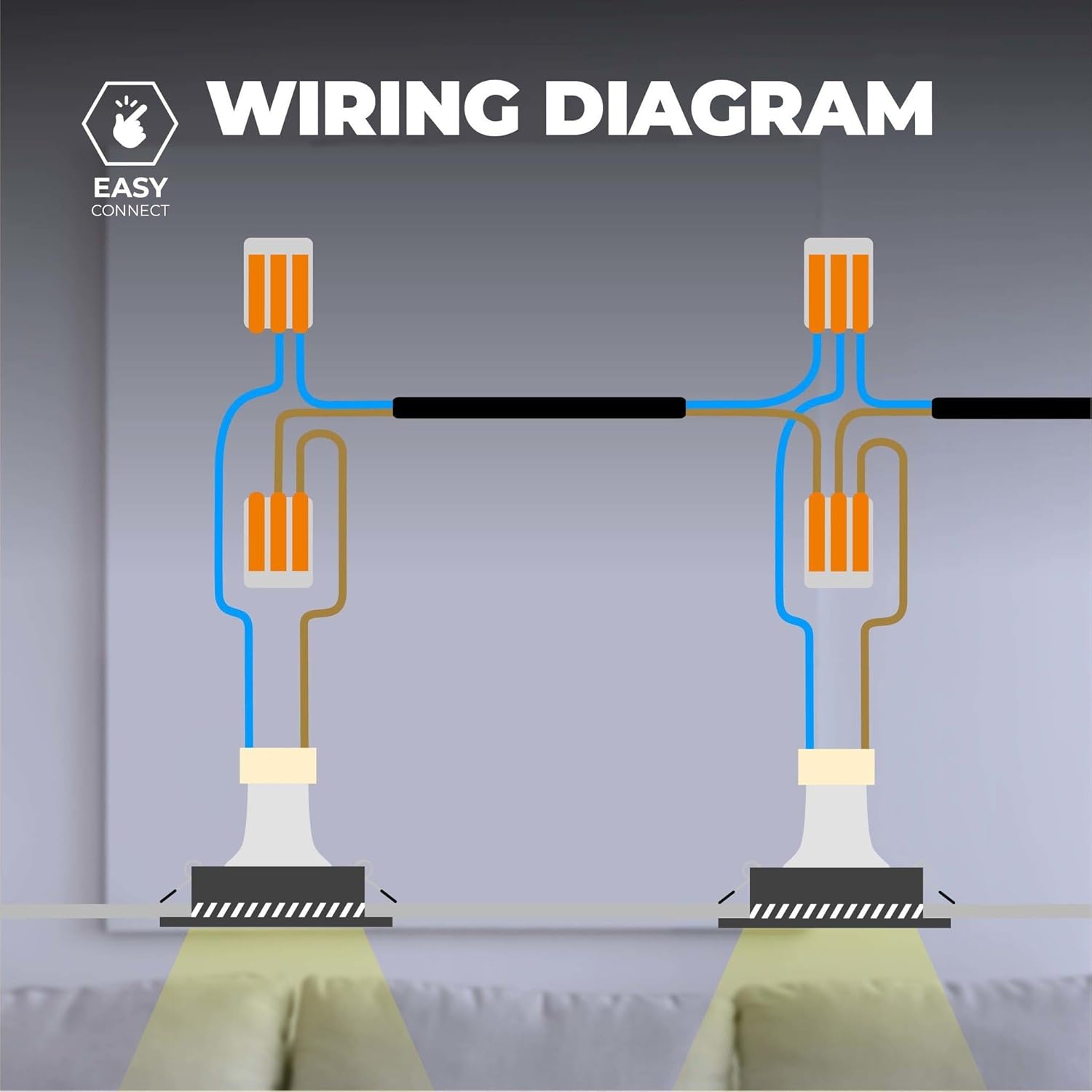
Image: Wiring diagram illustrating how to connect multiple recessed spotlights in parallel using screwless terminals for live and neutral connections.
- Insert GU10 Bulb: Carefully insert the Smart GU10 LED bulb into the GU10 fitting.
- ಫಿಕ್ಸ್ಚರ್ ಅನ್ನು ಆರೋಹಿಸಿ:
- Push the spring clips on the sides of the recessed spot upwards.
- Insert the fixture into the prepared ceiling hole.
- Release the clips; they will secure the downlight in place against the ceiling.
- ಶಕ್ತಿಯನ್ನು ಮರುಸ್ಥಾಪಿಸಿ: Once all downlights are securely installed and wired, restore power at the main circuit breaker.
6. Smart Features Setup
Your Ledvion Smart LED Downlights can be controlled via a smartphone app and integrated with voice assistants.
6.1 ಅಪ್ಲಿಕೇಶನ್ ಸ್ಥಾಪನೆ ಮತ್ತು ಜೋಡಣೆ
- ಅಪ್ಲಿಕೇಶನ್ ಡೌನ್ಲೋಡ್ ಮಾಡಿ: Download a compatible smart home app such as "Smart Life App", "Calex Smart App", or "V-tac Smart Light app" from your device's app store. These are Tuya-compatible applications.
- ನೋಂದಾಯಿಸಿ/ಲಾಗಿನ್ ಮಾಡಿ: ಅಪ್ಲಿಕೇಶನ್ ತೆರೆಯಿರಿ ಮತ್ತು ಹೊಸ ಖಾತೆಯನ್ನು ನೋಂದಾಯಿಸಿ ಅಥವಾ ನೀವು ಈಗಾಗಲೇ ಒಂದನ್ನು ಹೊಂದಿದ್ದರೆ ಲಾಗಿನ್ ಮಾಡಿ.
- Enable WiFi: Ensure your smartphone is connected to a 2.4 GHz WiFi network. The downlights require a 2.4 GHz network for initial pairing.
- ಸಾಧನವನ್ನು ಸೇರಿಸಿ:
- Turn on the downlight. It should start blinking rapidly, indicating pairing mode. If not, cycle the power (on-off-on-off-on) until it blinks.
- ಅಪ್ಲಿಕೇಶನ್ನಲ್ಲಿ, "ಸಾಧನವನ್ನು ಸೇರಿಸಿ" ಅಥವಾ "+" ಐಕಾನ್ ಟ್ಯಾಪ್ ಮಾಡಿ.
- Select "Lighting" or "Light Source (Wi-Fi)".
- Follow the on-screen instructions to connect the downlight to your WiFi network. You may need to confirm the blinking status and enter your WiFi password.
- Repeat for each downlight if adding individually, or use group pairing if available in the app.
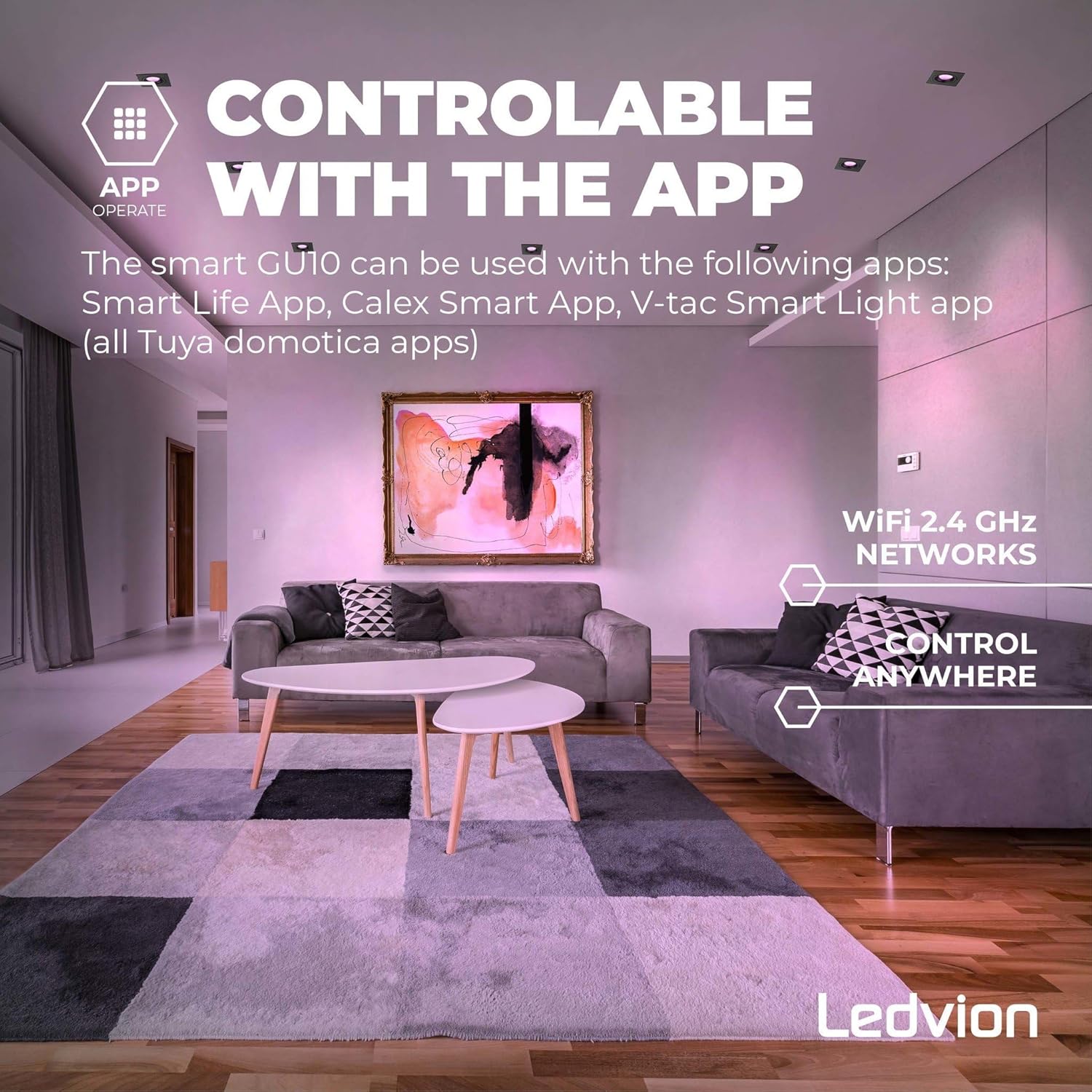
Image: A smartphone screen displaying a smart home app interface, indicating control over lighting via a 2.4 GHz WiFi network, with the text "Controllable with the App" and "Control Anywhere".
6.2 ಧ್ವನಿ ಸಹಾಯಕ ಏಕೀಕರಣ
Your downlights are compatible with Google Home, Amazon Alexa, and Siri Shortcuts.
- ಖಾತೆಯನ್ನು ಲಿಂಕ್ ಮಾಡಿ: In your Google Home, Amazon Alexa, or Apple Home app, navigate to the "Skills" or "Works with Google" section.
- ಹುಡುಕು ಅಪ್ಲಿಕೇಶನ್: ಹುಡುಕು the smart home app you used (e.g., "Smart Life").
- Enable Skill/Link Service: Enable the skill or link the service, then log in with your smart home app account credentials.
- ಸಾಧನಗಳನ್ನು ಅನ್ವೇಷಿಸಿ: Once linked, ask your voice assistant to "Discover devices" or manually initiate device discovery in the app.
- Assign Rooms: Assign your downlights to specific rooms for easier voice control (e.g., "Turn on living room lights").
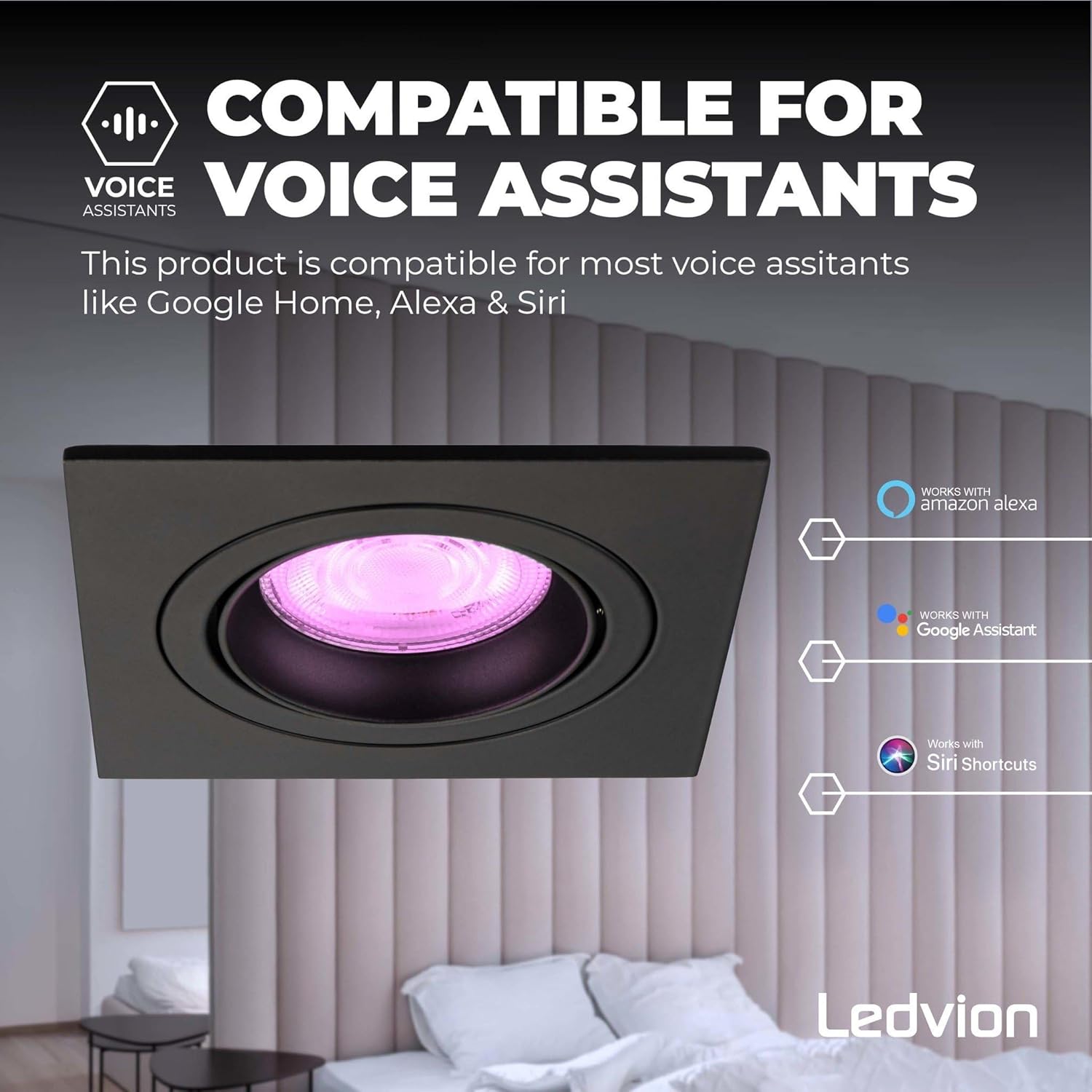
Image: A close-up of a black recessed smart LED downlight, with logos indicating compatibility with Amazon Alexa, Google Assistant, and Siri Shortcuts.
7. ಆಪರೇಟಿಂಗ್ ಸೂಚನೆಗಳು
Once installed and set up, you can control your Ledvion Smart LED Downlights in several ways:
7.1 Via Smartphone App
- ಆನ್/ಆಫ್: Tap the power icon next to the device name.
- ಹೊಳಪು: Use the dimmer slider to adjust light intensity (0-100%).
- ಬಣ್ಣದ ತಾಪಮಾನ: Adjust the white light from warm white (2700K) to cool daylight (6500K).
- RGB Colors: Select from millions of colors using the color wheel or preset scenes.
- ದೃಶ್ಯಗಳು: Choose from pre-programmed lighting scenes or create your own custom scenes.
- ಟೈಮರ್ಗಳು ಮತ್ತು ವೇಳಾಪಟ್ಟಿಗಳು: Set schedules for lights to turn on/off or change settings at specific times.
- ಗುಂಪುಗಾರಿಕೆ: Group multiple downlights together to control them simultaneously.
7.2 Via Voice Assistants
Use voice commands with your linked Google Home, Amazon Alexa, or Siri-enabled devices:
- "Hey Google, turn on the living room lights."
- "Alexa, set kitchen lights to 50% brightness."
- "Hey Siri, change bedroom light to blue." (Requires Siri Shortcuts setup)
7.3 Adjustable Beam Angle
The aluminum frame of the recessed spot is tiltable, allowing you to adjust the light beam angle up to 36 degrees. Gently push the inner ring of the fixture to direct the light as desired.

Image: A close-up of a black recessed smart LED downlight, showing its inner ring tilted to demonstrate the adjustable beam angle of up to 36 degrees.
8. ನಿರ್ವಹಣೆ
These LED downlights require minimal maintenance.
- ಸ್ವಚ್ಛಗೊಳಿಸುವಿಕೆ: Ensure power is off before cleaning. Wipe the fixture with a soft, dry cloth. Do not use abrasive cleaners or solvents.
- ಬಲ್ಬ್ ಬದಲಿ: The GU10 LED bulbs are designed for a long lifespan (15,000 hours). If replacement is necessary, ensure power is off, gently remove the old bulb, and insert a new compatible GU10 LED bulb.
- Corrosion Proof: The aluminum construction is corrosion-proof, ensuring durability.
9. ನಿವಾರಣೆ
| ಸಮಸ್ಯೆ | ಸಂಭವನೀಯ ಕಾರಣ | ಪರಿಹಾರ |
|---|---|---|
| ಬೆಳಕು ಆನ್ ಆಗುವುದಿಲ್ಲ. | ವಿದ್ಯುತ್ ಪೂರೈಕೆ ಇಲ್ಲ. ಸಡಿಲವಾದ ವೈರಿಂಗ್. ದೋಷಯುಕ್ತ ಬಲ್ಬ್. | ಸರ್ಕ್ಯೂಟ್ ಬ್ರೇಕರ್ ಪರಿಶೀಲಿಸಿ. Verify all wiring connections (power off first). Test with a known working GU10 bulb. |
| Light is not blinking for pairing. | ಜೋಡಿಸುವ ಕ್ರಮದಲ್ಲಿಲ್ಲ. | Cycle power (on-off-on-off-on) until the light blinks rapidly. |
| ವೈಫೈಗೆ ಸಂಪರ್ಕಿಸಲು ಸಾಧ್ಯವಿಲ್ಲ. | ತಪ್ಪಾದ ವೈಫೈ ಪಾಸ್ವರ್ಡ್. Not on 2.4 GHz network. ದುರ್ಬಲ ವೈಫೈ ಸಿಗ್ನಲ್. | ವೈಫೈ ಪಾಸ್ವರ್ಡ್ ಅನ್ನು ಎರಡು ಬಾರಿ ಪರಿಶೀಲಿಸಿ. Ensure your phone is connected to a 2.4 GHz network during setup. Move router closer or use a WiFi extender. |
| ಧ್ವನಿ ಸಹಾಯಕ ಪ್ರತಿಕ್ರಿಯಿಸುತ್ತಿಲ್ಲ. | App not linked. Devices not discovered. Incorrect commands. | Ensure the smart home app is correctly linked to your voice assistant. Ask the voice assistant to discover devices. Use correct and clear voice commands. |
| ಬೆಳಕು ಅನಿರೀಕ್ಷಿತವಾಗಿ ಮಿನುಗುತ್ತದೆ ಅಥವಾ ಮಂದವಾಗುತ್ತದೆ. | ಅಸ್ಥಿರ ವಿದ್ಯುತ್ ಸರಬರಾಜು. Incompatible dimmer (if not using smart dimming). ಸಡಿಲವಾದ ಸಂಪರ್ಕ. | ಎಲೆಕ್ಟ್ರಿಷಿಯನ್ ಅನ್ನು ಸಂಪರ್ಕಿಸಿ. Ensure you are using the app's dimming function, not a wall dimmer. Check wiring connections (power off first). |
If problems persist, please contact Ledvion customer support.
10. ಖಾತರಿ ಮತ್ತು ಬೆಂಬಲ
Ledvion provides a 2 ವರ್ಷದ ಖಾತರಿ on these Smart LED Downlights. This warranty covers defects in materials and workmanship under normal use.
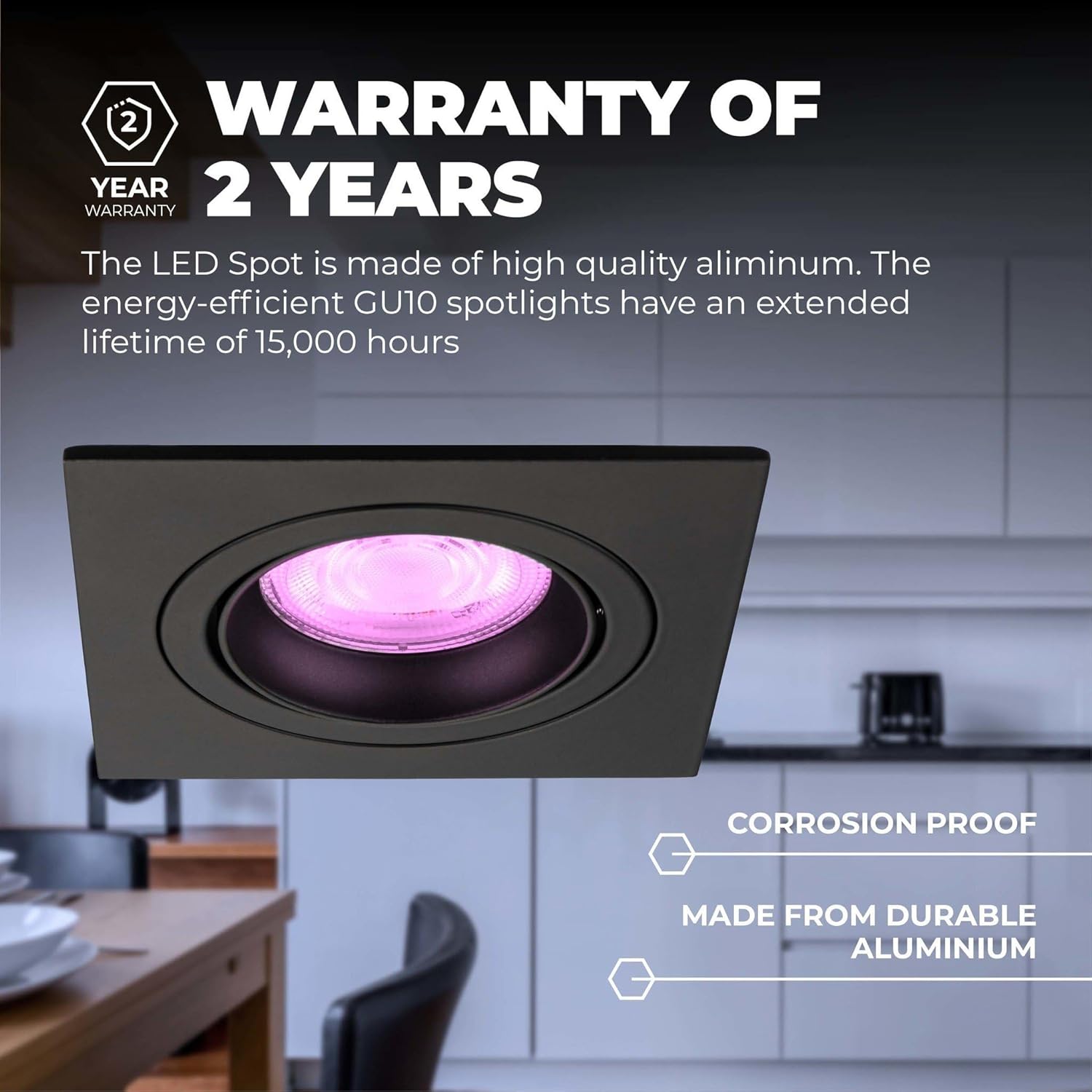
Image: A close-up of a black recessed smart LED downlight, featuring a "2 Year Warranty" badge and text emphasizing its corrosion-proof and durable aluminum construction.
For warranty claims or technical support, please contact your retailer or Ledvion customer service with your proof of purchase and model number (LV10021-RGB-6pack).
ಸಂಪರ್ಕ ಮಾಹಿತಿ: Please refer to the Ledvion official website or your product packaging for the most up-to-date contact details.


