1. សេចក្តីផ្តើម
ហ្វីហ្វីន AmpliGame AM8PROT is a versatile dynamic microphone kit designed for gaming, streaming, podcasting, and other audio recording applications. It offers dual USB and XLR connectivity, vibrant RGB lighting, and intuitive controls for an enhanced user experience. This manual provides detailed instructions for setting up, operating, and maintaining your microphone kit.
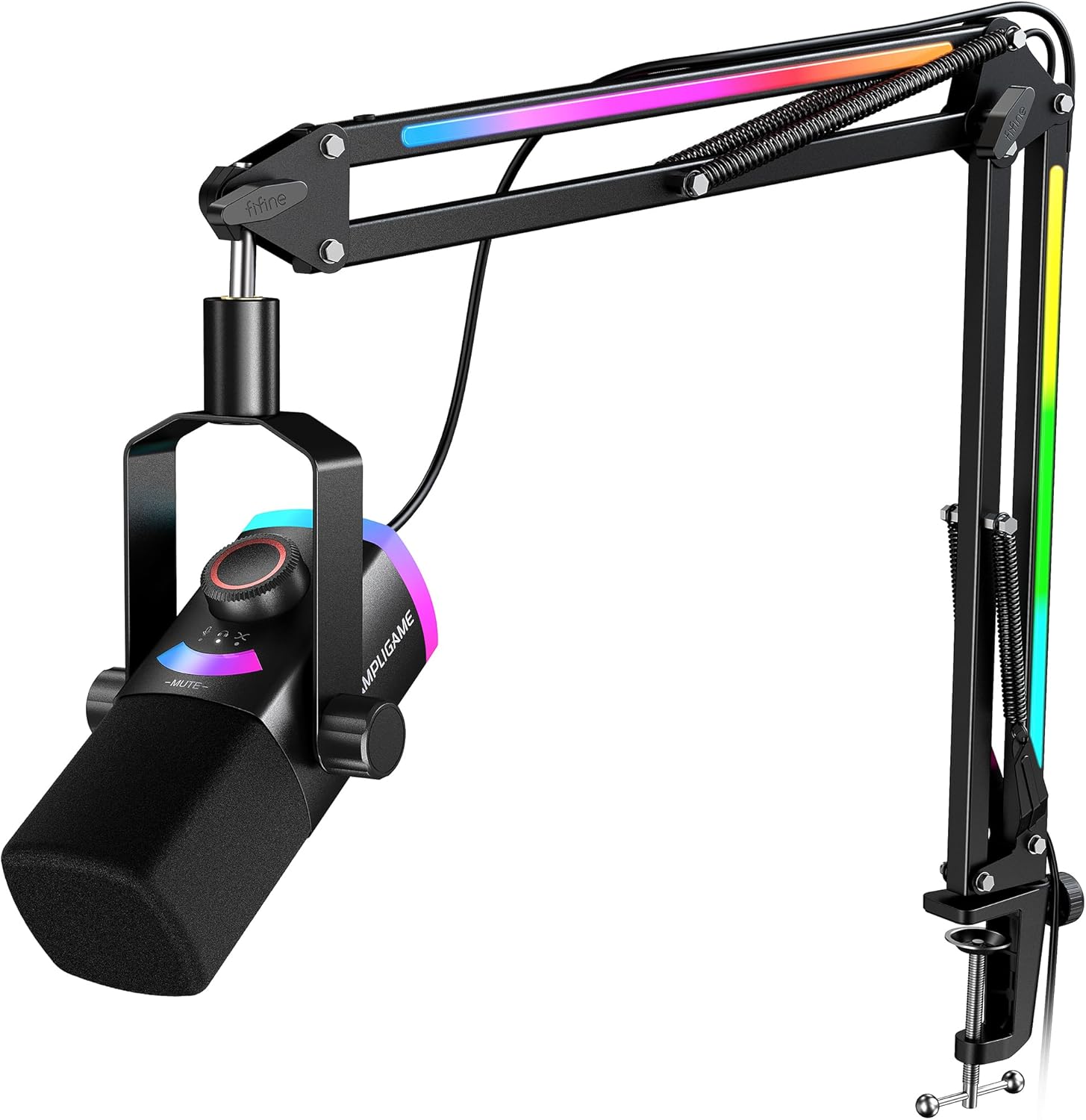
រូបភាពទី 1: FIFINE AmpliGame AM8PROT Gaming Microphone Kit with Boom Arm.
2. មាតិកាកញ្ចប់
ត្រូវប្រាកដថាធាតុទាំងអស់ដែលបានរាយខាងក្រោមមានវត្តមាននៅក្នុងកញ្ចប់របស់អ្នក៖
- Dynamic Microphone (AM8PROT)
- RGB Boom Arm and Screw Adapter
- ស៊ី-ក្លamp សម្រាប់ការដំឡើងតុ
- 8.2ft USB-C to USB-A/C Cable
- សៀវភៅណែនាំអ្នកប្រើប្រាស់

Figure 2: All components included in the FIFINE AmpliGame AM8PROT kit.
3. រៀបចំ
3.1 សភារូបវិទ្យា
- ភ្ជាប់ C-Clamp to the edge of your desk. Ensure it is securely tightened to prevent movement.
- Insert the RGB Boom Arm into the C-Clamp. Adjust the arm's position and tension as needed for optimal placement.
- Screw the Dynamic Microphone onto the boom arm's adapter. Ensure it is firmly attached.
- Place the foam windscreen over the microphone capsule to reduce plosives and breath noise.
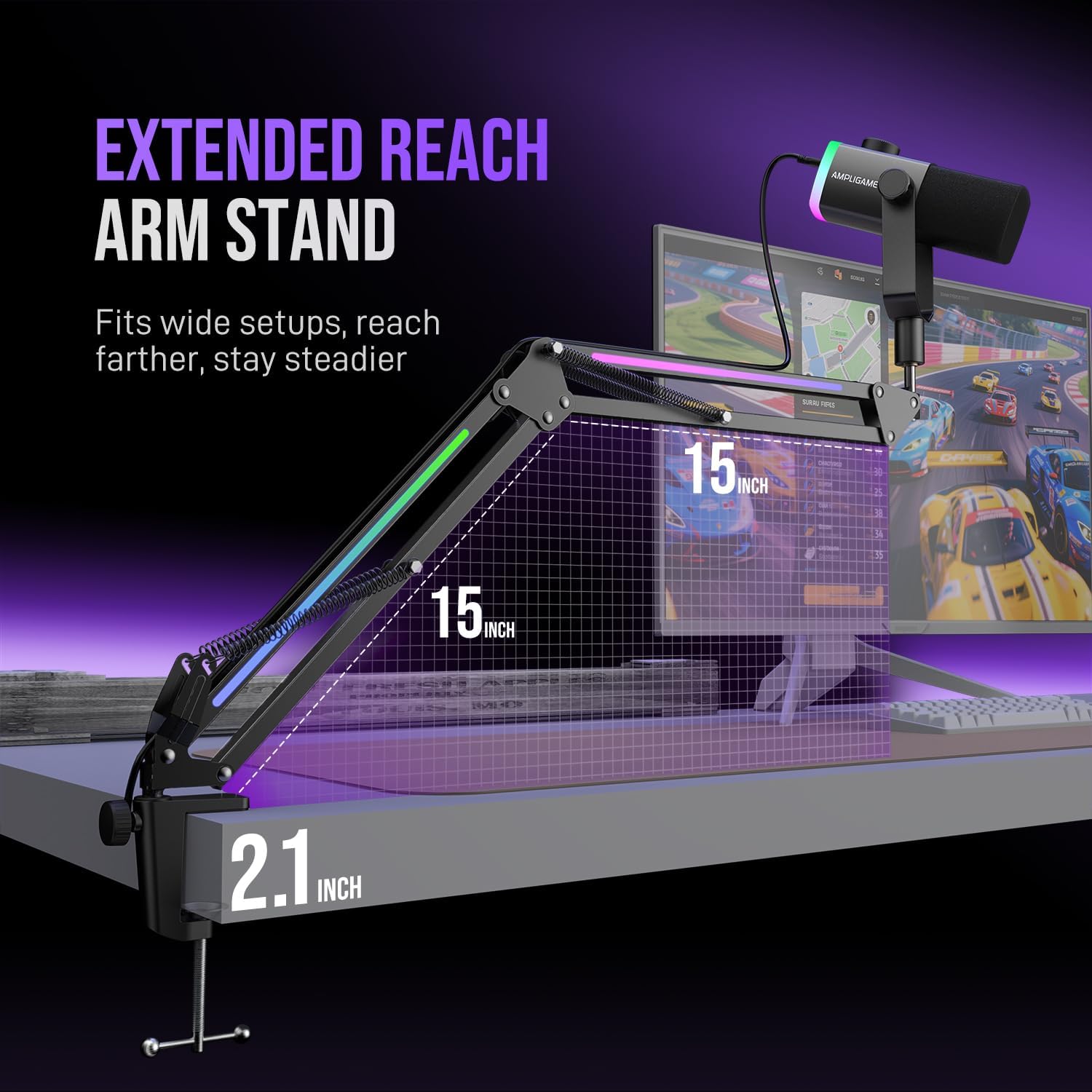
Figure 3: The extended reach boom arm stand provides flexibility and saves desk space. It can extend up to 30 inches.
3.2 USB Connection (Plug-and-Play)
For quick and easy setup with your computer or gaming console:
- Connect the USB-C end of the provided 8.2ft cable to the USB-C port on the microphone.
- Connect the USB-A or USB-C end of the cable to an available port on your PC (Windows/MacOS), PS4, or PS5.
- The device should be automatically recognized by your system. Select "FIFINE AM8PROT" as your input/output device in your system's sound settings or streaming software.
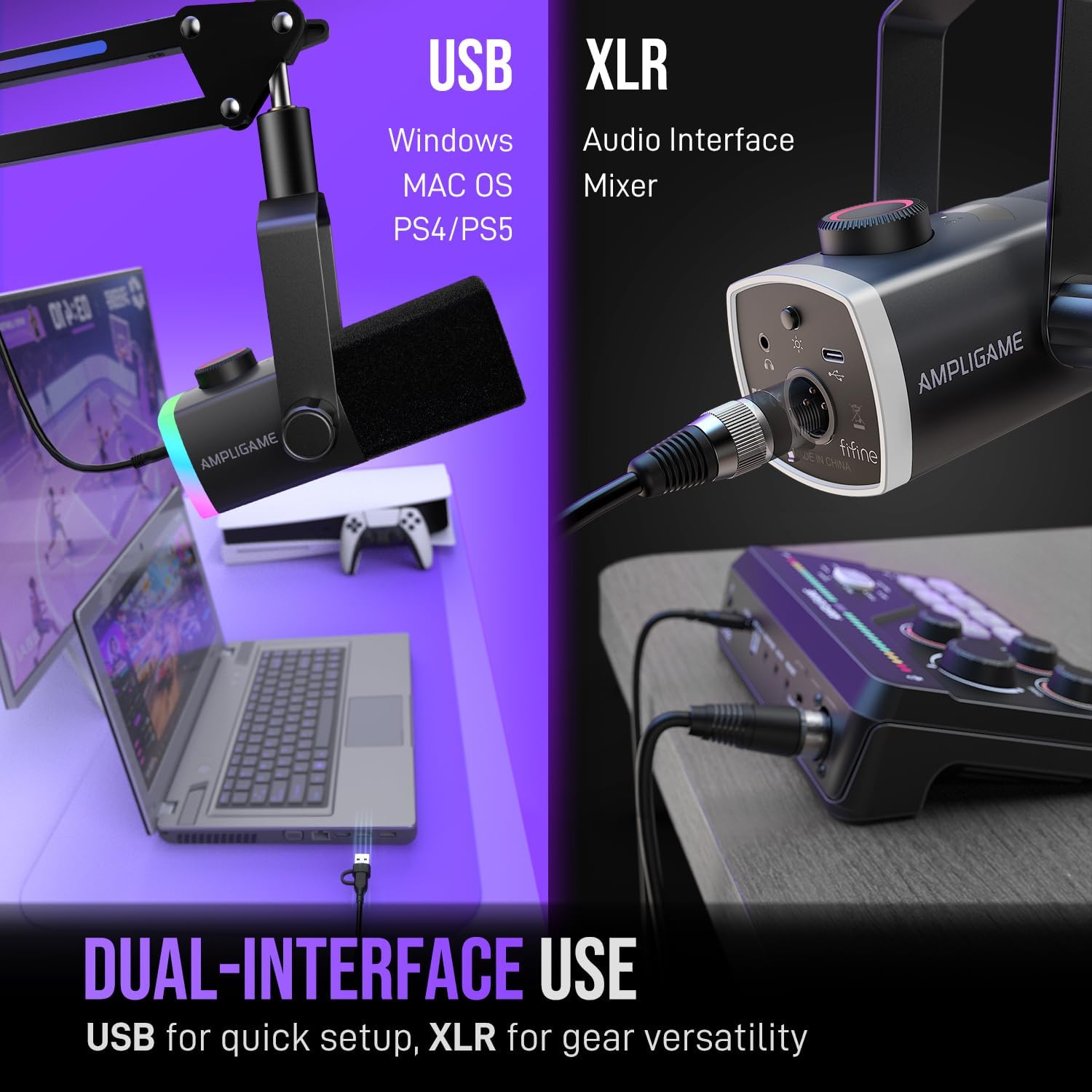
Figure 4: The microphone offers dual USB and XLR connectivity for versatile use with various devices.
3.3 XLR Connection (Advanced Setup)
For professional audio setups with an audio interface or mixer:
- Connect an XLR cable (not included) from the XLR port on the microphone to an XLR input on your audio interface or mixer.
- Ensure your audio interface/mixer is properly configured and connected to your computer.
- The AM8PROT is a dynamic microphone and does not require 48V phantom power.
Video 1: This video demonstrates the unboxing, setup, and review of the FIFINE Gaming Microphone Kit, including connection options.
4. សេចក្តីណែនាំប្រតិបត្តិការ
៣.២ ការគ្រប់គ្រងមីក្រូហ្វូន
The AM8PROT features a multifunctional dial and a tap-to-mute button for easy audio management:
- Multifunctional Dial: This 3-in-1 knob controls microphone gain, headphone volume, and the mix balance between your vocal input and PC audio. Tap the dial to cycle through these settings, then rotate to adjust the level.
- Tap-to-Mute: A visible LED panel indicates the mute status. Tap the mute area on the microphone to instantly mute or unmute your audio. This prevents unwanted sounds during live broadcasts or recordings.
- កាសស្តាប់ត្រចៀក៖ Connect your headphones to the 3.5mm jack on the microphone for real-time monitoring of your voice and PC audio without latency.

Figure 5: The multifunctional mic panel provides essential controls at your fingertips, including gain, headphone volume, mix control, and tap-to-mute.
4.2 ការត្រួតពិនិត្យពន្លឺ RGB
The AM8PROT features vibrant RGB lighting on both the microphone and the boom arm:
- Microphone RGB: Use the dedicated RGB button on the microphone to cycle through 240+ RGB combinations, including static colors, flowing modes, and beat-reactive modes.
- Boom Arm RGB: The boom arm also features integrated RGB lighting. Use its dedicated control button to select various lighting effects and colors to match your setup or mood.

Figure 6: Experience immersive lighting with over 240 RGB combinations on both the microphone and boom arm.
Video 2: This video provides a detailed look at the FIFINE Gaming Microphone Kit, highlighting its features and performance, which may assist in troubleshooting.
5. ការថែទាំ
- Keep the microphone and boom arm clean by wiping them with a soft, dry cloth.
- ជៀសវាងការប៉ះពាល់ឧបករណ៍ទៅនឹងសីតុណ្ហភាព សំណើមខ្លាំង ឬពន្លឺព្រះអាទិត្យដោយផ្ទាល់។
- Do not use harsh chemicals or abrasive cleaners on any part of the kit.
- ត្រូវប្រាកដថាខ្សែមិនខូច ឬជាប់ស្អិតដើម្បីការពារការខូចខាត។
6. ការដោះស្រាយបញ្ហា
- គ្មានលទ្ធផលសំឡេង៖
- Check all cable connections (USB or XLR) to ensure they are secure.
- Verify that the microphone is selected as the default input device in your computer's sound settings or streaming software.
- Ensure the microphone is not muted (check the LED indicator).
- Adjust the microphone gain using the multifunctional dial.
- Poor Sound Quality / Background Noise:
- Ensure the foam windscreen is properly installed.
- Position the microphone closer to your mouth (within 6-12 inches) and speak directly into the front of the capsule.
- Reduce background noise in your environment. The cardioid pattern helps, but a quiet space is ideal.
- Adjust the gain level to avoid clipping (distortion) or being too quiet.
- ភ្លើង RGB មិនដំណើរការ៖
- Ensure the USB cable is securely connected, as it powers the RGB lighting.
- Press the RGB control buttons on the microphone and boom arm to cycle through modes or turn them on.
Video 3: This video provides a review នៃ FIFINE AmpliGame AM8PROT, highlighting its features and performance, which may assist in troubleshooting.
7. លក្ខណៈបច្ចេកទេស
| ឈ្មោះម៉ូដែល | AM8PROT |
| ម៉ាក | ហ្វីហ្វីន |
| បច្ចេកវិទ្យាតភ្ជាប់ | USB, XLR |
| ប្រភេទឧបករណ៍ភ្ជាប់ | USB, XLR |
| កត្តាទម្រង់មីក្រូហ្វូន | ផ្ទៃតុ |
| លំនាំប៉ូល។ | គ្មានទិសដៅ (Cardioid) |
| ភាពរសើបនៃសំឡេង | ៣០ ដេស៊ីបែល |
| សញ្ញាសមាមាត្រសំលេងរំខាន | 75 dB |
| ការឆ្លើយតបប្រេកង់ | 20 Hz - 20 KHz |
| ប្រភពថាមពល | ខ្សែអគ្គិសនី |
| សម្ភារៈ | Acrylonitrile Butadiene Styrene, លោហៈ |
| ឧបករណ៍ដែលត្រូវគ្នា។ | កុំព្យូទ័រយួរដៃ កុំព្យូទ័រ PS4/PS5 |
| ទំងន់ធាតុ | 3.47 ផោន |
| លក្ខណៈពិសេស | Controllable RGB, Monitoring, Mix Control, LED Indicator, Mute Function, Stand, Volume Control |
8. ការធានា និងការគាំទ្រ
For warranty information or technical support, please refer to the official FIFINE website or contact their customer service directly. The product includes a user's manual with additional support details.
Manufacturer: FIFINE


