Furrion Vision S+ RV Observation System
សៀវភៅណែនាំអ្នកប្រើប្រាស់
1. សេចក្តីផ្តើម និងជាងview
The Furrion Vision S+ RV Observation System is designed to enhance safety and convenience for RV owners. This system provides improved visibility, making maneuvers like backing up and changing lanes safer and more manageable. It features advanced technology for clear imaging day and night, and can also function as a security system when parked.
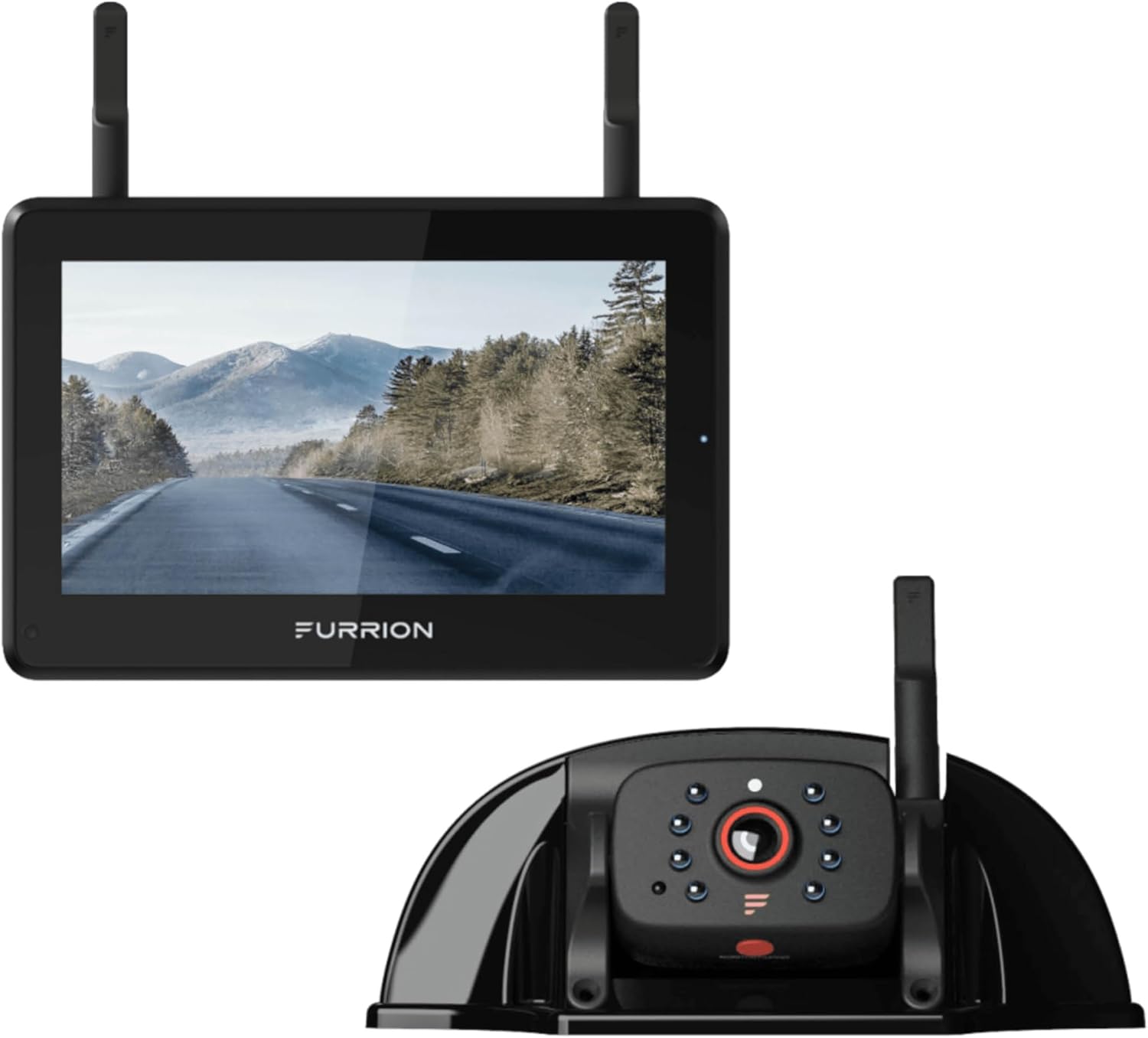
Image: The Furrion Vision S+ RV Observation System, showing the 7-inch monitor and the sharkfin camera unit.
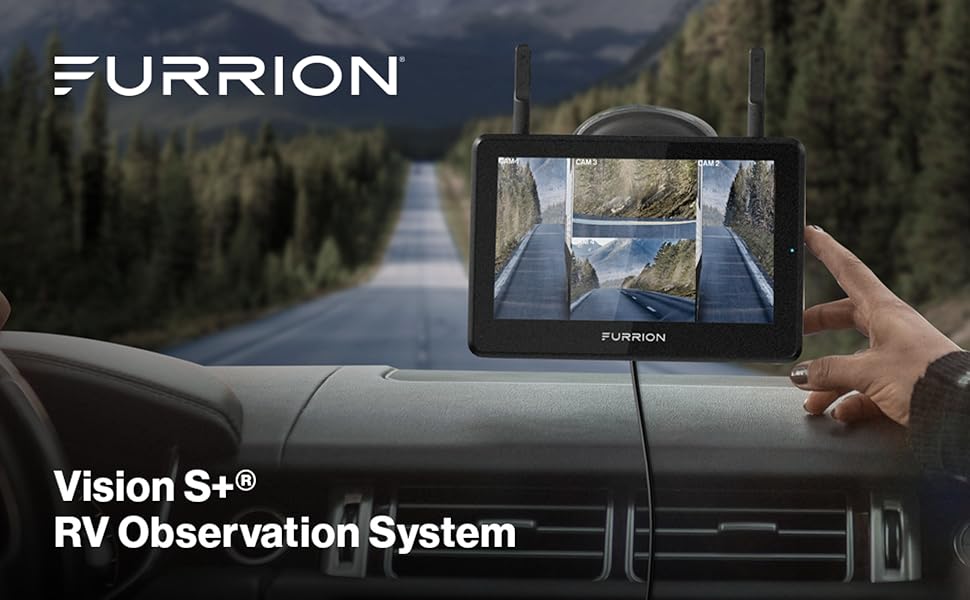
Image: The Vision S+ monitor displayed on an RV dashboard, showing multiple camera views for enhanced awareness.
លក្ខណៈសំខាន់ៗ៖
- Easy & Quick Installation: Designed for minimal drilling, especially for RVs prepped for the system.
- Waterproof Camera with Night Vision: High-resolution 1080p IP65 rated sharkfin camera with infrared night vision and a 140° wide viewមុំ។
- Stable & Long-Range Signal Strength: 2.4 GHz proprietary wireless communication for reliable, lag-free digital connection up to 492 ft in open spaces.
- Clear & Easy Viewing: 7-inch touchscreen anti-glare monitor with park assist marker lines, capable of displaying up to four camera views.
- Security & Safety: Motion-activated camera can auto-wake the display, functioning as a security system when parked. Includes audio transmission for parking guidance.
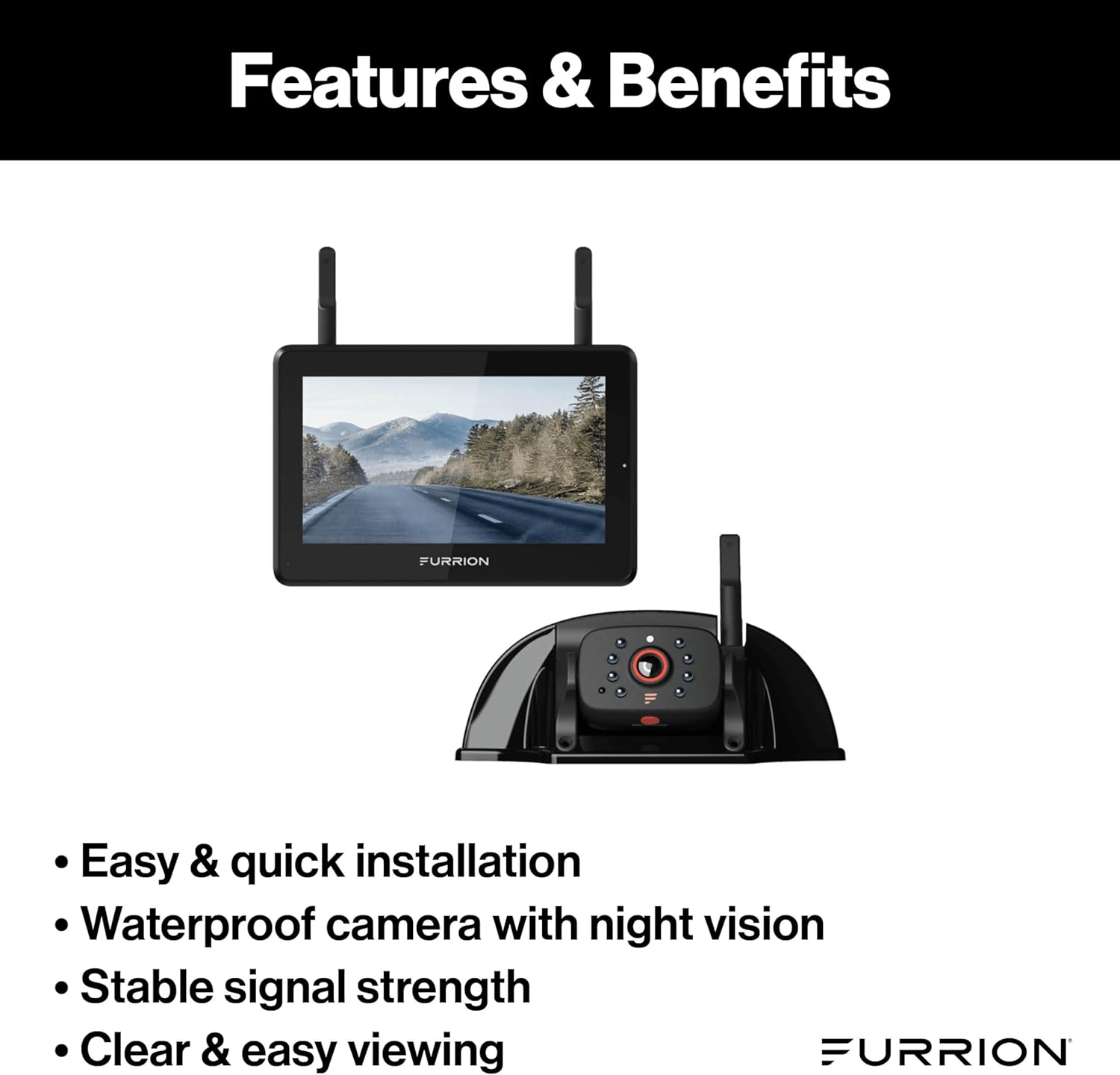
Image: A graphic highlighting the key features and benefits of the Furrion Vision S+ system, including easy installation, waterproof camera, stable signal, and clear viewing.
2. តើមានអ្វីនៅក្នុងប្រអប់
The Furrion Vision S+ RV Observation System (Single Camera) package includes the following components:
- 7" Monitor
- កាមេរ៉ា Sharkfin
- ឈរតារាងម៉ូនីទ័រ
- Monitor Windshield Stand
- ឧបករណ៍បញ្ចូលភ្លើងបារី
- ខ្សែថាមពល USB-C
3. ការដំឡើងនិងការដំឡើង
The Vision S+ system is designed for straightforward installation, especially on RVs pre-wired for Furrion systems.
3.1 ការដំឡើងកាមេរ៉ា
The sharkfin camera is typically mounted at the rear of the RV. Many modern RVs come pre-wired with a Furrion mounting bracket and power connection, simplifying the process.

Image: The sharkfin camera installed on the rear of an RV, demonstrating the ease of installation on pre-prepped vehicles.
Ensure the camera is securely fastened and the power connection is properly made. The IP65 waterproof rating ensures durability against outdoor elements.

Image: A representative image showing the waterproof design of the Furrion Vision S+ camera, capable of clear viewing in various weather conditions.
3.2 Monitor Setup
The 7-inch monitor can be mounted using either the included windshield stand or the table stand, providing flexible placement options within your vehicle.
- Windshield Mount: Attach the suction cup mount to a clean, smooth area on your windshield, ensuring it does not obstruct your view. Secure the monitor to the mount.
- តុឈរ៖ Place the monitor on the table stand for use on a flat surface, such as a dashboard or table.
Connect the monitor to power using the cigarette lighter charger or the USB-C power cable.

Image: The Furrion Vision S+ monitor positioned on its table stand, suitable for various interior placements.
4. សេចក្តីណែនាំប្រតិបត្តិការ
4.1 ការបើក និងផ្គូផ្គង
Once the camera and monitor are powered, the system should automatically pair. The 2.4 GHz proprietary wireless communication ensures a stable and reliable connection.
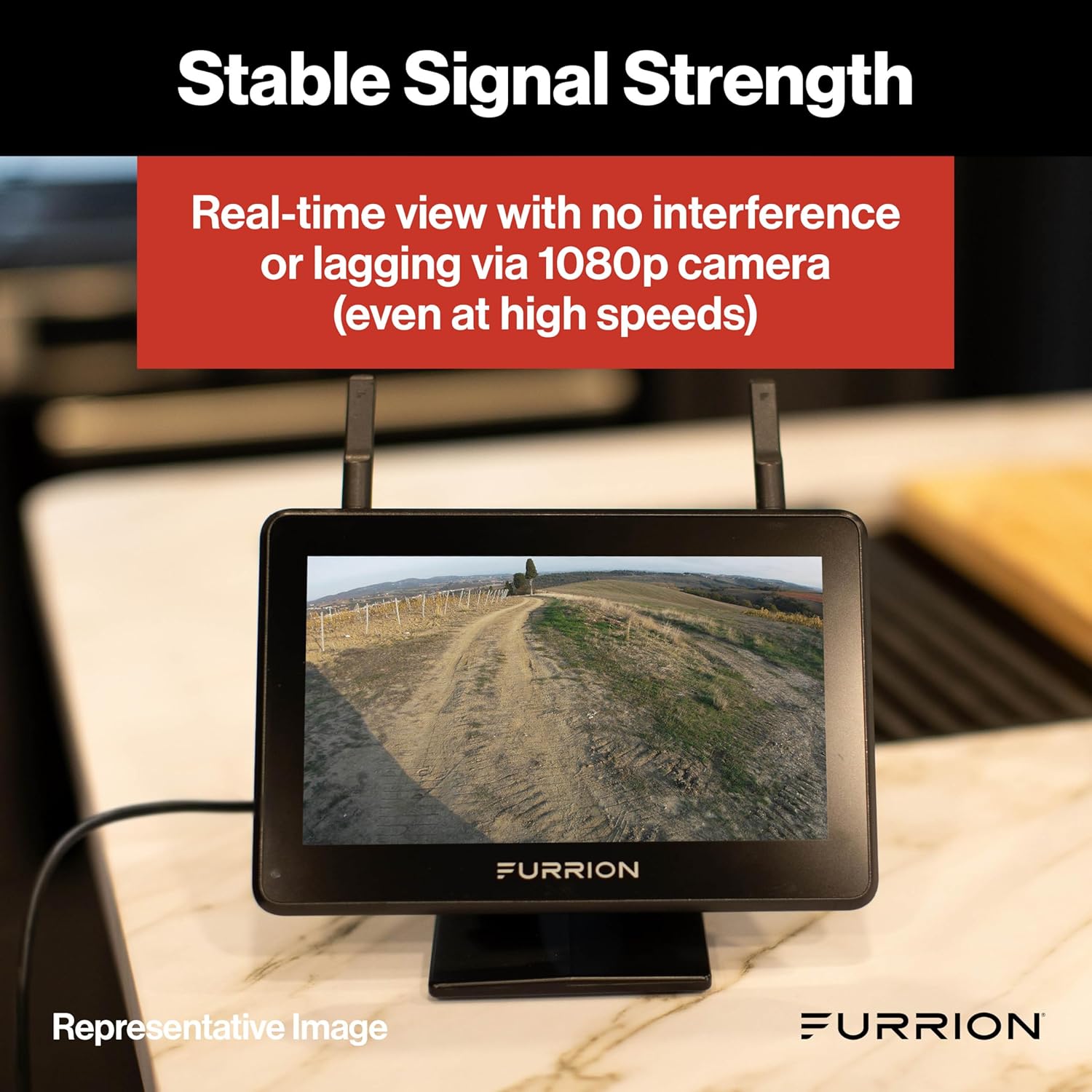
Image: The Furrion Vision S+ monitor showing a real-time, clear view from the camera, demonstrating stable signal strength even at high speeds.
០២ ការប្រើប្រាស់ម៉ូនីទ័រ
The 7-inch touchscreen monitor provides intuitive control over the system.
- Viewនៅក្នុងរបៀប: The monitor can display a single camera view. If additional cameras are added (sold separately), it can display up to four camera views simultaneously for comprehensive coverage.
- Park Assist Marker Lines: Toggle on/off the adjustable park assist marker lines to aid in backing up and parking maneuvers. These lines provide visual guidance to help you navigate tight spaces.
- ចក្ខុវិស័យពេលយប់៖ The camera's infrared night vision technology provides a clear view in low-light conditions, extending your visibility beyond daylight hours.
- ការបញ្ជូនសំឡេង៖ The camera includes a microphone for audio transmission, which can be useful for receiving parking guidance from a spotter.

Image: The Furrion Vision S+ monitor displaying multiple camera feeds, with a hand interacting with the touchscreen. This illustrates the clear and easy viewបទពិសោធន៍។
4.3 លក្ខណៈពិសេសសុវត្ថិភាព
The Vision S+ system can also function as a security system when your RV is parked.
- ការធ្វើឱ្យសកម្មចលនា៖ The camera features motion sensors that can detect movement. When motion is detected, the display can auto-wake, providing a live view នៃតំបន់។
- Recording (Optional): If equipped with an SD card (not included), the system can record footage of events, providing a record of activity outside your RV.
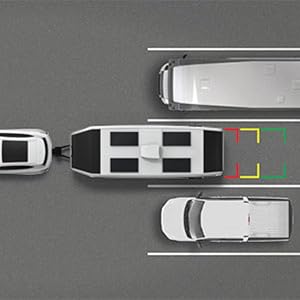
Image: An overhead diagram illustrating the use of parking assist marker lines for precise RV maneuvering.

Image: An overhead diagram showing the extended viewing angles provided by the system to reduce blind spots during travel.
5. ការថែទាំ
To ensure the longevity and optimal performance of your Furrion Vision S+ system, follow these maintenance guidelines:
- ការសម្អាត៖ Regularly clean the camera lens and monitor screen with a soft, lint-free cloth. For stubborn smudges, use a mild, non-abrasive cleaner specifically designed for electronics. Avoid harsh chemicals.
- ការតភ្ជាប់៖ សូមពិនិត្យមើលការតភ្ជាប់ខ្សែទាំងអស់ជាប្រចាំ ដើម្បីធានាថាពួកវាមានសុវត្ថិភាព និងមិនមានច្រេះ។
- Camera Housing: Inspect the camera housing for any signs of damage or cracks that could compromise its waterproof seal.
- ការអាប់ដេតកម្មវិធី៖ Check the Furrion website for any available firmware or software updates for your system to ensure you have the latest features and bug fixes.
- ការផ្ទុក៖ If storing your RV for an extended period, consider disconnecting the monitor and storing it in a cool, dry place.
6. ការដោះស្រាយបញ្ហា
If you encounter issues with your Furrion Vision S+ system, refer to the following common troubleshooting steps:
| បញ្ហា | មូលហេតុដែលអាចកើតមាន | ដំណោះស្រាយ |
|---|---|---|
| មិនមានរូបភាពនៅលើម៉ូនីទ័រទេ។ |
|
|
| រូបភាពភ្លឹបភ្លែតៗ ឬមិនស្ថិតស្ថេរ |
|
|
| ចក្ខុវិស័យពេលយប់មិនដំណើរការទេ។ |
|
|
| បញ្ហាអូឌីយ៉ូ |
|
|
If these steps do not resolve the issue, please contact Furrion customer support for further assistance.
7. លក្ខណៈបច្ចេកទេស
| លក្ខណៈ | លម្អិត |
|---|---|
| លេខម៉ូដែល | FOS7HTASF |
| តាមដានទំហំអេក្រង់ | ៤.៧៥ អ៊ីញ |
| Monitor Display Technology | អេក្រង់ LCD |
| គុណភាពបង្ហាញកាមេរ៉ា | 1080p (១២៨០ x ៨០០) |
| កាមេរ៉ា Viewនៅមុំ | 140 Degrees (Wide Angle) |
| Camera Ingress Protection (IP) Rating | IP65 (មិនជ្រាបទឹក) |
| ប្រេកង់ឥតខ្សែ | 2.4 GHz Proprietary |
| Wireless Range (Open Space) | រហូតដល់ 492 ហ្វីត |
| Wireless Range (High Speed) | រហូតដល់ 100 ហ្វីត |
| ចក្ខុវិស័យពេលយប់ | អ៊ីនហ្វ្រារ៉េដ |
| ការរកឃើញចលនា | Yes (Auto-wake display) |
| អូឌីយ៉ូ | Microphone with audio transmission |
| Product Dimensions (Monitor) | Approx. 7" (W) x 4.875" (H) x 1.1" (D) |
| Product Dimensions (Sharkfin Camera) | Approx. 6.625" (W) x 2.5" (H) x 2.625" (D) |
| ទំងន់ធាតុ | 2.9 ផោន (ប្រព័ន្ធសរុប) |

Image: Diagram showing the approximate dimensions of the 7-inch monitor.

Image: Diagram showing the approximate dimensions of the sharkfin camera.
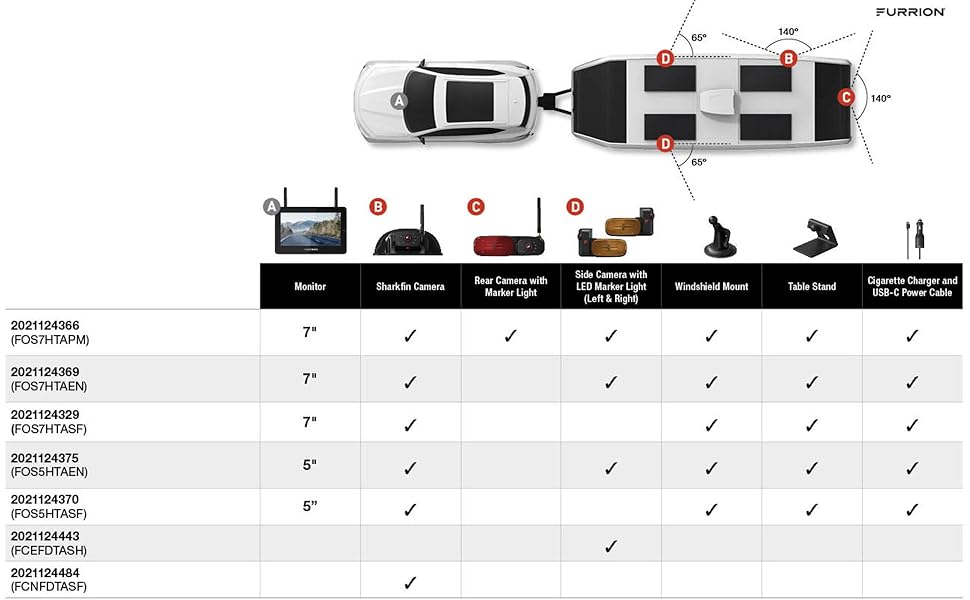
Image: A compatibility chart detailing various Furrion Vision S+ system configurations and included components. Note that this manual is for the single camera system (FOS7HTASF).
8. ការធានា និងការគាំទ្រ
Furrion products are designed for durability and performance. For specific warranty information, please refer to the warranty card included with your product or visit the official Furrion webគេហទំព័រ។
ផែនការការពារ៖
Extended protection plans are available for purchase to provide additional coverage beyond the standard manufacturer's warranty. These plans offer peace of mind for your investment.
- ផែនការការពារ 2 ឆ្នាំ។
- ផែនការការពារ 3 ឆ្នាំ។
- ការការពារពេញលេញ (ការជាវប្រចាំខែគ្របដណ្តប់លើការទិញដែលមានសិទ្ធិច្រើន)
For technical support, troubleshooting assistance, or warranty claims, please contact Furrion Customer Service. Contact details can typically be found on the Furrion webគេហទំព័រ ឬក្នុងវេចខ្ចប់ផលិតផលរបស់អ្នក។
ចំណាំសំខាន់៖ Vision S+ components are only compatible with Vision S+ camera systems. They are not compatible with Vision 1, Vision 2, or Vision S systems.


