សេចក្តីផ្តើម
This manual provides instructions for the ProMaster Jasper 2.0 Medium Satchel Bag, Model 72255. This bag is designed for safely transporting camera gear and accessories, offering comfort and durability for various adventures. It features a 6.8-liter capacity and is suitable for a small camera with multiple lenses, a compact tripod, and a tablet, along with numerous accessories.
លក្ខណៈសំខាន់ៗ
- ការរចនាធន់នឹងទឹក៖ Outer fabric is treated for water resistance, and a full rain cover is included for additional protection.
- Durable Waterproof Base: The bag's base is constructed from a waterproof material to keep contents dry even when placed on wet ground.
- Adjustable Main Flap Closure: Features metal hook-latches that are easy to use, silent in operation, and can be adjusted to accommodate taller items.
- Quick Top Access: A zippered top opening provides direct access to the main camera compartment without needing to unlatch the main flap.
- ការផ្ទុកដែលបានរៀបចំ៖ Multiple pockets are available for organizing accessories.
- Versatile Carrying: Can be worn as a traditional shoulder bag or cross-body.
- សមត្ថភាព៖ ២២៥ លីត្រ។
- បន្ទប់ដាក់៖ Two main compartments for efficient organization.
ការដំឡើងនិងការកំណត់រចនាសម្ព័ន្ធ
The ProMaster Jasper 2.0 Satchel Bag comes ready for use. Minor adjustments may be required to suit individual preferences and equipment.
ការលៃតម្រូវខ្សែស្មា
The shoulder strap can be adjusted for length to allow for comfortable carrying as a traditional shoulder bag or cross-body. Locate the buckles on the strap and slide them to lengthen or shorten as needed. Ensure the padded section rests comfortably on your shoulder.

រូបភាព៖ ខាងមុខ view of the ProMaster Jasper 2.0 Satchel Bag, showcasing the adjustable shoulder strap with padding.
Configuring Internal Dividers
The main compartment includes removable and adjustable padded dividers. These dividers allow you to customize the internal layout to securely fit your camera body, lenses, and other accessories.
- Open the main flap or the top zipper to access the main compartment.
- Remove the existing dividers by detaching their hook-and-loop fasteners.
- Arrange the dividers to create compartments that snugly fit your equipment. Ensure all equipment is cushioned and separated to prevent damage during transport.
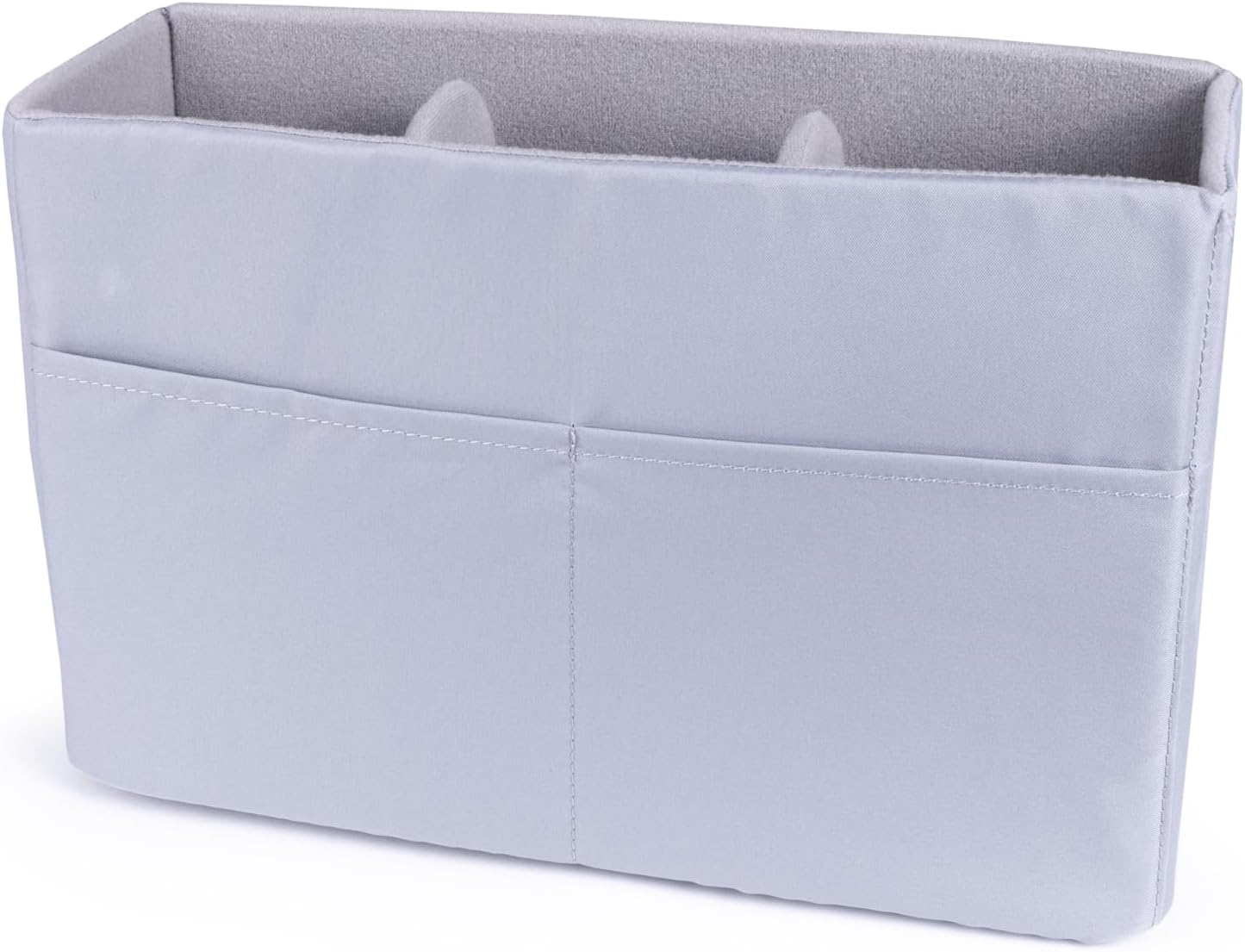
Image: A light gray padded insert with multiple compartments, designed to hold camera equipment securely within the bag.

រូបភាព៖ ពីលើចុះក្រោម view of the padded insert, illustrating the customizable arrangement of the internal dividers.
Operating the Bag
Accessing Main Compartment
The main compartment can be accessed in two primary ways:
- Main Flap: Unhook the metal latches on the front of the bag to open the main flap. These latches are designed for silent operation and can be adjusted to accommodate taller items.
- Top Zipper: For quick access, use the zipper located on the top of the bag, beneath the handle. This provides direct entry to the main camera compartment without needing to unlatch the main flap.

Image: A hand unzipping the top access zipper of the satchel bag, revealing the interior for quick retrieval of items.

Image: A hand opening the front zippered pocket on the main flap of the satchel bag, suitable for small accessories.
Using External Pockets
The bag features various external pockets for organizing smaller accessories. Utilize these for items like memory cards, batteries, lens caps, or personal effects that require quick access.
ការថែទាំនិងការថែទាំ
សេចក្តីណែនាំអំពីការសម្អាត
- For general cleaning, wipe the exterior fabric with a damp cloth and mild soap. Avoid harsh chemical cleaners.
- For the interior, remove all contents and gently vacuum or wipe with a soft, dry cloth.
- Allow the bag to air dry completely before storing or reusing. Do not machine wash or tumble dry.
ធន់នឹងទឹក។
The outer fabric is treated for water resistance. For heavy rain or prolonged exposure to moisture, deploy the included rain cover to provide additional protection for your gear. The bag's base is made from a waterproof material to keep contents dry even when placed on wet surfaces.
ការដោះស្រាយបញ្ហា
Problem: Gear feels unsecured or shifts inside the bag.
ដំណោះស្រាយ៖ Re-adjust the internal padded dividers to ensure a snug fit around your equipment. Utilize all available dividers to create custom compartments that prevent items from shifting during transport. Ensure hook-and-loop fasteners are securely attached.
Problem: Bag feels uncomfortable to carry.
ដំណោះស្រាយ៖ Adjust the length of the shoulder strap. Experiment with carrying the bag as a traditional shoulder bag or cross-body to find the most comfortable position for your body type and the load. Ensure the padded section of the strap is positioned correctly on your shoulder.
Problem: Contents are getting wet in heavy rain.
ដំណោះស្រាយ៖ Ensure the included rain cover is properly deployed over the entire bag. While the fabric is water-resistant, the rain cover provides an essential extra layer of protection in adverse weather conditions. Check that all zippers and latches are fully closed.
លក្ខណៈបច្ចេកទេស
| លក្ខណៈ | លម្អិត |
|---|---|
| លេខម៉ូដែល | 72255 |
| សមត្ថភាព | 6.8 លីត្រ |
| ចំនួនបន្ទប់ | 2 |
| វិមាត្រកញ្ចប់ | 14 x 10 x 6 អ៊ីញ |
| ទំងន់ធាតុ | 2.48 ផោន |
| សម្ភារៈ | Water-resistant outer fabric, waterproof base |
ការធានា និងការគាំទ្រ
For warranty information, product registration, and customer support, please refer to the official ProMaster website or contact your authorized ProMaster dealer. It is recommended to keep your purchase receipt as proof of purchase for any warranty claims.


