1. សេចក្តីផ្តើម
Thank you for choosing the KINGTIME Backlit Surface Pro Keyboard. This manual provides detailed instructions on how to set up, operate, and maintain your new keyboard. Please read this manual thoroughly before use to ensure optimal performance and longevity of your device.
2. ផលិតផលលើសview
The KINGTIME Backlit Surface Pro Keyboard is designed to enhance your productivity with its responsive keys, multi-touch touchpad, and vibrant 7-color backlighting. It connects wirelessly via Bluetooth 5.0, offering a stable and fast connection, and features a long-lasting rechargeable battery.

រូបភាព៖ ពីលើចុះក្រោម view of the KINGTIME Backlit Surface Pro Keyboard, showcasing its full QWERTY layout and integrated touchpad.
លក្ខណៈសំខាន់ៗ៖
- 7-Color Backlighting: Customize your typing experience with various backlight colors and brightness levels.
- ថ្មដែលអាចសាកបាន៖ Built-in 750mAh battery provides extended standby time.
- ការតភ្ជាប់ប៊្លូធូស 5.0៖ Ensures a fast, stable, and no-delay wireless connection up to 33 feet (10 meters).
- បន្ទះប៉ះរួមបញ្ចូលគ្នា៖ Features a larger touchpad with multi-touch gesture support and anti-mis-touch technology.
- Scissor Switch Keys: Offers a comfortable and quiet typing experience.
- Auto Sleep/Awake: Automatically enters sleep mode when closed and wakes up when opened, conserving battery.

Image: Depicts the keyboard in both attached and detached configurations with a Microsoft Surface Pro, illustrating its wireless connectivity.

Image: A user operating the keyboard with a Surface Pro, highlighting the 365-day standby time and 750mAh battery capacity.
3. ការណែនាំអំពីការដំឡើង
3.1 ការសាកថ្មក្តារចុច
Before first use, fully charge the keyboard. Use the provided USB Type-C cable to connect the keyboard to a USB power source (e.g., computer USB port, wall adapter). The charging indicator light will show the charging status and turn off when fully charged.

Image: Close-up of the keyboard's USB Type-C charging port with a charging cable connected.
៤ ការភ្ជាប់ប៊្លូធូស
- ត្រូវប្រាកដថាក្តារចុចត្រូវបានសាក និងបើក។
- ចុច Fn + C keys simultaneously to enter Bluetooth pairing mode. The Bluetooth indicator light will blink.
- On your Surface Pro, go to ការកំណត់ > ឧបករណ៍ > ប៊្លូធូស និងឧបករណ៍ផ្សេងទៀត។.
- Turn on Bluetooth and click បន្ថែមប៊្លូធូស ឬឧបករណ៍ផ្សេងទៀត។.
- ជ្រើសរើស ប៊្លូធូស and choose "KINGTIME Keyboard" (or similar name) from the list of available devices.
- Follow any on-screen prompts to complete the pairing process. The indicator light on the keyboard will stop blinking once successfully paired.
4. សេចក្តីណែនាំប្រតិបត្តិការ
4.1 ការត្រួតពិនិត្យពន្លឺខាងក្រោយ
The keyboard features 7 different backlight colors and adjustable brightness levels to suit your preference and environment.
- ចុច អំពូលភ្លើង key (usually F10 or a dedicated key) to cycle through the 7 backlight colors.
- ចុច អំពូលភ្លើង Fn + key to adjust the backlight brightness (usually three levels: low, medium, high, and off).
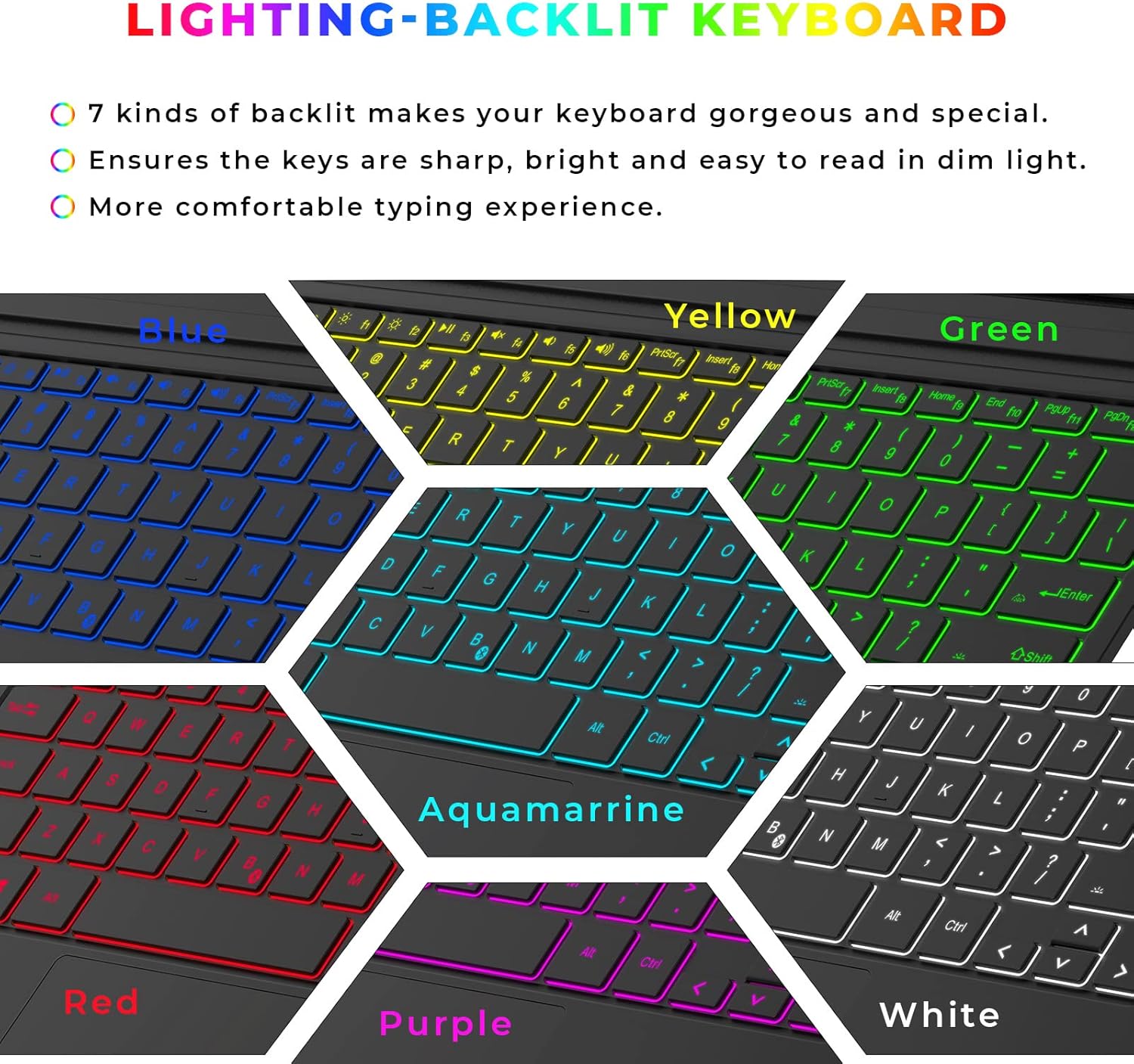
Image: Illustrates the keyboard with various backlight colors (Blue, Yellow, Green, Red, Aquamarine, Purple, White), emphasizing the 7-color backlighting feature.
៥.២ មុខងារបន្ទះប៉ះ
The integrated touchpad supports various gestures for intuitive navigation and control.
- Larger Touchpad: ផ្តល់ ample space for comfortable navigation.
- Prevent Mis-touch: Designed to minimize accidental inputs while typing.
- ការគ្រប់គ្រងកាយវិការ៖ Supports multi-finger gestures for enhanced productivity.

Image: Demonstrates the touchpad's features, including its larger size, mis-touch prevention, and gesture control capabilities with hand illustrations.

Image: Diagram illustrating common touchpad gestures: Multitasking View (three fingers up), Show Desktop (three fingers down), Switch Desktop (three fingers left/right).
២.១. ភាពឆបគ្នា។
This keyboard is specifically designed for Microsoft Surface Pro models. Please refer to the list below for compatible and incompatible devices.
ឧបករណ៍ដែលត្រូវគ្នា៖
- Surface Pro 7+ (2021)
- Surface Pro 7 (2019)
- Surface Pro 6 (2018)
- Surface Pro 5 (2017)
- Surface Pro 4 (2015)
ឧបករណ៍មិនឆបគ្នា៖
- Surface Pro 8
- Surface Pro X
- Surface Go

Image: Visual representation of compatible Surface Pro models (7+, 7, 6, 5, 4) and incompatible models (Pro 8, Pro X, Go).
6. ការថែទាំ
ដើម្បីធានាបាននូវអាយុកាលប្រើប្រាស់បានយូរ និងដំណើរការល្អបំផុតនៃក្តារចុចរបស់អ្នក សូមអនុវត្តតាមការណែនាំអំពីការថែទាំទាំងនេះ៖
- ការសម្អាត៖ ប្រើក្រណាត់ទន់ គ្មានជាតិសរសៃបន្តិច ឃampened with water or a mild cleaning solution to wipe the surface of the keyboard. Avoid excessive moisture.
- ការដកធូលីចេញ៖ ប្រើខ្យល់ដែលបានបង្ហាប់ដើម្បីយកធូលី និងកំទេចកំទីចេញពីចន្លោះគ្រាប់ចុច។
- ការផ្ទុក៖ នៅពេលមិនប្រើប្រាស់ក្នុងរយៈពេលយូរ សូមទុកក្តារចុចនៅកន្លែងត្រជាក់ ស្ងួត ឆ្ងាយពីពន្លឺព្រះអាទិត្យដោយផ្ទាល់ និងសីតុណ្ហភាពខ្លាំង។
- ជៀសវាងសារធាតុរាវ៖ Do not expose the keyboard to liquids. In case of spills, immediately disconnect and power off the keyboard, then allow it to dry completely before reuse.
7. ការដោះស្រាយបញ្ហា
If you encounter any issues with your KINGTIME keyboard, please refer to the following common solutions:
| បញ្ហា | មូលហេតុដែលអាចកើតមាន | ដំណោះស្រាយ |
|---|---|---|
| ក្តារចុចមិនភ្ជាប់តាមរយៈប៊្លូធូស | Low battery; Bluetooth not enabled on Surface Pro; Keyboard not in pairing mode; Interference. | Charge the keyboard; Ensure Bluetooth is on; Re-enter pairing mode (Fn + C); Move closer to Surface Pro; Remove other Bluetooth devices. |
| អំពូល Backlight មិនដំណើរការទេ។ | ភ្លើងខាងក្រោយបានបិទ; ថ្មទាប។ | Press the Light Bulb key to turn on/adjust brightness; Charge the keyboard. |
| បន្ទះប៉ះមិនឆ្លើយតប | Touchpad disabled; Software glitch. | Ensure touchpad is enabled (check Fn key combinations); Restart Surface Pro and keyboard. |
| គ្រាប់ចុចមិនឆ្លើយតប | Connection issue; Low battery. | Reconnect Bluetooth; Charge the keyboard. |
ប្រសិនបើបញ្ហានៅតែបន្តកើតមានបន្ទាប់ពីសាកល្បងដំណោះស្រាយទាំងនេះ សូមទាក់ទងផ្នែកគាំទ្រអតិថិជនដើម្បីទទួលបានជំនួយបន្ថែម។
8. លក្ខណៈបច្ចេកទេស
| លក្ខណៈ | ការបញ្ជាក់ |
|---|---|
| លេខម៉ូដែល | ខេធី -៣០ |
| បច្ចេកវិទ្យាតភ្ជាប់ | ប៊្លូធូស 5.0 |
| ឧបករណ៍ដែលត្រូវគ្នា។ | Surface Pro 7/7+/6/5/4 |
| លក្ខណៈពិសេស | Backlit (7-color), Rechargeable, Touchpad |
| សមត្ថភាពថ្ម | 750 mAh |
| ម៉ោងរង់ចាំ | រហូតដល់ 365 ថ្ងៃ។ |
| ចម្ងាយប្រតិបត្តិការ | រហូតដល់ 33 ហ្វីត (10 ម៉ែត្រ) |
| សម្ភារៈ | អាគ្រីឡូនីទ្រីល Butadiene Styrene |
| ទំងន់ធាតុ | 1.19 ផោន |
| វិមាត្រកញ្ចប់ | 13.39 x 9.33 x 0.79 អ៊ីញ |
| ចំនួនប៊ូតុង | 78 |
9. ការធានា និងការគាំទ្រ
KINGTIME products are manufactured to the highest quality standards. This product comes with a standard manufacturer's warranty. For specific warranty terms and conditions, please refer to the product packaging or contact our customer support.
ជំនួយអតិថិជន៖
If you have any questions, require technical assistance, or need to claim warranty service, please contact us through the retailer's platform where you purchased the product or visit the official KINGTIME webគេហទំព័រសម្រាប់ព័ត៌មានទំនាក់ទំនង។


