1. ផលិតផលលើសview
The LEGRAND 694511 is a rotative 4-outlet power strip designed for flexible device connection and installation. It features patented 45-degree angled outlets for dust protection and a modern aesthetic, with one outlet specifically angled at 90 degrees to accommodate larger power adapters. The power strip includes integrated surge protection with an LED indicator and a manual on/off switch. This manual provides essential information for the safe and efficient use of your power strip.
- Rotary Design: The flexible body allows for convenient positioning and connection of devices.
- Angled Outlets: Four outlets, three angled at 45 degrees and one at 90 degrees, optimize space and protect against dust.
- Integrated Surge Protection: Protects connected devices from power surges and lightning strikes, indicated by an LED.
- កុងតាក់បើក/បិទដោយដៃ៖ For easy control of power to all connected devices.
- ការដំឡើងងាយស្រួល៖ Can be mounted using screws or adhesive tape.
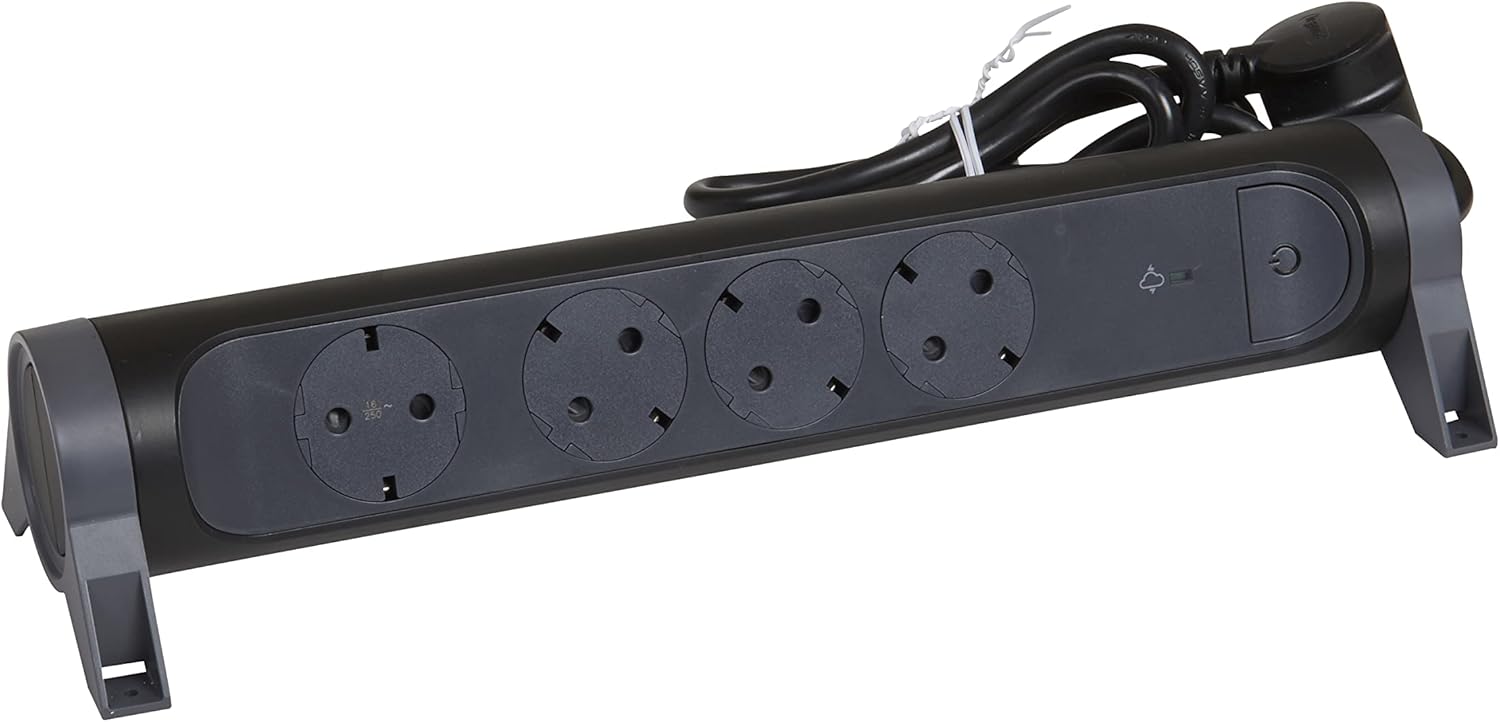
រូបភាពទី 1: ផ្នែកខាងមុខ view of the LEGRAND 694511 Rotative 4-Outlet Power Strip, showing the four outlets, on/off switch, and surge protection indicator.
2. ព័ត៌មានសុវត្ថិភាព
សូមអាន និងយល់អំពីការណែនាំសុវត្ថិភាពទាំងអស់ មុនពេលប្រើប្រាស់ផលិតផលនេះ។ ការមិនអនុវត្តតាមការណែនាំទាំងនេះអាចបណ្តាលឱ្យឆក់ចរន្តអគ្គិសនី ឆេះ ឬរបួសធ្ងន់ធ្ងរ។
- Do not exceed the maximum load capacity of 3680 W (16 A, 230 V).
- Do not connect multiple power strips together.
- កុំប្រើក្នុងសើម ឬ ឃamp conditions. This product is for indoor use only.
- រក្សាឱ្យឆ្ងាយពីដៃកុមារ។
- Do not open or modify the power strip. There are no user-serviceable parts inside.
- Ensure the power plug is fully inserted into a grounded wall outlet.
- If the surge protection LED is off, the surge protection function is no longer active. The power strip will still function as a standard extension cord, but without surge protection.
3. ការដំឡើងនិងការដំឡើង
The LEGRAND 694511 power strip offers flexible placement options.
3.1 ទីតាំងដំបូង
- Unpack the power strip and inspect it for any damage. Do not use if damaged.
- Choose a dry, indoor location away from heat sources and direct sunlight.
- Ensure the 1.5-meter cable can reach the wall outlet without being stretched or obstructed.

Figure 2: The power strip with its 1.5-meter power cable and plug.
3.2 ជម្រើសម៉ោន
The power strip can be mounted for a more permanent setup:
- ការម៉ោនវីសៈ Use appropriate screws (not included) through the designated mounting holes on the base of the power strip. Ensure the mounting surface is suitable.
- Adhesive Tape Mounting: Apply strong double-sided adhesive tape (not included) to the base of the power strip and press firmly onto a clean, dry surface.
4. សេចក្តីណែនាំប្រតិបត្តិការ
4.1 ការភ្ជាប់ទៅថាមពល
- Plug the power strip's main plug into a grounded 230V wall outlet.
- ចុច កុងតាក់បើក / បិទ (marked with a power symbol) to turn on the power strip. A blue LED indicator will illuminate when the power strip is active.
- សង្កេតមើល ការការពារភ្លើង LED (marked with a lightning bolt symbol). A green light indicates that the surge protection is active and functioning.
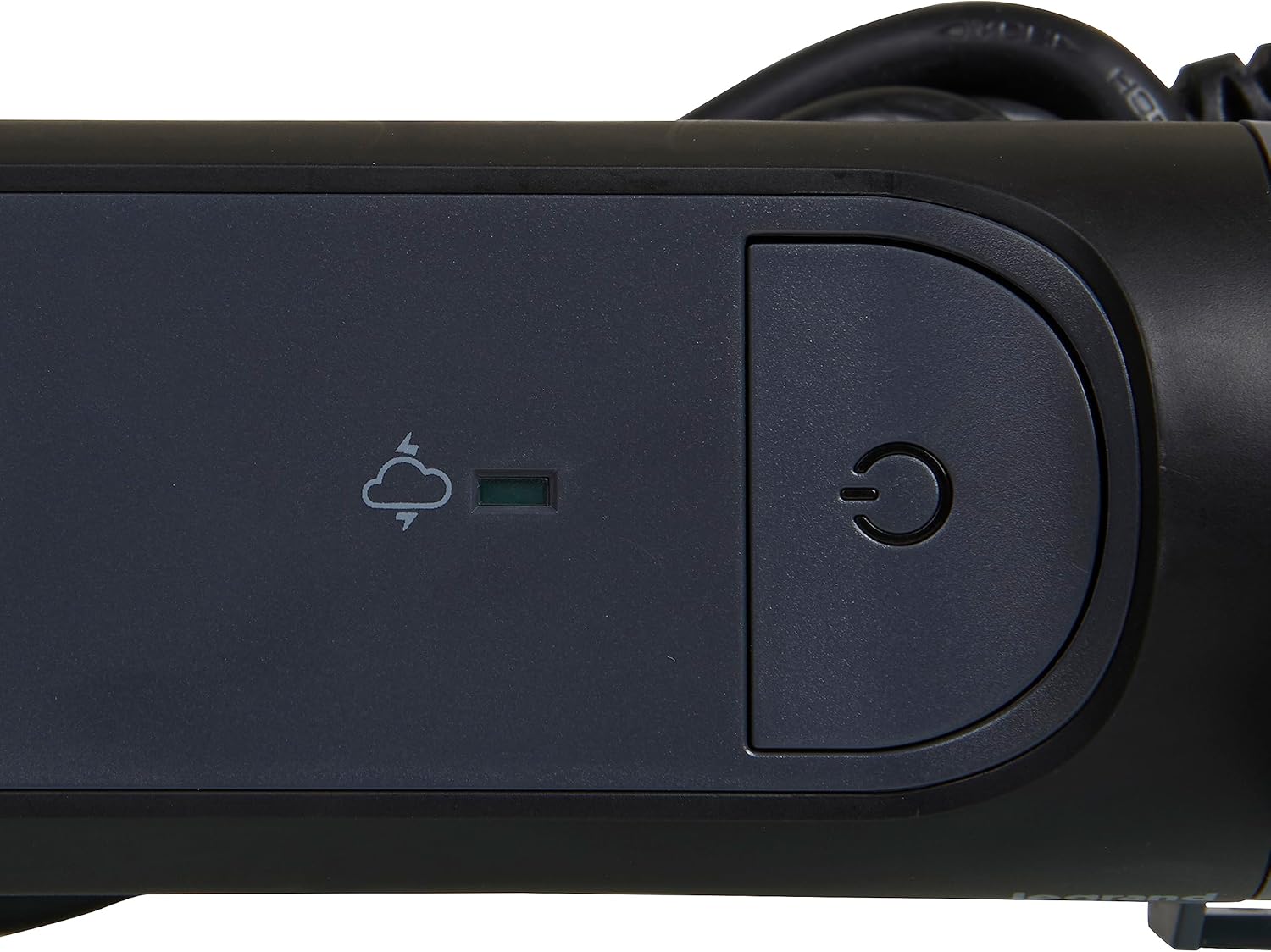
Figure 3: Detail of the On/Off switch and the green surge protection indicator LED.
4.2 ឧបករណ៍ភ្ជាប់
- Plug your electronic devices into the available outlets. The rotative design allows you to adjust the orientation of the power strip for optimal access.
- Utilize the 90-degree angled outlet for larger power adapters to prevent blocking adjacent outlets.
- Ensure that the total power consumption of all connected devices does not exceed 3680 W.
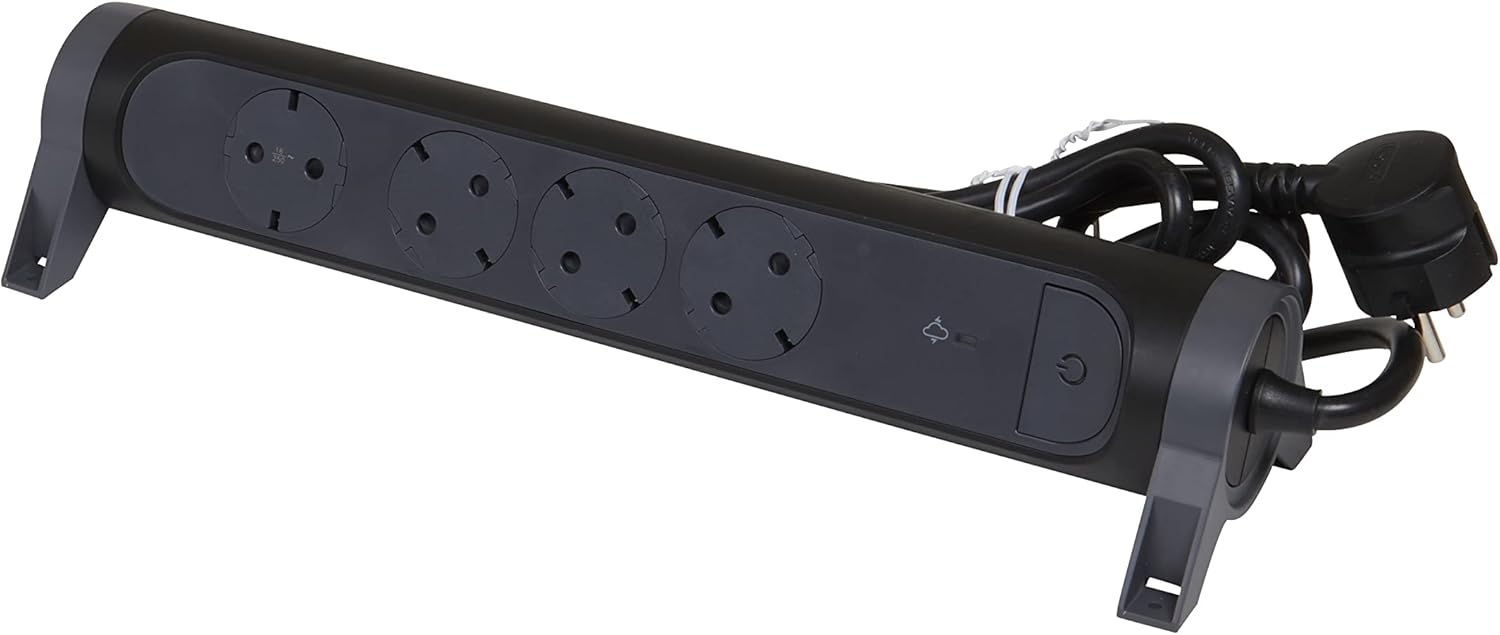
Figure 4: The power strip demonstrating the angled outlets, designed to accommodate various plug sizes efficiently.
4.3 ការបិទថាមពល
To turn off power to all connected devices, press the កុងតាក់បើក / បិទ again. The blue LED indicator will turn off.
5. ការថែទាំ
- Always unplug the power strip from the wall outlet before cleaning.
- Wipe the exterior with a soft, dry cloth. Do not use liquid cleaners or abrasive materials.
- Regularly check the power cord and plug for any signs of damage. If damaged, discontinue use and replace the unit.
- Ensure outlets are free from dust and debris to maintain optimal contact and prevent overheating.
6. ការដោះស្រាយបញ្ហា
| បញ្ហា | មូលហេតុដែលអាចកើតមាន | ដំណោះស្រាយ |
|---|---|---|
| Power strip does not turn on (blue LED off). | Not plugged into wall outlet; wall outlet has no power; On/Off switch is off. | Ensure power strip is fully plugged in. Check wall outlet with another device. Press the On/Off switch. |
| Surge protection LED is off (green LED off). | Surge protection has been activated due to a power surge and is no longer functional. | The power strip will continue to function as a standard extension cord, but without surge protection. For continued surge protection, the unit must be replaced. |
| Devices plugged in are not receiving power. | Power strip is off; device is off; device is faulty; total load exceeds maximum capacity. | Ensure power strip is on. Check device's power switch. Test device in another outlet. Reduce the number of connected devices or their total power consumption. |
7. លក្ខណៈបច្ចេកទេស
| លក្ខណៈ | លម្អិត |
|---|---|
| ម៉ាក | Legrand |
| លេខម៉ូដែល | 694511 |
| ពណ៌ | ខ្មៅ/ប្រផេះចាស់ |
| កន្លែងលក់សរុប | 4 (Schuko Type F) |
| វ៉ុលtage | 230 វ៉ុល |
| ចរន្តអតិបរិមា | 16 អេ |
| ថាមពលអតិបរមា | 3680 វ |
| ប្រវែងខ្សែ | 1.5 ម៉ែត្រ |
| លក្ខណៈពិសេស | On/Off Switch, Surge Protection (SPD) with LED Indicator, Rotative Design, 45°/90° Angled Outlets |
| ទំហំផលិតផល (L x W) | 33.8 សង់ទីម៉ែត្រ x 10 សង់ទីម៉ែត្រ |
| ទំងន់ធាតុ | 550 ក្រាម។ |
| ការប្រើប្រាស់ដែលបានណែនាំ | General Use (Indoor) |
| ប្រទេសដើម | ចិន |
8. ការធានា និងការគាំទ្រ
For warranty information and customer support, please refer to the documentation included with your purchase or visit the official Legrand webគេហទំព័រ។ រក្សាភស្តុតាងនៃការទិញរបស់អ្នកសម្រាប់ការទាមទារធានា។
ក្រុមហ៊ុនផលិត៖ Legrand
Webគេហទំព័រ៖ www.legrand.com


