1. សេចក្តីផ្តើម
This manual provides comprehensive instructions for the Bellman & Symfon Alarm Clock Classic (BE1350). This alarm clock is designed to assist individuals with deep sleep or hearing impairments by combining an extra loud alarm with a powerful bed shaker. It features a large, adjustable LCD display and a "Smart" Snooze function. Please read this manual thoroughly before using the device to ensure proper operation and longevity.
2. មាតិកាកញ្ចប់
ផ្ទៀងផ្ទាត់ថាធាតុទាំងអស់មាននៅក្នុងកញ្ចប់៖
- Bellman & Symfon Alarm Clock Classic (BE1350)
- Shaker គ្រែ
- អាដាប់ទ័រថាមពល
3. ផលិតផលលើសview
Familiarize yourself with the main components of your alarm clock.

Figure 3.1: Bellman & Symfon Alarm Clock Classic (BE1350) main unit and connected bed shaker.
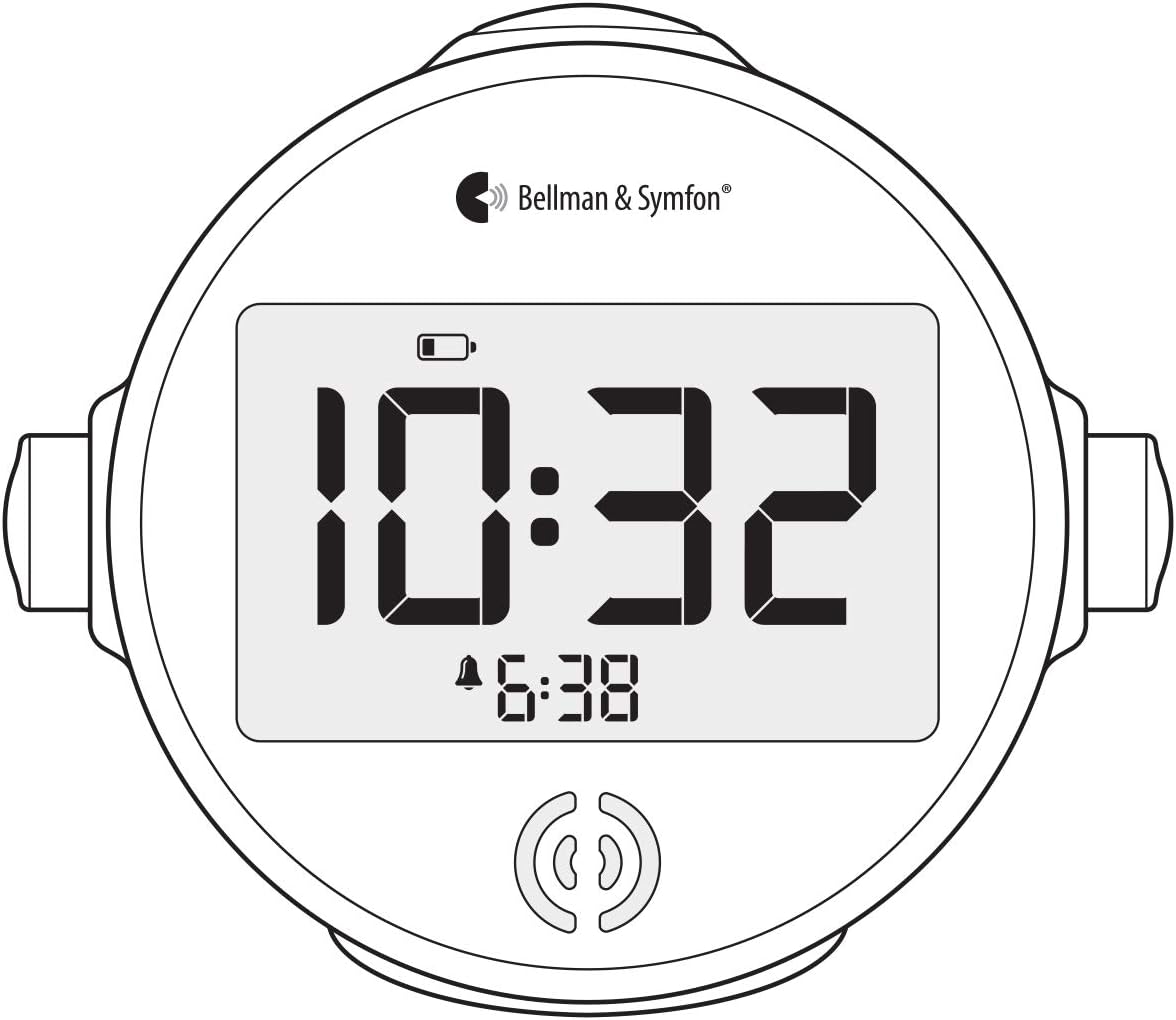
រូបភាពទី 3.2: ផ្នែកខាងមុខ view of the alarm clock, illustrating the large LCD display and control buttons.

Figure 3.3: The powerful bed shaker, designed to be placed under a pillow or mattress.
3.1 អង្គភាពសំខាន់
- អេក្រង់ LCD ធំ៖ បង្ហាញពេលវេលាបច្ចុប្បន្ន និងពេលវេលារោទិ៍។
- ប៊ូតុងបញ្ជា៖ Used for setting time, alarm, snooze, and backlight.
- វាគ្មិន៖ Emits the loud ascending alarm sound.
- ការបញ្ចូលថាមពល៖ សម្រាប់ភ្ជាប់អាដាប់ទ័រថាមពល។
- Shaker Input: For connecting the bed shaker.
3.2 Bed Shaker
The bed shaker connects to the main unit and provides strong vibrations to wake you up. It is designed to be placed under your pillow or mattress.
4. រៀបចំ
- ភ្ជាប់ថាមពល៖ Plug the power adapter into the DC input on the back of the alarm clock, then plug the adapter into a wall outlet. The display will illuminate.
- Install Battery Backup: សម្រាប់ប្រតិបត្តិការដែលមិនមានការរំខានក្នុងអំឡុងពេលដាច់ចរន្តអគ្គិសនីtages, install 4 AAA batteries (not included) into the battery compartment located on the underside of the clock. Ensure correct polarity. The battery icon on the display indicates battery status.
- Connect Bed Shaker: Plug the bed shaker cable into the designated shaker input port on the back of the alarm clock. Place the bed shaker under your pillow or mattress.
5. សេចក្តីណែនាំប្រតិបត្តិការ
៣.២ ការកំណត់ពេលវេលា
- ចុចឱ្យជាប់ ពេលវេលាកំណត់ button (refer to Figure 3.2 for button location) until the hour digits begin to flash.
- ប្រើ ម៉ោង និង នាទី ប៊ូតុងដើម្បីកែតម្រូវពេលវេលា។
- ចុច ពេលវេលាកំណត់ ចុចប៊ូតុងម្តងទៀត ដើម្បីបញ្ជាក់ និងចាកចេញពីរបៀបកំណត់ពេលវេលា។
- ដើម្បីប្តូររវាងទម្រង់ 12 ម៉ោង និង 24 ម៉ោង ចុចគ្រាប់ចុច 12/24 ម៉ោង។ ប៊ូតុង។
៨ ការកំណត់សំឡេងរោទិ៍
- ចុចឱ្យជាប់ កំណត់សំឡេងរោទិ៍ ប៊ូតុងរហូតដល់ខ្ទង់ម៉ោងរោទិ៍ចាប់ផ្តើមភ្លឹបភ្លែតៗ។
- ប្រើ ម៉ោង និង នាទី buttons to set your desired alarm time.
- ចុច កំណត់សំឡេងរោទិ៍ button again to confirm the alarm time.
- ដ�ើម្បីប�ើកដំណ�ើរការឬអសកម្មការជូនដំណឹង សូមចុច បើក/បិទសំឡេងរោទិ៍ ប៊ូតុង។ រូបតំណាងសំឡេងរោទិ៍នឹងបង្ហាញនៅលើអេក្រង់ នៅពេលដែលម៉ោងរោទិ៍សកម្ម។
5.3 មុខងារផ្អាក
នៅពេលសំឡេងរោទិ៍ចុចធំ ផ្អាក button on top of the clock. The "Smart" Snooze function will activate, silencing the alarm temporarily. The snooze duration automatically reduces from 9 minutes to 2 minutes in two-minute intervals with each subsequent snooze activation.
5.4 ការកែតម្រូវពន្លឺខាងក្រោយ
The LCD display features an adjustable backlight. Press the ពន្លឺ button (refer to Figure 3.2) repeatedly to cycle through different brightness levels or to turn the backlight off. Note that some users find the lowest setting still quite bright in a dark room.
6. ការថែទាំ
- ការសម្អាត៖ Wipe the alarm clock and bed shaker with a soft, dry cloth. Do not use liquid cleaners or abrasive materials.
- ការជំនួសថ្ម៖ Replace the AAA backup batteries annually or when the low battery indicator appears on the display to ensure continuous operation during power outages.
- ការផ្ទុក៖ If storing the device for an extended period, remove the backup batteries to prevent leakage.
7. ការដោះស្រាយបញ្ហា
| បញ្ហា | មូលហេតុដែលអាចកើតមាន | ដំណោះស្រាយ |
|---|---|---|
| Clock display is blank. | គ្មានអំណាចឬអំណាចទេ។tage. | Ensure power adapter is securely plugged in. Check if backup batteries are installed and charged. |
| Alarm does not sound/vibrate. | Alarm not activated or bed shaker not connected. | Verify alarm is set and activated (alarm icon visible). Ensure bed shaker is firmly plugged into the clock. |
| Display backlight is too bright/dim. | ការកំណត់ពន្លឺមិនត្រឹមត្រូវ។ | ចុច ពន្លឺ button to cycle through different levels. |
| Time or alarm settings are lost. | Power interruption without backup batteries, or dead backup batteries. | Install fresh AAA backup batteries. Reset time and alarm. |
8. លក្ខណៈបច្ចេកទេស
- ម៉ូដែល៖ ព.ស.៩១២៤
- ទំហំផលិតផល៖ 6.2 x 5.6 x 5.6 អ៊ីញ
- ទំងន់ធាតុ៖ 12 អោន
- ថាមពល៖ AC adapter (included), 4 x AAA batteries (backup, not included)
- កម្រិតសំឡេងរោទិ៍៖ Up to 100+ dB ascending alarm
- រយៈពេលផ្អាក៖ "Smart" Snooze, automatically reduces from 9 to 2 minutes
9. ការធានា និងការគាំទ្រ
The Bellman & Symfon Alarm Clock Classic (BE1350) is covered by a manufacturer's warranty. For specific warranty details, technical support, or service inquiries, please contact Bellman & Symfon customer service or refer to the official Bellman & Symfon webគេហទំព័រ។ សូមរក្សាភស្តុតាងនៃការទិញរបស់អ្នកសម្រាប់ការទាមទារធានា។


