1. Кіріспе
The GOOLOO DS900 is an advanced OBD2 diagnostic scanner designed for comprehensive vehicle analysis. Featuring an 8-inch touchscreen, Android 11.0 operating system, and Bluetooth 5.0 connectivity, it offers full system diagnostics, bidirectional control (active tests), and a wide range of maintenance services for both cars and trucks. This manual provides detailed instructions for setting up, operating, and maintaining your DS900 diagnostic tool.
2. Қорапта не бар
Carefully unpack your GOOLOO DS900 and verify that all items are present:
- 1x DS900 Tablet
- 1x DS900 VCI (Vehicle Communication Interface)
- 1x қуат адаптері
- 1x OBD-II Extension Cable
- 1x USB Cable (Type-A to Type-C)
- 1x Жылдам пайдаланушы нұсқаулығы
- 1x Тасымалдау қорабы

Image: All components included in the GOOLOO DS900 package.
3. Орнату нұсқаулығы
3.1 Бастапқы зарядтау
Before first use, fully charge the DS900 tablet using the provided power adapter. Connect the power adapter to the tablet's charging port and plug it into a power outlet. The charging indicator will show the charging status.
3.2 Connecting the VCI Module
The DS900 VCI (Vehicle Communication Interface) module connects to your vehicle's OBD-II port. It supports both wireless Bluetooth 5.0 and wired USB Type-C connections to the tablet.
- Locate your vehicle's 16-pin OBD-II diagnostic port. This is typically found under the dashboard on the driver's side.
- Plug the DS900 VCI module firmly into the OBD-II port. The VCI's indicator light will illuminate, indicating a successful connection.
- For wireless operation, ensure Bluetooth is enabled on the DS900 tablet and pair it with the VCI module. The VCI offers a robust range of up to 10 meters.
- For a wired connection, use the provided USB Type-A to Type-C cable to connect the VCI module to the DS900 tablet.

Image: Wireless Bluetooth 5.0 connectivity for the DS900 VCI module.

Image: Dual connectivity options: wireless Bluetooth and wired USB Type-C for stable operation.
3.3 Бағдарламалық құралды жаңарту
The DS900 comes with 2 years of free software updates. It is recommended to update the software regularly to ensure optimal performance and access to the latest vehicle models and diagnostic features.
- Connect the DS900 tablet to a stable Wi-Fi network.
- Navigate to the 'Update' icon on the main interface.
- Қол жетімді жаңартуларды жүктеп алу және орнату үшін экрандағы нұсқауларды орындаңыз.

Image: One-Click Software Updates for continuous improvement and new features.
4. Operating the DS900
4.1 Пайдаланушы интерфейсі аяқталдыview
The DS900 operates on Android 11.0 and features an intuitive 8-inch touchscreen display. The main interface provides quick access to key functions such as Diagnostics, Maintenance, Update, Library, and User Info.

Image: Main user interface of the GOOLOO DS900 diagnostic tablet.
4.2 Толық жүйе диагностикасы
The DS900 performs OE-level diagnostics across all available vehicle systems, including Engine, Transmission, ABS, Airbag, EPB (Electronic Parking Brake), TPMS (Tire Pressure Monitoring System), Steering, and more. This allows for a comprehensive health check of the entire vehicle.
- From the main menu, select 'Diagnostics'.
- The tool will automatically identify the vehicle via AutoVIN or prompt for manual selection.
- Initiate a full system scan. The DS900 will read Diagnostic Trouble Codes (DTCs) and display system status.
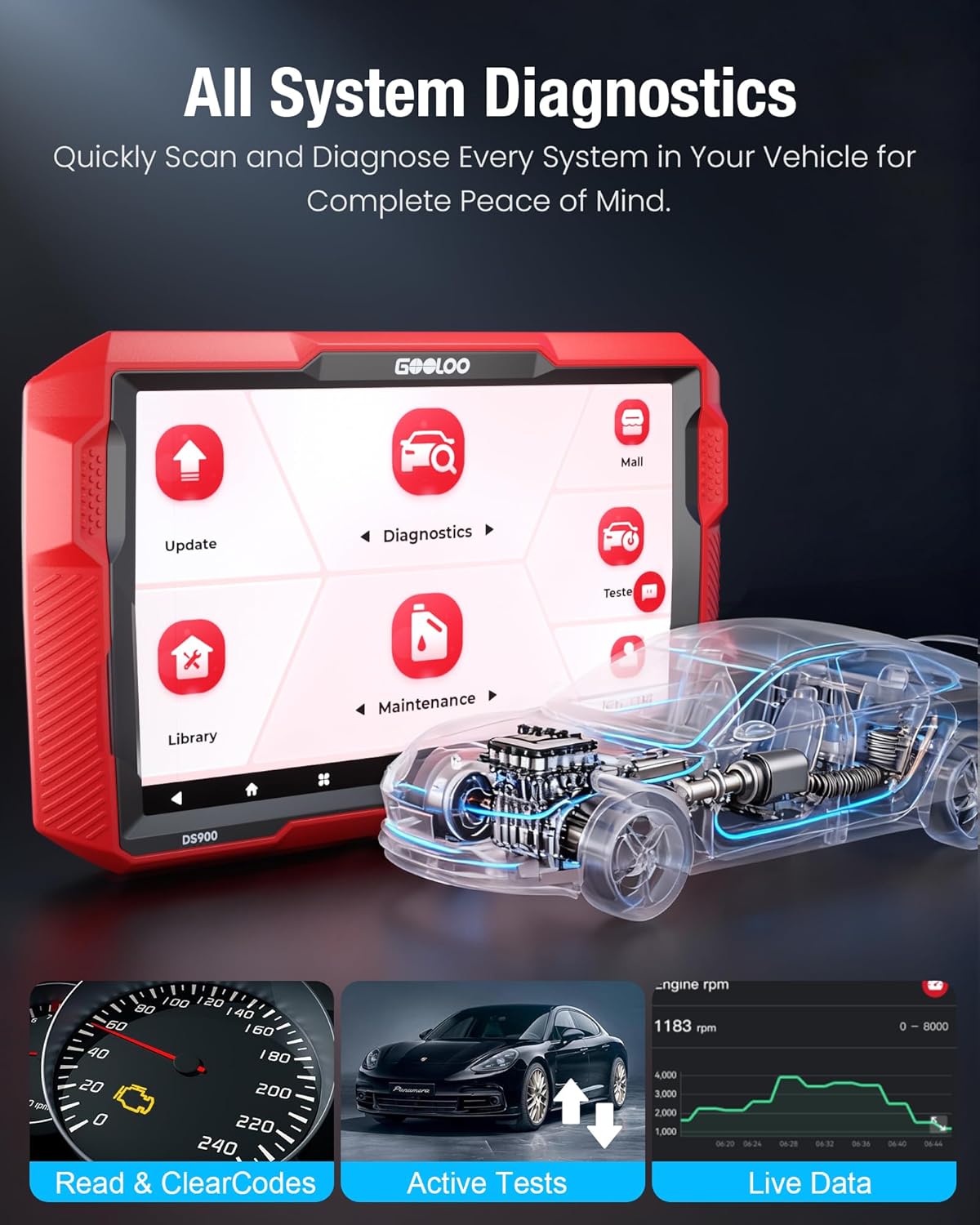
Image: All System Diagnostics interface, showing capabilities like reading codes, active tests, and live data.

Image: Full system diagnosis in action, controlling every detail of the vehicle.
4.3 DTC оқу және тазалау
The DS900 provides detailed DTC repair guides for various systems, including Chrysler, Dodge, Jeep, and Fiat (2010-2024 models), with more brands added through updates.
- After a system scan, view the detected DTCs. Each code will have a description.
- For supported vehicles, access the DTC repair guide for detailed troubleshooting steps.
- Once repairs are made, select the option to 'Clear Codes' to turn off warning lights and reset the system.

Image: Comparison of a dashboard with a check engine light (Before) and without (After) clearing codes.
4.4 Тікелей деректер ағыны
Monitor real-time vehicle data in various formats, including graphs, to identify intermittent issues or verify repairs.
- From the 'Diagnostics' menu, select 'Live Data'.
- Choose the parameters you wish to monitor (e.g., engine RPM, coolant temperature, sensor readings).
- The data can be displayed as numerical values, graphs, or combined views for easy analysis.

Image: 4-in-1 Live Data display, including data recording and error logs.
4.5 Екі бағытты басқару (белсенді сынақ)
The bidirectional control feature allows you to send commands to the vehicle's ECU to test specific components, helping to pinpoint faults quickly.
- From the 'Diagnostics' menu, select 'Active Test' or 'Bidirectional Control'.
- Choose the component you wish to test (e.g., fuel injectors, windows, wipers, headlights, horn).
- Follow the on-screen instructions to activate and observe the component's response.
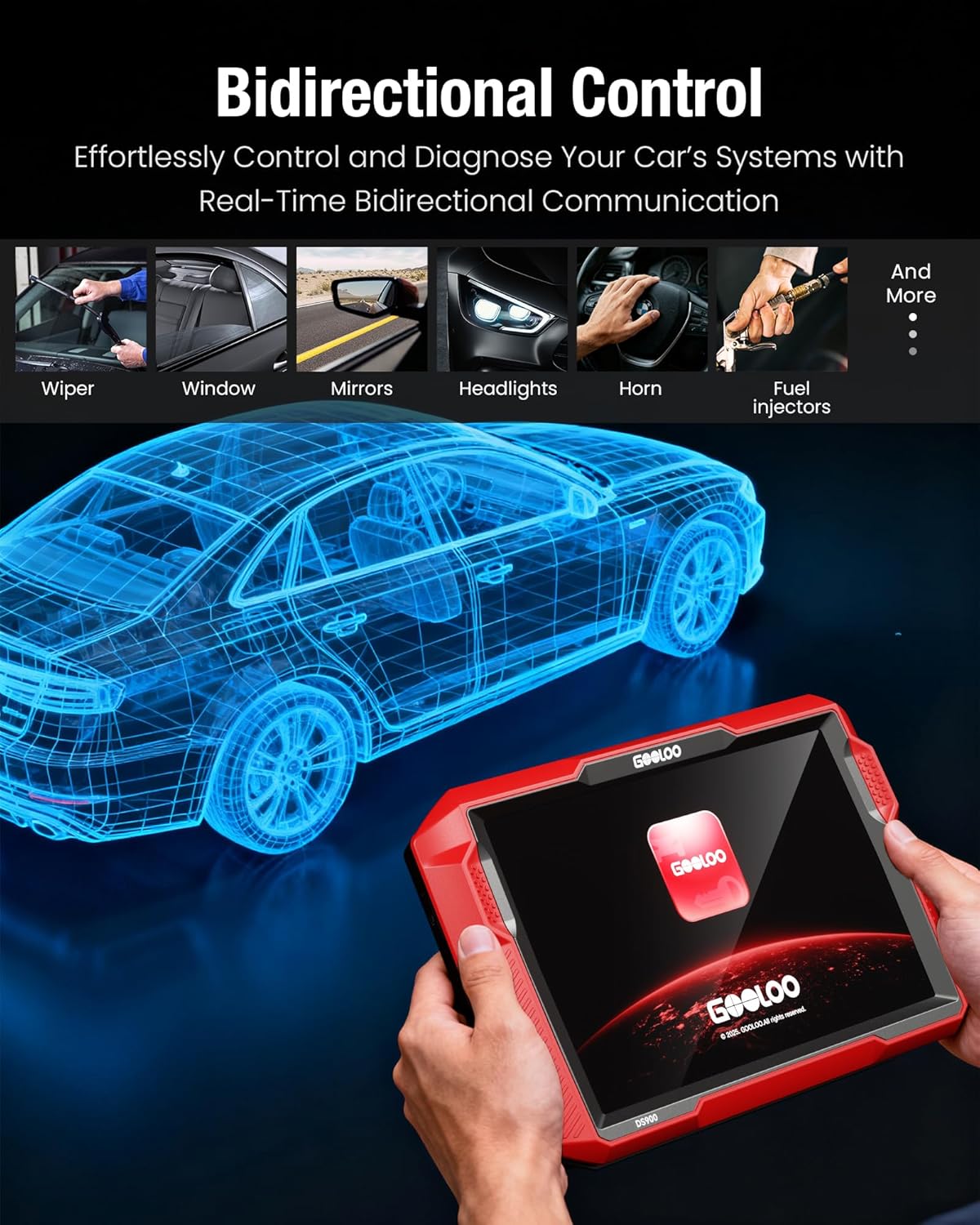
Сурет: Мысamples of bidirectional control functions, including testing wipers, windows, and headlights.

Image: Bidirectional control in use, easily performing system testing and troubleshooting.
4.6 Vehicle Compatibility and Protocols
The DS900 offers extensive vehicle compatibility, working with most cars from 1996 to 2025, covering over 60 makes and 10,000+ models. It supports 12 languages.
It also supports advanced protocols like FCA Gateway Access for full diagnostic capabilities on the latest FCA vehicles (Chrysler, Jeep, Dodge, Fiat) and CAN-FD for faster scanning speeds on newer GM and Chrysler vehicles.

Image: Support for FCA and CAN-FD Protocols, enabling diagnostics on newer vehicle models.
5. Maintenance Services
The DS900 provides over 8 popular reset services to assist with routine vehicle maintenance and repair tasks. These services include:
- Майды қалпына келтіру: Майды ауыстырғаннан кейін майдың қызмет ету мерзімі жүйесін қалпына келтіреді.
- EPB қалпына келтіру: Тежегіш жастықшасын ауыстырғаннан кейін электрондық тұрақ тежегіш жүйесін қалпына келтіреді.
- Руль бұрышын қалпына келтіру: Resets the steering angle sensor.
- DPF регенерациясы: Performs diesel particulate filter regeneration.
- ABS қан кетуі: Bleeds the ABS brake system.
- BMS қалпына келтіру: Resets the battery management system.
- Қауіпсіздік жастығын қалпына келтіру: Resets the airbag system after a crash or component replacement.
- Дроссельді бейімдеу: Дроссель корпусының қалпын қайта үйренеді.
To access these functions, navigate to the 'Maintenance' section from the main menu and select the desired service.

Image: Visual representation of the 8+ maintenance services offered by the DS900.

Image: The DS900 simplifies high-frequency maintenance and repair tasks.
6. Ақаулықтарды жою
The GOOLOO DS900 is designed to assist in diagnosing vehicle issues. If you encounter problems, follow these general troubleshooting steps:
- Көлікпен байланыс жоқ: Ensure the VCI module is securely plugged into the OBD-II port and its indicator light is on. Verify Bluetooth connection or try a wired USB connection. Check the vehicle's battery voltage.
- Incorrect Readings/Data: Ensure the vehicle information (VIN, make, model, year) is correctly identified. Perform a software update to ensure the latest vehicle database is installed.
- DTC тазартылмайды: Some DTCs may be 'permanent' and will only clear after the underlying issue is resolved and the vehicle has completed several drive cycles without the fault recurring. Ensure all necessary repairs have been made.
- Tablet Performance Issues: If the tablet is slow or unresponsive, try restarting it. Ensure sufficient battery charge. Close unnecessary applications running in the background.
- Interpreting Complex Issues: Utilize the 'Live Data Stream' to monitor parameters in real-time and the 'Bidirectional Control' (Active Test) to test components directly. Refer to the DTC repair guides for specific fault code information.
For persistent issues, refer to the 'Support' section of this manual or contact GOOLOO customer service.
7. Техникалық сипаттамалар
| Ерекшелік | Техникалық сипаттама |
|---|---|
| Бренд | ГУЛОО |
| Үлгі | DS900 |
| Операциялық жүйе | Android 11.0 |
| Дисплей | 8 дюймдік сенсорлық экран |
| Батарея | 10,000 мАч литий полимері (жинаққа кіреді) |
| Қосылу мүмкіндігі | Bluetooth 5.0, USB Type-C, Wi-Fi, RJ45 |
| Жад | 2 ГБ жедел жады + 32 ГБ ROM |
| Элемент салмағы | 5.04 фунт |
| Өнім өлшемдері | 10 x 1.97 x 6.1 дюйм |
| Автомобильге сәйкес келетін түрі | Universal Fit |
| Өндіруші | Shenzhen GOOLOO Technology Co.,Ltd. |
| Бірінші қол жетімді күн | 25 жылғы 2025 қыркүйек |

Image: Advanced hardware features of the GOOLOO DS900.
8. Кепілдік және қолдау
Your GOOLOO DS900 is backed by comprehensive support and warranty:
- Кепілдік: Сатып алған күннен бастап 1 жылдық шектеулі кепілдік.
- Бағдарламалық құрал жаңартулары: 2 years of free software updates to keep your tool current with the latest vehicle data and features.
- Ақшаны қайтару кепілдігі: 30 күндік ақшаны қайтару кепілдігі.
- Арнайы қолдау: Access to a dedicated support team for assistance with any operational or technical queries.
For warranty claims, technical assistance, or general inquiries, please refer to the contact information provided in your Quick User Guide or visit the official GOOLOO webсайт.

Image: Lifetime free updates and technical support for the DS900.
9. Өнім туралы бейне
Көру үшін осы ресми өнім бейнесін қараңызview of the GOOLOO DS900's features and capabilities.
Video: DS900 OBD2 Scanner: Full System Diagnostic Tool. This video demonstrates the key functionalities and user experience of the GOOLOO DS900 diagnostic scanner.


