Кіріспе
This manual provides comprehensive instructions for the setup, operation, and maintenance of your 7KEYS Retro Typewriter Mechanical Gaming Keyboard (Model TW1868). Designed with a vintage aesthetic and modern functionality, this keyboard offers multiple connection options and customizable RGB backlighting for an enhanced user experience.

Image: The 7KEYS Retro Typewriter Mechanical Gaming Keyboard, showcasing its unique design with round keycaps, RGB backlighting, and an included wrist rest.
Пакет мазмұны
Төменде тізімделген заттардың барлығы пакетіңізге қосылғанын тексеріңіз:
- 1 x TW1868 Retro Bluetooth Mechanical Keyboard
- 1 x 1.5m USB-C to USB-A Coiled Cable
- 1 x US User Manual
- 2 x Outemu Blue Switches (extra)
- 1 x қосқыш тартқыш
- 1 x 2.4G Wireless Receiver
- 1 x Ergonomic Leather Wrist Rest
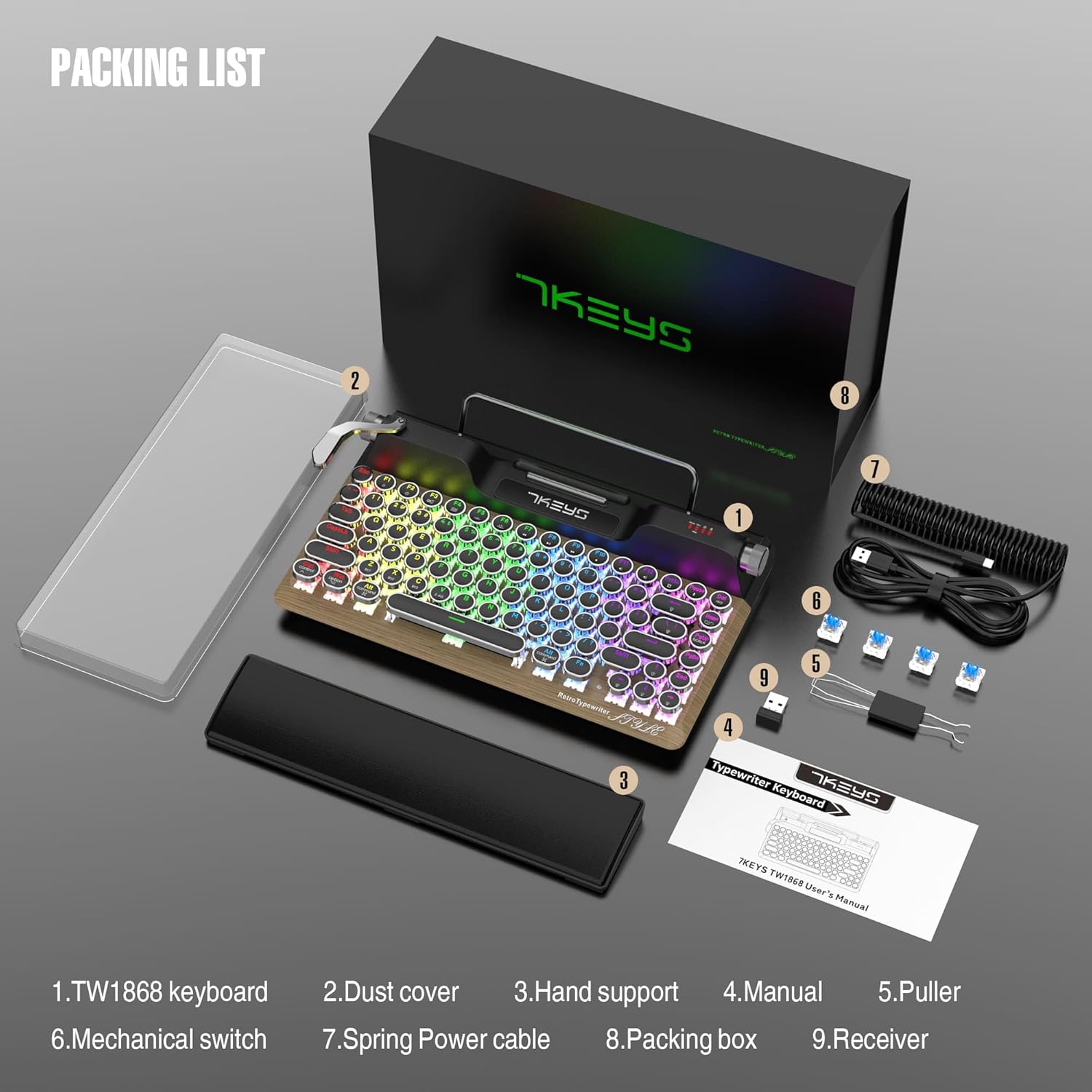
Image: All components included in the 7KEYS keyboard package, neatly arranged.
Орнату
System Compatibility Switch
The keyboard supports both Windows and Mac operating systems. Locate the "Mode Win / Mac" switch on the top right side of the keyboard. Toggle the switch to select your desired operating system. A green light indicates Mac mode, while no green light indicates Windows mode.
Сымды байланыс
- Ensure the toggle switch at the bottom of the keyboard is set to "TypeC".
- Connect the USB-A end of the provided coiled cable to an available USB port on your computer.
- Plug the Type-C end of the cable into the Type-C port on the keyboard. The keyboard will automatically be recognized and ready for use.
2.4G сымсыз байланыс
- Flip the toggle switch at the bottom of the keyboard to the "2.4G" position.
- Insert the 2.4G wireless receiver into an available USB port on your computer. The keyboard should connect automatically.
Bluetooth қосылымы
The keyboard supports up to three Bluetooth devices (BT1, BT2, BT3).
- Flip the toggle switch at the bottom of the keyboard to the "BT" position.
- To pair with a device, long press the FN + Z (BT1 үшін), FN + X (BT2 үшін) немесе FN + C (for BT3) keys until the white light above the corresponding key blinks quickly. This indicates pairing mode.
- On your device (PC, laptop, tablet, or phone), enable Bluetooth and search for available devices. Select "7KEYS TW1868" from the list to connect.
- Once paired successfully, the Bluetooth indicator light will stop flashing and remain solid, indicating a stable connection.
- Жұптастырылған Bluetooth құрылғылары арасында ауысу үшін қысқа басыңыз FN + Z, FN + X, немесе FN + C.
Video: A demonstration of wired, 2.4G wireless, and Bluetooth connection methods for the 7KEYS TW1868 keyboard, including pairing steps for various devices.
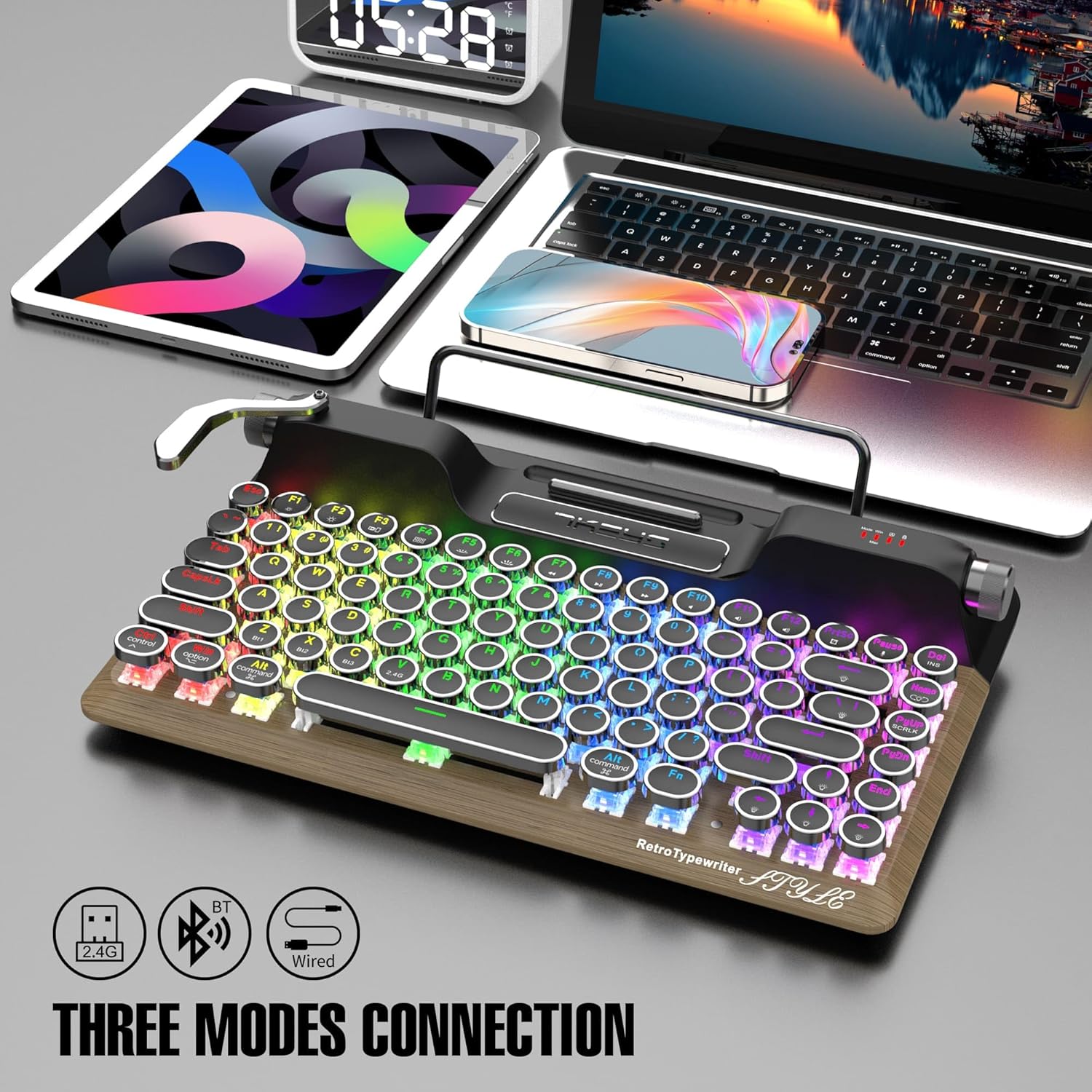
Image: The keyboard highlighting its versatile connectivity options: 2.4G wireless, Bluetooth, and wired USB-C.
Пайдалану нұсқаулары
RGB артқы жарығын басқару
The keyboard features true RGB backlighting with over 14 modes. The unique "pull rod" lever on the left side of the keyboard functions as a backlight mode switcher.
- To cycle through different RGB lighting effects, gently pull the lever to the right.
- To adjust the brightness of the backlight, rotate the knob located on the top right side of the keyboard.
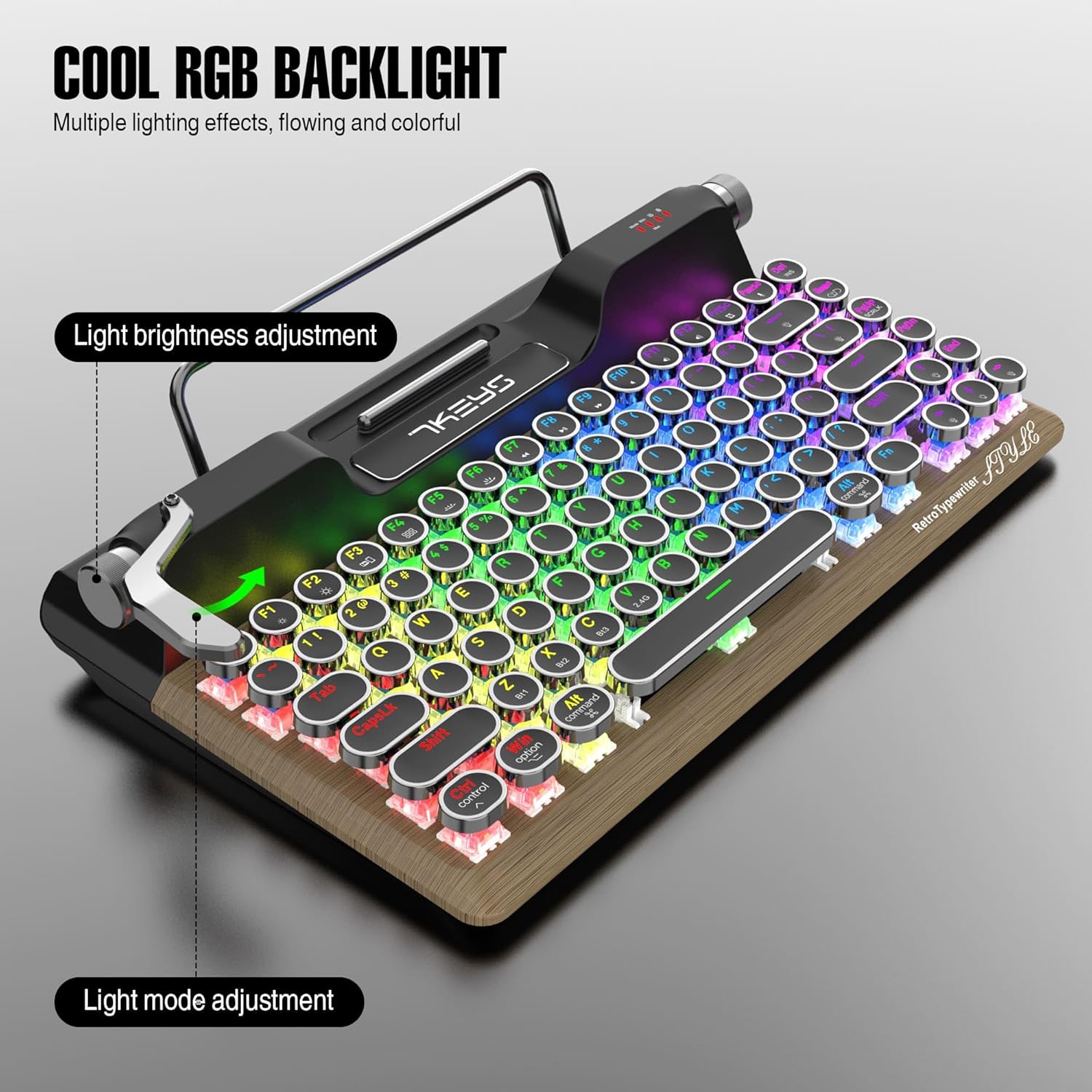
Image: Close-up of the keyboard illustrating the light brightness adjustment knob and the light mode adjustment lever.
Дыбыс деңгейін реттеу
The metal scroll wheel on the top right of the keyboard allows for easy volume control.
- Rotate the scroll wheel clockwise to increase volume.
- Rotate the scroll wheel counter-clockwise to decrease volume.
Tablet/Phone Holder
The integrated stand at the top of the keyboard is designed to securely hold your tablet or smartphone, transforming your setup into a compact workstation. This feature is particularly convenient for mobile productivity.
Video: A demonstration of the TW1868 keyboard's features, including the tablet/phone holder, RGB lighting effects, and the satisfying clicky sound of the mechanical switches.
Техникалық қызмет көрсету
Тазалау
Пернетақтаның сыртқы түрі мен функционалдығын сақтау үшін:
- Use a soft, dry cloth to wipe down the keyboard surface and keycaps.
- Тереңірек тазалау үшін перне қақпақтарының арасындағы шаң мен қоқысты кетіру үшін сығылған ауа құтысын пайдаланыңыз.
- Қатты химиялық заттарды немесе абразивті материалдарды пайдаланбаңыз, себебі олар әрлеуді зақымдауы мүмкін.
Switch Replacement (Hot-Swappable)
The 7KEYS TW1868 keyboard features hot-swappable OUTEMU blue switches, allowing you to easily replace them without soldering. This is useful for customization or replacing a faulty switch.
- Gently pull the keycap off the switch using the provided keycap puller.
- Insert the switch puller around the switch, ensuring it grips both sides.
- Коммутаторды ПХД-дан шығару үшін тік жоғары тартыңыз.
- Жаңа қосқыштың түйреуіштерін ПХД саңылауларымен туралаңыз.
- Press the new switch firmly into place until it clicks. Ensure it is seated properly to avoid bent pins.
- Перне қақпағын ауыстырыңыз.

Сурет: егжей-тегжейлі view of the keyboard's pluggable mechanical switches, demonstrating their easy removal and replacement.
Ақаулықтарды жою
| Мәселе | Ықтимал себебі | Шешім |
|---|---|---|
| Пернетақта жауап бермейді (сымсыз) | Low battery; Incorrect connection mode; Receiver not plugged in; Device Bluetooth off. | Charge the keyboard; Ensure switch is on 2.4G or BT; Plug in receiver; Enable Bluetooth on device. |
| Кілттер тіркелмейді немесе екі рет терілмейді | Пернетақтаның астындағы шаң/қоқыс; Ақаулы қосқыш. | Clean under keycap with compressed air; Replace the switch using the switch puller. |
| RGB артқы жарығы жұмыс істемейді | Артқы жарық өшірілді; Батарея төмен. | Use the pull rod to cycle through modes or adjust brightness; Charge the keyboard. |
| Bluetooth арқылы қосылу мүмкін емес | Not in pairing mode; Device already connected to another channel; Interference. | Long press FN+Z/X/C to enter pairing mode; Ensure previous connection is disconnected; Move closer to device. |
Техникалық сипаттамалар
| Ерекшелік | Мәлімет |
|---|---|
| Үлгі нөмірі | TW1868 |
| Қосылу технологиясы | USB-C (Wired), 2.4G Wireless, Bluetooth 5.0 |
| Үйлесімді құрылғылар | Laptop, PC, Tablet, Smartphone (Mac, iOS, Windows, Android) |
| Пернетақта түрі | Mechanical, Hot-Swappable |
| Ауыстыру түрі | OUTEMU Blue Switches (Clicky) |
| Пернетақталар | Round, Retro Punk Style |
| Кілттер саны | 83 |
| Артқы жарықтандыру | True RGB (14+ modes) |
| Батарея | 3000 мАч литий-ион (жинаққа кіреді) |
| Өнім өлшемдері | 13 x 6 x 2 дюйм |
| Элемент салмағы | 4.84 фунт |
| Арнайы мүмкіндіктер | Ergonomic, Wrist Rest, Rechargeable, Hot-Swappable, Integrated Tablet/Phone Holder, Volume Knob, RGB Light Control Lever |
| Түс | Wood+Palm Rest |
Кепілдік және қолдау
7KEYS provides a limited warranty for this product. For detailed warranty information, technical support, or service inquiries, please refer to the official 7KEYS webсайтына өтіңіз немесе тұтынушыларға тікелей хабарласыңыз. Кепілдік шағымдары үшін сатып алуды растайтын құжатты сақтаңыз.
