შესავალი
This manual provides essential information for setting up, operating, and maintaining your HP Essential 17t Laptop TPN-I139. Please read these instructions carefully to ensure proper use and to maximize the lifespan of your device.
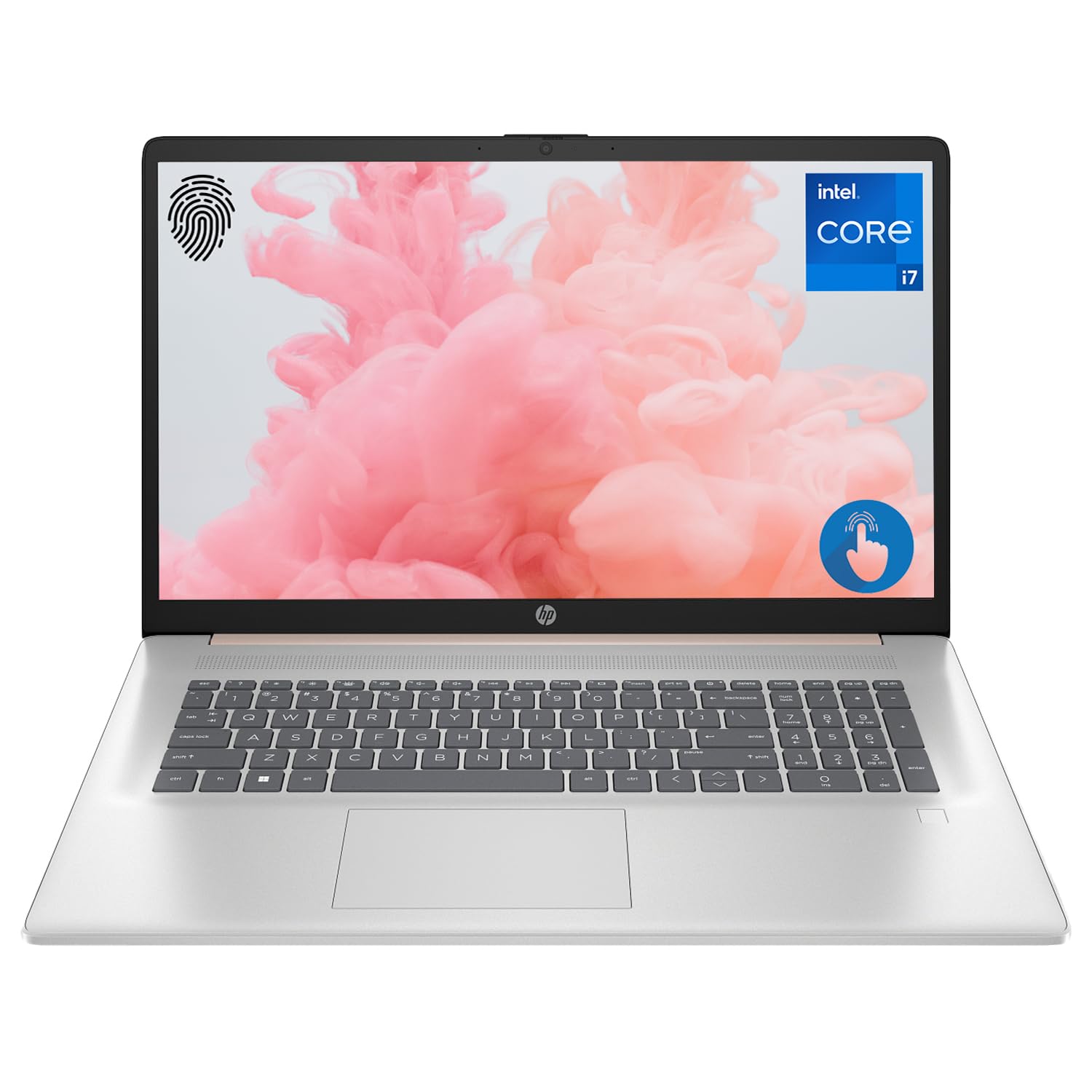
Figure 1: HP Essential 17t Laptop
The HP Essential 17t Laptop is designed for productivity and everyday use, featuring a 17.3-inch HD+ touchscreen, an Intel Core i7-1355U processor, 64GB of RAM, and a 2TB SSD. It comes pre-installed with Windows 11 Home.
დაწყება
1. რა არის ყუთში
- HP Essential Touchscreen Laptop
- AC დენის ადაპტერი
- სწრაფი დაწყების სახელმძღვანელო (თუ შედის)
2. პირველადი ჩართვა და დაყენება
- Connect the AC power adapter to the laptop and a power outlet.
- გახსენით ლეპტოპის სახურავი და დააჭირეთ ჩართვის ღილაკს, რომელიც ჩვეულებრივ კლავიატურაზეა განთავსებული.
- Follow the on-screen instructions to complete the Windows 11 Home setup. This includes selecting your region, connecting to a Wi-Fi network, creating a user account, and accepting the license agreement.

Figure 2: Windows 11 Home Interface
აპარატურა დასრულდაview
პორტები და კონექტორები
Familiarize yourself with the various ports on your laptop for connecting external devices.

Figure 3: Laptop Ports and Connectors
- SuperSpeed USB ტიპი-A (5 გბიტი/წმ სიგნალიზაციის სიჩქარე): USB მოწყობილობების, როგორიცაა მაუსები, კლავიატურები ან გარე დისკები, დასაკავშირებლად.
- HDMI 1.4b: გარე დისპლეებთან ან პროექტორებთან დასაკავშირებლად.
- SuperSpeed USB Type-C (5Gbps signaling rate): მრავალმხრივი პორტი მონაცემთა გადაცემისა და თავსებადი მოწყობილობების დასაკავშირებლად.
- ყურსასმენის/მიკროფონის კომბინირებული ჯეკი (3.5 მმ): ყურსასმენების, გარე დინამიკების ან მიკროფონით აღჭურვილი ყურსასმენის შესაერთებლად.
კლავიატურა და სენსორული პანელი
The laptop features a full-size backlit keyboard for comfortable typing in various lighting conditions and a responsive touchpad for navigation.
ჩვენება
Your HP Essential 17t Laptop is equipped with a 17.3-inch HD+ (1600 x 900) touchscreen display, offering intuitive interaction with Windows 11.

Figure 4: 17.3" HD+ Touchscreen Display
თქვენი ლეპტოპის მართვა
ენერგიის მენეჯმენტი
- ჩართვა/გამორთვა: Press the power button to turn the laptop on. To shut down, click the Start button, then Power > Shut down.
- Ძილის რეჟიმი: Close the lid or click the Start button, then Power > Sleep to put the laptop into a low-power state.
- ბატარეის მოვლა: The laptop supports battery fast charge, reaching approximately 50% charge in 45 minutes. For optimal battery health, avoid consistently draining the battery to 0% or keeping it at 100% for extended periods.
სენსორული ეკრანის გამოყენებით
Interact with your laptop directly on the screen using touch gestures. Common gestures include tapping to select, pinching to zoom, and swiping to scroll.
თითის ანაბეჭდის წამკითხველის გამოყენება
The integrated fingerprint reader allows for secure and quick login. Set up your fingerprints through Windows Hello in the Windows Settings app (Accounts > Sign-in options).
Wi-Fi-თან დაკავშირება
To connect to a wireless network, click the Wi-Fi icon in the taskbar, select your desired network, and enter the password if prompted. The laptop supports Wi-Fi 6 for fast and reliable wireless connectivity.
პროდუქტიულობის მახასიათებლები
This laptop integrates Copilot + AI capabilities to enhance productivity. These features can assist with scheduling, drafting emails, summarizing documents, and more, streamlining your workflow.

Figure 5: Copilot + AI for Enhanced Productivity
მოვლა და მოვლა
თქვენი ლეპტოპის გაწმენდა
- გამოიყენეთ რბილი, უბინავის ქსოვილი ოდნავ დampეკრანის გასაწმენდად ჩამოიბანეთ წყლით ან ეკრანის საწმენდი საშუალებით.
- კლავიატურისა და კორპუსისთვის გამოიყენეთ რბილი, მშრალი ქსოვილი. მოერიდეთ უხეში ქიმიკატების ან აბრაზიული მასალების გამოყენებას.
- გაწმენდის წინ დარწმუნდით, რომ ლეპტოპი გამორთულია და დენის წყაროდან ამოღებულია.
პროგრამული უზრუნველყოფის განახლებები
რეგულარულად შეამოწმეთ და დააინსტალირეთ Windows-ის განახლებები, რათა დარწმუნდეთ, რომ თქვენს სისტემას აქვს უახლესი უსაფრთხოების პატჩები და მუშაობის გაუმჯობესებები. გადადით პარამეტრებში > Windows-ის განახლებაში.
პრობლემების მოგვარება
თუ თქვენს ლეპტოპთან დაკავშირებით პრობლემები შეგექმნათ, სცადეთ შემდეგი ძირითადი ნაბიჯები:
- ძალა არ არის: დარწმუნდით, რომ ცვლადი დენის ადაპტერი საიმედოდ არის შეერთებული როგორც ლეპტოპთან, ასევე მოქმედ დენის წყაროსთან. სცადეთ სხვა როზეტი.
- ჩვენების პრობლემები: If the screen is blank, try connecting an external monitor to check if the issue is with the laptop's display.
- Wi-Fi კავშირი: Restart your router and modem. Ensure Wi-Fi is enabled on your laptop.
- ნელი შესრულება: Close unnecessary applications. Check for available Windows updates.
უფრო რთული პრობლემებისთვის იხილეთ HP-ის მხარდაჭერის სერვისი. webსაიტზე ან დაუკავშირდით HP-ის მომხმარებელთა მომსახურების სამსახურს.
სპეციფიკაციები
Below are the key technical specifications for the HP Essential 17t Laptop TPN-I139:

Figure 6: Intel Core i7-1355U Processor
| ფუნქცია | სპეციფიკაცია |
|---|---|
| მოდელის სახელი | TPN-I139 |
| პროცესორი | 13th Gen Intel Core i7-1355U (10 Cores, 12 Threads, up to 5.0 GHz) |
| ოპერატიული მეხსიერება | 64 გბ DDR4 SDRAM (3200 მჰც) |
| შენახვა | 2 ტბ PCIe NVMe M.2 SSD |
| ჩვენება | 17.3" HD+ (1600 x 900) Touchscreen, BrightView, 250 ნიტი |
| გრაფიკა | Intel Iris Xe Graphics |
| ოპერაციული სისტემა | Windows 11 მთავარი |
| უსადენო კავშირი | Wi-Fi 6 (802.11ax) |
| პორტები | 1x SuperSpeed USB Type-C (5Gbps), 2x SuperSpeed USB Type-A (5Gbps), 1x HDMI 1.4b, 1x Headphone/Microphone Combo |
| განსაკუთრებული თვისებები | განათებული კლავიატურა, თითის ანაბეჭდის წამკითხველი |
| ზომები (LxWxH) | 15.78 x 10.15 x 0.78 ინჩი |
| წონა | 5.25 ფუნტი |

Figure 7: Intel Iris Xe Graphics
გარანტია და მხარდაჭერა
Your HP Essential 17t Laptop comes with a standard manufacturer's warranty. For detailed warranty terms and conditions, please refer to the documentation included with your product or visit the official HP support website. For technical assistance, driver downloads, or service requests, please contact HP customer support directly.
პროდუქტი დასრულდაview ვიდეო
ვიზუალური ვერსიისთვის უყურეთ ამ ვიდეოსview of the HP Essential 17t Laptop's features and capabilities.
Video 1: HP Essential 17 Touchscreen 13th Gen i7 Laptop Overview by PCOnline US. This video highlights key features and design aspects of the laptop.