1. შესავალი
Thank you for choosing the Carpuride C3 Portable Car Stereo Receiver. This device offers a seamless integration of wireless Apple CarPlay and Android Auto, enhancing your driving experience with navigation, communication, and entertainment features. This manual provides detailed instructions for installation, operation, and troubleshooting to ensure optimal performance and safe use.
2. პაკეტის შიგთავსი
გთხოვთ, დარწმუნდეთ, რომ ქვემოთ ჩამოთვლილი ყველა ნივთი შედის თქვენს პაკეტში:
- 1 x Carpuride C3 Car Stereo Receiver
- 2 x Adjustable Mounts (Dashboard/Windshield)
- 1 x Car Charger (12-24V)
- 1 x მომხმარებლის სახელმძღვანელო
- 1 x 3.5 მმ აუდიო კაბელი

სურათი: მეტიview of the Carpuride C3 package contents, including the main unit, car charger, user manual, adjustable mounts, and audio cable. It also illustrates two installation methods.
3. დაყენება და ინსტალაცია
3.1 სამონტაჟო პარამეტრები
The Carpuride C3 comes with two adjustable mounts for flexible installation. You can choose to fix the device on your dashboard or windshield. Both mounts offer full 360° rotation and swivel, allowing you to adjust the screen to your preferred viewing angle. No complex disassembly of your car's console is required; simply plug and play.
Image: Demonstrates two installation methods for the Carpuride C3: one using a self-adhesive bracket on the dashboard and another using a suction cup bracket on the windshield, both showing adjustable angles.
3.2 დენის კავშირი
Connect the Carpuride C3 to your vehicle's cigarette lighter socket using the provided car charger. The system supports a voltage range of 12V to 24V, making it compatible with most cars, RVs, SUVs, pickups, and trucks. The device will automatically power on when the car starts and turn off with the engine.
3.3 საწყისი ჩართვა
After connecting the power, the device will boot up. Follow the on-screen prompts for initial setup, including language selection and time zone settings.
4. საოპერაციო ინსტრუქციები
4.1 უსადენო Apple CarPlay და Android Auto
The Carpuride C3 supports both wireless Apple CarPlay and Android Auto. Connect your smartphone to access navigation, phone contacts, emails, music, notifications, and messages directly on the 7-inch HD touchscreen.
- უსადენო CarPlay-სთვის: Requires an iPhone 6 or higher with iOS 10 or above. Ensure Siri is activated.
- უსადენო Android Auto-სთვის: Requires a phone that supports 5GHz Wi-Fi and Android 11 or higher. Ensure the Android Auto app is installed and updated.
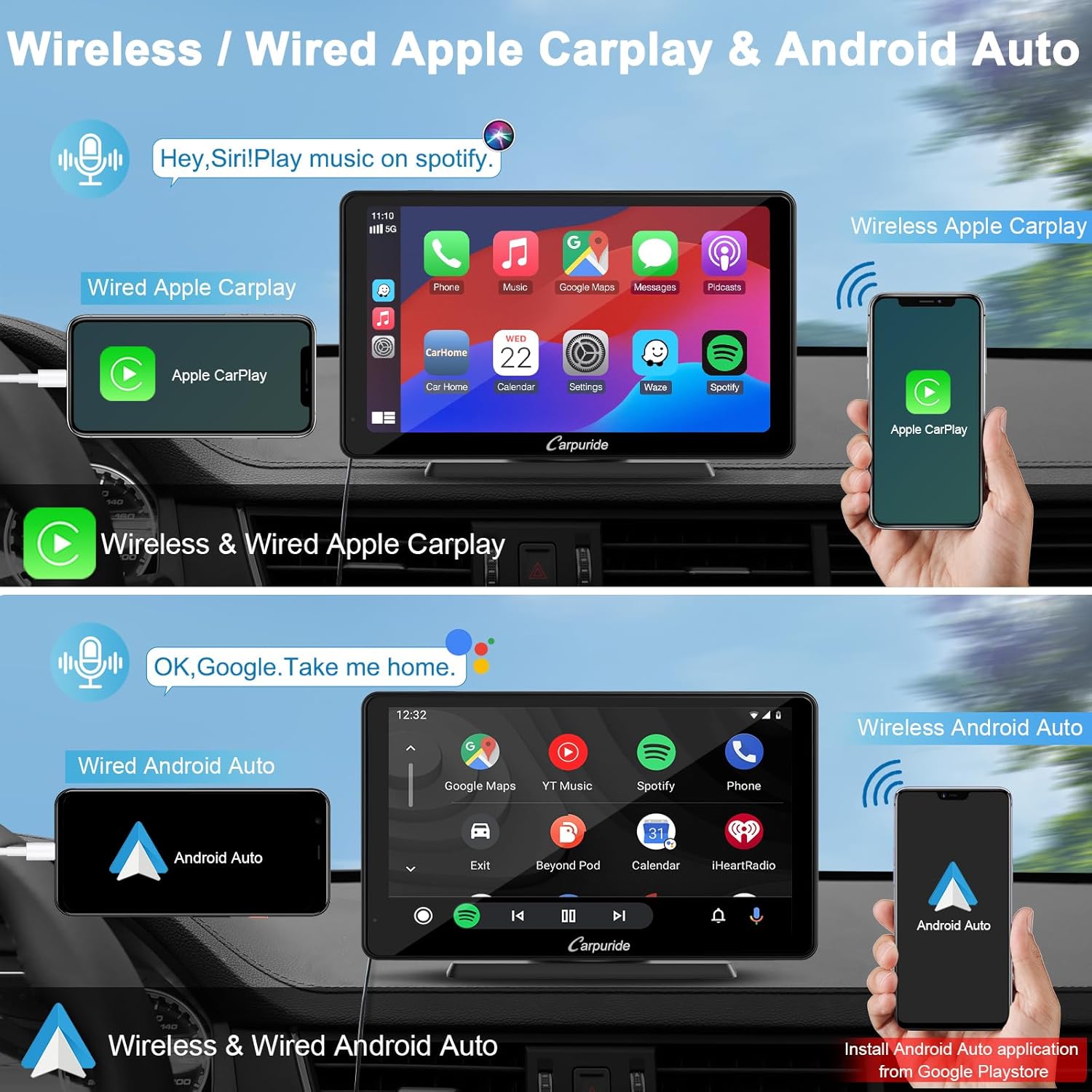
Image: Illustrates the wireless and wired connection options for both Apple CarPlay and Android Auto on the Carpuride C3 display, showing smartphone integration.

Image: Shows a smartphone wirelessly connected to the Carpuride C3, displaying the Apple CarPlay interface.

Image: Displays a smartphone wirelessly connected to the Carpuride C3, showing the Android Auto interface.
4.2 Voice Control (Siri & Google Assistant)
Utilize voice commands via Siri or Google Assistant to control various functions, keeping your hands free and your focus on the road. This includes making calls, sending messages, playing music, and getting navigation directions.
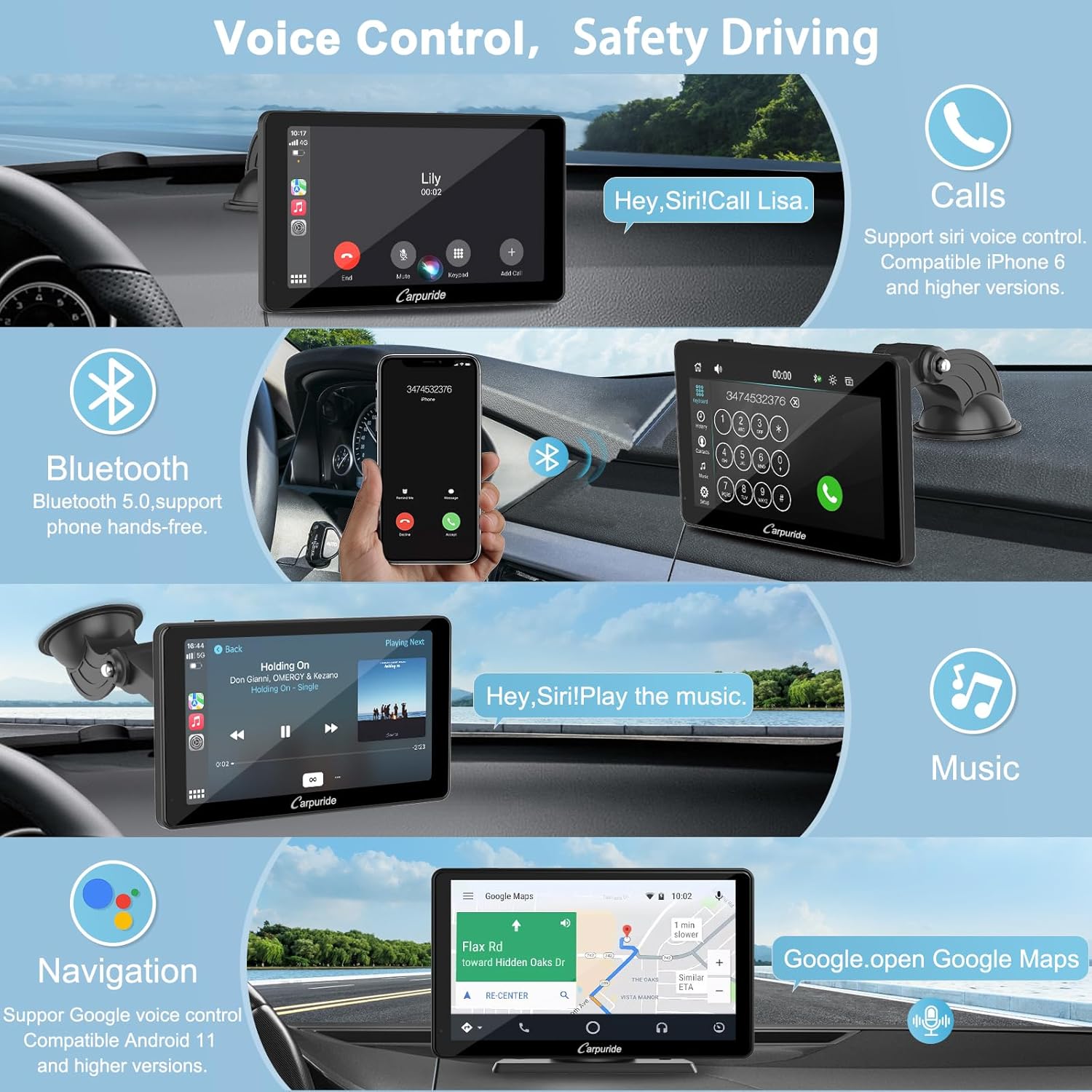
Image: Illustrates the voice control functionality for calls and music, along with Bluetooth hands-free calling on the Carpuride C3 screen.
4.3 Bluetooth 5.0 დაკავშირებადობა
The Carpuride C3 features Bluetooth 5.0 for stable wireless hands-free calls and audio streaming from your smartphone. Pair your device once for automatic connection on subsequent uses.
4.4 Mirror Link Function (iOS Airplay / Android Autolink)
The Mirror Link function allows you to synchronize audio, video, games, and app content from your phone to the Carpuride C3 screen in real-time. This provides a richer display and functional experience.
- iOS Airplay: Supports wireless and wired mirror link for iPhone 6 and above.
- Android Autolink: Supports wired mirror link only for Android 11 or above and 5GHz WF Android phones. Requires the AutoLink application from the Google Play Store.
Note: i-play and Airplay functions cannot be connected simultaneously. Incompatible with apps such as Netflix, Hulu, Pandora.

Image: Demonstrates both wireless Airplay for iOS and wired Autolink for Android, showing phone screens mirrored onto the Carpuride C3 display.
4.5 სიკაშკაშის რეგულირება
The device features a sensor light design that automatically adjusts screen brightness to protect your eyes. You can also manually select between night mode and daytime mode, each with 0-10 adjustment levels. The sun icon represents daytime mode, and the moon and stars icon represents night mode.
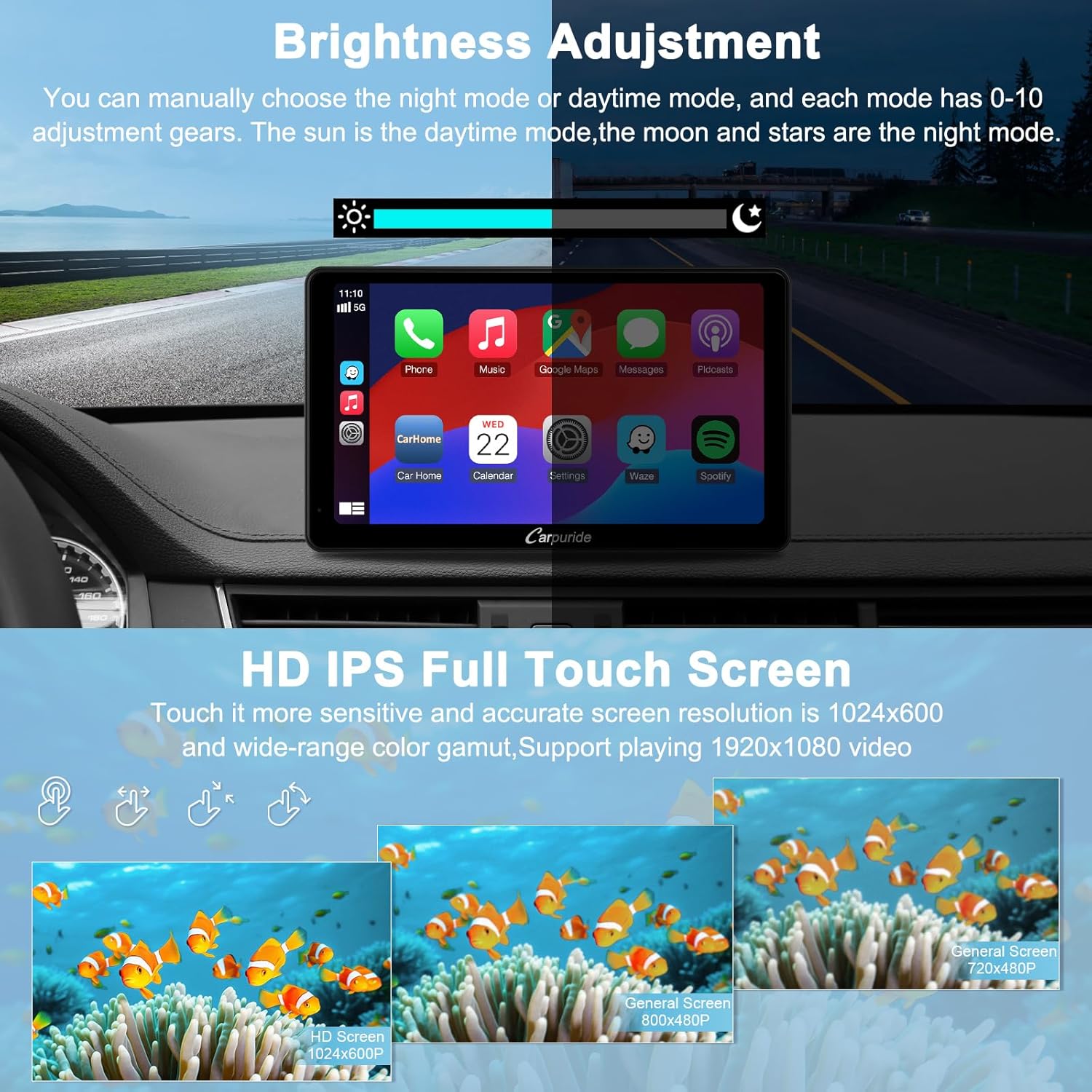
Image: Shows the brightness adjustment interface with day and night modes, and highlights the 7-inch HD IPS full touchscreen with 1024x600 resolution.
4.6 აუდიო გამომავალი რეჟიმები
The Carpuride C3 offers three methods for audio output:
- ჩამონტაჟებული დინამიკი: The unit has an 8Ω2W local speaker for standalone audio output.
- AUX მანქანის აუდიოში: Use the provided 3.5mm AUX cable to connect the Carpuride C3 to your car's AUX input. This routes audio through your vehicle's speakers.
- FM გადაცემა: Set the Carpuride C3's FM frequency to match an unused FM frequency on your car's radio. This transmits audio wirelessly to your car's speakers.

Image: Illustrates the three audio output options: built-in speaker, AUX cable connection to car audio, and FM transmission to the car's radio.
4.7 სხვა ფუნქციები
The Carpuride C3 provides additional functionalities:
- ნავიგაცია: Access map applications through CarPlay or Android Auto.
- ზარები: განახორციელეთ და მიიღეთ ზარები ხელების გარეშე.
- ვიდეო: Play videos (via Mirror Link, not compatible with all streaming services).
- მუსიკა: Stream music from various applications.
- ეკვალაიზერი: Integrated preset equalizer and custom 16-band HD equalizer with 12 adjustable frequency ranges for personalized audio.
- Boot Logo Customization: Customize the boot logo to match your vehicle model or display a personal image.

Image: Displays various functions available on the Carpuride C3, including navigation, phone calls, video playback via mirroring, and music streaming.
4.8 უკანა ხედვის კამერის მხარდაჭერა
The stereo supports a reverse camera (not included) with automatic image display when the vehicle is put into reverse gear.
5. მოვლა
თქვენი Carpuride C3-ის ხანგრძლივი მომსახურებისა და ოპტიმალური მუშაობის უზრუნველსაყოფად, დაიცავით შემდეგი ტექნიკური მომსახურების ინსტრუქციები:
- ეკრანი სუფთად შეინარჩუნეთ რბილი, უბუსუსო ქსოვილით. მოერიდეთ აბრაზიული საწმენდი საშუალებების გამოყენებას.
- Protect the device from extreme temperatures and direct sunlight for prolonged periods.
- დარწმუნდით, რომ ყველა საკაბელო კავშირი უსაფრთხოა.
6. Დიაგნოსტიკა
6.1 Polarized Glasses Incompatibility
The Carpuride C3 series is not compatible with polarized glasses and does not feature anti-glare properties. If you wear polarized glasses while driving, the screen may appear darkened or difficult to view. It is recommended to purchase an appropriate anti-glare protective film for the screen to mitigate this issue.

Image: Compares screen visibility for a driver wearing polarized glasses (left, showing a dark screen) versus a driver without polarized glasses using the Carpuride C3 with a detachable sunshade (right, showing clear visibility).
6.2 Volkswagen Reverse Camera Note
For Volkswagen owners, an additional relay may be required to install a reverse camera, as the camera is not included in the package. Please consult a professional for installation if needed.
7. პროდუქტის სპეციფიკაციები
| ფუნქცია | სპეციფიკაცია |
|---|---|
| ბრენდი | კარპურიდი |
| მოდელის ნომერი | C3 |
| ფერი | C3 |
| ეკრანის ზომა | 7 ინჩი |
| ეკრანის გარჩევადობა | 1024 x 600 |
| დაკავშირების ტექნოლოგია | Bluetooth 5.0, Wi-Fi |
| განსაკუთრებული თვისებები | Airplay, Autolink, Built-in Bluetooth, Voice Control, Apple CarPlay, Android Auto, FM Transmission, Equalizer, USB, TF Card Slot, Settings |
| თავსებადი მოწყობილობები | სმარტფონი, მანქანის დინამიკები |
| კონექტორის ტიპი | 3.5 მმ ჯეკი |
| აუდიო გამოყვანის რეჟიმი | სტერეო |
| ელექტრომომარაგება | 12-24V (სიგარეტის სანთებელა) |
| ვიდეოს კოდირება | H.264, H.265/HEVC, VP9, AV1, MPEG-4 |
8. გარანტია და მხარდაჭერა
The Carpuride customer service team is committed to providing satisfactory support. If you encounter any issues during the use of your Carpuride C3, please contact us via email or call the provided customer service number. Professional staff are available to assist you with problem resolution.
For contact information, please refer to the packaging or the official Carpuride webსაიტი.


