შესავალი
This manual provides essential information for the safe and efficient operation of your BALLU Apollo Portable Convection Panel Space Heater. Please read all instructions carefully before use and retain this manual for future reference.

Image: The BALLU Apollo Portable Convection Panel Space Heater, showcasing its sleek white design and freestanding feet.
დაყენება და ინსტალაცია
The BALLU Apollo heater offers versatile installation options: freestanding or wall-mounted. No additional tools are required for assembly.
დამოუკიდებელი დაყენება
- ფრთხილად ამოიღეთ გამათბობელი შეფუთვიდან.
- Attach the provided caster wheels to the base of the heater. Ensure they are securely fastened.
- Place the heater on a stable, level surface, ensuring adequate clearance from walls and flammable materials.
კედელზე სამაგრის მონტაჟი
- Remove the caster wheels if they are already attached.
- Identify a suitable wall location. The wall must be heat-resistant and capable of supporting the heater's weight.
- Use the provided wall-mounting brackets and hardware to secure the heater to the wall. Follow the detailed instructions in the included wall-mount guide for proper installation.
Video: Demonstrates the assembly of the freestanding feet and highlights the wall-mounting bracket on the rear of the heater.
ოპერაციული ინსტრუქციები
The BALLU Apollo heater features a TFT Digital Display control panel for easy operation.

Image: Close-up of the heater's TFT Digital Display control panel, showing temperature, mode, and power buttons.
საკონტროლო პანელი დასრულდაview
- დენის ღილაკი: დააჭირეთ და გააჩერეთ 2 წამის განმავლობაში, რომ ჩართოთ ან გამორთოთ მოწყობილობა.
- ტემპერატურის რეგულირება: Use the arrow buttons to set the desired temperature between 41°F and 95°F.
- რეჟიმის შერჩევა: Cycle through available modes: Comfort, Eco, and Anti-frost.
- ტაიმერის ფუნქცია: Program the heater to operate for specific durations or at scheduled times (7 days, 24 hours).
- ბავშვის საკეტი: გააქტიურეთ პარამეტრების შემთხვევითი ცვლილებების თავიდან ასაცილებლად.
- ფანჯრის გამოვლენის გახსნა: The heater automatically adjusts temperature if a sudden drop is detected, optimizing energy use.
Heating Efficiency and Comfort
The Apollo heater utilizes a patented hedgehog heating element for 100% conversion of electrical energy to thermal energy, resulting in rapid heating (within 30 seconds) and even room temperature distribution. It operates silently, without consuming oxygen or moisture, which helps maintain comfortable air quality.
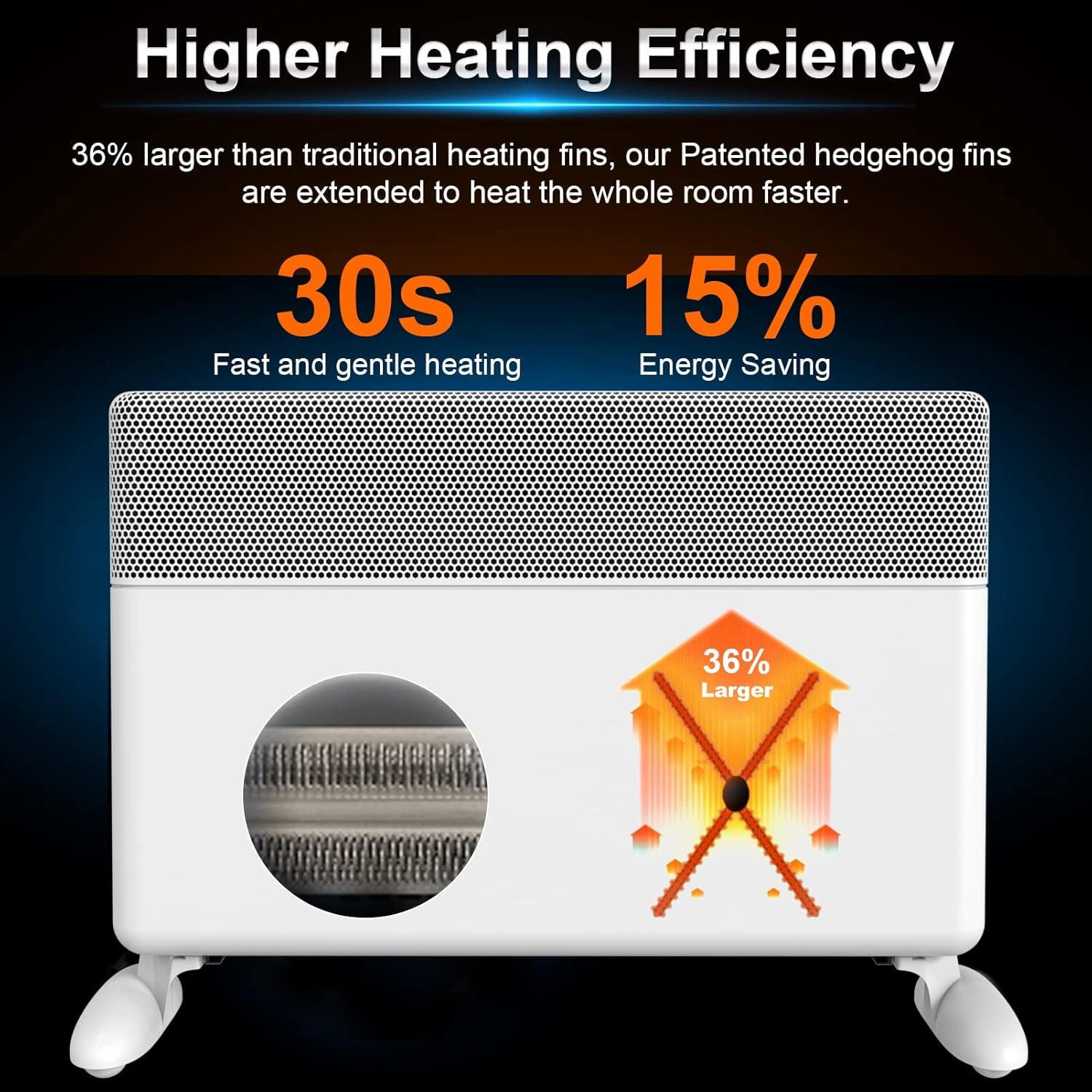
Image: Diagram illustrating the heater's high heating efficiency and rapid warm-up time.

Image: Illustration showing how the BALLU Apollo heater effectively warms a room up to 300 sq ft through natural convection.

Image: Depiction of the heater's silent operation, emphasizing no fan, no dry air, and no dazzling light for a comfortable environment.
უსაფრთხოების მახასიათებლები
Your BALLU Apollo heater is equipped with multiple safety mechanisms to ensure secure operation:
- გადახურვისგან დაცვა: Automatically shuts off the unit if it is accidentally knocked over.
- გადახურებისგან დაცვა: The heater will power down if internal components reach an unsafe temperature.
- ბავშვის საკეტი: Prevents unauthorized access to the control panel settings.
- V0 ცეცხლგამძლე მასალები: Constructed with high-quality, flame-retardant power cord and plug.

Image: Icons representing the heater's safety features: Tip-over protection, Child lock, and Overheat protection.
მოვლა
To ensure optimal performance and longevity of your heater, follow these maintenance guidelines:
- გამათბობელი ყოველთვის გამორთეთ დენიდან და გაწმენდის წინ მიეცით საშუალება, რომ მთლიანად გაგრილდეს.
- გაწმინდეთ გარე ზედაპირები რბილი, დamp ქსოვილი. არ გამოიყენოთ აბრაზიული გამწმენდები ან გამხსნელები.
- Ensure the air intake and exhaust grilles are free from dust and debris. Use a vacuum cleaner with a brush attachment to gently clean these areas.
- არ ჩაყაროთ გამათბობელი წყალში ან სხვა სითხეში.
- შეინახეთ გამათბობელი გრილ, მშრალ ადგილას, როდესაც არ იყენებთ.
პრობლემების მოგვარება
If you encounter issues with your BALLU Apollo heater, please refer to the following common solutions:
- გამათბობელი არ ირთვება: Ensure the power cord is securely plugged into a functional outlet. Check if the main power switch (if applicable) is in the 'ON' position. Verify that the child lock is not activated.
- სითბოს გამომუშავება არ არის: Confirm the desired temperature setting is higher than the current room temperature. Check the selected operating mode.
- Heater shuts off unexpectedly: This may indicate activation of the overheat or tip-over protection. Ensure the heater is on a stable surface and not obstructed. Allow the unit to cool down before restarting.
- Display shows an error or locked symbol: Consult the detailed troubleshooting section in the full user manual or contact customer support for assistance.
სპეციფიკაციები
| ფუნქცია | დეტალი |
|---|---|
| ბრენდი | ბალუ |
| მოდელი | აპოლონი |
| სპეციალური ფუნქცია | Energy Efficient, Noiseless, Portable |
| ფერი | თეთრი |
| ფორმის ფაქტორი | კვარცხლბეკი |
| შიდა/გარე გამოყენება | შიდა |
| სამონტაჟო ტიპი | კედლის სამაგრი |
| ოთახის ტიპი | საძინებელი, სახლის ოფისი, სასწავლო ოთახი |
| გათბობის დაფარვა | 300 კვადრატული ფუტი |
| დამწვრობის ტიპი | გასხივოსნებული |
| სითბოს გამომუშავება | 1500 ვატი |
| პროდუქტის ზომები | 25.2 x 4 x 15.9 ინჩი |
| ნივთის წონა | 17.56 ფუნტი |
| პირველი ხელმისაწვდომი თარიღი | 17 წლის 2021 სექტემბერი |
გარანტია და მხარდაჭერა
For warranty information, technical support, or service inquiries, please refer to the contact details provided with your product packaging or visit the official Ballu webსაიტი. შეინახეთ თქვენი შესყიდვის ქვითარი შეძენის დასადასტურებლად.


