შესავალი
This manual provides essential information for setting up, operating, maintaining, and troubleshooting your HP OMEN 870-120 Desktop. Please read these instructions carefully to ensure proper use and longevity of your device.
დაყენება
1. ამოფუთვა
Carefully remove the desktop and all accessories from the packaging. Ensure all components listed in the packing slip are present.
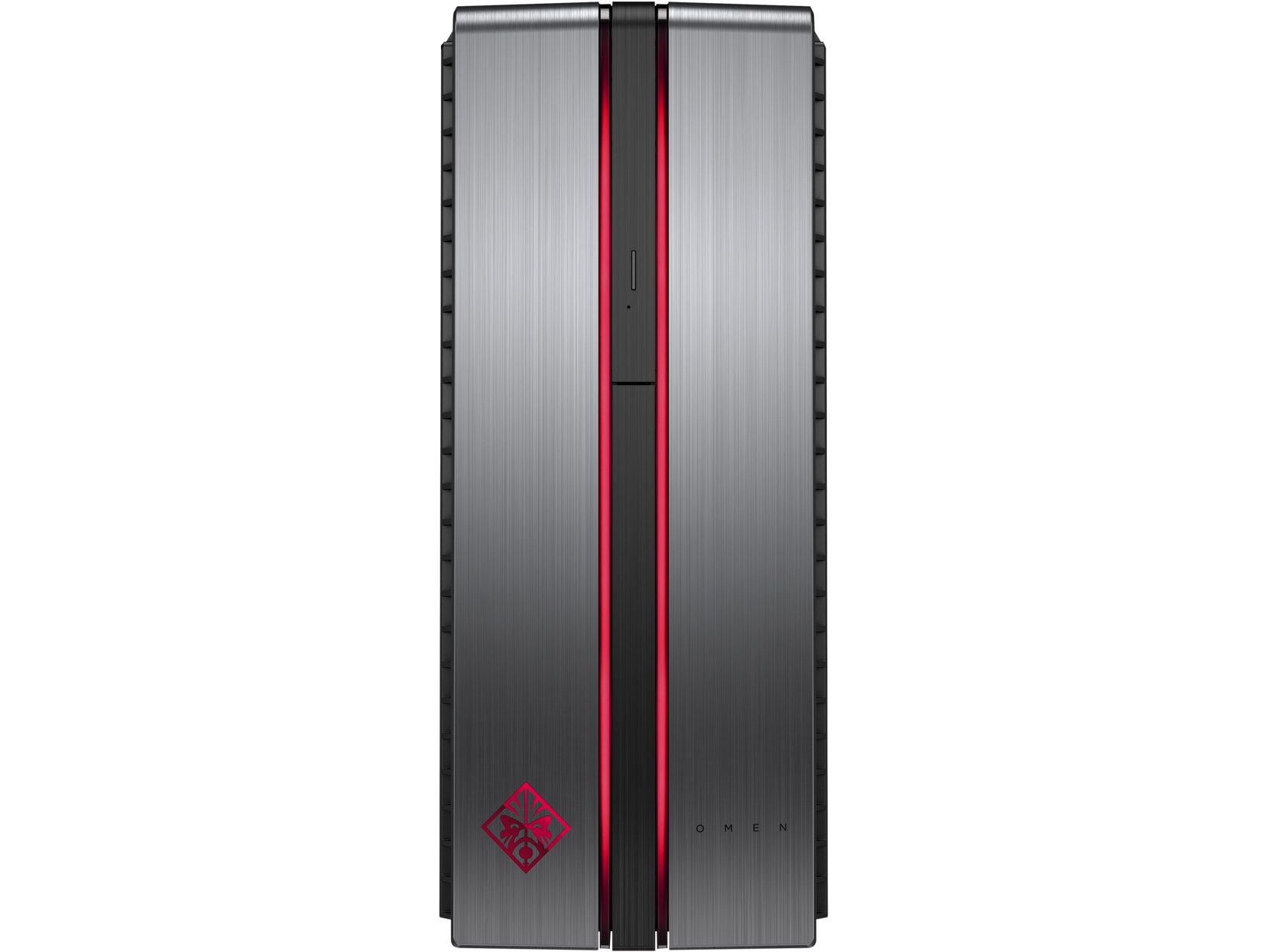
Image: The HP OMEN 870-120 Desktop tower, shown from the front-left angle.
2. პერიფერიული მოწყობილობების დამაკავშირებელი
- მონიტორი: Connect your monitor to the graphics card's display output ports (HDMI, DisplayPort, DVI) on the rear of the desktop.
- კლავიატურა და მაუსი: Connect the HP USB Wired Keyboard and Wired Optical Mouse to any available USB ports.
- სიმძლავრე: შეაერთეთ კვების კაბელი სამუშაო მაგიდის დენის შესასვლელთან, შემდეგ კი დამიწებულ ელექტროგადამცემთან.
- ქსელი (არასავალდებულო): For a wired connection, connect an Ethernet cable from your router or modem to the Ethernet port on the desktop. For wireless, ensure your desktop is within range of a Wi-Fi network.
3. პირველადი ჩართვა და Windows-ის დაყენება
Press the power button on the front of the desktop. Follow the on-screen instructions to complete the Windows 10 operating system setup, including language selection, network configuration, and user account creation.

სურათი: ახლო ხედი view of the HP OMEN 870-120 Desktop's front panel, highlighting the OMEN logo and red accent lighting.
ოპერაციული ინსტრუქციები
ჩართვა/გამორთვა
- ჩართვა: დააჭირეთ დენის ღილაკს, რომელიც მდებარეობს სამუშაო მაგიდის წინა მხარეს.
- გამორთვა: Windows-ში დააწკაპუნეთ დაწყების ღილაკზე, შემდეგ აირჩიეთ ჩართვა > გამორთვა.
- გადატვირთვა: Windows-ში დააწკაპუნეთ დაწყების ღილაკზე, შემდეგ აირჩიეთ ჩართვა > გადატვირთვა.
ოპტიკური დისკწამყვანის გამოყენება
The desktop includes a DVD-Writer. To use it, press the eject button on the drive bay cover to open the tray, insert a disc, and close the tray. Windows will typically prompt you for action or you can access the drive through 'This PC'.
ინტერნეტთან დაკავშირება
- სადენიანი კავშირი: If an Ethernet cable is connected, the system should automatically detect the network.
- უკაბელო კავშირი: In Windows 10, click the network icon in the taskbar, select your Wi-Fi network, enter the password, and click Connect.
მოვლა
დასუფთავება
Regularly clean the exterior of the desktop with a soft, dry cloth. Ensure ventilation grilles are free from dust to maintain optimal airflow. Do not use liquid cleaners directly on the components.
პროგრამული უზრუნველყოფის განახლებები
Keep your Windows 10 operating system and device drivers updated. Windows Update can be accessed via Settings > Update & Security > Windows Update. Regularly check the HP support website for the latest drivers for your OMEN 870-120 model.
სისტემის სარეზერვო ასლები
პერიოდულად შეინახეთ თქვენი მნიშვნელოვანი მონაცემების სარეზერვო ასლი გარე დისკზე ან ღრუბლოვან საცავში, რათა თავიდან აიცილოთ მონაცემების დაკარგვა.
კომპონენტების განახლებები
The HP OMEN 870-120 Desktop supports upgrades for certain components. The system can be expanded to 64GB of DDR4 RAM. Additional storage drives can also be installed. Refer to the official HP service manual for detailed instructions on component installation to avoid voiding your warranty.
პრობლემების მოგვარება
არ არის ძალა
- Verify the power cord is securely connected to both the desktop and the electrical outlet.
- Test the outlet with another device to ensure it is functional.
ჩვენება არ არის
- Ensure the monitor is powered on and the video cable is securely connected to both the desktop's graphics card and the monitor.
- თუ შესაძლებელია, სცადეთ სხვა ვიდეო კაბელი ან მონიტორი.
ნელი შესრულება
- დახურეთ ფონზე გაშვებული არასაჭირო აპლიკაციები.
- გაუშვით დისკის გასუფთავება და დეფრაგმენტაცია (HDD-სთვის).
- შეამოწმეთ და დააინსტალირეთ Windows-ის ან დრაივერის ნებისმიერი მომლოდინე განახლება.
- შეამოწმეთ მავნე პროგრამები ან ვირუსები.
For more complex issues or if the problem persists, contact HP customer support or visit the official HP support webსაიტი შემდგომი დახმარებისთვის.
სპეციფიკაციები

Image: The HP OMEN 870-120 Desktop tower, showcasing its design and side ventilation.
| ფუნქცია | დეტალი |
|---|---|
| მოდელის სახელი | OMEN 870-120 |
| პროცესორი | Intel Core i5-6400 (2.7 GHz Quad-Core) |
| ოპერატიული მეხსიერება | 8 GB DDR4-2133 SDRAM (1x8 GB), expandable to 64 GB |
| გრაფიკული ბარათი | NVIDIA GeForce GTX 1060 with 3 GB GDDR5 dedicated memory |
| შენახვა | 1 TB 7200RPM SATA Hard Drive |
| ოპტიკური დისკი | DVD-Writer |
| ოპერაციული სისტემა | Windows 10 |
| USB პორტები | 6 x USB 2.0 (additional USB 3.0/3.1 ports may be present depending on configuration) |
| უსადენო კავშირი | 802.11ბ/გ/ნ |
| ვატtage | 500 ვატი |
| ზომები (H x W x D) | 40.11 x 16.51 x 42.01 სმ (15.79 x 6.5 x 16.54 ინჩი) |
| წონა | 10.52 კგ |
გარანტია და მხარდაჭერა
Your HP OMEN 870-120 Desktop comes with a standard manufacturer's warranty. For detailed information regarding warranty terms, coverage, and duration, please refer to the warranty documentation included with your product or visit the official HP support webსაიტი.
For technical assistance, driver downloads, or service requests, please visit the HP support website or contact HP customer service directly. Have your product model number (870-120) and serial number ready when contacting support.