1. はじめに
Thank you for choosing the LG 34 Inch UltraWide WQHD Curved Monitor. This manual provides essential information for the safe and efficient use of your new monitor. Please read it thoroughly before operating the device and keep it for future reference.
パッケージ内容
- LG 34 Inch UltraWide Curved Monitor
- モニタースタンド(ベースとネック)
- 電源ケーブル
- HDMIケーブル
- DisplayPortケーブル
- USB-Cケーブル
- ユーザーマニュアルと保証書
2. 主な特徴
- 34-inch WQHD UltraWide Curved Display: Expansive 21:9 screen (3440 x 1440) for enhanced productivity and immersive viewing。
- HDR Display with 99% sRGB: Delivers vibrant, natural colors and distinct image layers, supporting HDR brightness performance.
- 120Hzの高リフレッシュレート: Ensures fluid scrolling and dynamic content for a comfortable visual experience.
- 5ms(GTG)応答時間: Provides quick pixel response for smooth motion.
- LG Switch for Multitasking & Eye Care: Enables quick split-screen functionality, customizable layouts, and Reader Mode to reduce eye strain.
- 調整可能なスタンド: Supports height, tilt, and swivel adjustments for optimal view角度を変える。
- 内蔵スピーカー: 利便性を考慮した統合オーディオ。
- 複数の接続オプション: Includes DisplayPort and HDMI inputs.
3. セットアップ
3.1 スタンドの組み立て
Carefully remove the monitor and stand components from the packaging. Follow the instructions below to attach the stand to the monitor.
- 傷がつかないように、モニターを柔らかくて清潔な表面の上に下向きに置いてください。
- スタンドネックをモニターの背面パネルに取り付けます。カチッと音がしてしっかりと固定されていることを確認してください。
- Attach the stand base to the bottom of the stand neck. Tighten the screw(s) firmly to secure the base.
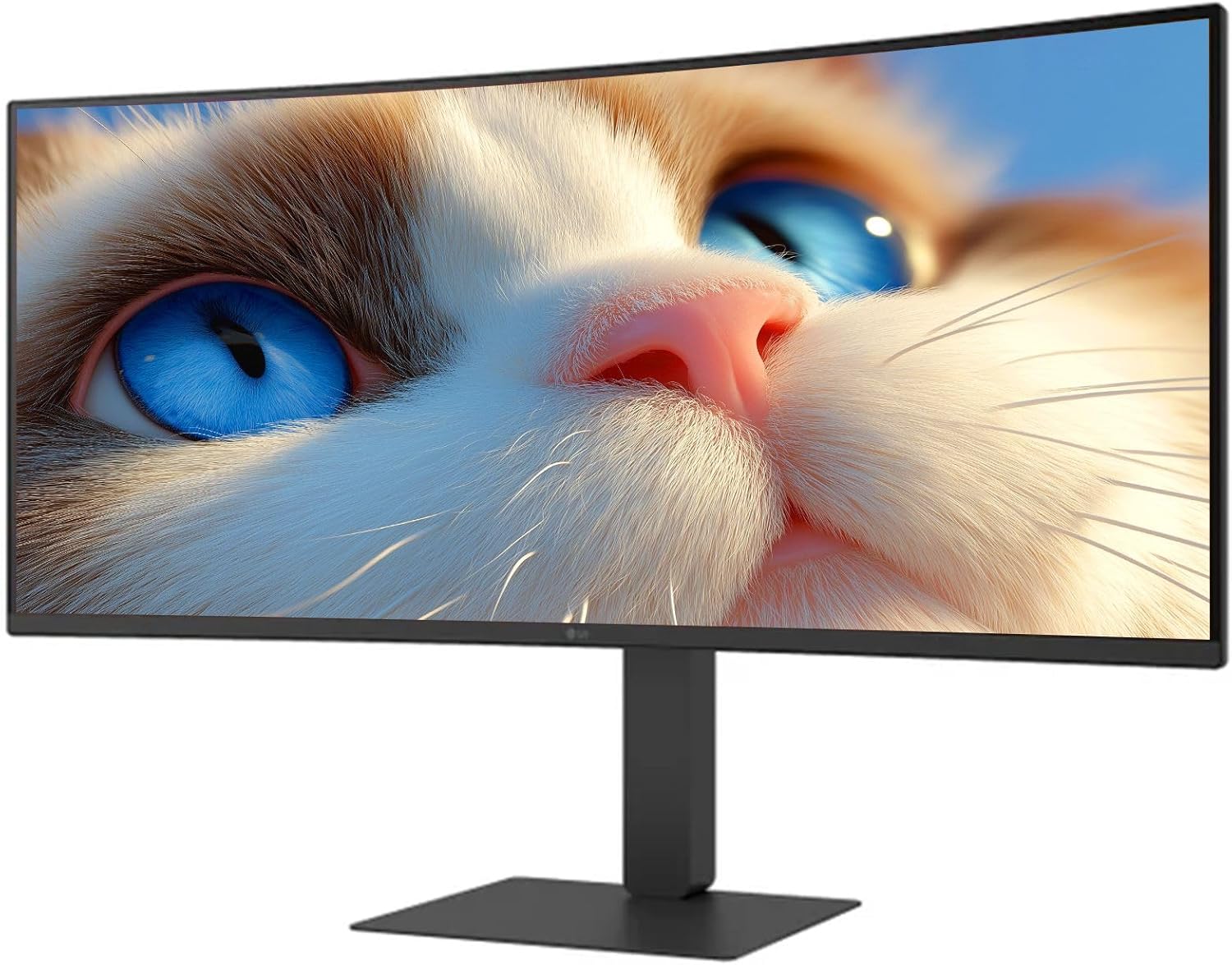
図1: 前面 view of the LG 34 Inch UltraWide Curved Monitor with stand.

図2:側面 view of the LG 34 Inch UltraWide Curved Monitor with stand.
3.2 モニターの接続
適切なケーブルを使用して、モニターをコンピューターまたはその他のデバイスに接続します。
- 電源ケーブルをモニターの電源入力に接続し、次に電源コンセントに接続します。
- For video input, connect either an HDMI cable or a DisplayPort cable from your computer's graphics card to the corresponding port on the monitor.
- If your computer supports USB-C, you can use the provided USB-C cable for video, audio, and data transfer.

図3:背面 view of the monitor showing available ports for connectivity.
4. モニターの操作
4.1 電源オン/オフ
Press the power button, usually located on the bottom center of the monitor, to turn the monitor on or off. The power indicator light will illuminate when the monitor is on.
4.2 オンスクリーンディスプレイ(OSD)メニュー
OSDメニューでは、モニターのさまざまな設定を調整できます。メニュー内を移動するには、ジョイスティックボタン(通常は画面下部の中央にあります)を使用してください。
- 画像モード: Select from various preset modes (e.g., Custom, Reader, HDR Effect) or customize settings like brightness, contrast, and sharpness.
- 入力: 入力ソース(HDMI、DisplayPort、USB-C)を手動で選択します。
- 一般的な: Access settings for language, OSD transparency, and power-saving options.
4.3 スタンドの調整
The monitor stand offers ergonomic adjustments for your comfort:
- 高さ調整: モニターをゆっくりと上下に押したり引いたりして、希望の高さに調整します。
- 傾き調整: Hold both sides of the monitor and tilt it forwards or backwards.
- スイベル調整: モニターをベース上で左または右に回転させます。
5. メンテナンス
5.1 モニターの掃除
モニターの寿命を延ばし、最適なパフォーマンスを確保するには、次のクリーニング ガイドラインに従ってください。
- 清掃する前に必ずモニターの電源プラグをコンセントから抜いてください。
- 柔らかく糸くずの出ない布で軽く拭き取ってください。amp水または専用のスクリーンクリーナーで拭き取ってください。
- クリーナーを画面に直接スプレーしないでください。
- Avoid using abrasive cleaners, solvents, or ammonia-based products.
6。 トラブルシューティング
モニターに問題が発生した場合は、次の一般的な解決策を参照してください。
- 電源なし: 電源ケーブルがモニターと電源コンセントの両方にしっかりと接続されていることを確認してください。電源コンセントが正常に機能しているかどうかも確認してください。
- 信号なし: ビデオケーブル(HDMI、DisplayPort、またはUSB-C)がモニターとコンピューターの両方に正しく接続されていることを確認してください。OSDメニューで正しい入力ソースが選択されていることを確認してください。
- 画面のちらつき: Check the video cable connection. Try adjusting the refresh rate in your computer's display settings.
- 画像の歪み: Reset the monitor to factory settings via the OSD menu. Ensure your computer's display resolution matches the monitor's native resolution (3440 x 1440).
- 内蔵スピーカーから音が出ない: Check the volume settings on both the monitor and your computer. Ensure the audio output is correctly routed to the monitor.
If the problem persists after trying these steps, please contact LG customer support.
7. 仕様
| 特徴 | 仕様 |
|---|---|
| ブランド | LG |
| モデル番号 | 195174134092 |
| 画面サイズ | 34インチ |
| 最大解像度 | WQHD (3440 x 1440) |
| リフレッシュレート | 120Hz |
| 応答時間 | 5ms(GTG) |
| アスペクト比 | 21:9 |
| 色域 | sRGB 99% |
| HDR サポート | 高画質 |
| View角度 | 178 degrees (R/L), 178 degrees (U/D) |
| ディスプレイコネクタ | HDMI x 1、ディスプレイポート x 1 |
| Eye Relief Features | Low blue light, Flicker-free, Anti-glare, Reader Mode |
| 内蔵スピーカー | はい |
| 製品寸法(スタンド付き) | 奥行き8.7インチ x 幅32.1インチ x 高さ19.2インチ |
| 製品重量(スタンド付き) | 16.8 ポンド |
8. 保証とサポート
Your LG 34 Inch UltraWide Curved Monitor comes with a standard manufacturer's warranty. Please refer to the warranty card included in your package for detailed terms and conditions.
For technical support, service, or further inquiries, please visit the official LG website or contact their customer service hotline. Keep your purchase receipt and product serial number (located on the back of the monitor) handy when contacting support.