1. はじめに
Thank you for choosing the TCL 55T6C 4K UHD Smart QLED Google TV. This manual provides essential information for the safe and efficient use of your television. Please read it thoroughly before operating the device and retain it for future reference.
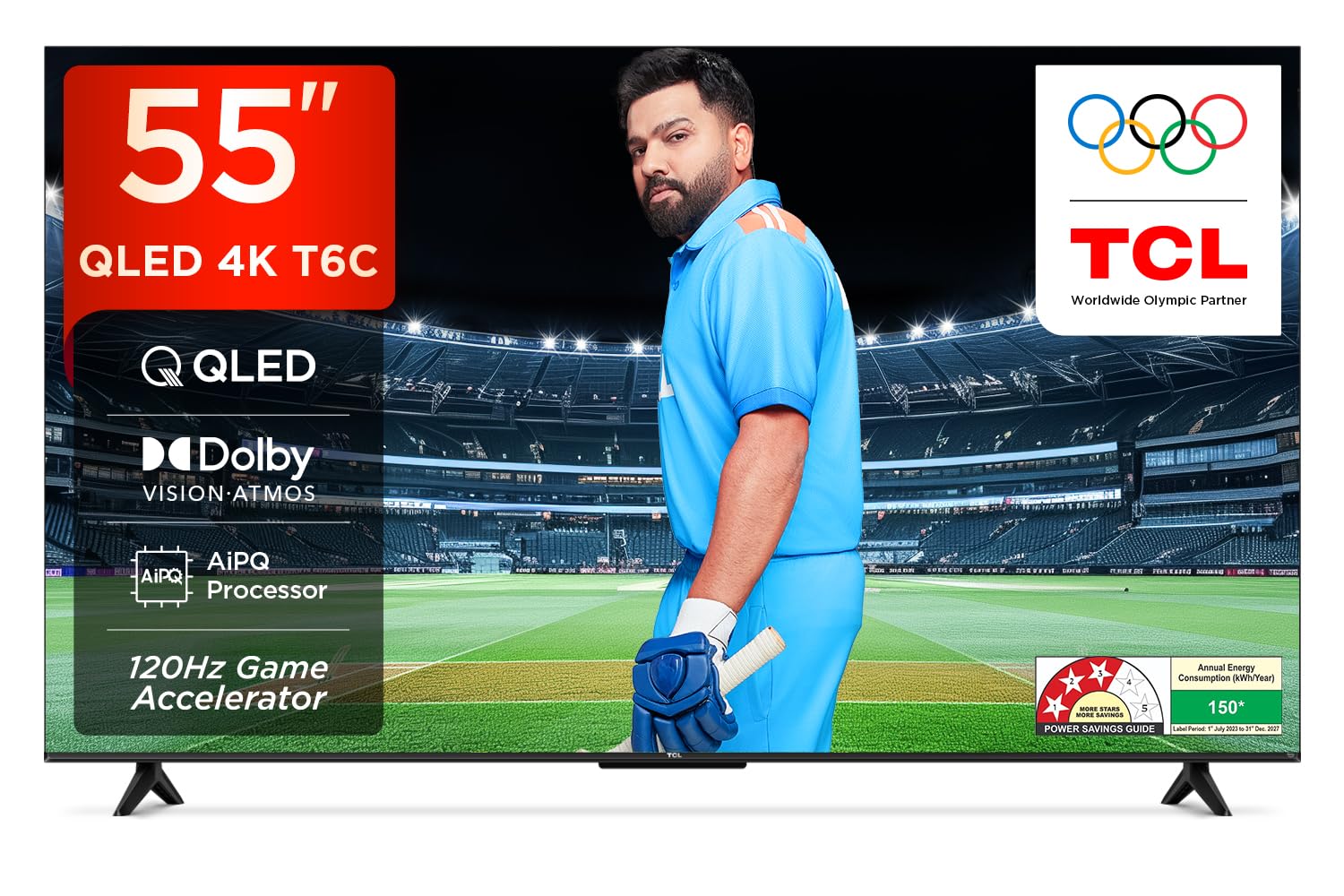
画像: 正面 view of the TCL 55T6C television, highlighting its sleek design and energy efficiency rating.
2. 安全情報
Always observe the following basic safety precautions when using your television:
- 通気口を塞がないでください。テレビの周囲に十分なスペースを確保し、空気の流れを確保してください。
- 不安定なカート、スタンド、三脚、ブラケット、またはテーブルの上にテレビを置かないでください。
- 電源コードが踏まれたり挟まれたりしないように保護してください。
- 火災や感電を防ぐため、テレビを雨や湿気にさらさないでください。
- すべてのメンテナンスは資格のあるサービス担当者に依頼してください。
3. 箱の中身
Carefully unpack your television and check that all items are present:
- 1N LED TV (TCL 55T6C)
- 1Nオーディオケーブル
- 1N Stand (for tabletop mounting)
- 1Nリモコン
- 2N AAA電池(リモコン用)
Note: A fixed or adjustable wall mount is not included and must be purchased separately if wall mounting is desired.

Image: Illustration of the items included in the product packaging.
4. 物理的なセットアップ
4.1 スタンドの取り付け
- 損傷を防ぐため、テレビ画面を下にして柔らかく平らな面に置いてください。
- スタンドをテレビの下部にある取り付け穴に合わせます。
- 付属のネジを使用してスタンドを固定します。
4.2 壁掛け(オプション)
If you choose to wall mount your TV, please use a compatible VESA wall mount (not included) and follow the instructions provided with the wall mount. Ensure the wall can support the weight of the TV (approximately 9.2 kg with stand, 9 kg without stand).

画像: 背面 view of the television, indicating the VESA mounting pattern for wall installation.
4.3 デバイスの接続
TCL 55T6C テレビにはさまざまな接続オプションがあります。
- HDMIポート(3) Connect Blu-ray players, gaming consoles, or set-top boxes. One port supports eARC for enhanced audio return.
- USBポート(1): メディアを再生するには、USB ストレージ デバイスを接続します。
- アンテナ/ケーブル入力: アンテナまたはケーブルテレビ信号を接続します。
- AV入力アダプター: 複合ビデオとステレオオーディオを使用する古いデバイス向け。
- LAN: 有線インターネット接続用。
- デジタルオーディオ出力(光): 外部オーディオシステムに接続します。

画像: 詳細 view of the television's side panel, showing all available input and output ports with numerical labels.
5. 初期設定
- 電源オン: 電源コードをテレビとコンセントに接続します。リモコンの電源ボタンを押します。
- 言語の選択: 画面上の指示に従って、希望の言語を選択してください。
- ネットワーク接続: Connect your TV to the internet via Wi-Fi or Ethernet.
- Google アカウントの設定: Google TV の機能、アプリ、カスタマイズされたおすすめにアクセスするには、Google アカウントでログインしてください。
- チャンネルスキャン: アンテナまたはケーブルを使用している場合は、自動チャンネルスキャンを実行します。

Image: Screenshot of the Google TV home screen, displaying popular streaming applications and content suggestions.
6. テレビの操作
6.1リモコン
The smart remote control allows you to navigate the TV's features. It includes dedicated hotkeys for popular streaming services and a Google Assistant button for voice commands.
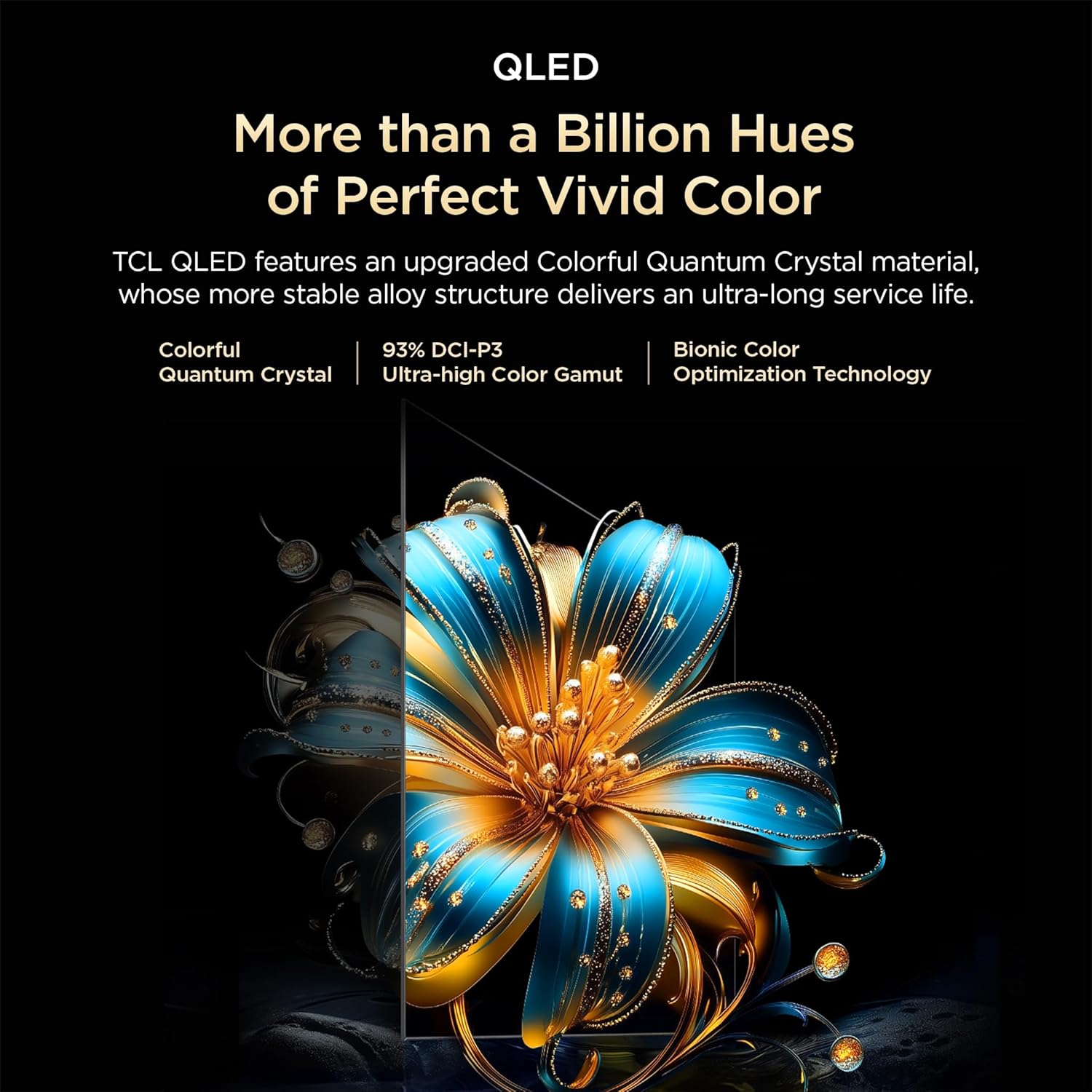
Image: Close-up of the remote control, highlighting the Google Assistant microphone button and quick access buttons for streaming services.
6.2 スマートテレビの機能(Google TV)
- Google アシスタント: 音声コマンドを使用して、コンテンツを検索したり、スマートホーム デバイスを制御したり、情報を取得したりできます。
- ストリーミングアプリ: Access pre-installed apps like Prime Video, Netflix, Hotstar, Zee5, and download more from the Google Play Store.
- スクリーンミラーリング: スマートフォンやタブレットからテレビにコンテンツをキャストします。
- ウォッチリスト: Create a unified watchlist across various streaming services.

Image: The Google TV interface demonstrating the Watchlist feature and its integration with mobile devices.
6.3 画像とサウンドの設定
画像とサウンドの設定を調整して最適化します view経験:
- 画像モード: Select from various preset modes (e.g., Standard, Vivid, Movie, Game) or customize settings like brightness, contrast, and color.
- サウンドモード: Choose audio presets (e.g., Standard, Music, Movie) or adjust equalizer settings.
- ドルビーアトモス: Experience immersive, three-dimensional audio.
- DTS 仮想:X: Enjoy virtualized 3D sound without additional speakers.
Image: Visual representation of Dolby Atmos technology delivering immersive sound from the television.
6.4 Gaming Features (Game Master)
The Game Master feature enhances your gaming experience:
- 120Hz ゲームアクセラレータ: Reduces latency and provides a higher refresh rate for smoother gameplay.
- 低入力遅延: 応答性の高いゲーム向けに最適化されています。

Image: A gaming scene displayed on the television, illustrating the benefits of the Game Master feature for an optimized gaming experience.
7. メンテナンス
7.1 テレビの掃除
- 掃除する前に必ずテレビの電源プラグを抜いてください。
- 画面とキャビネットを拭くときは、柔らかく乾いた布を使用してください。
- 頑固な汚れには、テレビ専用のスクリーンクリーナーを布に含ませて、スクリーンに直接塗らないでください。
- 研磨剤入りの洗剤、ワックス、溶剤は使用しないでください。
7.2ソフトウェアアップデート
Your TV may receive automatic software updates. Ensure your TV is connected to the internet to receive these updates, which can improve performance and add new features.
8。 トラブルシューティング
テレビで問題が発生した場合は、次の一般的な解決策を参照してください。
| 問題 | 考えられる解決策 |
|---|---|
| 電源なし | Check if the power cord is securely plugged into the TV and the power outlet. Ensure the outlet is active. |
| 映像はないが、音声はある | 入力ソースを確認してください。外部デバイスが正しく接続され、電源が入っていることを確認してください。 |
| 音はないが、映像は表示される | Check volume levels. Ensure mute is not activated. Check audio output settings if using external speakers. |
| リモコンが動作しない | 電池を交換してください。リモコンとテレビの赤外線センサーの間に障害物がないことを確認してください。 |
| Wi-Fi接続の問題 | ルーターとモデムを再起動してください。Wi-Fiパスワードを再度入力してください。テレビがルーターの範囲内にあることを確認してください。 |
For more complex issues, please contact TCL customer support.
9. 仕様
| 特徴 | 詳細 |
|---|---|
| モデル | 55T6C |
| 表示サイズ | 139 cm (55 インチ) |
| 解決 | 4K UHD(3840 x 2160) |
| ディスプレイ技術 | QLED, HDR 10+, HVA Panel, Dynamic Color Enhancement |
| リフレッシュレート | 60 Hz (120Hz Game Accelerator) |
| プロセッサ | 64ビットクアッドコア、AiPQプロセッサ |
| オペレーティング·システム | Google TV |
| メモリ | 2GB / 16GB |
| オーディオ出力 | 24 Watts, Dolby Atmos, DTS Virtual:X |
| 接続性 | 3 HDMI (1 eARC), 1 USB, Wi-Fi 5, Ethernet, Bluetooth |
| 寸法(スタンド付き) | 25.5 x 122.6 x 75 cm |
| 重量(スタンド付き) | 9.2キロ |
| 消費電力 | 135ワット |
Image: Diagram illustrating the physical dimensions of the TCL 55T6C television, both with and without its stand.
10. 保証とサポート
10.1 保証情報
TCL 55T6Cテレビには、 2年間のメーカー保証 from the date of purchase. The remote control has a separate 6ヶ月保証保証請求は、Amazon の電子請求書を使用して処理できます。
10.2 カスタマーサポート
For technical assistance, service requests, or further inquiries, please visit the official TCL support website or contact their customer service helpline. Refer to the product packaging or TCL's official web最新の連絡先情報については、サイトをご覧ください。


