1. はじめに
This manual provides essential instructions for setting up, operating, and maintaining your LG 43QNED80TUC QNED 4K Smart TV. Please read this manual thoroughly before using your television to ensure safe and optimal performance. Keep this manual for future reference.
2. 箱の中身
セットアップを開始する前に、すべてのコンポーネントが揃っていることを確認してください。
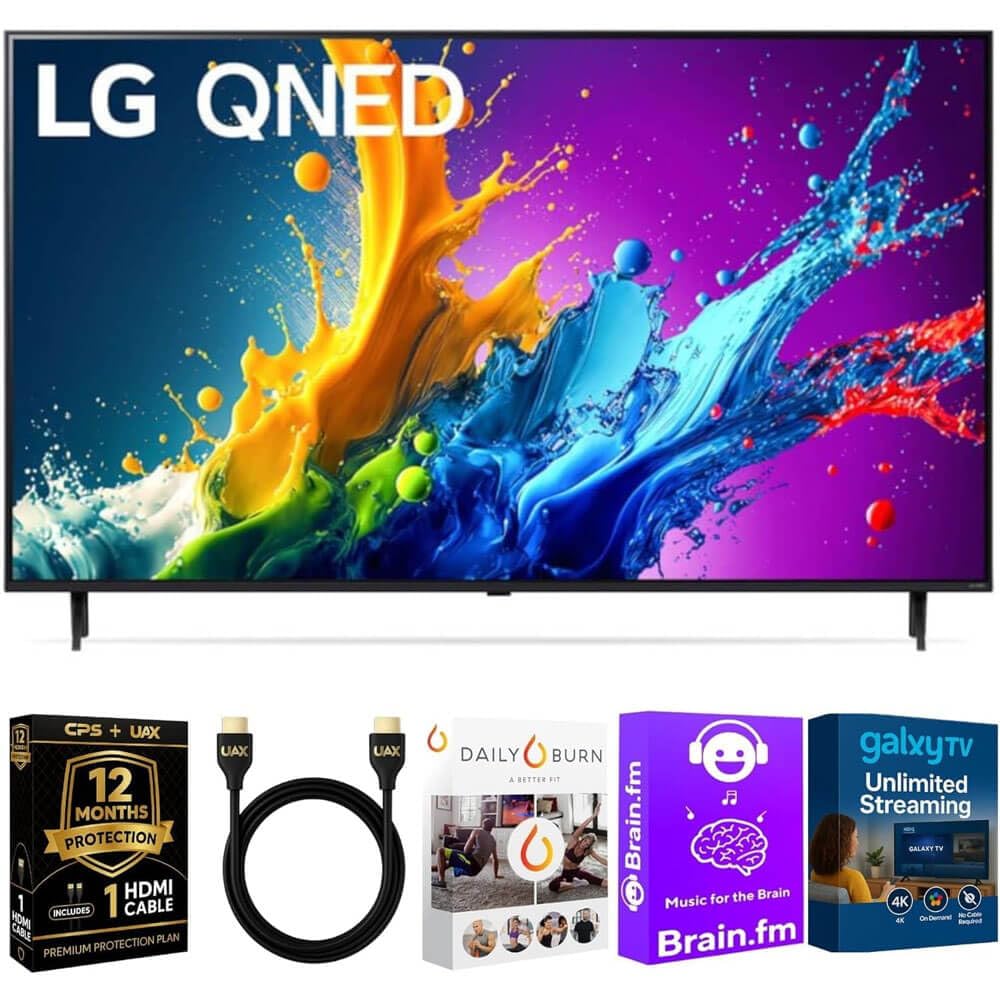
画像: The LG 43QNED80TUC QNED 4K Smart TV, displaying its dimensions and a list of included accessories such as the Magic Remote, remote control batteries, stand, and quick start guide.
- LG 43QNED80TUC QNED 4K Smart TV
- マジックリモート
- リモコン電池
- テレビスタンドのコンポーネント
- 電源ケーブル
- クイックスタートガイド
- UAX HDMI 2.0 Cable (6ft)
- 12ヶ月間のCPS保護プランのドキュメント
- Streaming Bundle activation details (Brain.fm, Daily Burn, Galaxy TV)
3. セットアップ
3.1 スタンドの組み立て
テレビ画面を下にして、柔らかく平らな面に慎重に置きます。付属のネジを使って、スタンドの各部品をテレビ底面の所定の位置に取り付けます。テレビを立てる前に、スタンドがしっかりと固定されていることを確認してください。

画像: 側 view of the LG QNED TV, illustrating its slim design and the attached stand, which provides stable support.
3.2 周辺機器の接続
Connect your external devices such as cable boxes, gaming consoles, or Blu-ray players to the TV's input ports. Use the provided UAX HDMI 2.0 cable for optimal performance with compatible devices.

画像: 後方 view of the LG QNED TV, highlighting the various input and output ports including HDMI, USB, Ethernet, RF In, and Optical Digital Audio Out, for connecting external devices.
利用可能なポート:
- 4つのHDMI入力
- 2つのUSBポート
- 1 Ethernet (LAN) Port
- RF入力(アンテナ/ケーブル)
- 光デジタルオーディオ出力
3.3 初回電源投入と基本設定
Plug the power cable into the TV and a wall outlet. Press the power button on the Magic Remote or on the TV. Follow the on-screen prompts to complete the initial setup, including language selection, network connection, and channel scanning.
4. テレビの操作
4.1 マジックリモコンの使用
The Magic Remote allows intuitive control of your TV. Point and click, use the scroll wheel, or utilize voice commands for navigation and content selection. Ensure batteries are correctly inserted.
4.2 webOSスマートテレビの機能
LG QNED TVは webOS, providing access to a wide range of streaming services and LG Channels. Navigate the home screen to find apps like Netflix, Prime Video, Disney+, and more.
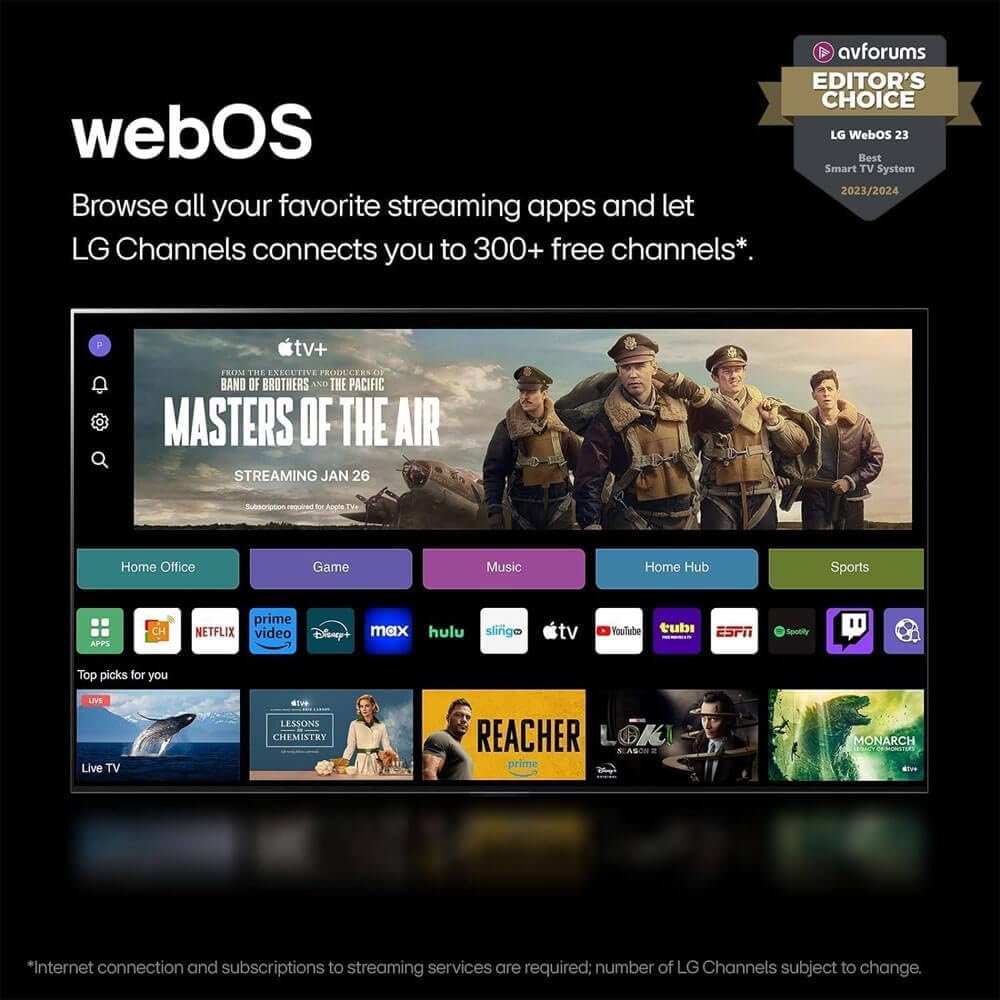
画像: LG webOS 23 interface, displaying a selection of popular streaming applications and content categories, indicating easy access to entertainment.
音声コントロール: The TV features Alexa Built-in. Press the microphone button on your Magic Remote and speak your commands to search for content, control smart home devices, or get information.
4.3 Picture and Sound Enhancement (a5 AI Processor Gen7)
The a5 AI Processor Gen7 automatically optimizes picture and sound quality in real-time. This processor enhances brightness, refines detail, and improves audio clarity for an immersive viewing の経験。

画像: A visual representation of the LG a5 AI Processor Gen7 chip, illustrating its role in enhancing brightness, sound, and picture detail for an improved viewing の経験。
HDR and Audio Technologies: The TV supports HDR10 and Dolby Vision for enhanced contrast and color, and Dolby Atmos for immersive audio. These technologies are automatically engaged when compatible content is played.
4.4 Gaming Features (Game Optimizer)
Access the Game Optimizer menu to quickly adjust settings for an optimal gaming experience. Features include Auto Low Latency Mode (ALLM) for reduced input lag and HGiG compatibility for accurate HDR gaming.

画像: A screenshot of the LG Game Optimizer interface displayed during a racing game, showing options for customizing gaming settings like ALLM, eARC, and HGiG.
5. メンテナンス
5.1 テレビの掃除
Gently wipe the screen and cabinet with a soft, dry cloth. For stubborn marks, lightly dampen the cloth with water. Avoid using harsh chemicals or abrasive cleaners, as these can damage the screen and finish.
5.2 Software Updates (webOS Re:新プログラム
Your TV will receive software updates through the webOS Re:New Program for up to 5 years. These updates provide new features and performance improvements. Ensure your TV is connected to the internet for automatic updates. You will receive a notification if an update requires manual acceptance.

画像: LG webOS Re:New プログラムのロゴ。5 年間にわたりソフトウェアのアップデートと機能の更新を提供するというコミットメントを示します。
6。 トラブルシューティング
If you encounter issues with your TV, refer to the following common problems and solutions before contacting service.
| 問題 | 考えられる原因 | 解決 |
|---|---|---|
| 電源なし | 電源ケーブルが外れています。コンセントに問題があります。 | 電源ケーブルがしっかりと接続されていることを確認してください。別の機器でコンセントをテストしてください。 |
| 映像なし、音のみ | 入力ソースが正しくありません。外部デバイスの問題です。 | 入力ソースを確認してください。外部デバイスの電源がオンになっており、正しく接続されていることを確認してください。 |
| 音なし、画像のみ | 音量がミュートされています。オーディオ設定が正しくありません。 | Unmute the TV. Check audio output settings in the TV menu. |
| リモコンが動作しない | 電池切れ、障害物、リモコンがペアリングされていない。 | Replace batteries. Remove obstructions. Re-pair the Magic Remote if necessary (refer to Quick Start Guide). |
| Wi-Fiに接続できません | パスワードが間違っている、ルーターに問題がある、テレビがルーターから離れすぎている。 | Verify Wi-Fi password. Restart your router. Move TV closer or use a wired Ethernet connection. |
7. 仕様
- モデル: 43QNED80TUC
- 表示タイプ: QNED 4K UHD
- 画面サイズ: 43 inches (43.1 inches diagonal)
- プロセッサ: a5 AI プロセッサ Gen7
- オペレーティング·システム: webOSスマートTV
- HDRサポート: HDR10、ドルビービジョン
- オーディオサポート: ドルビーアトモス
- 接続性: Wi-Fi、ブルートゥース
- ポート: 4 HDMI, 2 USB, 1 Ethernet (LAN), RF In, Optical Digital Audio Out
- 製品の寸法(幅x高さx奥行き):
- Without Stand: 38.1 x 22.2 x 1.2 inches
- With Stand: 38.1 x 25 x 10.1 inches
- 商品の重量: 27ポンド
- メーカー: LG
8. 保証とサポート
Your LG 43QNED80TUC QNED 4K Smart TV includes a standard manufacturer's warranty. Additionally, this bundle includes a 12-Month CPS Protection Plan for extended coverage and peace of mind. Refer to the documentation provided with your purchase for specific terms and conditions of both the manufacturer's warranty and the CPS Protection Plan.
For technical assistance, troubleshooting, or warranty claims, please contact LG Customer Support or refer to the official LG web詳細なサポート リソースについては、サイトをご覧ください。
LG サポート Webサイト: https://www.lg.com/us/support
9. 製品ビデオ
LG webOS Smart TV Overview
ビデオ: オーバーview LGの webOS Smart TV platform, demonstrating its user interface, app navigation, and smart features for an enhanced entertainment experience.
LG a5 AI Processor Gen7 Explained
ビデオ: This video explains the capabilities of the LG a5 AI Processor Gen7, detailing how it optimizes picture and sound quality through artificial intelligence for a superior viewing の経験。
LG Game Optimizer Features
ビデオ: A demonstration of the LG Game Optimizer, showcasing its various settings and how it enhances gaming performance with features like ALLM and HGiG for a smoother, more responsive gaming experience.