導入
This manual provides instructions for the setup, operation, and maintenance of your Phomemo M834 Bluetooth Thermal Printer. Please read this manual thoroughly before using the device to ensure proper function and longevity.
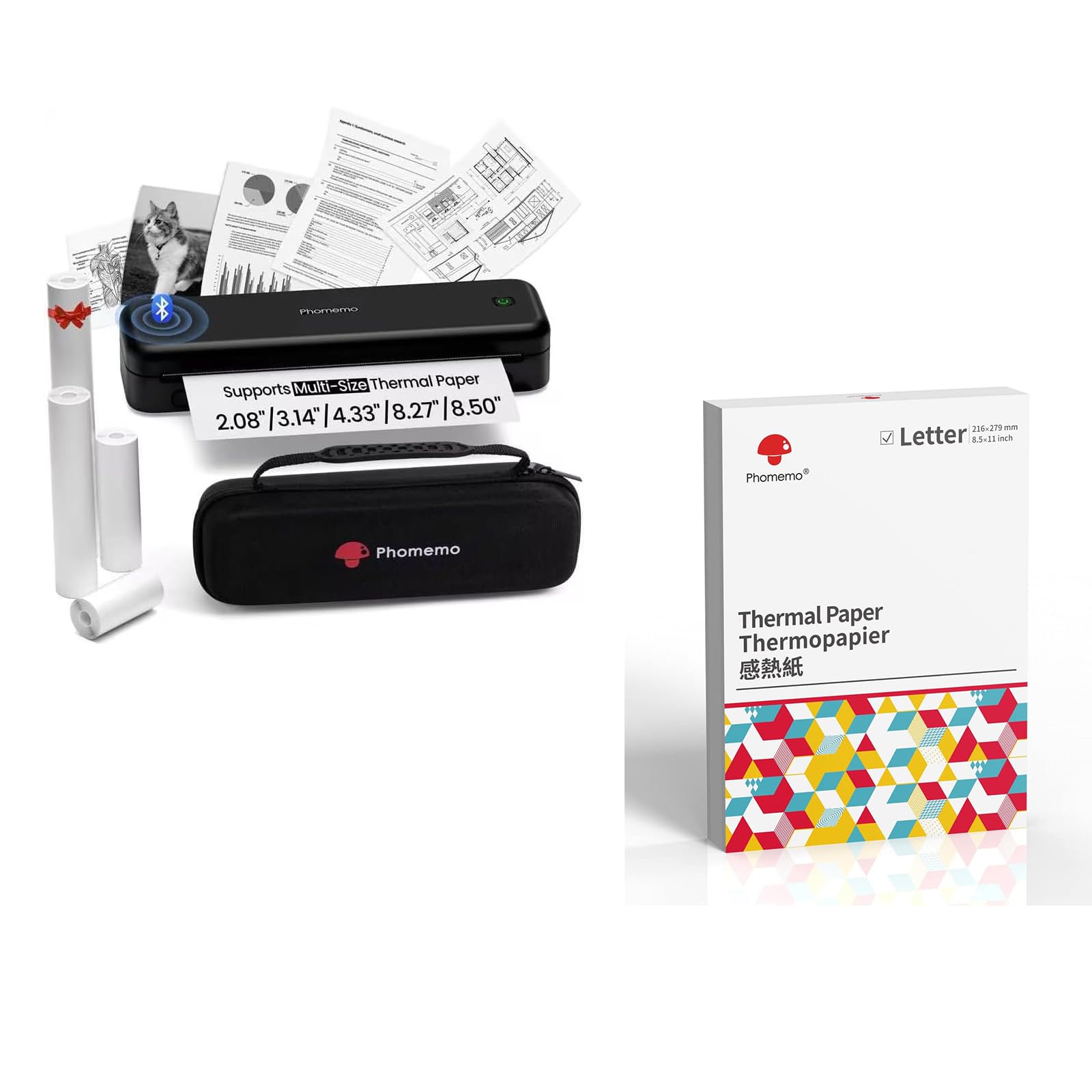
Image: The Phomemo M834 thermal printer, demonstrating its compatibility with multiple paper sizes and including its dedicated carry case.
パッケージ内容
パッケージにすべてのアイテムが揃っていることを確認します。
- Phomemo M834 ポータブルプリンター x 1
- 1 xキャリーケース
- 1 x Roll of 8.5" Thermal Paper
- 1 x Roll of 4.33" Thermal Paper
- 1 x Roll of 3.14" Thermal Paper
- 1 x Roll of 2.08" Thermal Paper
セットアップガイド
1. プリンターの充電
The M834 printer is equipped with a 2600mAh rechargeable battery. Before initial use, fully charge the printer using the provided charging cable. A full charge allows for over 160 pages of continuous printing.
2. 感熱紙のセット
The Phomemo M834 supports various thermal paper sizes, including US Letter, A4, 4.33'', 3.14'', and 2.08''. It is compatible with roll, fold, and ordinary thermal paper types. Important: This printer is designed exclusively for thermal paper and is not compatible with standard laser or inkjet printer paper.
- 用紙収納部のカバーを開きます。
- Insert the thermal paper roll or stack, ensuring the printable side faces the print head.
- 用紙カバーをしっかりと閉じてください。

Image: A box of Phomemo Letter size thermal paper, indicating its 8.5 x 11 inch dimensions.
3. プリンタの接続
The M834 printer offers both Bluetooth and USB connectivity.
Bluetooth接続:
- プリンタの電源がオンになっていることを確認してください。
- Enable Bluetooth on your mobile device (iOS, Android, Tablets) or computer.
- Open the Phomemo app or your device's Bluetooth settings and select "M834" to pair.
USB接続:
- Connect the printer to your computer (Windows, macOS, Chrome OS, Linux) using a USB cable.
- オペレーティング システムから要求された場合は、必要なドライバーをインストールします。

Image: The Phomemo M834 printer connected to various devices, illustrating its compatibility with iOS, Android, Tablets via Bluetooth, and Windows, macOS, Chrome OS, Linux via USB.
操作手順
ドキュメントの印刷
Once connected, you can print documents from your device. The M834 printer offers a print resolution of 300 dpi, providing clear and sharp prints for various uses.
- 接続されたデバイスで印刷したいドキュメントまたは画像を開きます。
- アプリケーションから印刷オプションを選択します。
- Choose "Phomemo M834" as your printer.
- 必要に応じて印刷設定(用紙サイズ、印刷の向きなど)を調整します。
- 印刷ジョブを開始します。

Image: A visual comparison highlighting the enhanced print clarity of 300 DPI output from the Phomemo M834 compared to a 203 DPI printer.
Supported Paper Types and Sizes
The M834 is versatile in its paper support:
- サイズ: US Letter (8.5" x 11"), A4, 4.33'', 3.14'', 2.08''
- 種類: Roll thermal paper, Fold thermal paper, Ordinary thermal paper
Ensure you use only Phomemo thermal paper for optimal results. Thermal prints are quick-drying, allowing for immediate handling and writing.

Image: A hand writing on a document printed with the Phomemo M834, demonstrating the quick-dry nature of thermal prints.
メンテナンス
プリントヘッドのクリーニング
印刷品質を維持するために、プリントヘッドを定期的にクリーニングしてください。柔らかく糸くずの出ない布で軽く拭いてください。ampイソプロピルアルコールで洗浄後、プリントヘッドの表面を優しく拭いてください。クリーニングの前に、プリンターの電源を切り、電源プラグを抜いてください。
バッテリーケア
To prolong battery life, avoid fully discharging the printer frequently. If storing the printer for an extended period, charge it to approximately 50% and store it in a cool, dry place.
トラブルシューティング
If you encounter issues with your Phomemo M834 printer, refer to the following common solutions:
- プリンターが起動しない: Ensure the battery is charged. Connect the printer to a power source and allow it to charge for at least 30 minutes before attempting to power it on again.
- 印刷品質が悪い: Check if the thermal paper is loaded correctly with the printable side facing the print head. Clean the print head as described in the Maintenance section. Ensure you are using genuine Phomemo thermal paper.
- Bluetooth経由で接続できません: Make sure Bluetooth is enabled on both the printer and your device. Ensure the printer is within range. Try restarting both the printer and your device.
- 紙詰まり: Turn off the printer and carefully open the paper compartment. Remove any jammed paper. Ensure paper is loaded correctly and not creased or bent.
- プリンターがコンピューターに認識されない (USB): Verify the USB cable is securely connected. Try a different USB port or cable. Ensure necessary drivers are installed for your operating system.
仕様
| モデル名 | M834 |
| 印刷技術 | サーマル |
| 接続技術 | ブルートゥース、USB |
| 最大印刷解像度 | 300 dpi (Black and White) |
| プリンタ出力 | モノクロ |
| 最大メディアサイズ | USレター(8.5インチ×11インチ) |
| サポートされている用紙サイズ | US Letter, A4, 4.33'', 3.14'', 2.08'' |
| 最大入力シート容量 | 100 sheets (for folded thermal paper) |
| バッテリー容量 | 2600mAh |
| 機能 | 印刷のみ |
| 色 | 黒 |
保証とサポート
The Phomemo M834 printer comes with a limited warranty. For specific warranty terms and conditions, please refer to the warranty card included in your package or visit the official Phomemo webサイト。
For technical support or customer service inquiries, please contact Phomemo customer support through their official channels.


