1. はじめに
The eppfun AK8675B Pro is a versatile Bluetooth 5.2 audio adapter designed to function as both a transmitter (TX) and a receiver (RX). It features advanced Qualcomm QCC3040 chip technology, supporting various aptX codecs including aptX-Adaptive, aptX HD, and aptX Low Latency, ensuring high-quality audio with minimal delay. This device allows you to wirelessly stream audio from non-Bluetooth devices (like TVs or PCs) to Bluetooth headphones/speakers, or from Bluetooth-enabled devices (like smartphones) to wired audio systems.
2. パッケージ内容
以下にリストされているすべてのアイテムがパッケージに含まれていることを確認してください。
- eppfun AK8675B Pro Bluetooth Transmitter/Receiver
- USB-C充電ケーブル
- 3.5mmAUXオーディオケーブル
- Optical Fiber Audio Cable
- ユーザーマニュアル(このドキュメント)

Image: Contents of the eppfun AK8675B Pro package, including the device, various cables, and the user manual.
3.製品オーバーview およびコントロール
デバイスのコンポーネントとコントロールについて理解しておきましょう。

Image: Diagram of the eppfun AK8675B Pro device with key interfaces and buttons labeled.
- A:電源ボタン - Press and hold to turn the device on or off.
- B: RX/TX Mode Switching - Slide switch to select Transmitter (TX) or Receiver (RX) mode.
- C: Pairing Button - Press to initiate Bluetooth pairing mode.
- D: AUX 3.5mm Interface - For connecting audio devices via a 3.5mm audio cable.
- E: Volume Adjusting - Buttons to increase or decrease audio volume.
- F: One Click Mute, Double Click Audio Decoding Switch - Single press for mute/unmute; double press to cycle through audio decoding options.
- G: USB Charging - USB-C port for charging the device.
- H: Optical Interface - For connecting audio devices via an optical fiber cable.
4. Setup and Operation Modes
The AK8675B Pro operates in two primary modes: Transmitter (TX) and Receiver (RX). Select the appropriate mode using the RX/TX mode switching slider (B).

Image: Comparison of Transmitter and Receiver modes, showing usage time, compatible codecs, and simultaneous linking capabilities.
4.1. 送信モード(TX)
In TX mode, the device transmits audio from a non-Bluetooth source (e.g., TV, PC) to Bluetooth-enabled headphones or speakers.
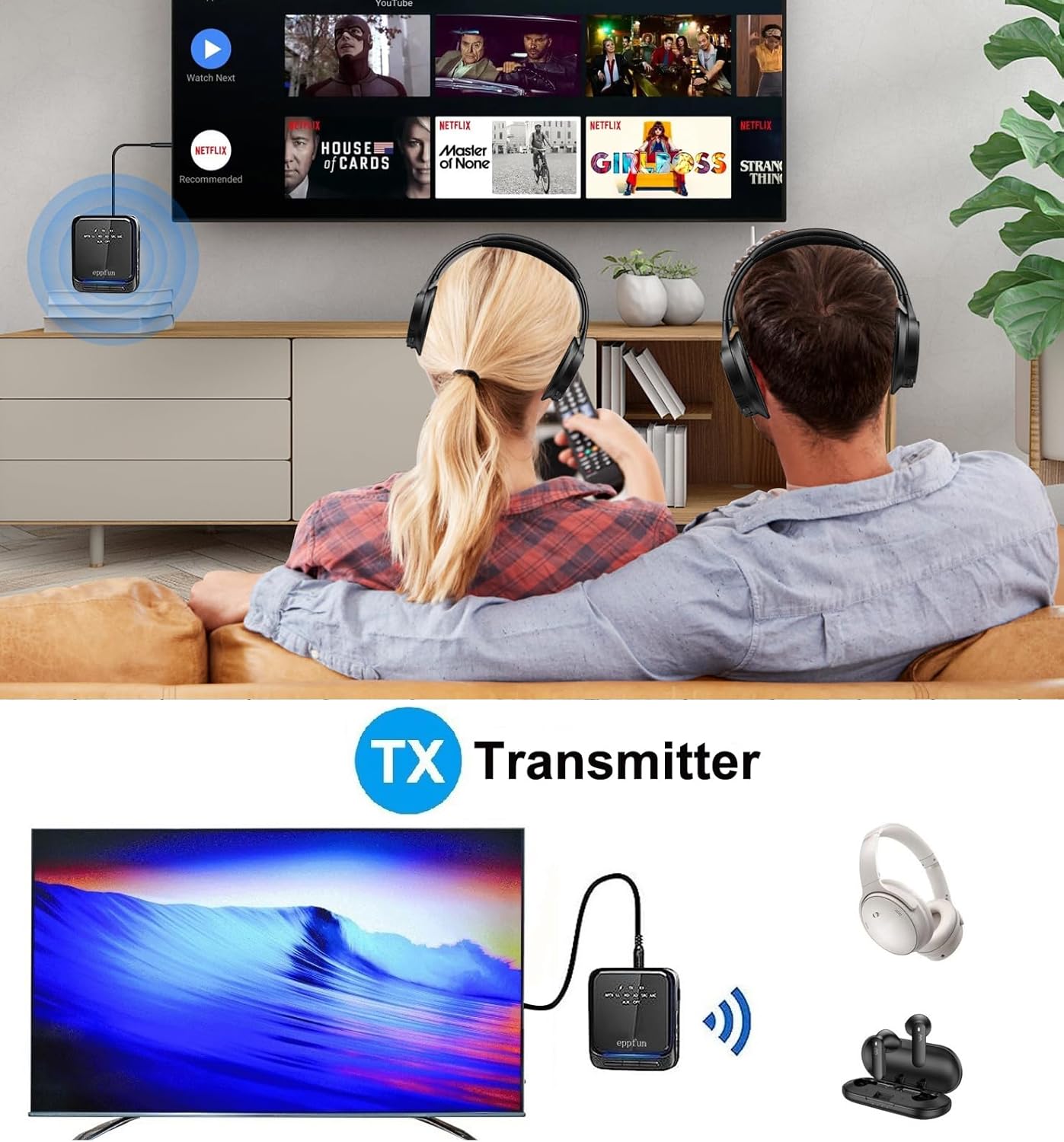
Image: An illustration of the eppfun AK8675B Pro connected to a TV, transmitting audio wirelessly to two pairs of Bluetooth headphones.
- Slide the mode switch (B) to TX.
- Connect the AK8675B Pro to your audio source (e.g., TV, PC) using either the 3.5mm AUX cable (D) or the Optical Fiber cable (H).
- Turn on the AK8675B Pro by pressing and holding the Power Button (A).
- Bluetooth ヘッドフォンまたはスピーカーをペアリング モードにします。
- Press the Pairing Button (C) on the AK8675B Pro to initiate pairing. The LED indicator will show pairing status.
- Once connected, audio from your source will stream wirelessly to your Bluetooth device(s).
TX Mode Features:
- 互換性のあるコーデック: aptX、aptX-Adaptive、aptX LL (低遅延)、aptX HD、SBC。
- 勤務時間: フル充電で約12時間。
- デュアル接続: Supports connecting two Bluetooth headphones/earbuds simultaneously with aptX LL technology.
4.2. 受信モード(RX)
In RX mode, the device receives audio wirelessly from a Bluetooth-enabled source (e.g., smartphone, tablet) and outputs it to a wired audio system (e.g., wired headphones, speakers).

Image: An illustration of the eppfun AK8675B Pro connected to wired speakers, receiving audio wirelessly from a smartphone.
- Slide the mode switch (B) to RX.
- Connect the AK8675B Pro to your wired audio output device (e.g., speakers, wired headphones) using the 3.5mm AUX cable (D).
- Turn on the AK8675B Pro by pressing and holding the Power Button (A).
- Enable Bluetooth on your smartphone or other Bluetooth audio source and search for available devices.
- Select "eppfun AK8675B Pro" from the list of available Bluetooth devices to pair. The LED indicator will confirm connection.
- Once connected, audio from your Bluetooth source will play through your wired audio system.
RX Mode Features:
- 互換性のあるコーデック: aptX、aptX-Adaptive、aptX HD、SBC、AAC。
- 勤務時間: フル充電で約20時間。
5. デバイスの充電
To charge the eppfun AK8675B Pro:
- Connect the supplied USB-C cable to the USB Charging port (G) on the device.
- USB-C ケーブルのもう一方の端を標準の USB 電源アダプター (別売) またはコンピューターの USB ポートに接続します。
- LEDインジケーターが充電状態を示します。フル充電には通常約2時間かかります。
Note: The device cannot be used while it is charging.
6. メンテナンス
To ensure the longevity and optimal performance of your eppfun AK8675B Pro:
- デバイスを乾燥した状態に保ってください。湿気、雨、液体にさらさないでください。
- 柔らかく乾いた布でデバイスを拭いてください。刺激の強い化学薬品や研磨剤入りの洗剤は使用しないでください。
- デバイスを使用しないときは、涼しく乾燥した場所に保管してください。
- 極端な温度を避けてください。
- デバイスを分解または改造しないでください。保証が無効になり、損傷が発生する可能性があります。
7。 トラブルシューティング
If you encounter issues with your AK8675B Pro, refer to the following common solutions:
- デバイスの電源が入らない:
- デバイスが完全に充電されていることを確認してください。USB-Cケーブルを使用して電源に接続してください。
- Press and hold the Power Button (A) for a few seconds.
- Bluetoothデバイスとペアリングできません:
- Ensure the AK8675B Pro is in the correct mode (TX for transmitting, RX for receiving).
- Make sure both devices are in pairing mode and within the 10-meter communication range.
- Clear previous pairing records on both the AK8675B Pro and your Bluetooth device, then attempt to pair again.
- Restart both the AK8675B Pro and your Bluetooth device.
- オーディオ出力/入力なし:
- Check all cable connections (3.5mm AUX or Optical Fiber) to ensure they are secure and in the correct ports.
- Verify that the volume on both the AK8675B Pro (E) and the connected audio device is not muted or set too low.
- Ensure the correct audio input/output is selected on your source device (e.g., TV audio settings).
- Confirm that the AK8675B Pro is successfully paired and connected to the desired Bluetooth device.
- Audio delay or poor quality:
- Ensure both the AK8675B Pro and your connected Bluetooth device support aptX Low Latency (aptX LL) for minimal delay, especially in TX mode.
- Reduce the distance between the AK8675B Pro and the connected Bluetooth device, and remove any obstacles.
- 他のワイヤレス デバイスからの潜在的な干渉がないか確認します。
8. 仕様
| 特徴 | 仕様 |
|---|---|
| モデル名 | AK8675B Pro |
| Bluetoothバージョン | 5.2 |
| Bluetoothチップセット | Qualcomm QCC3040 |
| Supported Codecs (TX) | aptX、aptX-Adaptive、aptX LL、aptX HD、SBC |
| Supported Codecs (RX) | aptX、aptX-Adaptive、aptX HD、SBC、AAC |
| 周波数帯域 | 2.402GHz~2.480GHz |
| 通信距離 | 最大10メートル(33フィート) |
| TXモードの稼働時間 | 約12時間 |
| RXモードの動作時間 | 約20時間 |
| 充電時間 | 約2時間 |
| 充電ポート | USB-C |
| オーディオ入力/出力 | 3.5mm AUX, Optical TOSLINK |
| 電池のタイプ | リチウムイオン(付属) |
| 製品寸法 | 75mm×66mm×18mm(約) |
| 製品重量 | 60.5g(約) |
9. 保証とサポート
eppfun製品は信頼性とパフォーマンスを重視して設計されています。保証情報およびテクニカルサポートについては、eppfunの公式ウェブサイトをご覧ください。 webご購入いただいた店舗までお問い合わせいただくか、ウェブサイトをご覧ください。保証請求の際は購入証明としてレシートを保管してください。