1. はじめに
This manual provides comprehensive instructions for the CHACON 99013 Remote Control Outlet Set. This product allows you to wirelessly control your electrical appliances and lighting, both indoors and outdoors, for enhanced convenience. The set includes indoor outlets with a maximum capacity of 3680W and outdoor outlets with a maximum capacity of 1000W.
Please read this manual carefully before installation and use to ensure safe and optimal operation of your device.
2. 安全情報
- Ensure the total power consumption of connected devices does not exceed the maximum load capacity of the respective outlet (3680W for indoor, 1000W for outdoor).
- Do not immerse the outdoor outlets in water. They are designed for outdoor use but are not submersible.
- Do not open or attempt to repair the devices yourself. Refer all servicing to qualified personnel.
- Keep the remote control and outlets away from extreme temperatures, direct sunlight, and moisture.
- 電池は地域の規制に従って責任を持って廃棄してください。
- This product is designed for household use. Do not use for industrial or commercial applications unless specified.
3. パッケージ内容
The CHACON 99013 set includes:
- 5 x Sets of 3 Indoor Remote Control Outlets (Total 15 indoor outlets)
- 5 x Sets of 3 Outdoor Remote Control Outlets (Total 15 outdoor outlets)
- Remote controls (one for each set of 3 outlets, typically 10 remotes in total for 10 sets)

画像1: 以上view of the CHACON remote control outlet set, showing both the white indoor outlets and the black outdoor outlets, each with their respective remote controls.
4. セットアップとペアリング
4.1. リモコン電池の取り付け
The remote controls require batteries (type usually CR2032 or similar, not specified in input, but common for such remotes). Open the battery compartment on the back of the remote control and insert the battery, observing the correct polarity (+/-).
4.2. Pairing Outlets with Remote Control
Each set of outlets and its remote control are typically pre-paired. If re-pairing is necessary or if you wish to change the pairing:
- Plug the remote control outlet into a wall socket. The indicator light on the outlet may flash or illuminate.
- Press and hold the pairing button on the side of the outlet (or the button indicated in the specific product instructions, if different) for a few seconds until the indicator light starts flashing rapidly.
- While the light is flashing, press the desired "ON" button (e.g., A ON, B ON, C ON, D ON) on your remote control.
- The indicator light on the outlet should stop flashing and remain solid or turn off, indicating successful pairing.
- Test the connection by pressing the ON/OFF buttons for the paired channel on the remote.
Repeat this process for all outlets you wish to pair with the remote control.

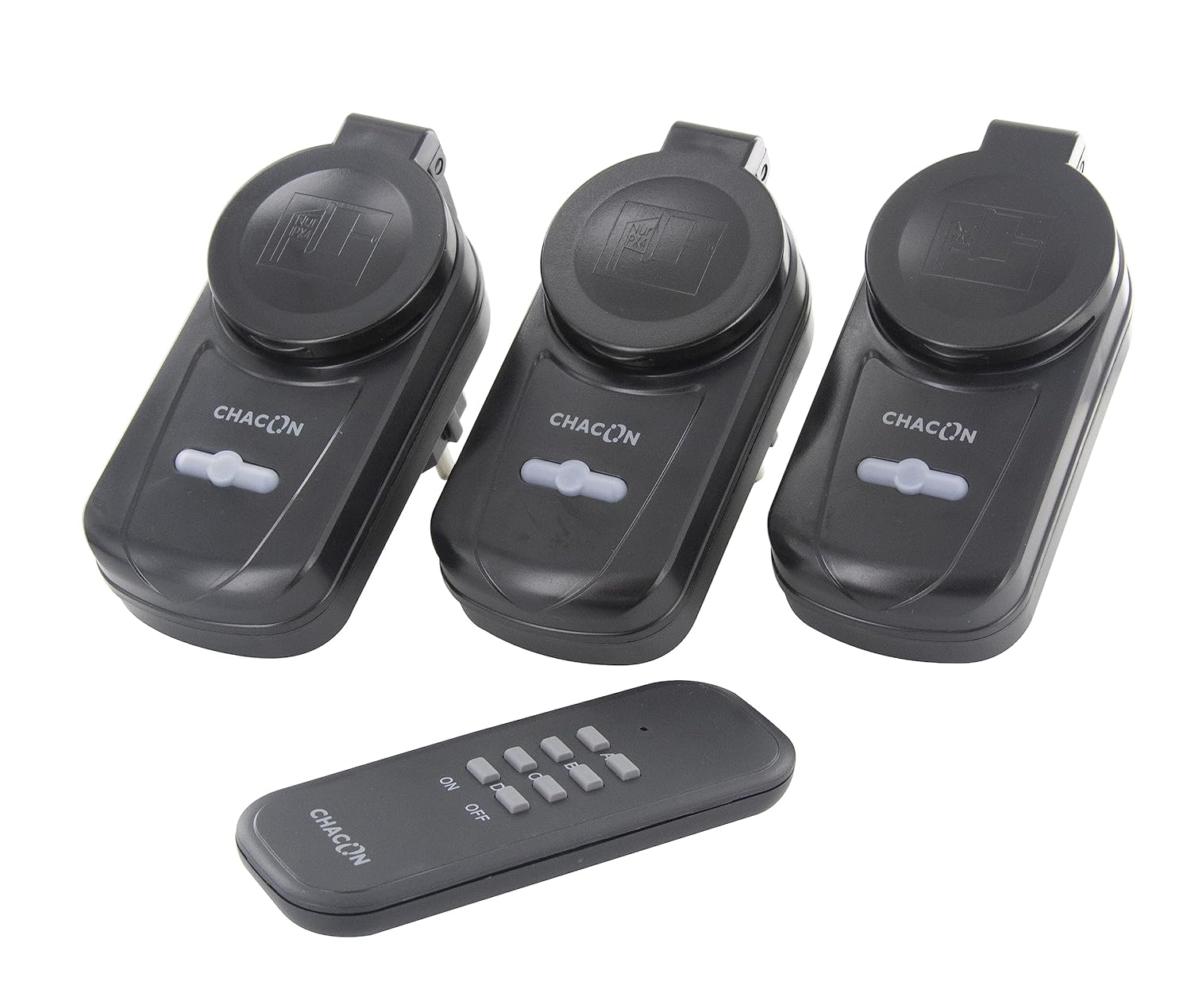
Image 2: Left: CHACON indoor remote control outlets (white) with their corresponding remote. Right: CHACON outdoor remote control outlets (black) with their corresponding remote.
5. 操作手順
5.1. アプライアンスの接続
Once paired, plug your desired electrical appliance or lamp into the remote control outlet. Ensure the appliance is switched to its "ON" position if it has a physical power switch, so it can be controlled by the remote outlet.
5.2. リモコンの使用
The remote control features "ON" and "OFF" buttons, typically grouped by channels (A, B, C, D). Press the corresponding "ON" button to turn on the appliance connected to the paired outlet, and the "OFF" button to turn it off.
- に: Activates the connected appliance.
- OFF: Deactivates the connected appliance.
The wireless transmission range is approximately 30 meters in an open field. Obstacles such as walls, furniture, and other electronic devices may reduce this range.
6. メンテナンス
- Clean the outlets and remote control with a soft, dry cloth. Do not use abrasive cleaners or solvents.
- Regularly check the battery in the remote control and replace it when its performance diminishes.
- Ensure outdoor outlets are protected from direct heavy rain or prolonged exposure to harsh weather conditions, despite their outdoor rating.
7。 トラブルシューティング
- Outlet not responding:
- Check if the outlet is properly plugged into the wall socket.
- Ensure the appliance connected to the outlet is switched on.
- リモコンの電池を交換してください。
- Re-pair the outlet with the remote control (refer to Section 4.2).
- Ensure you are within the operational range (30 meters, clear line of sight).
- 干渉:
- Other wireless devices operating on the 433.92 MHz frequency might cause interference. Try moving the outlets or remote control to a different location.
- Outdoor outlet not working:
- Verify the outdoor outlet's IP rating (IP20 for this model, meaning it's not waterproof, only protected against solid objects larger than 12.5mm). This rating suggests limited protection against water. For outdoor use, additional protection from direct moisture is advised.
8. 仕様
| モデル番号 | 99013 |
| ブランド | チャコン |
| 営業巻tage | 220ボルト |
| Indoor Outlet Max Load | 3680W(製品タイトルの通り) |
| Outdoor Outlet Max Load | 1000W(製品タイトルの通り) |
| 送信周波数 | 433.92 MHz |
| 伝送距離 | 30m(オープンフィールド) |
| 動作モード | オンオフ |
| 連絡先の種類 | 通常閉店 |
| 材料 | プラスチック |
| 国際保護等級(IP) | IP20 (Note: IP20 indicates protection against solid objects >12.5mm, but no protection against water. For outdoor use, additional protection from moisture is advised.) |
| 製品寸法(長さ x 幅 x 高さ) | 29 x 51 x 30 cm (for the entire package) |
| 重さ | 800 grams (for the entire package) |
| 原産国 | 中国 |
9. 保証とサポート
Specific warranty information is not provided in the product details. Please refer to your purchase documentation or contact the retailer for warranty terms.
For technical support or further assistance, please contact CHACON customer service through their official web製品を購入したサイトまたは小売店。


