導入
This manual provides essential information for setting up, operating, maintaining, and troubleshooting your Dell Latitude Rugged Extreme 7330 Laptop. Designed for demanding environments, this rugged laptop offers robust performance and durability. Please read this manual thoroughly to ensure proper use and to maximize the lifespan of your device.
設定
1. 開梱と初期検査
Carefully remove the laptop and all accessories from the packaging. Inspect the device for any signs of damage during transit. Retain the packaging for future transport or service needs.
2. 電源接続
Connect the AC adapter to the power port on your laptop and then plug it into a wall outlet. The laptop is designed to operate on AC power and charge the battery simultaneously. Ensure the power indicator light illuminates.
3. 最初の起動とオペレーティングシステムのセットアップ
Press the power button to turn on the laptop. The device comes pre-installed with Windows 11 Pro. Follow the on-screen prompts to complete the initial setup, including language selection, network connection, and user account creation.
4.ワイヤレス接続
- Wi-Fi: During the initial setup or via Windows settings, select your preferred Wi-Fi network and enter the password to connect to the internet.
- ブルートゥース: To connect Bluetooth devices, navigate to Windows Settings > Bluetooth & devices, and follow the instructions to pair your accessories.
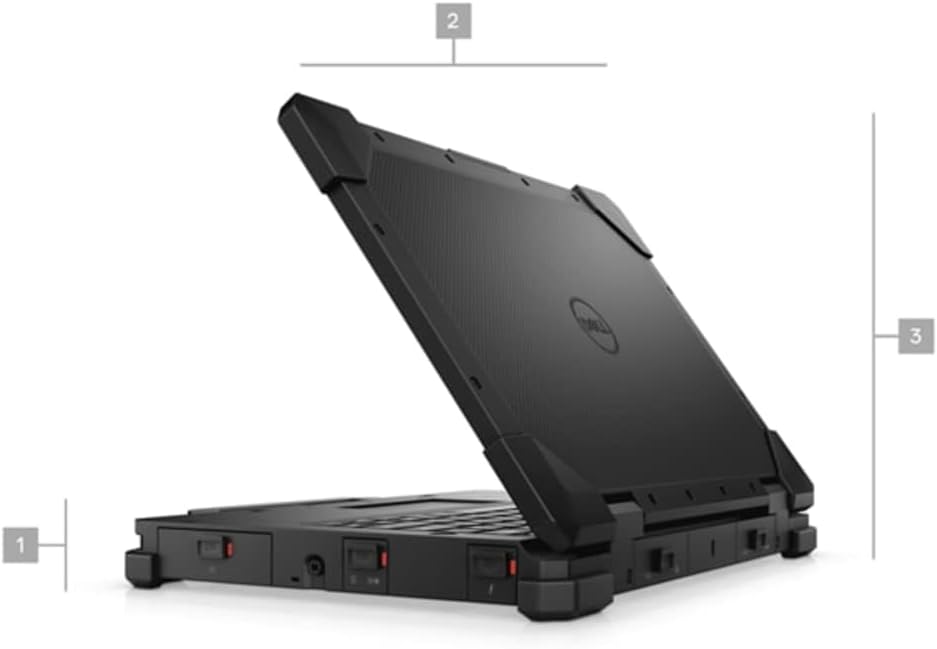
図1:側面 view of the Dell Latitude Rugged Extreme 7330 Laptop, illustrating its robust design and approximate dimensions.
オペレーティング
1. 基本的な操作
- キーボード: The backlit QWERTY keyboard allows for comfortable typing in various lighting conditions.
- タッチパッド: カーソル制御とマルチタッチ ジェスチャには、統合タッチパッドを使用します。
- タッチスクリーン: The 13.3-inch Full HD (1920x1080) capacitive touch screen supports direct interaction with the display.
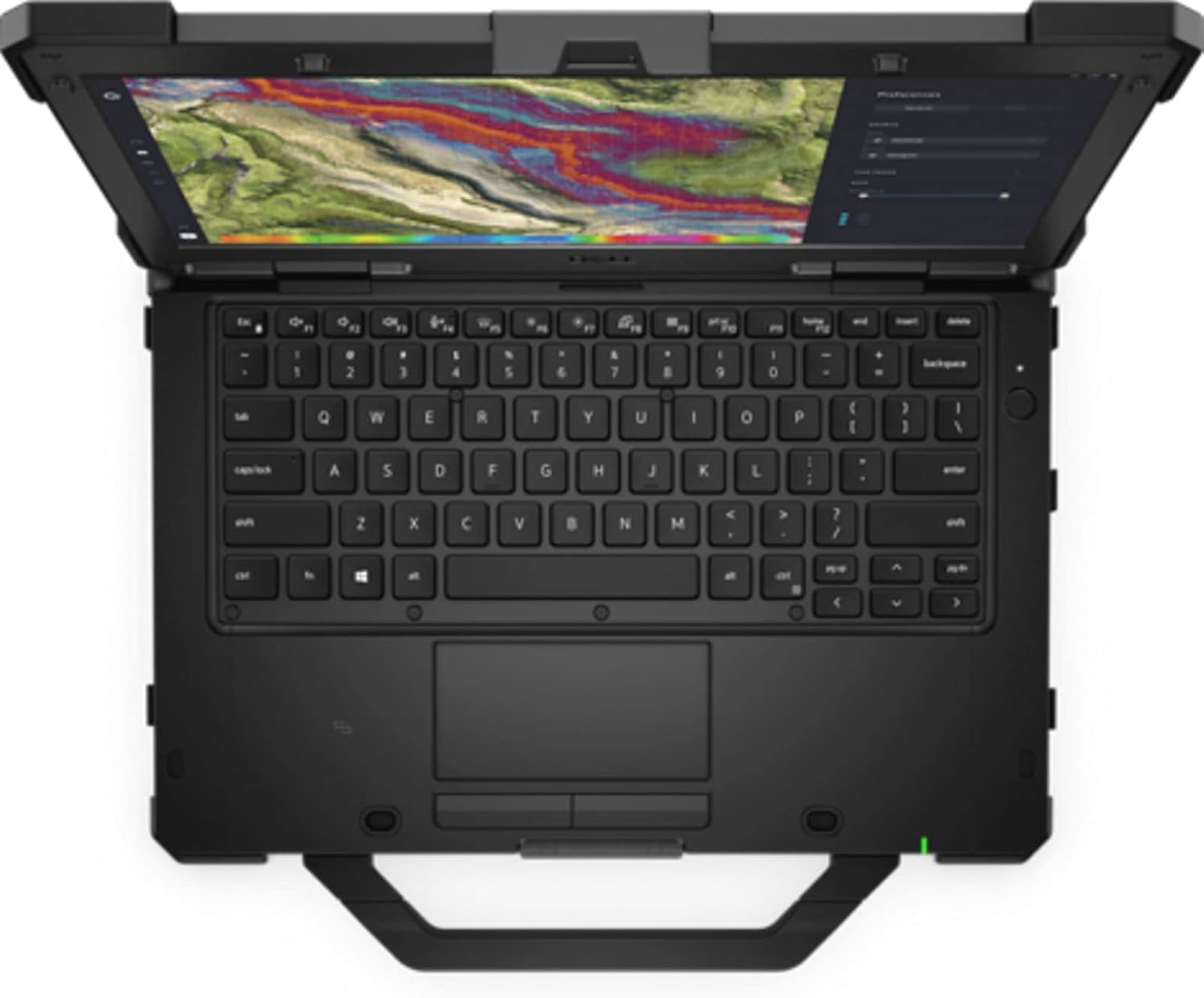
図2: トップダウン view of the Dell Latitude Rugged Extreme 7330 Laptop, highlighting the keyboard and touchpad layout.
2. ポートとコネクタ
The Latitude Rugged Extreme 7330 is equipped with various ports for connectivity and expansion. Refer to the image below for port locations.
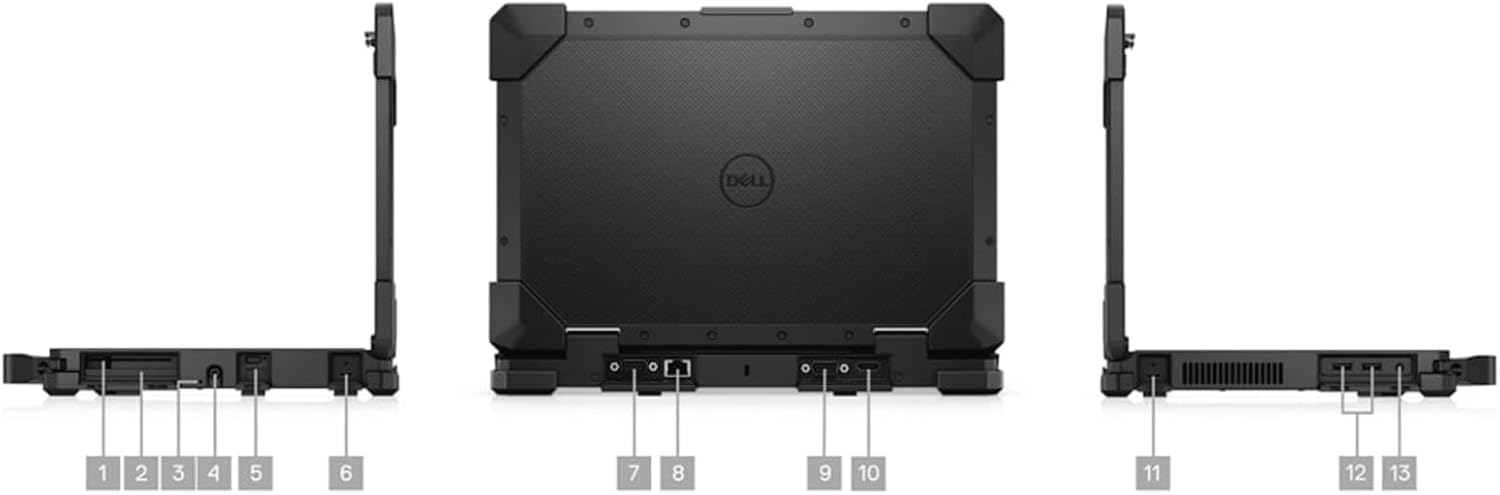
図3: 複数の views of the Dell Latitude Rugged Extreme 7330 Laptop, detailing the locations of its various ports and connectors.
- USB ポート: Multiple USB ports (Total 3) are available for connecting peripherals such as external drives, keyboards, and mice.
- HDMI出力: HDMI ポートを使用して外部ディスプレイまたはプロジェクターに接続します。
- イーサネットポート: 有線ネットワーク接続用。
- オーディオジャック: ヘッドフォンまたは外部スピーカー用。
- スマートカードリーダー: For secure authentication (if equipped).
3. オペレーティング システムの機能
Your laptop runs Windows 11 Pro, offering advanced features for security, management, and productivity. Explore the Start Menu, Taskbar, and Settings app to customize your experience. Features like BitLocker device encryption are included for enhanced data security.
4. Webカム
The integrated front-facing webcamはビデオ会議や画像のキャプチャを可能にします。カメラやビデオ通信ソフトウェアなどのアプリケーションからアクセスできます。
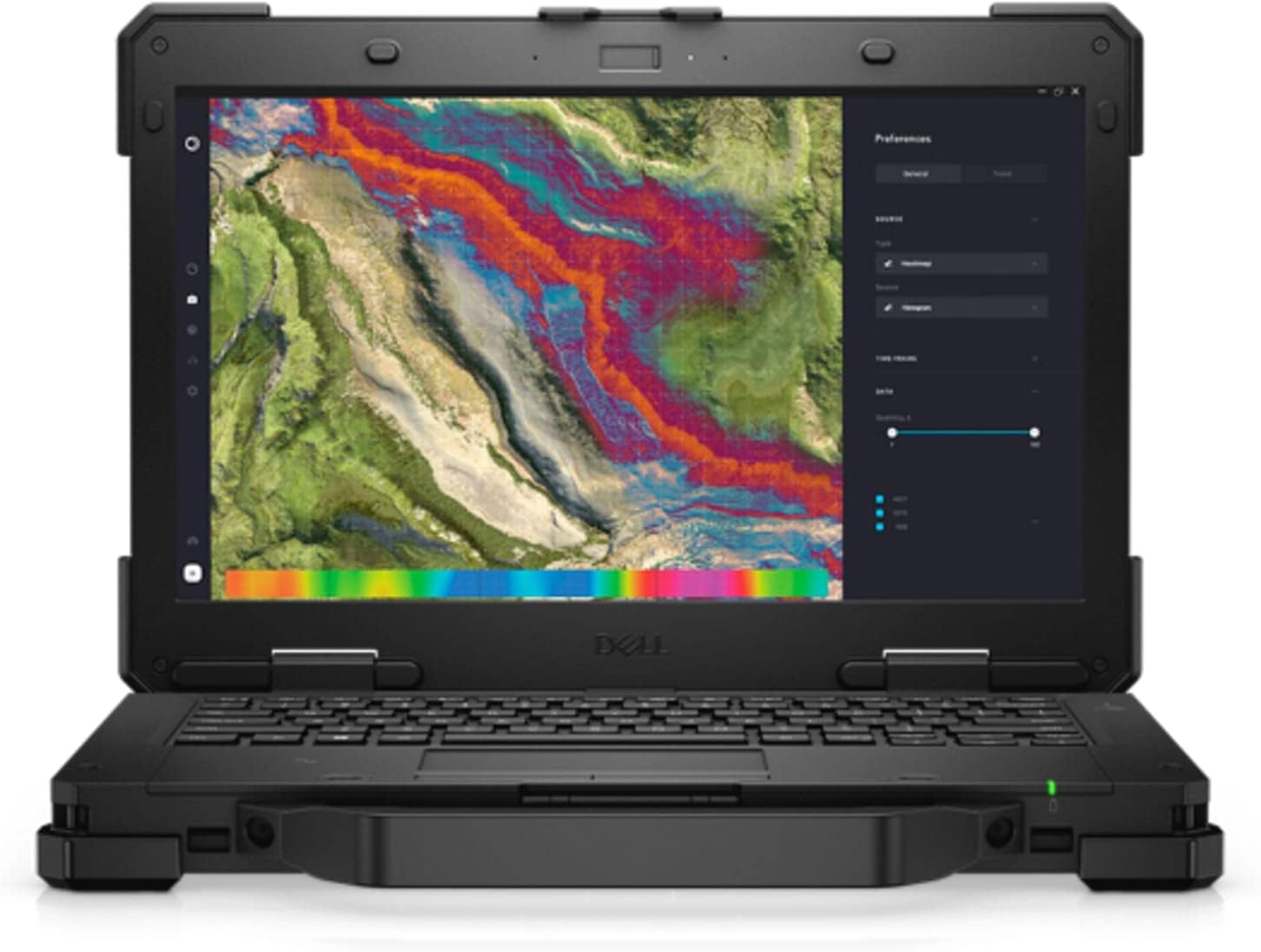
図4: 前面 view of the Dell Latitude Rugged Extreme 7330 Laptop with the screen open, displaying a detailed map interface.
メンテナンス
1. ノートパソコンの掃除
- 画面: 柔らかく糸くずの出ない布を軽く拭いてください。amp水またはスクリーンクリーナーで拭いてください。刺激の強い化学薬品は使用しないでください。
- キーボードとシャーシ: Wipe surfaces with a soft cloth. For stubborn dirt, a slightly damp 液体が開口部に入らないように、中性洗剤をつけた布を使用できます。
- ポート: ポートに埃やゴミが入らないようにしてください。必要に応じて、圧縮空気を慎重に使用してください。
2. バッテリーのお手入れ
- 充電: Charge the battery fully before first use. For optimal battery life, avoid frequently discharging the battery completely.
- ストレージ: If storing the laptop for an extended period, ensure the battery is charged to approximately 50% to prevent deep discharge.
3. ソフトウェアの更新
Regularly update your Windows operating system and Dell drivers to ensure optimal performance, security, and compatibility. Windows updates can be managed through the Settings app.
トラブルシューティング
This section addresses common issues you might encounter with your Dell Latitude Rugged Extreme 7330 Laptop.
1. 電力の問題
- ノートパソコンが起動しない: Ensure the AC adapter is securely connected to both the laptop and a working power outlet. Check the power indicator light. If using battery, ensure it is charged.
- バッテリーが充電されない: ACアダプターが正常に機能していることを確認してください。別のコンセントを試してください。
2. 表示の問題
- 画面に画像が表示されない: Ensure the laptop is powered on. If an external monitor is connected, try disconnecting it or pressing the display toggle key (often Fn + F8 or similar) to switch display outputs.
- タッチスクリーンが反応しない: ノートパソコンを再起動してください。ディスプレイドライバーが最新であることを確認してください。
3. 接続の問題
- Wi-Fi が接続されない: Check if Wi-Fi is enabled in Windows settings. Restart your router and the laptop. Verify the Wi-Fi password.
- Bluetoothデバイスがペアリングされない: Bluetoothデバイスがペアリングモードになっており、範囲内にあることを確認してください。ノートパソコンのBluetooth設定を確認してください。
4. 一般的なアドバイス
For many issues, a simple restart of the laptop can resolve temporary glitches. If problems persist, consult the Dell support webサイトをご覧いただくか、テクニカル サポートにお問い合わせください。
仕様
Below are the key technical specifications for the Dell Latitude Rugged Extreme 7330 Laptop:
| 特徴 | 仕様 |
|---|---|
| ブランド | デル |
| モデル名 | Latitude Rugged Extreme 7330 |
| 画面サイズ | 13.3インチ |
| 解決 | 1920x1080(フルHD) |
| 表示タイプ | LCD、タッチスクリーン |
| CPUモデル | Intel Core i5-1145G7 (11th Gen) |
| プロセッサ速度 | 2.6 GHz (up to 4.4 GHz with Turbo Boost) |
| RAMメモリ | 16 GB DDR4 @ 3200 MHz |
| ハードディスクサイズ | 256 GB SSD (PCIe NVMe M.2) |
| オペレーティング·システム | ウィンドウズ11プロ |
| グラフィックカード | 統合されたIntelグラフィックス |
| 接続性 | Wi-Fi、Bluetooth、USB |
| ポート | 3x USB, HDMI |
| Webカム | はい(前面) |
| キーボード | Backlit QWERTY |
| 電池のタイプ | リチウムイオン(4セル) |
| モデル年 | 2022 |
保証とサポート
1. 製品保証
Your Dell Latitude Rugged Extreme 7330 Laptop comes with a limited warranty. The terms and conditions of this warranty are provided with your purchase documentation. Please retain your proof of purchase for warranty claims.
2. テクニカルサポート
For further assistance, technical support, or detailed warranty information, please visit the official Dell support website. You can find drivers, manuals, and troubleshooting guides specific to your model.
- デルサポート Webサイト: www.dell.com/support


