1。 オーバーview
The llano HDMI 2.1 Switcher is designed to expand the HDMI input capabilities of your display device. It allows you to connect up to four HDMI source devices to a single HDMI input on your television, monitor, or projector. This device supports advanced HDMI 2.1 features, including high resolutions and refresh rates, ensuring optimal performance for modern entertainment and gaming setups.

Image: The llano HDMI 2.1 Switcher, showing its compact design, multiple HDMI ports, and included remote control and USB power cable.
2. 主な特徴
- HDMI 2.1準拠: 高帯域幅のデータ転送を実現する最新の HDMI 2.1 規格をサポートします。
- 高解像度とリフレッシュレート: Capable of handling video resolutions up to 8K@60Hz and 4K@120Hz.
- 4入力、1出力構成: Connects up to four HDMI source devices to a single display.
- 複数の制御オプション: Features manual button switching, IR remote control, and automatic switching via CEC.
- 高度なビデオテクノロジー: Supports CEC (Consumer Electronics Control), HDCP2.3, 3D video, HDR10+ (High Dynamic Range), VRR (Variable Refresh Rate), and ALLM (Auto Low Latency Mode) for enhanced viewing とゲーム体験。
- オーディオサポート: Compatible with various audio formats including Dolby Atmos and PCM 7.1.

Image: Visual representation of HDMI 2.1's superior bandwidth and resolution capabilities, supporting up to 8K@60Hz.

Image: A gaming console connected through the switch to a display, emphasizing support for 4K@120Hz, VRR, and ALLM for smooth gameplay.
3.製品コンポーネント
The llano HDMI 2.1 Switcher package includes the following items:
- llano HDMI 2.1 Switcher Unit
- 赤外線リモコン
- USB-C Power Cable (for power supply, adapter not included)
- ユーザーマニュアル(このドキュメント)
Video: An official product video demonstrating the llano HDMI 2.1 Switcher's features, including its 8K intelligent chip, 48Gbps data transfer, ARC support, 4K 120Hz VRR, and various switching methods.
4. セットアップ手順
Follow these steps to set up your llano HDMI 2.1 Switcher:
- 電源接続: Connect the provided USB-C power cable to the DC 5V port on the switch. Connect the other end of the USB-C cable to a suitable USB power adapter (e.g., a 5V/2A phone charger, not included). Ensure the switch receives stable power.
- 入力デバイスの接続: Connect your HDMI source devices (such as gaming consoles like PS5 or Xbox, Blu-ray players, PCs, or streaming devices) to the HDMI INPUT 1, INPUT 2, INPUT 3, and INPUT 4/ARC ports on the switch. Use high-quality HDMI 2.1 compatible cables for optimal performance.
- 出力ディスプレイ接続: Connect your television, monitor, or projector to the HDMI OUTPUT port on the switch. Again, use an HDMI 2.1 compatible cable.
- ARC Connection (Optional): If you intend to use the Audio Return Channel (ARC) feature, ensure your television and audio receiver both support ARC. Connect an HDMI cable from your TV's ARC-enabled HDMI port to the INPUT 4/ARC port on the switch. Note that only this specific input port supports ARC functionality.
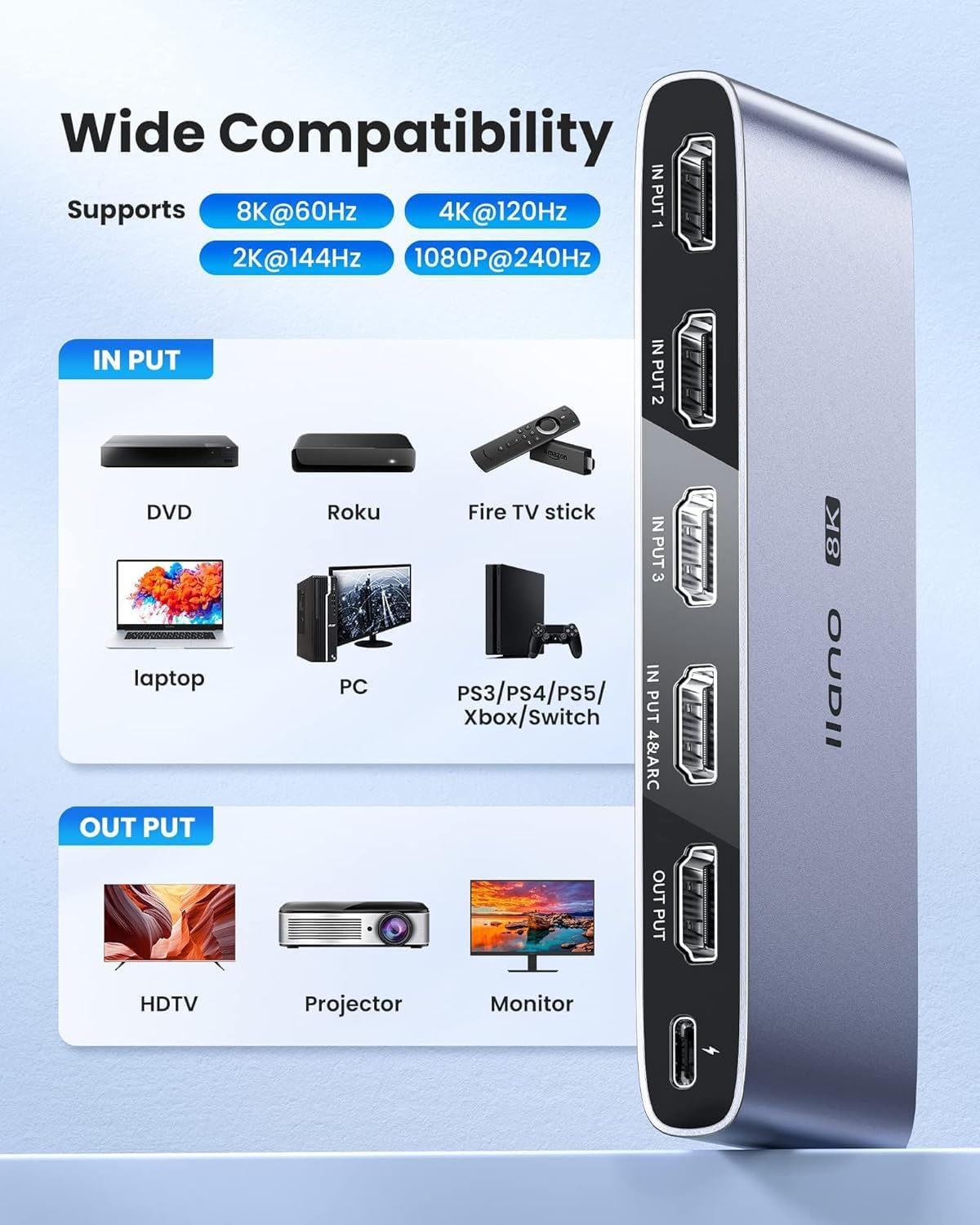
Image: Illustration of wide compatibility, showing various input devices connecting to the switch and outputting to different display types.
5. 操作手順
The llano HDMI 2.1 Switcher offers multiple ways to select your desired input source:
- 手動切り替え: Press the 'SELECT' button located on the front panel of the switch to cycle through the connected HDMI input sources (Input 1, 2, 3, 4). The corresponding LED indicator will light up to show the active input.
- IRリモートコントロール: Use the included IR remote control to directly select an input source. Press the '1', '2', '3', or '4' button on the remote to switch to the respective HDMI input. Ensure there is a clear line of sight between the remote and the IR receiver on the switch for proper operation.
- Automatic Switching (CEC): The switch supports Consumer Electronics Control (CEC). When a connected HDMI source device is powered on or begins playback, the switch may automatically detect the active signal and switch to that input. This functionality depends on the CEC compatibility and settings of your connected devices.
- インジケーターライト: Observe the LED indicators on the front panel to identify the currently active input source.

Image: Depiction of the three available input switching methods: automatic, remote, and manual button.
6. メンテナンス
To ensure the longevity and optimal performance of your llano HDMI 2.1 Switcher, please observe the following maintenance guidelines:
- クリーニング: Use a soft, dry cloth to clean the exterior of the device. Avoid using liquid cleaners or abrasive materials, as these can damage the finish or internal components.
- 環境: Place the switch in a well-ventilated area, away from direct sunlight, heat sources, and excessive humidity. Ensure no objects block the ventilation openings.
- 取り扱い: デバイスは丁寧に取り扱ってください。落としたり、強い衝撃を与えたりしないでください。
- 力: デバイスを長期間使用しない場合は、電源アダプターを外してください。
7。 トラブルシューティング
If you encounter issues with your llano HDMI 2.1 Switcher, refer to the following common troubleshooting steps:
- ビデオ/オーディオ出力なし:
- すべての HDMI ケーブルがソース デバイス、スイッチ、ディスプレイの両方にしっかりと接続されていることを確認します。
- Verify that the correct input source is selected on the switch (check LED indicators).
- Confirm that the switch is receiving power from the USB-C power cable and adapter.
- Test with different HDMI cables, especially high-quality HDMI 2.1 certified cables, as lower quality cables may not support high resolutions/refresh rates.
- Bypass the switch and connect the source device directly to the display to confirm the source device and display are functioning correctly.
- 画面のちらつきや信号の断続:
- This can often be caused by cable quality. Replace HDMI cables with certified HDMI 2.1 cables.
- 電源が安定していて十分であることを確認してください。
- ソースデバイスの解像度またはリフレッシュ レートを下げて、問題が解決するかどうかを確認します。
- IR Remote Control Not Responding:
- リモコンの電池を確認して交換してください。
- リモコンとスイッチの IR 受信機の間に障害物がないことを確認してください。
- Note that the effective range of the remote control may be limited.
- ARC (Audio Return Channel) Not Functioning:
- Confirm that both your TV and audio receiver are ARC-enabled and that ARC is activated in their respective settings.
- Ensure the HDMI cable is connected to the INPUT 4/ARC port on the switch and the designated ARC HDMI port on your TV.
- Some TV brands (e.g., Sony) may have specific ARC compatibility considerations with external switches. Consult your TV's manual.
- Automatic Switching (CEC) Issues:
- CEC functionality can be inconsistent across different brands and devices. Ensure CEC is enabled on all connected devices.
- Try disabling and re-enabling CEC on your devices and the switch (if applicable).
8. 仕様
| 特徴 | 詳細 |
|---|---|
| モデル番号 | LL-HDMI2.1-SWITCH |
| HDMIバージョン | HDMI 2.1 |
| 最大解像度 | 8K@60Hz、4K@120Hz |
| 入力 | HDMI x 4 |
| 出力 | HDMI x 1 |
| ARC サポート | Yes (on INPUT 4/ARC port) |
| HDCPバージョン | HDCP2.3 |
| サポートされているテクノロジー | CEC, 3D, HDR10+, VRR, ALLM |
| 電源 | DC 5V(USB-C経由) |
| アイテム重量 | 9.2オンス |
| パッケージ寸法 | 5.87 x 4.25 x 1.14インチ |
9.保証とサポート
For warranty information and technical support, please refer to the official llano web公式サイトをご覧いただくか、カスタマーサービス部門にお問い合わせください。保証請求のために購入時のレシートを保管してください。