導入
This manual provides detailed instructions for the Casio WS-1400H-1BVDF Digital Watch. This timepiece is designed for active individuals, featuring a 60-lap memory, an easy-to-read LCD, a front stopwatch button, 100-meter water resistance, an LED light, and a 10-year battery life. Please read this manual carefully to ensure proper use and to fully utilize all functions of your watch.
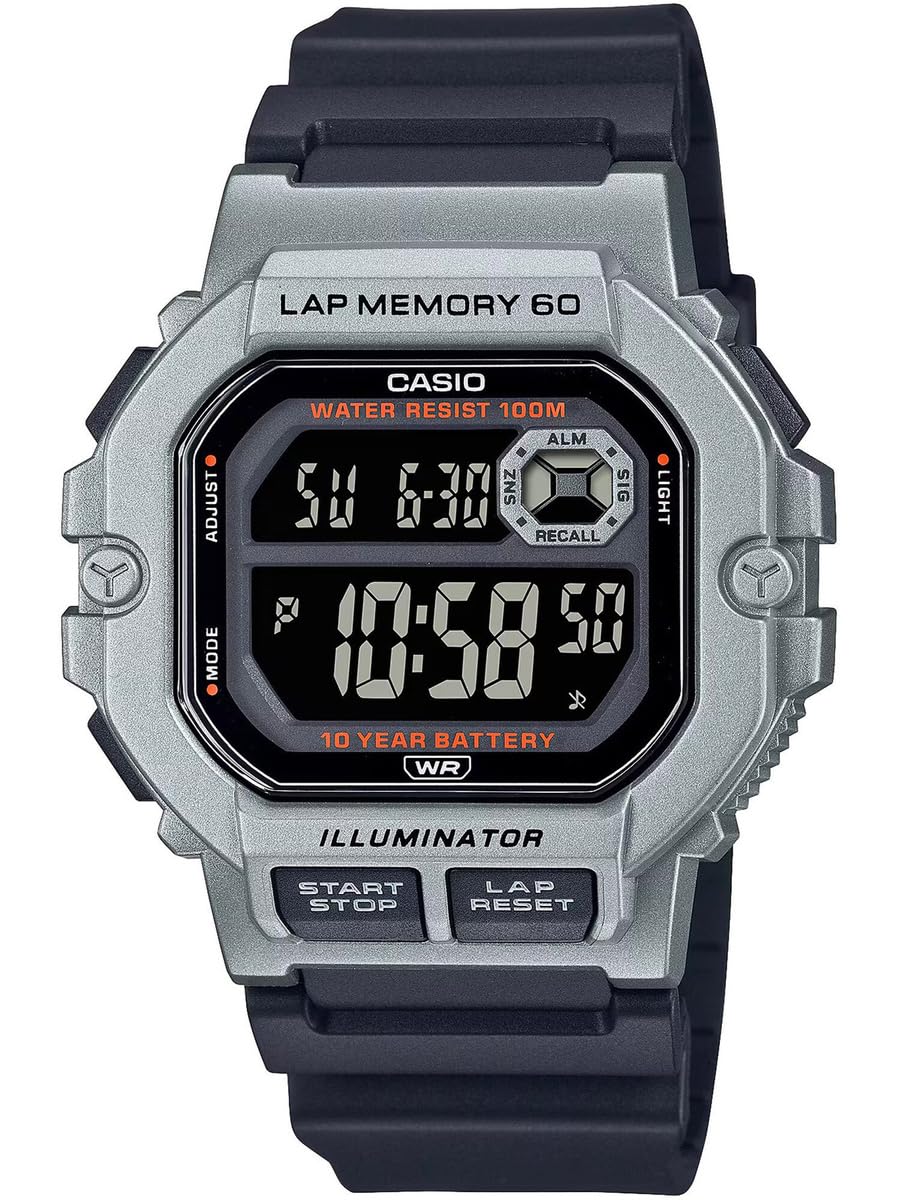
図1: 前面 view of the Casio WS-1400H-1BVDF Digital Watch. This image displays the watch face with its digital display, buttons on the sides, and the black resin band.
設定
Before using your watch, it is recommended to set the current time, date, and any desired alarms.
ボタンの機能
- A (ADJUST): 設定モードの開始と終了、および設定の確認に使用します。
- B(モード): Cycles through the watch's modes (Timekeeping, Stopwatch, Lap Memory, Timer, Alarm, Dual Time).
- C (LIGHT): Illuminates the display.
- D (START/STOP): Used to start/stop stopwatch or timer operations, and to change settings during setup.
- E (LAP/RESET): Used to record laps in stopwatch mode, and to reset values during setup.
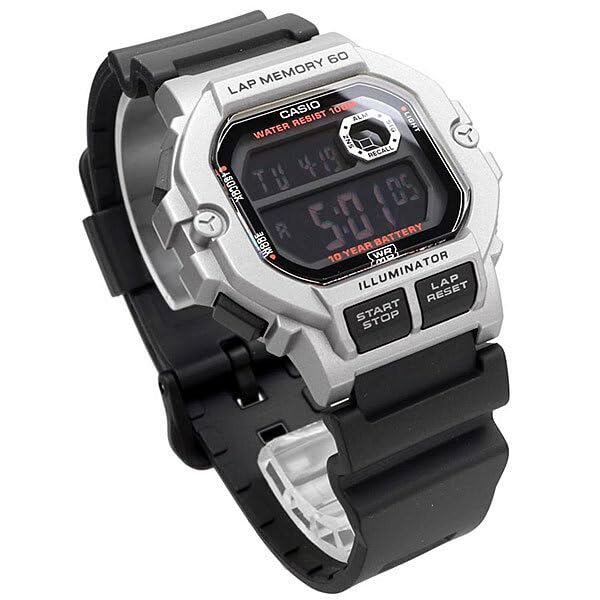
図2: 角度付き view of the watch, highlighting the placement of the control buttons on the side of the case. These buttons are used for navigating modes and adjusting settings.
時刻と日付の設定
- タイムキーピングモードでは、長押しします A until the city code starts flashing. This indicates the setting mode.
- プレス B to cycle through the settings: City Code → DST (Daylight Saving Time) → 12/24-hour format → Seconds → Hour → Minute → Year → Month → Day.
- 使用 D そして E 点滅している値を変更します。 D typically increases the value, and E decreases or resets.
- 必要な値をすべて設定したら、 A 設定モードを終了します。
アラーム設定
- タイムキーピングモードから、 B repeatedly until you reach the Alarm Mode (indicated by 'ALM' or a bell icon).
- 押し続ける A until the alarm hour digits start flashing.
- 使用 D 時間を調整し、 E 分を調整します。
- プレス A 確認してアラーム設定モードを終了します。
- プレス D in Alarm Mode to toggle the alarm ON/OFF.
操作手順
モードナビゲーション
を押す B(モード) button to cycle through the watch's various modes in the following order:
Timekeeping Mode → Stopwatch Mode → Lap Memory Mode → Timer Mode → Alarm Mode → Dual Time Mode
ストップウォッチの使用
The stopwatch measures elapsed time, split times, and two finishes. It features a 60-lap memory.
- Enter Stopwatch Mode by pressing B. The display will show 'STW' or '00'00"00'.
- プレス D(スタート/ストップ) ストップウォッチを開始します。
- プレス E (LAP/RESET) to record a lap time while the stopwatch is running. The lap time will be displayed briefly.
- プレス D もう一度押すとストップウォッチが止まります。
- プレス E ストップウォッチをゼロにリセットします。
Lap Memory Recall
に view recorded lap times:
- Enter Lap Memory Mode by pressing B.
- 使用 D そして E to scroll through the stored lap records.
タイマーの使用
The timer can be set for a countdown from 1 minute up to 24 hours.
- Enter Timer Mode by pressing B. The display will show 'TMR'.
- 押し続ける A until the timer hour digits start flashing.
- 使用 D そして E 希望のカウントダウン時間を設定します。
- プレス A 設定を確認します。
- プレス D カウントダウンを開始または停止します。
- カウントダウンがゼロになるとアラームが鳴ります。アラームを止めるには、いずれかのボタンを押してください。
LEDバックライトの使用
を押す C (LIGHT) button to illuminate the display for easy reading in low-light conditions.
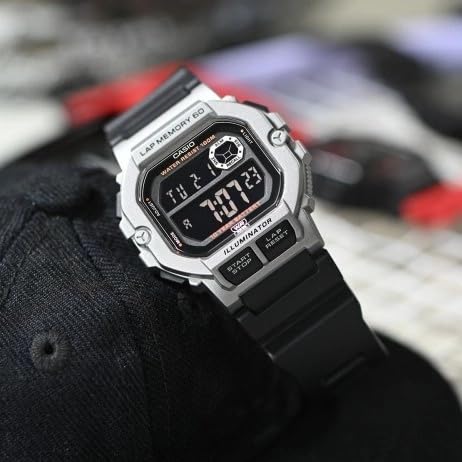
Figure 3: The watch display showing the time and date, with the LED backlight activated for visibility in dark environments.
メンテナンス
Proper care will ensure the longevity and performance of your Casio WS-1400H-1BVDF watch.
クリーニング
- 時計を柔らかく乾いた布で拭いて、汚れや湿気を取り除きます。
- For resin bands, wash with water and a mild detergent, then rinse thoroughly and dry.
- 時計の素材を傷める可能性があるため、化学洗剤の使用は避けてください。
耐水性
This watch is 100-meter water resistant. This means it is suitable for swimming, showering, and snorkeling. However, please observe the following precautions:
- Do ない operate buttons while the watch is wet or submerged in water.
- 防水シールが損なわれる可能性があるため、時計を熱湯や蒸気 (熱いシャワー、サウナなど) にさらさないでください。
- 時計を海水にさらした後は、真水で洗い流し、拭いて乾かしてください。
バッテリー交換
The watch is equipped with a 10-year battery. When the display becomes dim or functions become erratic, it may be time for a battery replacement. It is highly recommended to have the battery replaced by an authorized Casio service center to ensure proper sealing and maintain water resistance.
ストレージ
When not in use for extended periods, store the watch in a dry, cool place away from direct sunlight and extreme temperatures.
トラブルシューティング
時計に問題が発生した場合は、次の一般的な問題と解決策を参照してください。
| 問題 | 考えられる原因 | 解決 |
|---|---|---|
| ディスプレイが空白または暗い。 | バッテリー残量が少なくなりました。 | バッテリーの交換は認定サービスセンターで行ってください。 |
| 時間が間違っています。 | 時間が正しく設定されていないか、誤って調整されています。 | Refer to the "Time and Date Setting" section to reset the time. |
| ボタンが反応しません。 | 時計がロックモードになっているか、内部に故障がある可能性があります。 | Try pressing all buttons firmly. If unresponsive, allow the watch to sit for a few minutes. If the problem persists, contact support. |
| ディスプレイ内部に水が入りました。 | Water resistance seals compromised. | Stop using the watch immediately and take it to an authorized service center. Do not attempt to dry it yourself. |
仕様
Key technical specifications for the Casio WS-1400H-1BVDF Digital Watch:
- モデル番号: WS-1400H-1BVDF
- 表示タイプ: デジタル
- 移動タイプ: 石英
- ケース素材: 樹脂
- バンド素材: 樹脂
- ケース直径: 44.5ミリメートル
- ケースの厚さ: 13.4ミリメートル
- 商品の重量: 43グラム
- 耐水深度: 100メートル(10気圧)
- 電池のタイプ: リチウムイオン電池1個(付属)
- バッテリー寿命: 約10年
- 特別な機能: 60-lap memory, Stopwatch, Timer, Alarm, Dual Time, LED Backlight

Figure 4: The Casio WS-1400H-1BVDF watch worn on a wrist, demonstrating its size and fit.
保証とサポート
保証情報
This Casio WS-1400H-1BVDF Digital Watch comes with an 延長保証. Please refer to the warranty card included with your purchase for specific terms, conditions, and duration of coverage.
カスタマーサポート
For technical assistance, service, or warranty claims, please contact Casio customer support:
- メーカー: カシオインド株式会社
- 住所: A-41, 1st Floor, MCIE, Mathura Road, New Delhi-110044, India
- 輸入業者: カシオインド株式会社
For the most up-to-date contact information and support resources, please visit the official Casio webあなたの地域のサイト。


