導入
This manual provides comprehensive instructions for the setup, operation, maintenance, and troubleshooting of your Symcode Wireless 2D Bluetooth Barcode Scanner. Please read this manual thoroughly before using the device to ensure optimal performance and longevity.

設定
パッケージ内容
- Symcode バーコードスキャナー(モデル:MJ-2020DA-BL)
- 充電コード
- ユーザーマニュアル
- スキャナースタンド
初期充電
Before first use, fully charge the scanner. Connect the provided charging cord to the scanner's charging port and a suitable USB power source. A full charge takes approximately 2.5 hours.

接続モード
The Symcode scanner supports three connection modes:
- 2.4Gワイヤレスモード: For wireless connection via the included USB dongle. Delivers up to 200m transmission in open air.
- Bluetooth 4.1 モード: For wireless connection to Bluetooth-enabled devices. Offers up to 30m transmission in open air.
- USB有線接続: For direct connection to a computer via USB 2.0.
Switching between modes is done conveniently through the scanner's settings or by scanning specific configuration codes (refer to the included quick start guide for specific codes).
スタンドアセンブリ
The scanner comes with an adjustable stand for hands-free operation. The stand can be adjusted to a 45-degree angle. To change the angle, disassemble the base by depressing the recessed tabs on the bottom of the stand.

操作手順
スキャンモード
スキャナーには 3 つの異なるスキャン モードがあります。
- Traditional Manual Trigger Mode: トリガーボタンを押して各バーコードをスキャンします。
- Intelligent Sensor Mode: The scanner automatically activates when changes in ambient brightness are detected, allowing for hands-free scanning when placed on the stand.
- 連続スキャンモード: The scanner continuously emits a scan beam, ideal for high-volume scanning without repeatedly pulling the trigger. This mode also supports hands-free operation with the stand.

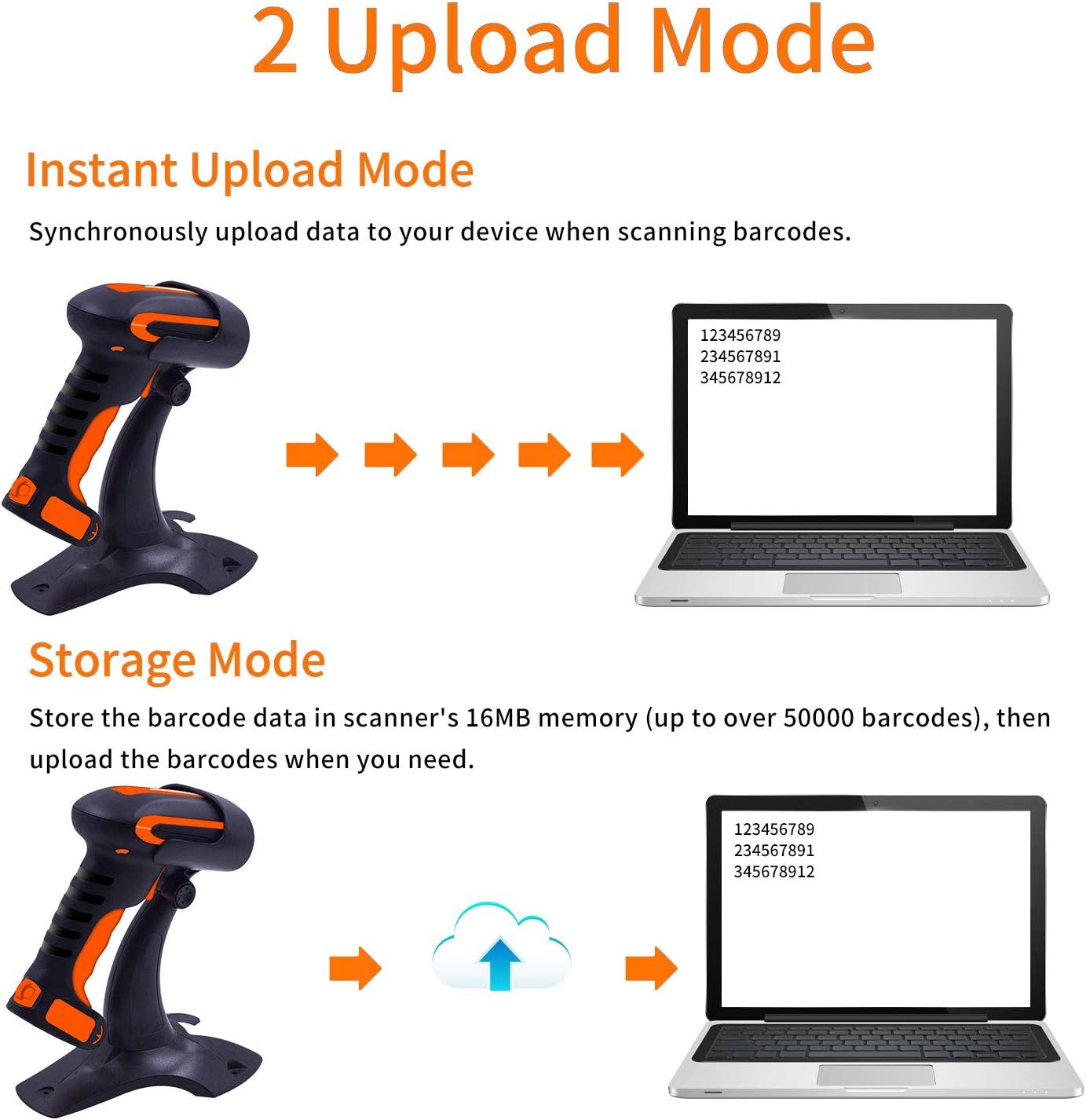
アップロードモード
スキャナーは次の 2 つのデータアップロード モードをサポートしています。
- インスタントアップロードモード: スキャン後すぐに、データが接続されたデバイスに同期的にアップロードされます。
- ストレージモード: Barcode data is stored in the scanner's 16MB internal memory (up to over 50,000 barcodes). Data can be uploaded to your computer later when needed.
バーコードの互換性
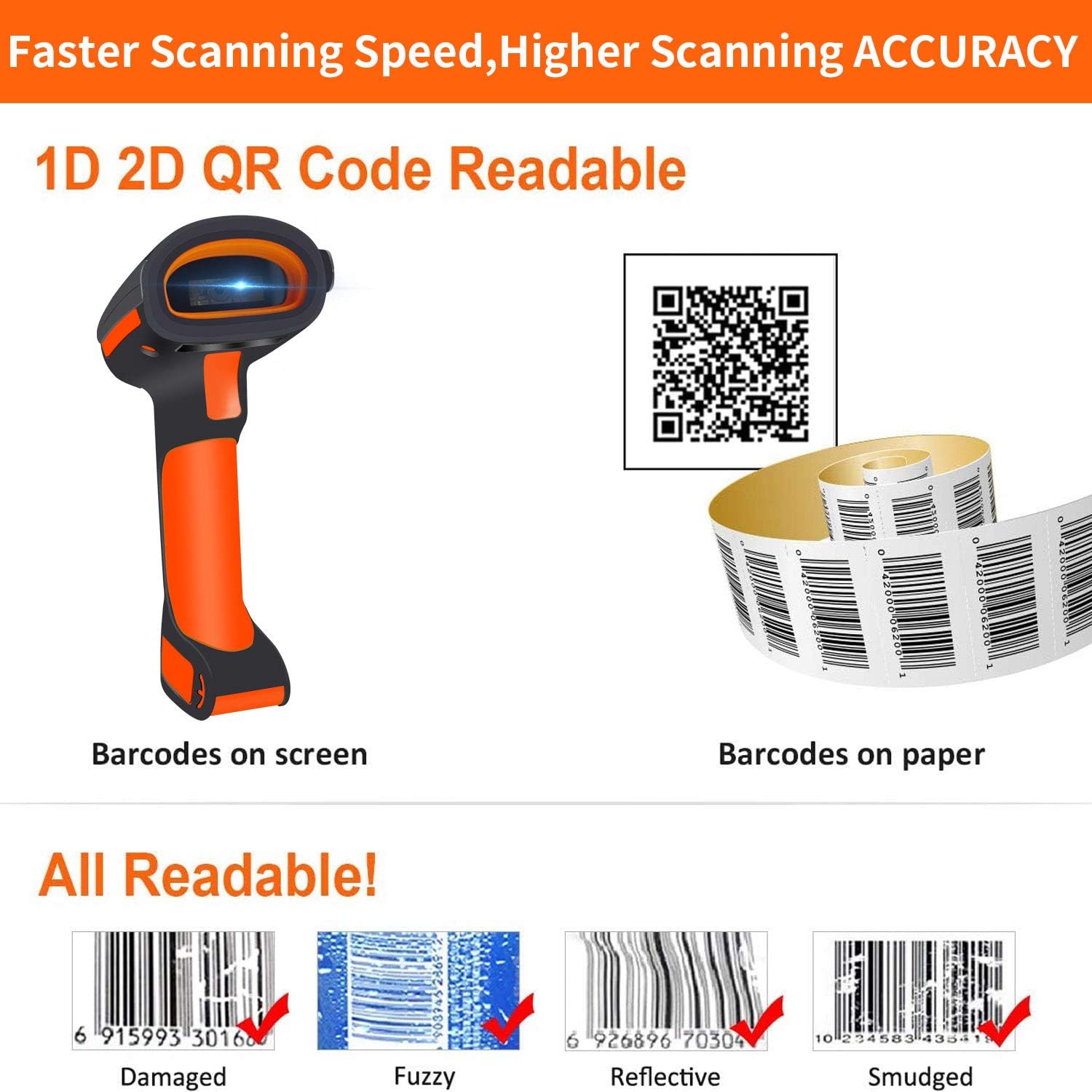
The Symcode scanner is capable of reading a wide range of 1D and 2D barcodes, including:
- 1Dバーコード: UPC/EAN、UPC/EAN with Supplemental、UCC/EAN 128、Code 39、Code 39 Full ASCII、Trioptic Code 39、Code 128 Full ASCII、Codabar、Interleaved 2 of 5、Discrete 2 of 5、Code 93、MSI、Code 11、RSS バリアント、Chinese 2 of 5、および Code 128 バーコードの拡張 ASCII サポート。
- 2Dバーコード: PDF417、QR コード、データ マトリックス。
It can read barcodes from various surfaces, including screens and paper, and is designed to read damaged, fuzzy, reflective, and smudged barcodes.
Vibration Alert and Multi-Language Support
The scanner provides a tactile vibration alert upon successful scanning, which can be useful in noisy environments or when a quiet operation is desired (buzzer can be muted). The vibration function can also be turned off.
The scanner supports multiple languages, including English, Spanish, German, French, Italian, and Japanese. The factory default language is English. Ensure the scanner's language setting aligns with your computer's keyboard language for correct barcode output.

高度な設定
The barcode reader has over 180 configuration options. You can add prefixes and suffixes (up to 32 digits) to scanned data, hide parts of a barcode, or add keyboard keys/combinations to the scanning operation. Refer to the detailed user guide (often provided as a separate booklet or PDF) for specific configuration barcodes and instructions.
メンテナンス
クリーニングと耐久性
The Symcode scanner features an industrial dustproof and waterproof design, with IP67 level performance. It can be rinsed with tap water and even soaked in water for up to 30 minutes. The external TPU protective case is twice as thick as similar products, and internal core parts have triple consolidation treatment. This robust construction allows the scanner to withstand repeated 6ft (1.8m) drops to concrete floors.
スキャナを清掃するには、柔らかくてamp cloth. For stubborn dirt, mild soap can be used. Ensure the charging port is dry before connecting the charging cable.

バッテリーケア
スキャナーには2200mAhのリチウムポリマーバッテリーが搭載されています。バッテリー寿命を最大限に延ばすには、以下の手順に従ってください。
- バッテリーを頻繁に完全に放電することは避けてください。
- スキャナーを長期間使用しない場合は、涼しく乾燥した場所に保管してください。
- バッテリーの健康状態を維持するために、頻繁に使用しない場合でも定期的に充電してください。
トラブルシューティング
よくある問題と解決策
- スキャナーが接続されません:
- スキャナーが完全に充電されていることを確認してください。
- Verify the correct connection mode (2.4G Wireless, Bluetooth, or USB Wired) is selected on the scanner.
- Bluetooth の場合、ホスト デバイスの Bluetooth が有効になっており、スキャナーがペアリングされていることを確認します。
- For 2.4G Wireless, ensure the USB dongle is securely plugged into your device.
- バーコードがスキャンされない:
- バーコード タイプがスキャナーでサポートされているかどうかを確認します。
- バーコードがきれいで、過度に損傷したり汚れたりしていないことを確認してください。
- スキャナーとバーコードの距離と角度を調整します。
- 十分な照明を確保してください。
- Incorrect barcode output:
- Verify that the scanner's language setting matches your computer's keyboard language.
- Check for any enabled prefix/suffix settings that might be altering the output.
- Incompatibility with Square Register:
- Please note that this scanner is 互換性がない with Square Register systems.
仕様
| モデル | MJ-2020DA-BL |
| 入力ボリュームtage | DC5V±0.25V |
| 現在 | 25 mA(動作時); 95 mA(瞬時) |
| デコード速度 | 100回/秒 |
| 無線範囲(2.4G) | 最大200m(屋外) |
| 無線範囲(Bluetooth) | 最大30m(屋外) |
| 充電時間 | 2.5時間 |
| Battery Life (Continuous Scanning) | 30時間 |
| 電池のタイプ | 1 リチウムポリマー電池 (付属) |
| 製品寸法 | 4 x 2 x 2インチ |
| アイテム重量 | 14.4オンス |
| 接続技術 | Bluetooth、USBケーブル |
| IP 定格 | IP67 (Dustproof, Splash-proof, Waterproof) |
保証とサポート
Symcode is committed to providing high-quality products and excellent after-sales service. For any questions, technical assistance, or warranty inquiries regarding your barcode scanner, please contact Symcode customer support through the retailer's platform or the official Symcode webサイト。
For more information about Symcode and its products, you can visit the official brand store: Symcode Brand Store.


