1. はじめに
This manual provides detailed instructions for the installation, operation, and maintenance of your IMOU LOOC C26E/IPC-C26E Outdoor Wi-Fi Security Camera. Please read this manual carefully before using the product and retain it for future reference. The IMOU LOOC C26E is designed for outdoor surveillance, offering 2MP resolution, Wi-Fi connectivity, and advanced features for enhanced security.
2.製品オーバーview
2.1 パッケージ内容
The IMOU LOOC C26E/IPC-C26E package includes the following items:
- 1 x IMOU LOOC C26E/IPC-C26E Camera
- クイックスタートガイド (QSG) x 1
- 電源アダプター x 1
- 1 x取付金具
- ネジパック1個(取り付け用)
- 1 x Position Card (for drilling template)
- 1 x Cable Clip Pack
2.2 カメラの機能
The IMOU LOOC C26E/IPC-C26E camera offers a range of features to ensure comprehensive outdoor surveillance:
- 2 Megapixel (MP) Resolution: Provides clear 1080p video recording.
- Integrated Microphone and Speaker: 双方向の音声通信を可能にします。
- Wi-Fi接続: ワイヤレスネットワーク接続用。
- IP65耐候性設計: Ensures reliable operation in various outdoor conditions.
- 赤外線(IR)ナイトビジョン: Up to 10 meters (33 feet) for clear visibility in complete darkness.
- PIRモーション検出: Passive Infrared sensor reduces false alarms by detecting heat signatures.
- White LED Alarm: Activates upon motion detection to deter intruders.
- 内蔵サイレン: A 110 dB siren can be triggered to scare away unwanted visitors.
- MicroSDカードスロット: 最大128GBのローカルストレージをサポートします(MicroSDカードは付属していません)。
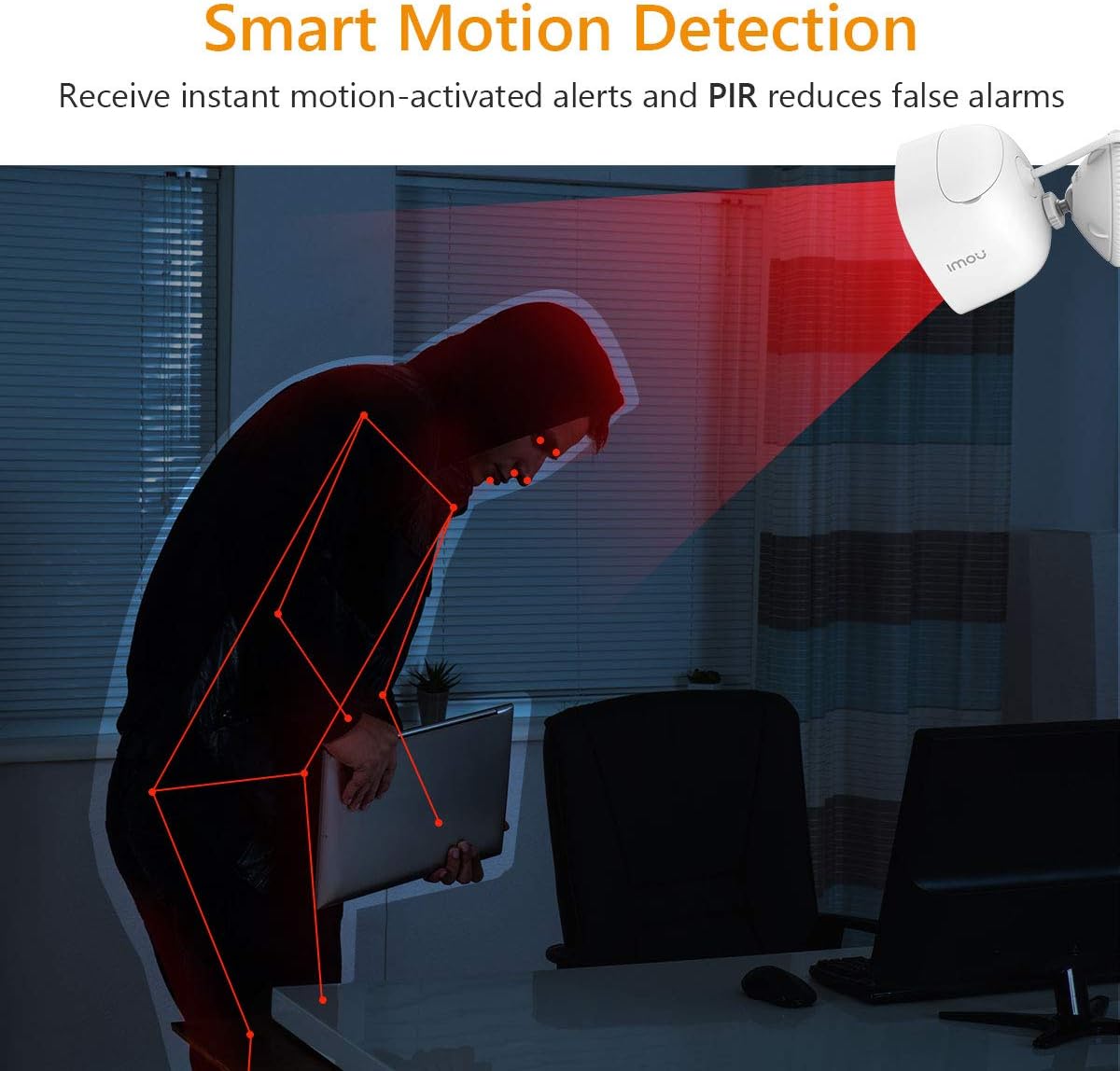
Figure 2.2.1: IMOU LOOC C26E/IPC-C26E Outdoor Wi-Fi Security Camera. This image shows the overall design of the camera, highlighting its compact and robust build suitable for outdoor use.
3.セットアップガイド
3.1 始める前に
- Wi-Fiネットワークが2.4GHzであることを確認してください。カメラは5GHz Wi-Fiをサポートしていません。
- Wi-Fi ネットワーク名 (SSID) とパスワードを用意してください。
- Download the IMOU Life app from your smartphone's app store (iOS or Android).
- 適切な取り付け場所を選択してください。 view Wi-Fi 範囲内にあります。
3.2 カメラの初期設定
- 電源オン: Connect the camera to the power adapter and plug it into an electrical outlet. The camera's indicator light will turn on.
- アプリのインストール: Open the IMOU Life app on your smartphone and create an account or log in.
- デバイスを追加: アプリ内の「+」アイコンをタップして新しいデバイスを追加します。カメラ本体またはパッケージに記載されているQRコードをスキャンしてください。
- ネットワーク設定: Follow the on-screen prompts in the app to connect the camera to your Wi-Fi network. Ensure your phone is connected to the same 2.4 GHz Wi-Fi network.
- デバイスの命名: Assign a name to your camera (e.g., "Front Door Camera", "Backyard Camera").
3.3カメラの取り付け
The camera is designed for wall or ceiling mounting. Use the provided mounting bracket and screw pack.
- ポジショニング: Hold the position card against the desired mounting surface and mark the screw holes.
- 掘削: Drill pilot holes at the marked positions. Insert wall anchors if mounting on masonry.
- ブラケットを取り付ける: 付属のネジを使用して取り付けブラケットを表面に固定します。
- カメラを取り付ける: Mount the camera onto the bracket and adjust its angle for optimal viewing. Ensure the camera is securely fastened.
- ケーブル管理 Use the cable clips to neatly route the power cable, protecting it from damage and weather elements.
4. 操作手順
4.1 ライブ View と再生
- ライブ View: Open the IMOU Life app and select your camera to view ライブフィード。
- 再生: 記録された foo にアクセスするtage from the app. Recordings are triggered by motion detection and stored on the MicroSD card (if installed) or cloud storage (if subscribed).
4.2 動きの検出とアラート

Figure 4.2.1: Smart Motion Detection. The camera utilizes PIR technology to detect human-like motion, reducing false alarms from environmental factors. When motion is detected, the camera can send instant alerts to your smartphone.
- モーション検出を有効にする: In the IMOU Life app settings for your camera, enable motion detection.
- 感度の調整: Customize the motion detection sensitivity to minimize false alarms. The PIR sensor helps in accurate detection.
- Set Detection Zones: カメラ内の特定の領域を定義する view モーション検出をアクティブにする場所。
- アラートを受信する: 動きが検出されると、アプリはスマートフォンにプッシュ通知を送信します。
4.3 双方向通話
The integrated microphone and speaker allow for two-way communication:
- 会話を始める: ライブ中 view, tap the microphone icon in the IMOU Life app to speak through the camera's speaker.
- 聞く: The camera's microphone will pick up audio from its surroundings, which you can hear through your smartphone.
4.4 ナイトビジョン
カメラは暗い場所では自動的に暗視モードに切り替わり、鮮明な白黒映像を提供します。tage up to 10 meters (33 feet) using its IR LEDs.
4.5 積極的抑止
Upon detecting motion, the camera can activate its built-in white LED light and 110 dB siren to deter potential intruders. This feature can be configured in the IMOU Life app settings.
5. メンテナンス
5.1 クリーニング
- Regularly clean the camera lens with a soft, dry cloth to ensure optimal image quality.
- 過酷な化学薬品や研磨剤入りのクリーナーは使用しないでください。
5.2ファームウェアアップデート
- Periodically check for firmware updates via the IMOU Life app. Updates often include performance improvements and security enhancements.
- Ensure the camera has a stable power supply and internet connection during firmware updates.
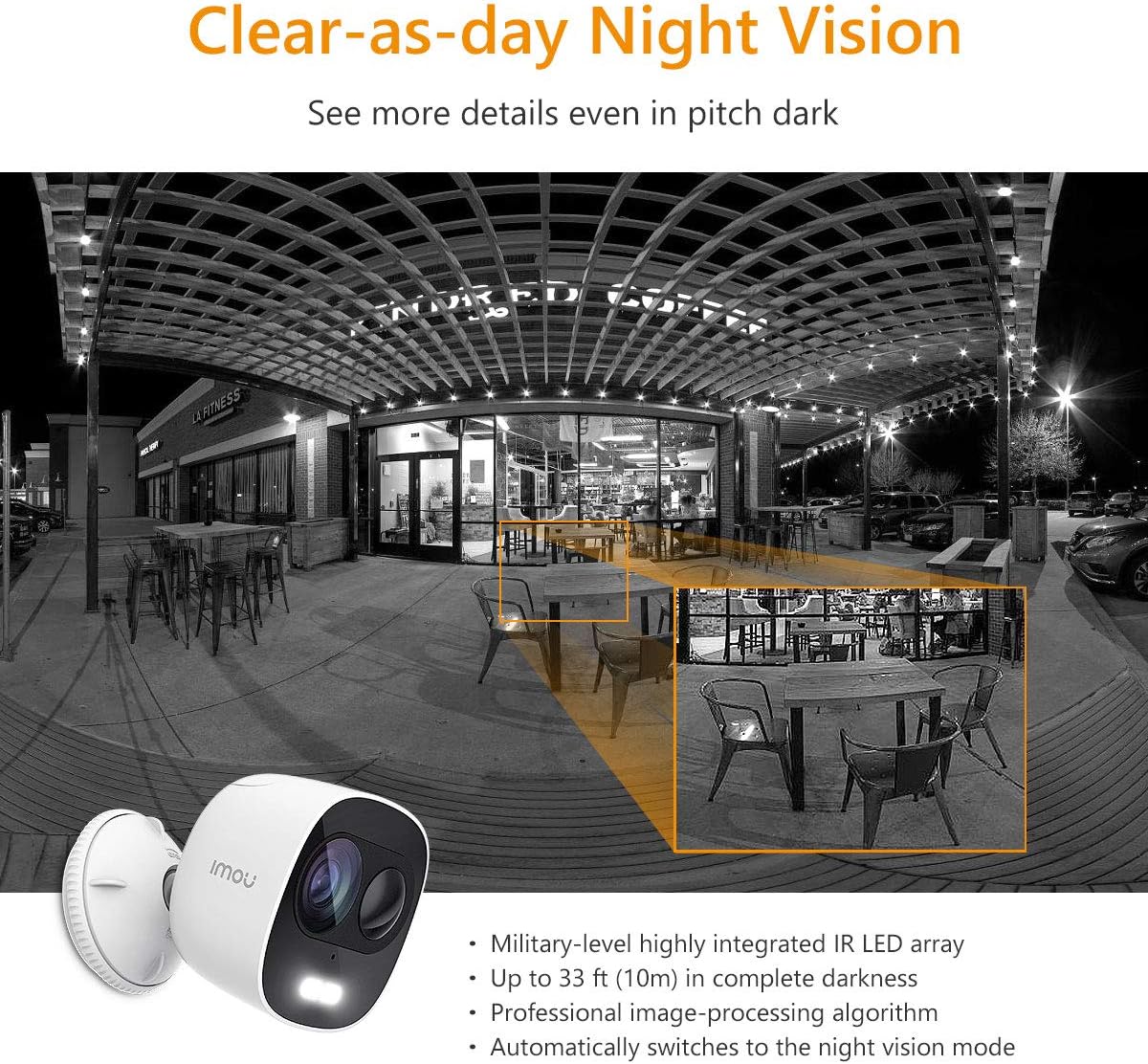
Figure 5.3.1: IP65 Weatherproof Design. The camera is built to withstand outdoor elements, including rain and dust, ensuring continuous operation in various weather conditions.
5.3気象保護
While the camera is IP65 rated for weather resistance, ensure its power connections are protected from direct exposure to heavy rain or prolonged moisture to prevent damage.
6。 トラブルシューティング
6.1 接続の問題
- カメラがオフライン: Check if the camera is powered on and if your Wi-Fi router is working correctly. Ensure the camera is within range of your Wi-Fi signal.
- Wi-Fiに接続できませんでした: Verify your Wi-Fi password. Ensure your router is broadcasting a 2.4 GHz network. Try resetting the camera and repeating the setup process.
6.2 動き検出の問題
- モーションアラートなし: Check if motion detection is enabled in the app and if notification permissions are granted for the IMOU Life app on your phone.
- 誤報が多すぎる: アプリでモーション検知の感度設定を調整します。特定の検知ゾーンを定義して、不要な動き(例:木の揺れ)が頻繁に発生するエリアを除外します。
6.3 画質の問題
- ぼやけた画像: カメラのレンズを清掃してください。レンズの前に障害物がないことを確認してください。
- 夜間視力が悪い: Ensure the IR LEDs are not obstructed. Check for reflective surfaces close to the camera that might interfere with IR illumination.
7. 仕様
| 特徴 | 仕様 |
|---|---|
| モデル番号 | IPC-C26E-IMOU |
| 解決 | 2 MP (1080p) |
| レンズ | 2.8ミリメートル |
| 暗視範囲 | 最大10メートル(33フィート) |
| オーディオ | 内蔵マイクとスピーカー(双方向通話) |
| サイレン | 110デシベル |
| ストレージ | MicroSD Card Slot (up to 128GB), Cloud Storage (subscription required) |
| ワイヤレス接続 | Wi-Fi(2.4 GHz) |
| 耐候性 | IP65 |
| 電源 | 5V DC(電源アダプター付属) |
| 寸法(長さ×幅×高さ) | 8 x 9 x 10 cm |
| 重さ | 510グラム |
| 動作温度 | Not explicitly stated, but typical for outdoor cameras. |
8. 保証とサポート
IMOU cameras are guaranteed by Dahua TP and are subject to their RMA (Return Merchandise Authorization) warranty policy. This process is designed to facilitate and expedite any necessary repairs or replacements.
For detailed warranty information, technical support, or service requests, please refer to the official IMOU web公式サイトをご覧いただくか、カスタマーサポートに直接お問い合わせください。保証請求の際は、購入証明としてレシートを保管してください。
注記: These devices do not have a WEB interface. The IMOU series records data only after motion detection (no continuous recording). Recordings typically last 1 to 1.5 minutes, depending on the duration of motion in front of the camera.


