導入
This manual provides instructions for the setup, operation, and maintenance of your LG 32QN600-B QHD 32-inch IPS monitor. Please read this manual thoroughly before operating your device to ensure safe and optimal performance. Keep this manual for future reference.
重要な安全情報
本製品を使用する際は、火災、感電、および人身傷害のリスクを軽減するため、必ず基本的な安全上の注意事項に従ってください。これには以下が含まれますが、これらに限定されません。
- 換気口をふさがないでください。
- 熱源の近くに設置しないでください。
- 電源コードが踏まれたり挟まれたりしないように保護してください。
- メーカー指定のアタッチメント/アクセサリのみを使用してください。
- すべてのメンテナンスは資格のあるサービス担当者に依頼してください。
設定
1. 開梱
Carefully remove all components from the packaging. Ensure all parts listed in the packing list are present and undamaged. Keep packaging materials for future transport or return.
2. スタンドの組み立て/壁への取り付け
The monitor can be set up using its adjustable Edge-ArcLine stand or mounted to a wall using a VESA compatible mount (100 x 100 mm). Follow the instructions provided with the stand or wall mount kit for proper assembly.

画像: 背面 view of the LG 32QN600-B monitor with its Edge-ArcLine stand attached. The stand provides stability and allows for tilt and height adjustments.
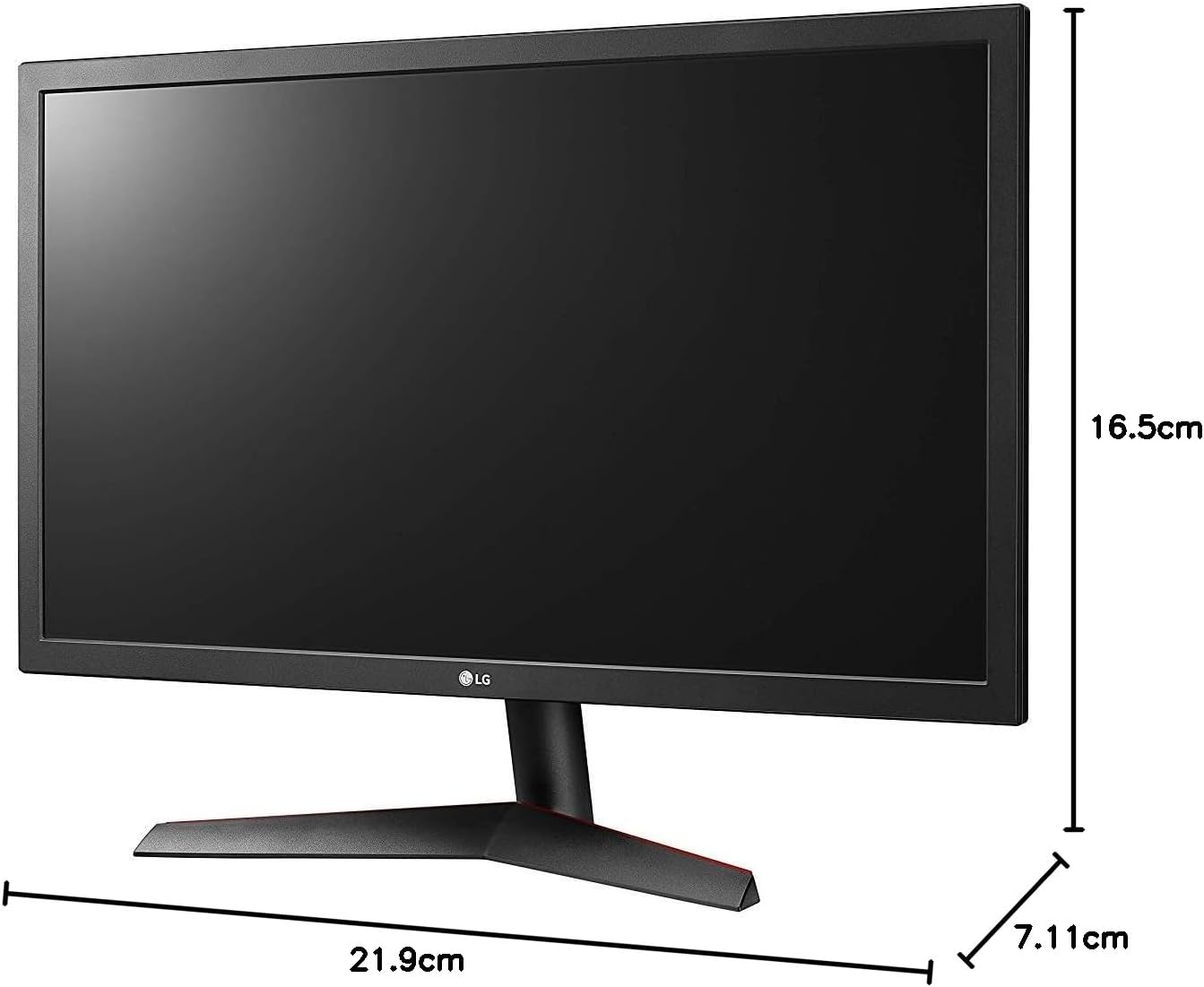
Image: Diagram illustrating the approximate dimensions of a similar LG monitor, showing width, height, and depth. Note: Specific dimensions for the 32QN600-B model are not provided in the available data.
3. コンピュータへの接続
Connect the monitor to your computer using one of the following cable types. Ensure the monitor and computer are powered off before making connections.
- HDMI接続: Use an HDMI cable to connect the monitor's HDMI port to the HDMI port on your computer's graphics card. This monitor supports 2 HDMI inputs.
- DisplayPort接続: Use a DisplayPort cable to connect the monitor's DisplayPort to the DisplayPort on your computer's graphics card. This monitor supports 1 DisplayPort input.

Image: Close-up of the rear panel of the LG 32QN600-B monitor, displaying the available input ports including HDMI and DisplayPort connections.
4. 電源接続
電源アダプタをモニターの電源入力に接続し、電源コードを壁のコンセントに差し込みます。
モニターの操作
1. 電源のオン/オフ

画像: 正面 view of the LG 32QN600-B QHD 32-inch IPS monitor, showing the display and stand.
Press the power button (usually a joystick-style button located on the bottom center of the monitor) to turn the monitor on or off.
2. オンスクリーンディスプレイ(OSD)メニューナビゲーション
OSDメニューでは、モニターのさまざまな設定を調整できます。ジョイスティックボタンを使ってメニューを操作します。
- Press the joystick button to open the main OSD menu.
- ジョイスティックを上/下/左/右に動かしてメニュー オプションを移動します。
- ジョイスティック ボタンを押してオプションを選択したり、設定を確認したりします。
- ジョイスティックを左に動かすと、サブメニューまたは OSD を終了します。
3. 画像設定
ディスプレイ設定を調整して最適化する view経験:
- 輝度: 画面全体の輝度を制御します。
- 対比: 明るい部分と暗い部分の差を調整します。
- 色温度: Changes the color warmth or coolness.
- ガンマ: Adjusts the mid-tone luminance.
4. 特別な機能
The LG 32QN600-B monitor includes several features to enhance your viewingとゲーム体験:
- HDR 10 互換性: Supports High Dynamic Range content for enhanced contrast and color detail.
- リーダーモード: Reduces blue light emissions to minimize eye strain during long reading sessions.
- ちらつき防止: Virtually eliminates screen flicker to reduce eye fatigue.
- AMDフリーシンク: Synchronizes the monitor's refresh rate with compatible AMD graphics cards to reduce screen tearing and stuttering for smoother gameplay.
- ダイナミックアクションシンク(DAS): Minimizes input lag, allowing for quicker responses in fast-paced games.
- 黒安定剤: Automatically brightens dark areas in games, making it easier to spot objects or enemies hidden in shadows.
メンテナンス
モニターの掃除
To clean the monitor, ensure it is powered off and unplugged from the power outlet. Use a soft, lint-free cloth lightly dampened with water or a mild, non-abrasive screen cleaner. Do not spray cleaner directly onto the screen. Avoid using harsh chemicals, abrasives, or solvents.
一般的なケア
Avoid placing heavy objects on the monitor or its cables. Do not expose the monitor to direct sunlight, high humidity, or extreme temperatures. Ensure adequate ventilation around the monitor.
トラブルシューティング
If you experience issues with your monitor, refer to the following common problems and solutions:
| 問題 | 考えられる原因 / 解決策 |
|---|---|
| 電源なし | Ensure the power cord is securely connected to the monitor and a working power outlet. Check if the power adapter is functioning. |
| 信号なし/画面が真っ白 | Verify that the video cable (HDMI or DisplayPort) is securely connected to both the monitor and the computer. Ensure the correct input source is selected in the OSD menu. Check if the computer is powered on and not in sleep mode. |
| 画像がぼやけたり歪んだりする | Adjust the resolution settings on your computer to match the monitor's native resolution (2560 x 1440). Check the video cable for damage. Perform an auto-adjustment or reset picture settings in the OSD menu. |
| 色が間違っています | Adjust color settings (color temperature, gamma) in the OSD menu. Ensure your graphics card drivers are up to date. |
| 画面のティアリングやスタッタリング(ゲーム中) | Ensure AMD FreeSync is enabled on both the monitor (via OSD) and your compatible AMD graphics card settings. |
これらの解決策を試しても問題が解決しない場合は、LG カスタマー サポートにお問い合わせください。
仕様
| モデル名 | LG 32QN600-B |
| 画面サイズ | 32インチ |
| パネルタイプ | IPS |
| 解決 | QHD (2560 x 1440) |
| アスペクト比 | 16:9 |
| HDR サポート | HDR10対応 |
| 明るさ(標準) | 350ニット |
| 色域 | DCI-P3 90% (標準) |
| アダプティブシンクテクノロジー | AMDフリーシンク |
| 接続性 | HDMI x 2、ディスプレイポート x 1 |
| VESA ウォールマウント | 100×100ミリ |
| 特集 | Reader Mode, Flicker Safe, Dynamic Action Sync, Black Stabilizer |
| 電源入力 | 100-240ボルト |
| 寸法(幅×高さ×奥行き) | Specific dimensions for the 32-inch model are not available in the provided data. |
| 重さ | Specific weight for the 32-inch model is not available in the provided data. |
保証情報
LG monitors typically come with a limited manufacturer's warranty. For detailed information regarding your product's warranty period, coverage, and terms and conditions, please refer to the warranty card included with your product or visit the official LG webサイトでご確認ください。保証請求に備えて購入証明書を保管してください。
カスタマーサポート
For technical assistance, troubleshooting beyond this manual, or service inquiries, please contact LG Customer Support:
- Webサイト: LGの公式ウェブサイトをご覧ください webサポート リソース、FAQ、およびドライバー ダウンロードのサイト。
- 電話: Refer to your product documentation or the LG web地域の連絡先番号のサイト。