1. はじめに
This manual provides essential information for the safe and efficient use of your TCL 55P607 55-Inch 4K Ultra HD Roku Smart LED TV. Please read these instructions thoroughly before operating your television and retain them for future reference.
主な特徴:
- 55-inch 4K Ultra HD display for clear picture clarity.
- Integrated Roku TV smart functionality with access to over 4,000 streaming channels.
- Dolby Vision HDR (High Dynamic Range) compatibility for enhanced contrast, color, and detail.
- Full-array LED backlighting with 72 local dimming zones for deep blacks and excellent picture quality.
- 120Hz refresh rate for smooth motion in fast-paced scenes.
- Multiple inputs including 3 HDMI 2.0 with HDCP 2.2 (one with HDMI ARC), 1 USB (media player), RF, Composite, Headphone Jack, Optical Audio Out, and Ethernet.
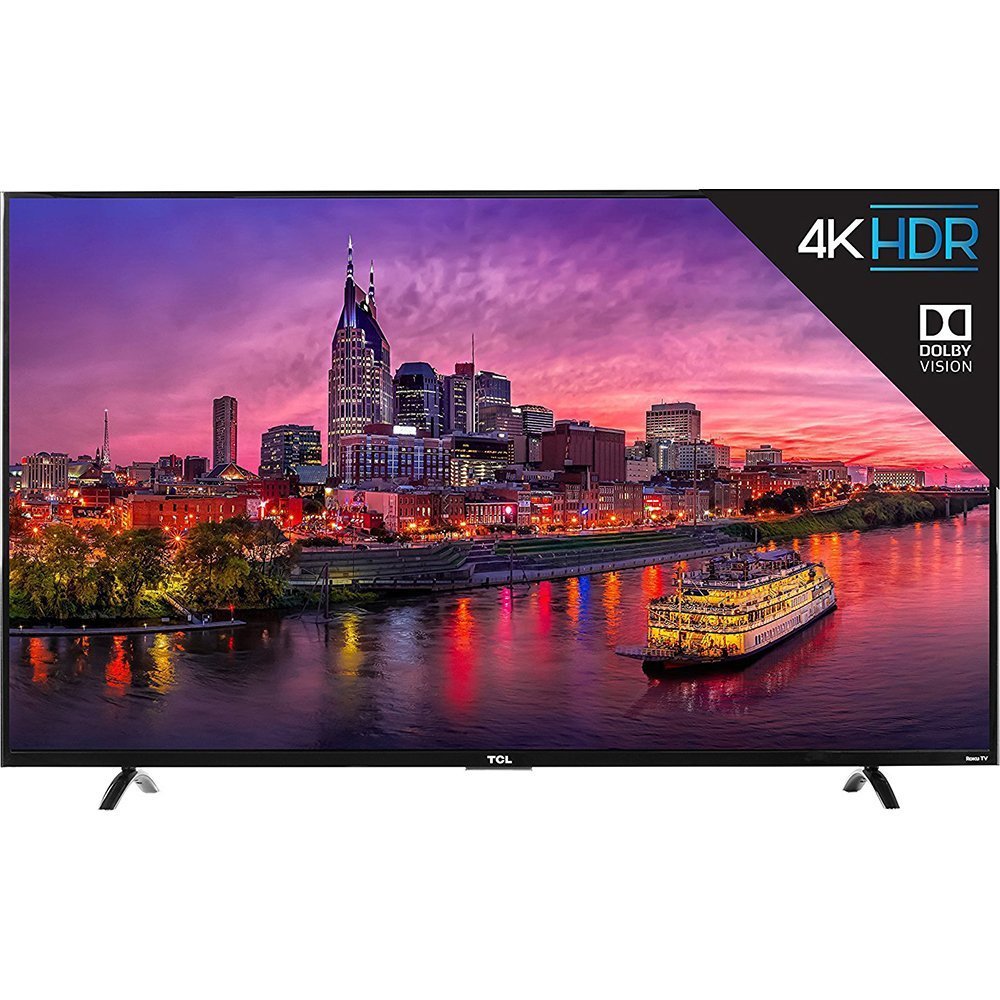
画像1.1: フロント view of the TCL 55P607 55-Inch 4K Ultra HD Roku Smart LED TV.
2. セットアップ
2.1開梱と配置
テレビをパッケージから慎重に取り出してください。本体のサイズと重量が大きいため、安全のため2人での取り扱いをお勧めします。テレビは安定した平らな面に置くか、対応するVESAマウント(別売)を使用して壁にしっかりと取り付けてください。

画像2.1: The TCL 55P607 TV displayed on a media console, illustrating typical placement.
2.2 テレビスタンドの取り付け
If you are not wall-mounting the TV, attach the included stand feet. Ensure the TV is placed face down on a soft, clean surface to prevent screen damage. Align each stand foot with the corresponding screw holes on the bottom of the TV and secure them with the provided screws. Refer to the diagram below for dimensions.

画像2.2: Diagram showing the dimensions of the TCL 55P607 TV: 49" (width), 30.1" (height with stand), and 8.3" (depth with stand).
2.3 電源とデバイスの接続
Connect the power cord to the TV and then to a wall outlet. Connect your external devices (e.g., cable box, Blu-ray player, gaming console) to the appropriate HDMI, AV, or other input ports on the TV. The TV features 3 HDMI 2.0 ports with HDCP 2.2, including one with HDMI ARC, 1 USB port, RF input, Composite input, Headphone Jack, and Optical Audio Out.
3. 操作手順
3.1 初期設定とRoku TVインターフェース
Upon first power-on, the TV will guide you through the initial setup process, including connecting to your Wi-Fi network and activating your Roku account. The Roku TV interface provides easy access to streaming channels, inputs, and settings.
ビデオ3.1: オーバーview of the TCL 55P607 55-Inch 4K Ultra HD Roku Smart LED TV, demonstrating its features and the Roku interface. This video is provided by Merchant Video.
3.2リモコン機能
The included Roku remote control is designed for simplicity. It features dedicated buttons for popular streaming services like Netflix and Hulu, as well as navigation controls for the Roku interface. The remote also includes a headphone jack for private listening, with earbuds included.
ビデオ3.2: An expert review of the TCL P Series, highlighting the intuitive Roku remote control and its features, including dedicated app buttons and the headphone jack for private listening. This video is provided by Digital Trends Review.
3.3 Input Selection and Customization
You can easily switch between connected devices and streaming apps. The Roku TV allows you to rename inputs (e.g., "HDMI 1" to "Blu-ray Player") and organize them on your home screen for quick access.
3.4画像設定
画像設定を調整して最適化します viewing experience. The TV offers various picture modes (e.g., Movie, Sports) and advanced settings for brightness, contrast, sharpness, color, and tint. Note that some picture settings may need to be adjusted within specific streaming apps for optimal performance.
ビデオ3.3: 再view from Digital Trends discussing the best TVs under $1,000, which includes the TCL 55P607, and touches upon its picture quality and features.
ビデオ3.4: 再view from Digital Trends discussing the best TVs under $500, which includes the TCL 55P607, and highlights its value and performance.
4. メンテナンス
4.1 テレビの掃除
画面をきれいにするには、柔らかく糸くずの出ない布で優しく拭いてください。頑固な汚れには、軽くamp布に水または画面専用の洗浄液を含ませてください。刺激の強い化学薬品や研磨剤の使用は避けてください。テレビの画面をきれいにするためにasing、柔らかく乾いた布を使用してください。
4.2一般的なケア
- 清掃やメンテナンスを行う前に、テレビの電源プラグをコンセントから抜いてください。
- Avoid blocking ventilation openings on the back of the TV to prevent overheating.
- Do not expose the TV to direct sunlight, extreme temperatures, or high humidity.
- 電源コードが踏まれたり挟まれたりしないように保護してください。
5。 トラブルシューティング
If you encounter issues with your TCL 55P607 TV, refer to the following common solutions:
5.1 電源なし
- 電源コードがテレビと電源コンセントの両方にしっかりと差し込まれていることを確認してください。
- 別のデバイスを接続して、コンセントが機能しているかどうかを確認します。
- リモコンだけでなく、テレビ本体の電源ボタンを押してください。
5.2 画像が表示されない、または画質が悪い
- 正しい入力ソースが選択されていることを確認します。
- テレビと外部デバイス間のすべてのケーブル接続を確認してください。
- テレビメニューで画像設定(明るさ、コントラストなど)を調整します。
- アンテナを使用する場合は、正しく接続され、配置されていることを確認してください。
5.3 音が出ない、または音質が悪い
- テレビと接続されているオーディオ デバイスの音量を上げます。
- オーディオケーブルの接続を確認してください。
- テレビの音声がミュートされていないことを確認してください。
- If using external speakers, verify they are powered on and correctly configured.
5.4 リモコンが動作しない
- リモコンの電池を交換してください(単4電池2本が付属しています)。
- リモコンとテレビの赤外線センサーの間に障害物がないことを確認してください。
- If using the Roku mobile app as a remote, ensure your smartphone is connected to the same Wi-Fi network as the TV.
ビデオ5.1: 詳細な再view of the TCL 55P607 55-Inch 4K Ultra HD Roku Smart LED TV, covering various aspects including picture quality, sound, and smart features, which can be helpful for troubleshooting. This video is provided by RTINGS.com.
6. 仕様
| 特徴 | 詳細 |
|---|---|
| ブランド | TCL |
| モデル番号 | 55P607 |
| 画面サイズ | 55インチ |
| ディスプレイ技術 | 導かれた |
| 解決 | 4KウルトラHD |
| リフレッシュレート | 120Hz |
| HDRの互換性 | ドルビービジョンHDR |
| バックライト | Full-array LED with 72 local dimming zones |
| スマートプラットフォーム | ロクテレビ |
| 接続技術 | HDMI、Wi-Fi |
| HDMI入力 | 3 (HDMI 2.0 with HDCP 2.2, one with HDMI ARC) |
| USBポート | 1 (media player) |
| その他の入力/出力 | RF, Composite, Headphone Jack, Optical Audio Out, Ethernet |
| 寸法(幅×高さ×奥行き)スタンドなし | 49インチ x 28.3インチ x 3インチ |
| 寸法(幅×高さ×奥行き)スタンド付き | 49インチ x 30.1インチ x 8.3インチ |
| アイテム重量 | 33.1 ポンド |
| 含まれるコンポーネント | Remote Control, Power Cord, Batteries |
| エネルギー効率 | Energy Star認定 |
7. 保証とサポート
For detailed warranty information and customer support, please refer to the warranty card included with your product or visit the official TCL support webサイトでご確認ください。保証請求の際は購入証明として領収書を保管してください。
TCL is committed to providing high-quality products and excellent customer service. Should you require assistance with setup, troubleshooting, or any other aspect of your TV, please contact TCL customer support.


