導入
Thank you for choosing the Casio AW-90H-2BVDF Wristwatch. This manual provides essential information regarding the setup, operation, and maintenance of your watch. Please read it carefully to ensure proper use and to maximize the lifespan of your timepiece.

画像: 正面 view of the Casio AW-90H-2BVDF Wristwatch, displaying its analog and digital time displays.
一般ガイド
Your Casio AW-90H-2BVDF watch features both analog hands and a digital display. It typically includes multiple buttons for various functions. While specific button labels may vary, common functions are usually assigned to buttons located on the sides of the watch case.
- モードボタン: Cycles through different modes (Timekeeping, Alarm, Stopwatch, Dual Time).
- 調整ボタン: Used to select items for setting in various modes.
- 開始/停止ボタン: Used to start/stop stopwatch, or change values during setting.
- ライトボタン: 照明用のバックライトをアクティブにします。
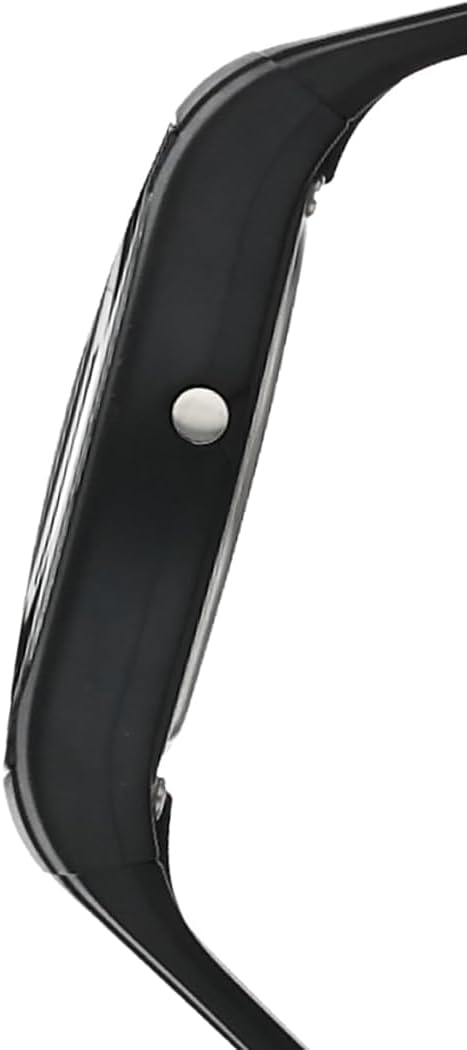
画像: サイド view of the Casio AW-90H-2BVDF Wristwatch, highlighting one of the control buttons.
Setup and Timekeeping
デジタル時刻と日付の設定
- タイムキーピングモードで、 調整する button until the seconds digits start to flash, indicating the setting screen.
- を押す モード button to cycle through the setting options: Seconds → Hour → Minutes → Year → Month → Day.
- 使用 開始/停止 button to increase the flashing value. Hold down to change rapidly.
- すべての設定が正しければ、 調整する 設定画面を終了するボタンです。
アナログ針の調整
The analog hands are typically synchronized with the digital time. If they are out of alignment, refer to the specific hand adjustment procedure in the full module manual (available on the Casio website by searching your model number). Generally, this involves entering a hand setting mode and using buttons to move the hands.
動作モード
を押す モード ボタンを押すと、時計のさまざまな機能が切り替わります。
- 計時モード: 現在の時刻と日付を表示します。
- アラームモード: 毎日のアラームを設定して有効にします。
- ストップウォッチモード: 経過時間を計測します。
- デュアルタイムモード: View the time in a different time zone.
アラームの使用
- Enter the Alarm Mode using the モード ボタン。
- を押す 調整する button to enable setting the alarm time. The hour digits will flash.
- 使用 開始/停止 button to change the hour. Press モード to switch to minutes and adjust.
- プレス 調整する アラーム時間を確認します。
- アラームのオン/オフを切り替えるには、 開始/停止 button while in Alarm Mode (not in setting mode).
ストップウォッチの使用
- Enter the Stopwatch Mode using the モード ボタン。
- を押す 開始/停止 ストップウォッチを開始するボタン。
- プレス 開始/停止 再びそれを停止します。
- を押す 調整する ストップウォッチをゼロにリセットするボタン。
照明
を押す ライト button (if available) to illuminate the digital display for a few seconds in low-light conditions.
お手入れとメンテナンス
耐水性
Your watch is marked with "WATER RESIST" on the case back, indicating it is suitable for everyday use and can withstand splashes or brief immersion in water. However, it is not designed for diving or prolonged water exposure. Do not operate buttons while the watch is wet or submerged.

画像: 背面 view of the Casio AW-90H-2BVDF Wristwatch, showing the stainless steel case back with "WATER RESIST" engraving.
クリーニング
時計の汚れや水分を取り除くには、柔らかく乾いた布で拭いてください。頑固な汚れには、柔らかい布を使用してください。ampened with water and a mild neutral detergent, then wipe dry. Avoid using volatile agents like thinner or benzine, which may damage the resin components.
バッテリー情報
This watch uses one CR123A battery (included). When the display becomes dim or functions become erratic, it is time to replace the battery. Battery replacement should ideally be performed by a qualified watch technician to ensure proper sealing and water resistance.
ストレージ
When not in use for extended periods, store your watch in a dry place away from direct sunlight, extreme temperatures, and strong magnetic fields.
トラブルシューティング
- 間違った時間: Ensure you have correctly set both the digital and analog times. If the analog hands are misaligned, refer to the hand adjustment procedure.
- 画面が空白または暗くなる場合: 電池残量が少ないか、消耗している可能性があります。電池を交換してください。
- ボタンが反応しない: Ensure the watch is not in a locked mode (if applicable) or that it is not wet. If the issue persists after drying, the battery may be low.
- 水の中を見る: If you notice condensation or water droplets inside the watch, have it inspected immediately by a qualified technician to prevent further damage.
仕様
| モデル番号 | AW-90H-2BVDF |
| メーカー | カシオ |
| 製品寸法 | 2.44 x 4.09 x 3.7インチ |
| アイテム重量 | 2.08オンス |
| 電池のタイプ | CR123A 1個(付属) |
| 耐水性 | Water Resistant (suitable for splashes, not diving) |
| 言語 | 英語 |
保証情報
カシオの時計には、材質および製造上の欠陥に対するメーカー保証が付いています。保証の具体的な条件と期間は地域によって異なる場合があります。ご購入時に付属の保証書をご参照いただくか、カシオの正規販売店にお問い合わせください。 web詳細な保証情報については、サイトをご覧ください。
カスタマーサポート
For further assistance, technical support, or service inquiries, please contact Casio customer support. You can find contact information and frequently asked questions on the official Casio website. When contacting support, please have your watch model number (AW-90H-2BVDF) readily available.


