1。 オーバーview
The Casio AE1000W Digital Watch is designed for durability and functionality, offering a range of features suitable for daily wear and travel. This manual will guide you through its various functions and ensure optimal use.
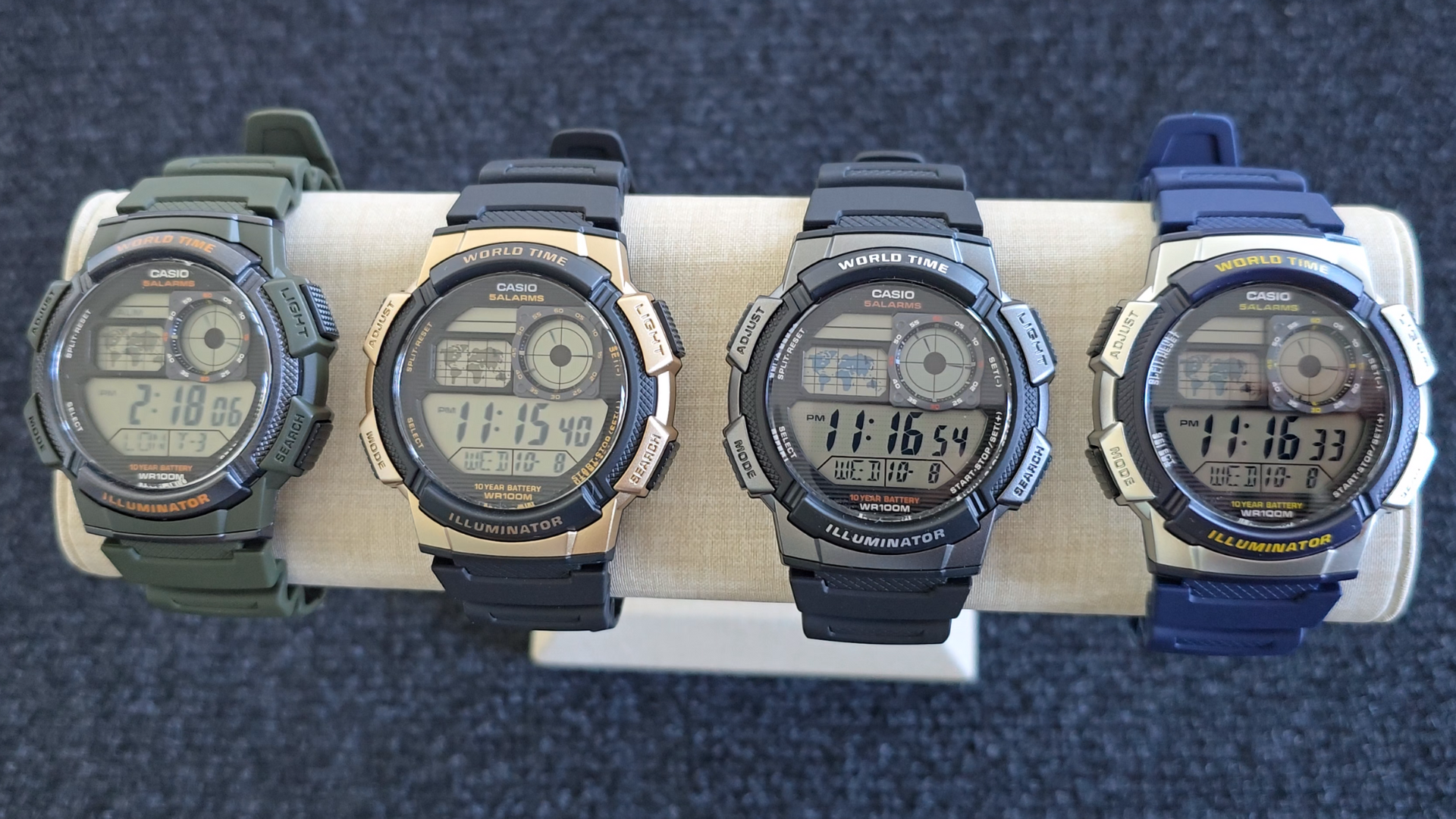
Image: Casio AE1000W Digital Watch series in various color options.
2. 主な特徴
- ワールドタイム: Displays current time in 48 cities (31 time zones) with a world map indicator.
- Multi Alarms: Features five independent daily alarms.
- ストップウォッチ: 1/100-second stopwatch with measuring modes: elapsed time, split time, 1st-2nd place times.
- カウントダウンタイマー: Measuring unit: 1 second, Countdown range: 24 hours.
- LEDライト: Illuminates the watch face for easy reading in low light conditions.
- 耐水性: 100 meters (330 feet) suitable for swimming and snorkeling.
- 10年間のバッテリー寿命: 長時間使用できる長持ちバッテリー。
- クォーツムーブメント: 正確な時間管理を保証します。
- Glass Crystal: Durable watch face protection.

Image: Emblem highlighting the 10-year battery life feature.
3. セットアップ
3.1 初期時刻と日付の設定
- タイムキーピングモードでは、 調整する 市外局番が点滅するまでボタンを押します。
- 使用 検索 そして モード buttons to select your desired city code (Home City).
- を押す 調整する button to move to the DST (Daylight Saving Time) setting. Use 検索 to toggle DST On/Off.
- プレス 調整する again to cycle through the settings: 12/24-hour format, Seconds, Hour, Minute, Year, Month, Day. Use 検索 そして モード 値を変更します。
- すべての設定が正しければ、 調整する ボタンを押して設定モードを終了します。
4. 操作手順
4.1 モードナビゲーション
を押す モード button to cycle through the different modes: Timekeeping, World Time, Alarm, Stopwatch, and Countdown Timer.
4.2 ワールドタイム機能
In World Time Mode, the watch displays the current time in 48 cities across 31 time zones. The world map indicator visually highlights the selected time zone.
- ワールドタイムモードに入るには、 モード ボタン。
- 使用 検索 button to scroll through the different city codes. The time for the selected city will be displayed, and the corresponding area on the world map will be highlighted.
- To swap your Home City time with a World Time City, press and hold the 調整する button while in World Time Mode.
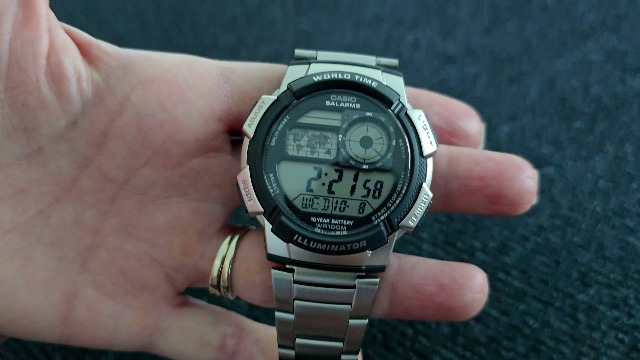
画像: 正面 view of the Casio AE1000W watch, showing the digital display and world map.
4.3つのアラーム
The watch features five daily alarms. You can set each alarm independently.
- アラームモードに入るには、 モード button until "ALM" appears.
- 使用 検索 button to cycle through the five alarms (AL1 to AL5) and the Hourly時報(SIG)。
- To set an alarm, select the desired alarm (e.g., AL1) and press and hold the 調整する 時間の数字が点滅するまでボタンを押します。
- 使用 検索 そして モード 時間と分を設定します。
- プレス 調整する 確認して終了します。
- To turn an alarm On/Off, select the alarm and press the 調整する ボタンを短く押します。
4.4ストップウォッチ
The stopwatch measures elapsed time, split times, and 1st-2nd place times.
- を押してストップウォッチモードに入ります モード button until "STW" appears.
- プレス START/STOP/SET(+) ストップウォッチを開始および停止します。
- プレス 分割/リセット to record split times or reset the stopwatch to zero.
4.5カウントダウンタイマー
カウントダウンタイマーは最大 24 時間まで設定できます。
- カウントダウンタイマーモードに入るには、 モード button until "TMR" appears.
- カウントダウン時間を設定するには、 調整する 時間の数字が点滅するまでボタンを押します。
- 使用 検索 そして モード 時間と分を設定します。
- プレス 調整する 確認します。
- プレス START/STOP/SET(+) カウントダウンを開始および停止します。
4.6個のLEDバックライト
を押す ライト button to illuminate the watch face for a few seconds, making it easy to read in the dark.
5. メンテナンス
- クリーニング: Wipe the watch with a soft, dry cloth. For water-resistant models, you can rinse it with fresh water after exposure to saltwater.
- 耐水性: While water-resistant to 100M, avoid operating buttons underwater to prevent water ingress.
- バッテリー: The watch features a 10-year battery. When the display becomes dim or functions become erratic, it may be time for a battery replacement by a qualified technician.
- 温度: 時計を極端な温度、長時間の直射日光、強い磁場にさらさないでください。
6。 トラブルシューティング
- 間違った時間: Ensure your Home City is correctly set and Daylight Saving Time (DST) is adjusted as needed. Refer to Section 3.1.
- ボタンが反応しない: Check if the watch is in a specific setting mode. Exit any setting mode by pressing the 調整する button. If the issue persists, a full reset may be required (refer to the full Casio manual for advanced reset procedures).
- ディスプレイが暗い: This may indicate a low battery. While rated for 10 years, environmental factors can affect battery life. Consider professional battery replacement.
7. 仕様
| 特徴 | 詳細 |
|---|---|
| ブランド | カシオ |
| モデル番号 | AE-1000W-1BVCF |
| 製品寸法 | 2.4 x 4.09 x 3.78インチ |
| アイテム重量 | 1.41オンス |
| 材料 | 樹脂 |
| バッテリー | リチウム金属電池 1 個 (付属) |
| 耐水性 | 100メーター(330フィート) |
| 動き | 石英 |
| 表示タイプ | Digital with LC Analog Display |
8. 保証とサポート
保証情報およびカスタマーサポートについては、カシオの公式ウェブサイトをご覧ください。 web公式サイトをご覧いただくか、カスタマーサービスに直接お問い合わせください。保証請求の際は、購入証明としてレシートを保管してください。
オンラインサポート: 訪問する カシオサポート Webサイト for FAQs, manuals, and service center locations.


