1. はじめに
This manual provides essential information for the safe and efficient use of your Nokia 8800 Unlocked Cell Phone. Please read this guide carefully before operating the device to ensure proper functionality and to understand its features.

Image: The Nokia 8800 phone in a partially slid-open position, revealing the keypad and screen.
2. セットアップ
2.1 SIMカードとバッテリーの取り付け
- Remove the back cover of the phone by sliding it downwards or pressing the release button, if present.
- Insert your SIM card into the designated slot with the gold contacts facing down and the cut corner aligned correctly.
- バッテリーをバッテリー コンパートメントに配置し、端子が携帯電話の端子と揃っていることを確認します。
- 背面カバーがカチッと音がしてしっかりと固定されるまで取り付けます。

Image: The Nokia 8800 phone with its back cover removed, revealing the internal battery compartment and SIM card slot. A separate back cover is shown next to it.
2.2 バッテリーの充電
Before first use, fully charge the phone's battery. Connect the charger to the phone's charging port and plug it into a power outlet. The battery indicator on the screen will show the charging status.

Image: The Nokia 8800 phone placed upright in a dedicated charging dock.
2.3 電源のオン/オフ
To power on, press and hold the power key (usually the red end call key) until the Nokia logo appears. To power off, press and hold the same key until the 'Power off' option appears, then select it.
3. 操作手順
3.1 電話をかけたり受けたりする
- 電話をかける: キーパッドを使用して電話番号を入力し、緑色の通話キーを押します。
- 電話に出る: 電話が鳴ったら緑色の通話キーを押してください。
- 通話を終了する: 赤い通話終了キーを押します。
3.2 メッセージの送信
Navigate to the 'Messages' menu. Select 'Create new message' or 'New SMS/MMS'. Enter your text, add multimedia content if sending an MMS, and then enter the recipient's number or select from contacts before sending.
3.3 カメラの使用
Access the camera from the main menu. Frame your shot using the display and press the dedicated camera key or the center navigation key to capture an image. The integrated SVGA camera supports still images and improved video recording quality (QCIF).
3.4 Internet Browsing
The Nokia 8800 features an integrated xHTML browser that connects over TCP/IP. Access the browser from the main menu to navigate web pages. Data transfer is supported via EDGE/E-GPRS (Class 8) and GPRS (Class 8).

Image: The Nokia 8800 phone with its screen displaying 'Telekom.de', indicating network or service provider information.
4. 特徴
The Nokia 8800 is designed with a focus on premium materials and functionality:
- 画面: High-resolution TFT display with 256K colors and 208 x 208 pixel resolution.
- イメージング: Integrated SVGA camera (0.5 megapixels) with improved video recording quality (QCIF).
- メッセージング: Supports text, audio, image, and video clips (MMS up to 300 KB). Email support for SMTP, POP3, and IMAP4 protocols. Predictive text input for major languages.
- メモリ: 64MB internal NAND flash memory.
- 接続性: Bluetooth (Stereo, Plug & Play connector, SIM Access Profile), EDGE/E-GPRS, GPRS.
- 音声機能: Integrated handsfree speaker.
- メディア: 64 polyphonic MIDI, AAC, MP3 ringing tones. Video recording and streaming. Digital music player and FM Radio.
- 用途: Java MIDP 2.0 for applications and games.
- 特別な機能: Exclusive 3D graphics and UI themes, Mobile Wallet 2.0 application, device-to-device synchronization.

Image: The Nokia 8800 phone in its closed, compact form, showcasin洗練されたデザイン。
5. メンテナンス
5.1デバイスのクリーニング
Use a soft, lint-free cloth to clean the phone's screen and body. Avoid using harsh chemicals or abrasive materials, as these can damage the finish and display.
5.2バッテリーケア
To prolong battery life, avoid exposing the phone to extreme temperatures. Do not leave the battery fully discharged for extended periods. Use only Nokia-approved chargers and batteries.
5.3 一般的な取り扱い
Protect your phone from drops, impacts, and moisture. Keep it away from magnetic fields and direct sunlight.
6。 トラブルシューティング
6.1 一般的な問題と解決策
- 電話の電源が入らない: Ensure the battery is charged and correctly inserted. Try connecting the charger.
- ネットワーク信号なし: SIMカードが正しく挿入されているかご確認ください。ネットワークの電波状況が良い場所に移動してください。問題が解決しない場合は、サービスプロバイダにお問い合わせください。
- バッテリーが充電されない: Verify the charger connection. Ensure the charger is functional. Check for any damage to the charging port.
- 画面が反応しない: Try restarting the phone. If the issue continues, contact support.
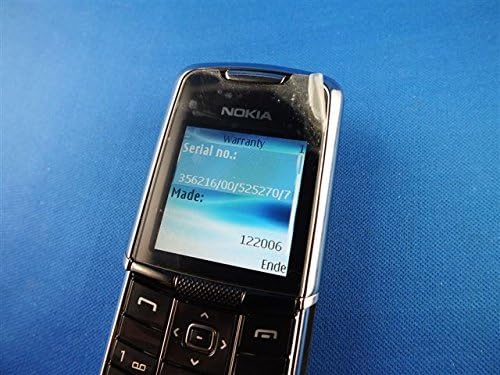
Image: The Nokia 8800 phone with its screen displaying 'Warranty' and 'Serial no.' information, useful for troubleshooting or support inquiries.
7. 仕様
| 特徴 | 詳細 |
|---|---|
| モデル名 | ノキア 8800 |
| 動作周波数 | Tri-band GSM 900/1800/1900 |
| 寸法(長さ x 幅 x 高さ) | 107 mm x 45 mm x 15.0 - 16.5 mm |
| 重さ | 134g(4.7オンス) |
| 画面 | High-resolution TFT, 256K colors, 208 x 208 pixels, 2 inches |
| カメラ | SVGA (0.5 megapixels), QCIF video recording |
| 内部メモリ | 64MB NAND フラッシュ |
| オペレーティング·システム | Java-based (proprietary) |
| 接続性 | Bluetooth, EDGE/E-GPRS Class 8, GPRS Class 8 |
| ブラウザ | Integrated xHTML browser |
| オーディオジャック | ヘッドホンジャックなし |
| フォームファクター | スライダー |
| 色 | 銀 |
| 初回利用可能日 | 13年2007月XNUMX日 |
8. 保証とサポート
For warranty information and customer support, please refer to the documentation provided at the time of purchase or visit the official Nokia webサイトでご確認ください。保証請求に備えて購入証明書を保管してください。


