1. הקדמה
The ASRock PRO-650G Power Supply is designed to provide stable and efficient power for your personal computer system. This 650W unit features 80 PLUS Gold certification, ensuring high energy efficiency and reduced heat output. It is compliant with the latest ATX 3.1 standard, making it compatible with modern and next-generation components. This manual provides essential information for the safe installation, operation, and maintenance of your power supply.
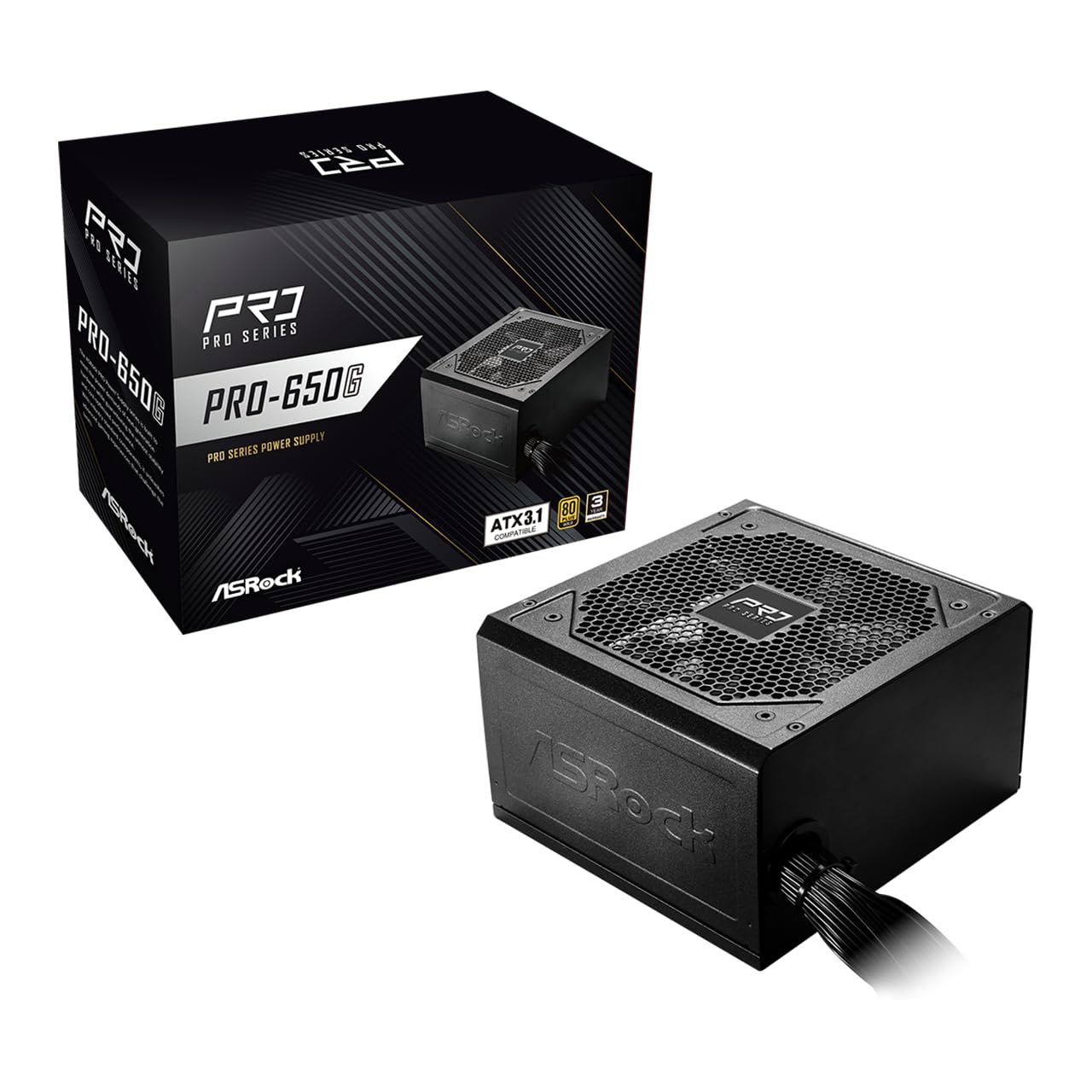
Figure 1: ASRock PRO-650G Power Supply, front view.
2. מידע בטיחות
Please read and follow all safety instructions carefully before installing or using the power supply. Failure to do so may result in personal injury or damage to your equipment.
- ודא שספק הכוח מנותק משקע החשמל הראשי לפני התקנה או תחזוקה.
- אין לפתוח את ספק הכוח גasinז. נפח גבוהtages נמצאים בפנים, גם כשהם מנותקים.
- התקן את ספק הכוח באזור מאוורר היטב כדי למנוע התחממות יתר.
- השתמשו רק בכבלים המצורפים לספק הכוח.
- הימנעו מחשיפת ספק הכוח ללחות או לטמפרטורות קיצוניות.
- This product is designed for use in personal computer systems only.
3. תכולת החבילה
ודא שכל הפריטים נמצאים בחבילה:
- ASRock PRO-650G Power Supply Unit
- כבל מתח AC
- סט כבלים מודולרי (כמפורט להלן)
- ברגי הרכבה
- מדריך למשתמש

Figure 2: Included modular cables and their quantities.
4. המוצר נגמרview ותכונות
The ASRock PRO-650G Power Supply is engineered for performance and reliability. Key features include:
- יעילות 80 פלוס זהב: Delivers up to 90% energy efficiency, reducing power consumption and heat output.
- תואם ATX 3.1: Meets the latest ATX 3.1 standard, ensuring compatibility with modern and next-generation components.
- Stable 12V Output: Provides 54.1A on the +12V rail for reliable power delivery to CPU and graphics cards.
- הגנות מקיפות: כולל הגנה מפני זרם יתר (OCP), הגנה מפני מתח יתרtage Protection (OVP), תחת כרךtage Protection (UVP), Over Power Protection (OPP), Over Temperature Protection (OTP), and Short Circuit Protection (SCP) for enhanced system safety.
- Quiet 120mm Fan: Features a balanced cooling solution that maintains low noise levels during operation.
- All-Taiwanese Capacitors: Uses high-quality capacitors for improved durability and longevity.
- Flat Cable Design: Enables easier cable management and improved airflow within the case.
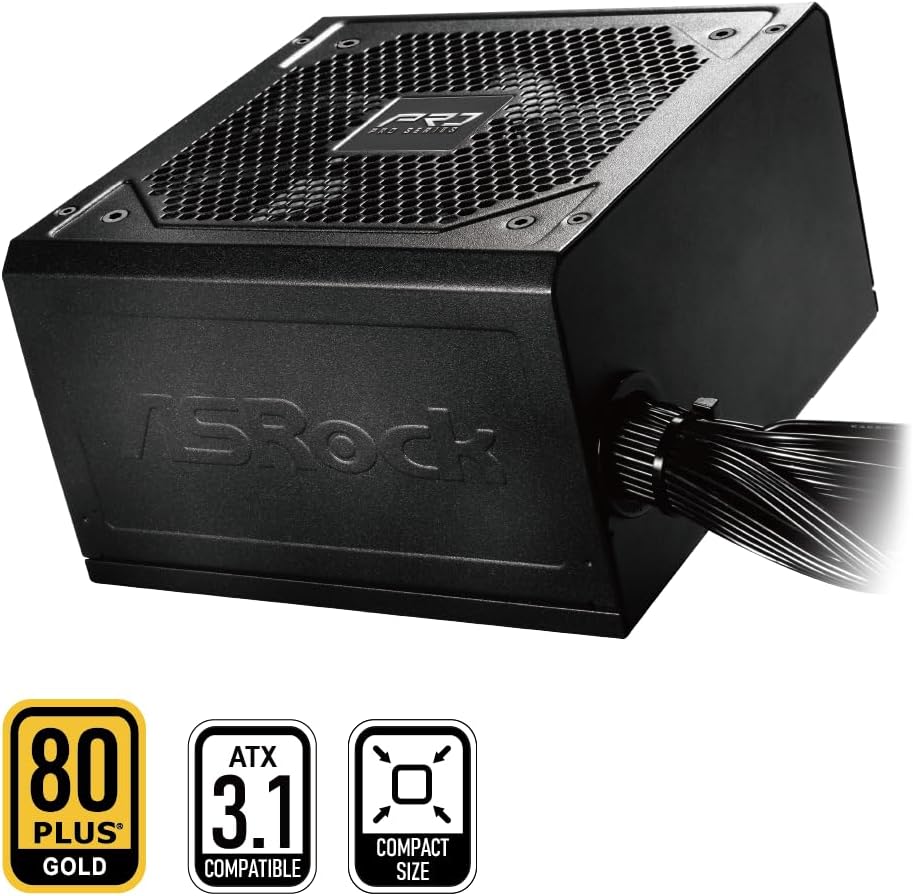
Figure 3: ASRock PRO-650G Power Supply highlighting key certifications.
5. התקנה והתקנה
Follow these general steps to install your ASRock PRO-650G Power Supply:
- הכן את המערכת שלך: Ensure your computer is powered off and unplugged from the wall outlet. Open your PC case.
- הסר את ספק הכוח הישן (אם רלוונטי): נתק את כל הכבלים מספק הכוח הישן שלך והסר אותו מהמארז.
- התקן את ספק הכוח החדש: Insert the ASRock PRO-650G into the power supply bay of your PC case. Secure it with the provided mounting screws.
- Connect Motherboard Cables: Connect the 24-pin ATX motherboard cable and the 4+4-pin CPU power cable to their respective ports on your motherboard.
- חיבור כבלי רכיבים: Connect the necessary PCIe 6+2-pin cables to your graphics card(s), and SATA/PATA cables to your storage drives and other peripherals. The flat cable design aids in easier routing and improved airflow.
- ניהול כבלים: Organize cables to ensure proper airflow and a tidy build.
- סגור את המארז והפעל אותו: Close your PC case, plug in the AC power cord to the power supply and a wall outlet, then flip the power switch on the PSU to the 'ON' position.

איור 4: אחורי view of the power supply with power switch and AC input.
סרטון ההתקנה הסתייםview
צפו בסרטון הזה לקבלת הצצה חזותיתview of the ASRock Pro Gold Series power supplies, including details on cable connections and features relevant to installation.
Video 1: ASRock Power Supplies Pro Gold Series Overview. This video demonstrates the features and cable connections of the Pro Gold Series, which includes the PRO-650G model.
6. הוראות הפעלה
Once installed, operating the ASRock PRO-650G Power Supply is straightforward:
- הפעלה: Ensure the power supply's main switch (located at the rear) is in the 'ON' position. Press the power button on your computer case to start the system.
- כיבוי: Shut down your computer through the operating system. Once the system is off, you may optionally switch the power supply's main switch to the 'OFF' position for complete power disconnection.
- The 120mm cooling fan operates automatically to maintain optimal temperatures and minimize noise.
7. תחזוקה
תחזוקה נאותה מבטיחה את אורך החיים והביצועים האופטימליים של ספק הכוח שלך:
- ניקוי אבק: Periodically clean the exterior of the power supply and its fan grille to prevent dust buildup, which can impede airflow and cooling. Use compressed air or a soft brush. Always disconnect the power supply from the wall outlet before cleaning.
- בדיקת כבלים: בדוק מדי פעם את כל הכבלים המחוברים כדי לוודא שהם מחוברים היטב וללא נזק.
- סְבִיבָה: יש להפעיל את ספק הכוח בסביבה נקייה, יבשה ומאווררת היטב.
8. פתרון תקלות
אם נתקלת בבעיות עם ספק הכוח שלך, שקול את שלבי פתרון הבעיות הבאים:
- אין כוח:
- ודא שכבל החשמל AC מחובר היטב הן לספק הכוח והן לשקע בקיר.
- Check that the power supply's main switch is in the 'ON' position.
- ודא ששקע הקיר תקין על ידי חיבור מכשיר אחר.
- Confirm all internal power cables (24-pin, CPU, PCIe) are correctly and firmly connected.
- חוסר יציבות/קריסות מערכת:
- ודא שדרישות החשמל של המערכת שלך אינן עולות על קיבולת 650W של ספק הכוח.
- בדוק אוורור תקין בתוך מארז המחשב כדי למנוע התחממות יתר של רכיבים, כולל ספק הכוח.
- ודא שכל חיבורי החשמל לרכיבים מאובטחים.
- רעש יוצא דופן:
- A slight fan noise is normal during operation. If the noise is excessive or unusual, ensure no cables are obstructing the fan.
- If coil whine is present, it may be due to specific load conditions. While often harmless, if persistent and bothersome, contact support.
If these steps do not resolve the issue, please contact ASRock customer support.
9. מפרטים
| תכונה | מִפרָט |
|---|---|
| שם הדגם | PRO-650G |
| פלט וואטtage | 650 וואט |
| הסמכה 80 פלוס | זָהָב |
| תקן ATX | תואם ל-ATX 3.1 |
| +12V Rail Output | 54.1A |
| שיטת קירור | אוויר (מאוורר 120 מ"מ) |
| קבלים | All-Taiwanese Capacitors |
| גורם צורה | ATX (140x150x86mm) |
| מידות המוצר (L x W x H) | 5.51 x 5.91 x 3.39 אינץ' |
| משקל פריט | 4.33 פאונד |
| יַצרָן | ASRock |
| מספר דגם של פריט | 90-UXR065-GNUAA2 |
10. אחריות ותמיכה
The ASRock PRO-650G Power Supply is backed by a אחריות לשנה, providing peace of mind regarding its quality and durability.
For any product inquiries, technical assistance, or warranty claims, please contact ASRock USA customer support through Amazon or visit the official ASRock webאתר לקבלת אפשרויות תמיכה נוספות.
משאבים מקוונים:
- ASRock Store on Amazon: Visit ASRock Store