1. הקדמה
This manual provides essential information for the proper use and maintenance of your Picun F5 Active Noise Cancelling Headphones. Please read it thoroughly before operating the device.
2. תכולת החבילה
ודא שכל הפריטים נמצאים בחבילה שלך:
- 1 x Picun F5 Headphone
- כבל שמע 1 x 3.5 מ"מ
- 1 x כבל טעינה USB
- 1 x מדריך למשתמש

3. תכונות מוצר
- ביטול רעשים פעיל (ANC): Advanced technology to reduce ambient noise for an immersive audio experience.
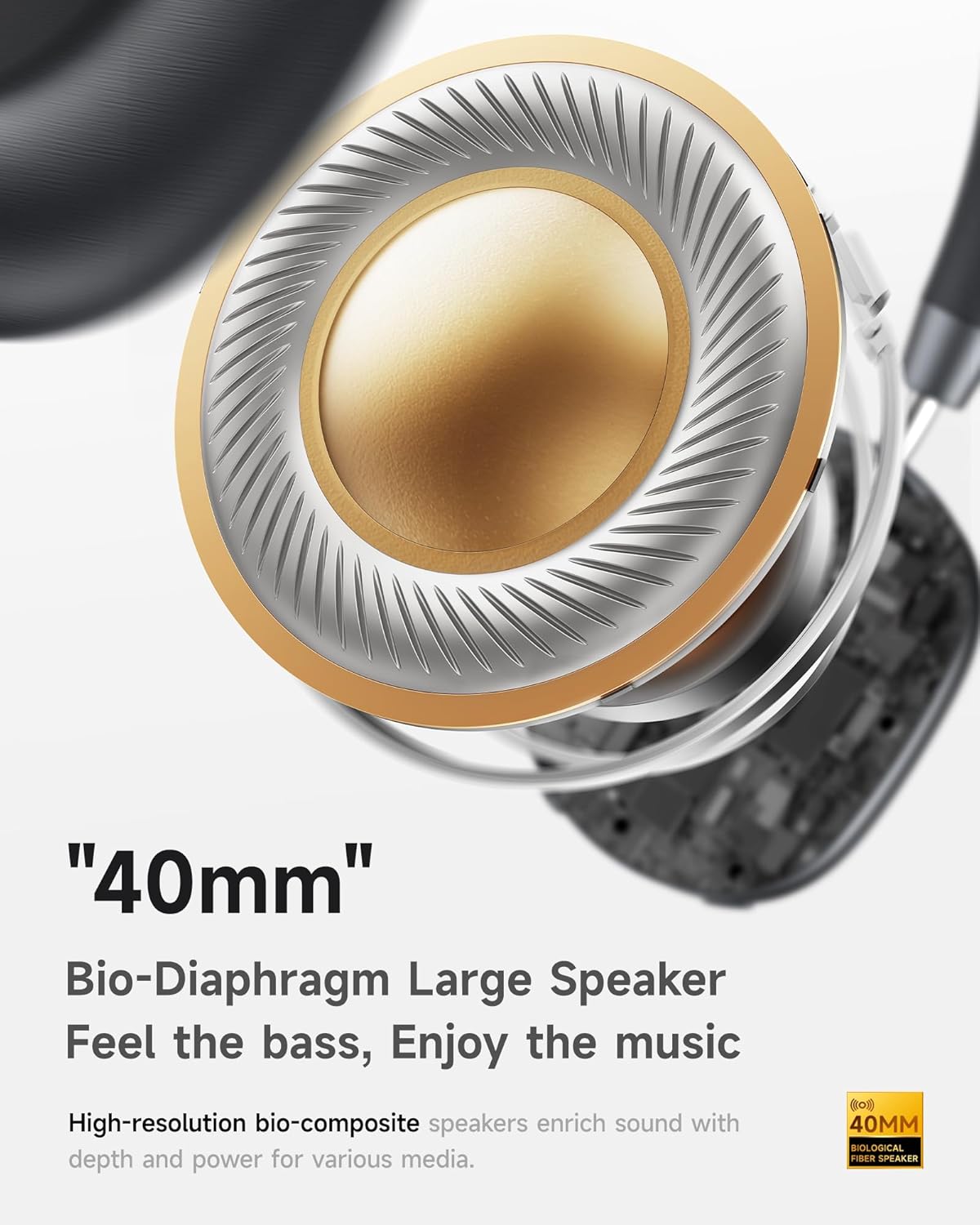
- שמע Hi-Fi עם בס עמוק: Delivers clear sound with enhanced bass.
- App-Controlled EQ: Customize audio settings via a dedicated companion application.
- מיקרופון מובנה: Ensures clear voice calls.
- חיבור רב נקודות: Allows seamless switching between two connected Bluetooth devices.
- עיצוב ארגונומי: Lightweight build with soft memory-foam earcups for extended comfort.
- Long Playtime & Fast Charging: Up to 30 hours of playback on a single charge, with quick recharge capabilities.



4. התקנה
4.1 טעינת האוזניות
Before first use, fully charge your Picun F5 headphones. Connect the provided USB charging cable to the headphone's charging port and a compatible USB power source. The charging indicator light will show the charging status.
4.2 זיווג בלוטות '
- ודא שהאוזניות כבויות.
- לחץ והחזק את לחצן ההפעלה עד שנורית החיווי תהבהב, המציינת מצב צימוד.
- במכשיר שלך (סמארטפון, טאבלט, מחשב), הפעל את Bluetooth וחפש מכשירים זמינים.
- Select "Picun F5" from the list of devices to connect.
- לאחר החיבור, נורית החיווי תשתנה לכחול קבוע או תכבה, בהתאם לדגם.
4.3 חיבור רב נקודות
The Picun F5 supports connecting to two Bluetooth devices simultaneously. After pairing with the first device, disable Bluetooth on that device. Pair the headphones with the second device. Then, re-enable Bluetooth on the first device. The headphones should now be connected to both devices, allowing seamless audio switching.

5. תפעול
5.1 בקרות בסיסיות
האוזניות כוללות פקדים אינטואיטיביים לניהול שמע ושיחות:
- הפעלה/כיבוי: לחץ והחזק את לחצן ההפעלה.
- התאמת עוצמת הקול: Use the dedicated volume knob/buttons on the earcup.
- הפעל/השהה: לחיצה אחת על כפתור הרב-תכליתי.
- הרצועה הבאה: לחץ פעמיים על כפתור הרב-תכליתי.
- רצועה קודמת: לחץ שלוש פעמים על כפתור הרב-תכליתי.
- מענה/סיום שיחה: לחיצה אחת על כפתור הרב-תכליתי במהלך שיחה נכנסת.
- דחה שיחה: לחץ והחזק את לחצן הרב-תכליתי במהלך שיחה נכנסת.
5.2 Active Noise Cancelling (ANC) Modes
The ANC feature can be toggled or adjusted using a dedicated button on the headphones. Refer to the specific button layout on your device for exact functionality. Some models may offer different ANC levels or transparency modes.
5.3 App Control and Custom EQ
Download the companion app for your Picun F5 headphones to unlock personalized features. The app allows you to:
- Customize Equalizer (EQ) settings to match your audio preferences.
- Adjust ANC levels or switch between different noise control modes.
- Access additional smart features and settings.


6. תחזוקה
To ensure the longevity and optimal performance of your Picun F5 headphones, follow these maintenance guidelines:
- ניקוי: השתמשו במטלית רכה ויבשה לניקוי כיסויי האוזניים וקשת הראש. הימנעו משימוש בכימיקלים חזקים או בחומרים שוחקים.
- אִחסוּן: Store the headphones in a cool, dry place, away from direct sunlight and extreme temperatures. When not in use, consider storing them in a protective case.
- הימנע מלחות: אין לחשוף את האוזניות למים או ללחות מוגזמת.
- טפל בזהירות: הימנעו מהפלת האוזניות או מחשיפתן לפגיעות חזקות.

7. פתרון תקלות
If you encounter issues with your Picun F5 headphones, refer to the following common solutions:
- אין כוח: ודא שהאוזניות טעונות במלואן. חבר אותן למקור חשמל ובדקו את מחוון הטעינה.
- לא ניתן לזווג: Make sure the headphones are in pairing mode (indicator flashing). Disable and re-enable Bluetooth on your device, then try pairing again. Ensure the headphones are not already connected to another device.
- אין צליל: Check the volume levels on both the headphones and your connected device. Ensure the headphones are properly paired. If using a wired connection, ensure the 3.5mm audio cable is securely plugged in.
- איכות סאונד ירודה: Move closer to your connected device to avoid interference. Check for any obstructions between the headphones and the device. Ensure the audio source is of good quality.
- ANC לא עובד: Ensure the ANC feature is activated. Check for any physical obstructions around the microphones.
If the issue persists, try resetting the headphones (refer to the full user manual for specific reset instructions) or contact customer support.
8. מפרטים
| מותג | פיקון |
| שם הדגם | F5 |
| טכנולוגיית קישוריות | אלחוטי (בלוטות' 4.0) |
| בקרת רעש | Sound Isolation (Active Noise Cancelling) |
| תגובת תדר | 20 KHz |
| רְגִישׁוּת | 42 dB |
| שקע אוזניות | 3.5 מ"מ ג 'ק |
| חיי סוללה | 30 שעות |
| סוג מנהל התקן שמע | מנהל התקן דינמי |
| צורת אפרכסת | עִגוּל |
| עַכָּבָּה | 32 אוהם |
| משקל פריט | 14 אונקיות (0.4 קילוגרם) |
| חוֹמֶר | אקרילוניטריל בוטאדיאן סטירן (ABS) |
9. אחריות ותמיכה
Picun products are designed for reliability and performance. For warranty information, product support, or technical assistance, please refer to the warranty card included in your package or visit the official Picun webאֲתַר. שמור את קבלה הרכישה שלך לתביעות אחריות.


