1. הקדמה
This manual provides essential information for setting up, operating, maintaining, and troubleshooting your HP ProDesk 600 G4 Mini PC. The HP ProDesk 600 G4 is a compact and powerful micro-form-factor computer designed for various applications, from business to home entertainment. It features an Intel i7 Hexa-Core processor, 32GB DDR4 RAM, and a 512GB NVMe M.2 SSD, running on Windows 11 Pro.

תמונה 1.1: חזית view of the HP ProDesk 600 G4 Mini PC, showcasinהעיצוב הקומפקטי שלו.
2. תכולת החבילה
ודא שכל הפריטים נמצאים בחבילה לפני שתמשיך בהתקנה.
- HP ProDesk 600 G4 Mini Computer Desktop PC
- Altec Wireless Keyboard Mouse Combo
- TJJ Large Mouse Pad (color may vary)
- כבל חשמל
- מתאם DP ל-HDMI
3. תכונות מוצר
The HP ProDesk 600 G4 Mini PC offers robust performance and connectivity in a small footprint.
- מעבד: Intel i7-8700T (2.40-4.00 GHz, 6 Cores, 12 Threads, 12 MB Cache)
- מַעֲרֶכֶת הַפעָלָה: Windows 11 Pro
- זֵכֶר: זיכרון RAM של 32GB DDR4
- אִחסוּן: 512GB NVMe M.2 Solid State Drive
- גרָפִיקָה: Intel UHD Graphics 630 (supports 4K resolution)
- קישוריות אלחוטית: Built-in WiFi + Bluetooth 6E AX210 Combo
- יציאות:
- 1x USB-C 3.1 Port
- 3x יציאות USB-A 3.1
- 3x יציאות USB-A 3.0
- 2x DisplayPort
- 1x Ethernet Port (RJ-45)
- 1x HDMI (via included DP to HDMI Adapter)
- מידות: 7.1 x 1.3 x 7 אינץ'
- מִשׁקָל: 4.1 פאונד

Image 3.1: The HP ProDesk 600 G4 Mini PC is suitable for office, education, and home entertainment.
4. הוראות התקנה
4.1 חיבור ציוד היקפי
Before powering on your Mini PC, connect the necessary peripherals.
- חיבור תצוגה: Use a DisplayPort cable or the included DP to HDMI adapter to connect your monitor(s) to the DisplayPort(s) on the back of the Mini PC. The system supports up to two 4K displays.
- חיבור מקלדת ועכבר: Plug the USB receiver for the Altec wireless keyboard and mouse combo into any available USB-A port.
- חיבור רשת (אופציונלי): For a wired internet connection, connect an Ethernet cable to the RJ-45 port. For wireless, the device has built-in Wi-Fi.
4.2 הפעלה
- חבר חשמל: Plug the power cord into the power connector on the back of the Mini PC, then plug the other end into a power outlet.
- הפעלה: Press the power button located on the front of the Mini PC. The system will boot up, and the Windows 11 Pro operating system will load.
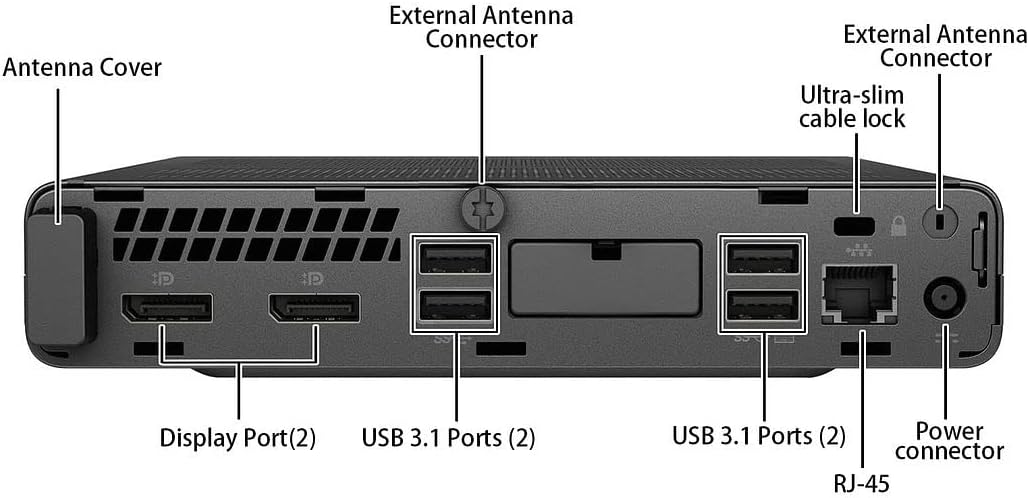
תמונה 4.1: מפורט view of the rear ports, including DisplayPort, USB 3.1, Ethernet, and power connector.
5. הוראות הפעלה
5.1 התקנה ראשונית של Windows 11
Upon first boot, you may be guided through the Windows 11 initial setup process, which includes setting up your region, keyboard layout, network connection, and user account.
5.2 התחברות ל-Wi-Fi
If you did not connect an Ethernet cable during setup, you can connect to a wireless network:
- לחץ על רֶשֶׁת icon (Wi-Fi or Ethernet) in the taskbar.
- בחר את רשת ה-Wi-Fi הרצויה מהרשימה.
- הזן את מפתח אבטחת הרשת (סיסמה) אם תתבקש, ולאחר מכן לחץ לְחַבֵּר.
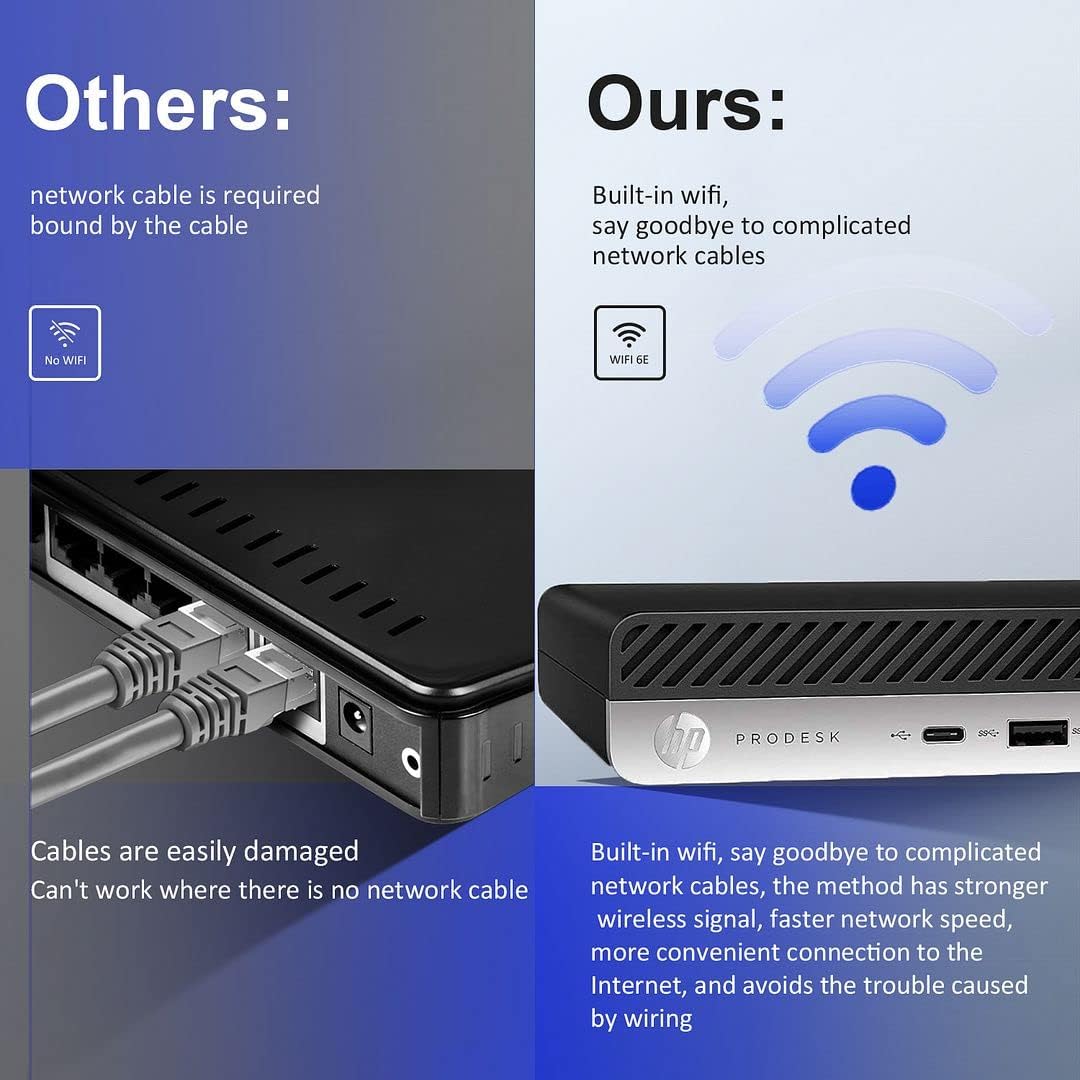
Image 5.1: The HP ProDesk 600 G4 features built-in Wi-Fi 6E for convenient wireless connectivity.
5.3 שימוש בצגים מרובים
The HP ProDesk 600 G4 supports up to two 4K displays simultaneously via its DisplayPort outputs. To configure multiple displays in Windows 11:
- לחצו לחיצה ימנית על אזור ריק בשולחן העבודה ובחרו הגדרות תצוגה.
- מתחת ל תצוגות מרובות section, you can detect, identify, and arrange your displays.
- Choose how you want your desktop to appear: שכפל את התצוגות האלה, הרחב את הצגים הללו, או Show only on 1/2.

Image 5.2: The Mini PC supports high-definition dual-screen display setups for enhanced productivity.
5.4 תכונות של Windows 11
Familiarize yourself with the new features of Windows 11 Pro, including the redesigned Start menu, Snap Layouts for multitasking, and improved widgets.
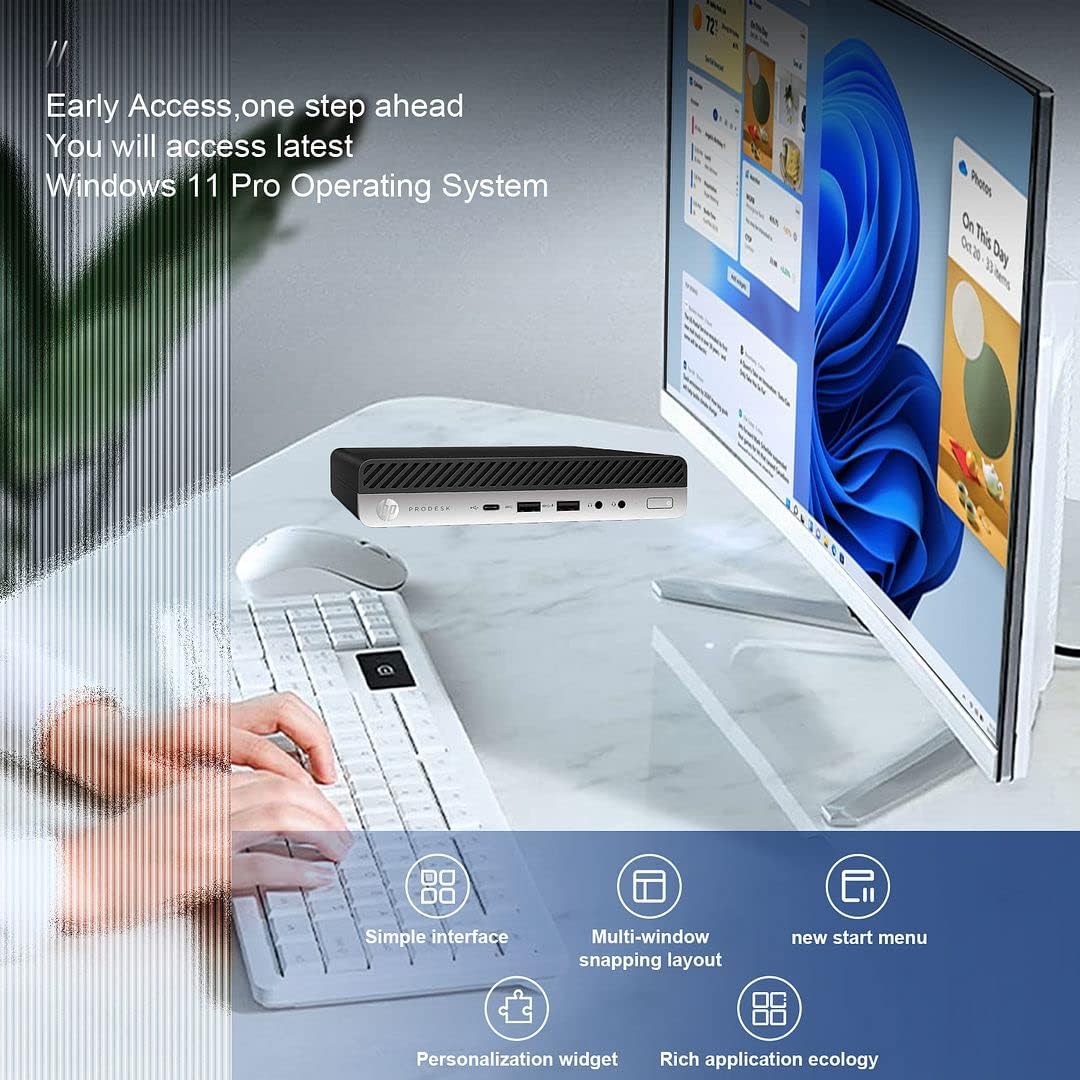
Image 5.3: The HP ProDesk 600 G4 comes pre-installed with Windows 11 Pro, offering a modern and efficient user experience.
6. תחזוקה
Proper maintenance ensures the longevity and optimal performance of your HP ProDesk 600 G4 Mini PC.
- ניקוי: Regularly clean the exterior of the PC with a soft, dry cloth. Use compressed air to clear dust from vents to ensure proper airflow and prevent overheating. Do not use liquid cleaners directly on the device.
- עדכוני תוכנה: שמור על מערכת ההפעלה ומנהלי ההתקנים של Windows 11 מעודכנים. עבור אל הגדרות > עדכון Windows כדי לבדוק ולהתקין עדכונים.
- ניהול אחסון: מעת לעת מחדשview ולמחוק מיותר files to free up storage space. Windows 11 includes a Storage Sense feature (הגדרות > מערכת > אחסון) that can automate this process.
- נתוני גיבוי: גבה באופן קבוע נתונים חשובים לכונן חיצוני או לאחסון ענן כדי למנוע אובדן נתונים.
7. פתרון תקלות
סעיף זה עוסק בבעיות נפוצות שאתה עשוי להיתקל בהן.
7.1 אין כוח
- Ensure the power cord is securely connected to both the Mini PC and the power outlet.
- ודא ששקע החשמל תקין על ידי חיבור מכשיר אחר.
- בדוק את מתאם החשמל לאיתור נזקים.
7.2 אין תצוגה
- Confirm that the monitor is powered on and the display cable (DisplayPort or HDMI) is securely connected to both the Mini PC and the monitor.
- ודא שמקור הקלט הנכון נבחר במסך שלך.
- Try connecting to a different display or using a different cable/adapter if available.
7.3 בעיות קישוריות Wi-Fi
- Check if Wi-Fi is enabled in Windows settings (הגדרות > רשת ואינטרנט > Wi-Fi).
- הפעל מחדש את הנתב והמודם שלך.
- ודא שאתה מזין את סיסמת ה-Wi-Fi הנכונה.
- Update your Wi-Fi drivers through Windows Update or HP's support webאֲתַר.
7.4 מקלדת או עכבר אינם מגיבים
- Ensure the USB receiver is properly plugged into a USB port.
- Check the batteries in the wireless keyboard and mouse and replace them if necessary.
- נסה לחבר את מקלט ה-USB ליציאת USB אחרת.
8. מפרטים
| תכונה | מִפרָט |
|---|---|
| מעבד | Intel Core i7-8700T (2.4 GHz, 6 Cores) |
| מַעֲרֶכֶת הַפעָלָה | Windows 11 Pro |
| אַיִל | 32 GB DDR4 SDRAM |
| כונן קשיח | כונן SSD NVMe M.2 בנפח 512 ג'יגה-בייט |
| מעבד גרפי | Intel UHD Graphics 630 |
| רזולוציית מסך מקסימלית | 3840 x 2160 פיקסלים (4K) |
| סוג אלחוטי | 802.11ac (Wi-Fi 6E AX210 Combo) |
| בלוטות' | Yes (BT 6E AX210 Combo) |
| יציאות USB-C | 1 (USB-C 3.1) |
| יציאות USB-A | 3 (USB-A 3.1) + 3 (USB-A 3.0) |
| יציאות תצוגה | 2 |
| יציאת Ethernet | 1 (RJ-45) |
| HDMI | 1 (via DP to HDMI Adapter) |
| מידות פריט LxWxH | 7.1 x 1.3 x 7 אינץ' |
| משקל פריט | 4.1 פאונד |
| צֶבַע | שָׁחוֹר |
9. אחריות ותמיכה טכנית
Your HP ProDesk 600 G4 Mini PC comes with a אחריות ל-90 יום. אחריות זו מכסה פגמים בחומרים ובעבודה בשימוש רגיל.
For technical assistance or warranty claims, please contact the seller directly. They are committed to providing support and will respond to inquiries within 24 hours to ensure customer satisfaction.