1. Introduzione
Thank you for choosing the Colorcool M8 MP3 Player. This portable music player is designed to provide a versatile audio and media experience with its Bluetooth 5.3 connectivity, built-in speaker, FM radio, video playback, and voice recording capabilities. This manual will guide you through the setup, operation, and maintenance of your device to ensure optimal performance.

Immagine: Fronte e retro view of the Colorcool M8 MP3 Player, showcasingrazie al suo design compatto e all'interfaccia touch screen.
2. Informazioni sulla sicurezza
- Non esporre il dispositivo a temperature estreme, alla luce solare diretta o a elevata umidità.
- Evitare di far cadere o sottoporre il dispositivo a forti impatti.
- Non tentare di smontare o riparare il dispositivo da soli. Rivolgersi a personale qualificato.
- Tenere il dispositivo lontano dall'acqua e da altri liquidi.
- Utilizzare solo il cavo di ricarica e gli accessori forniti.
- L'ascolto prolungato ad alto volume può causare danni all'udito.
3. Impostazione
3.1 Contenuto della confezione
Si prega di controllare la confezione per verificare la presenza dei seguenti elementi:
- 1 × Colorcool M8 MP3 Player
- 1 × Cavo USB di tipo C
- 1 × Wired Headset
- 1 × Manuale utente (questo documento)
3.2 Dispositivo suview
Familiarizza con i pulsanti e le porte del tuo lettore MP3:

Image: Diagram illustrating the location of the USB Port, TF Card Slot, Volume buttons (+/-), Previous, Next, Return, and Reset buttons on the Colorcool M8 MP3 Player.
- Porta USB: Per la ricarica e il trasferimento dei dati.
- Slot per schede TF: Insert a Micro SD card for expanded storage (up to 512GB).
- Volume + / -: Regola il volume dell'audio.
- Precedente Successivo: Navigate through tracks or menu options.
- Ritorno: Torna al menu o alla schermata precedente.
- Reset: Small pinhole for device reset if unresponsive.
3.3 Ricarica del dispositivo
Before first use, fully charge your MP3 player. The device has a 350mAh Lithium Polymer battery.
- Connect the USB Type-C cable to the MP3 player's USB port.
- Collegare l'altra estremità del cavo a un adattatore di alimentazione USB (non incluso) o alla porta USB di un computer.
- L'indicatore della batteria sullo schermo mostrerà lo stato di carica.
- Una carica completa richiede in genere circa 2.5 ore.

Image: Visual representation of the MP3 player charging, highlighting its 350mAh battery, 2.5-hour full charge time, 8 hours of earphone play, and 5 hours of Bluetooth play.
4. Istruzioni per l'uso
4.1 Accensione/spegnimento
- Per accendere: Press and hold the power button (usually located on the top or side) until the screen lights up.
- Per spegnere: Press and hold the power button until a power-off option appears on the screen, then select it. Alternatively, a long press may directly power off the device.
4.2 Navigazione di base (touch screen)
The Colorcool M8 features a full-touch screen for easy navigation.

Image: A hand holding the compact MP3 player, emphasizing its 1.8-inch full touch screen and pocket-sized design.
- Rubinetto: Seleziona un'icona o un'opzione.
- Scorri: Navigare tra i menu o gli elenchi.
- Pulsante di ritorno: Use the physical 'Return' button or an on-screen back arrow to go to the previous screen.
4.3 Trasferimento di musica e Files
The device has 30GB of internal memory and supports Micro SD cards up to 512GB.
- Collega il lettore MP3 al computer utilizzando il cavo USB Type-C in dotazione.
- The device should appear as a removable disk on your computer.
- Trascina e rilascia la musica, il video o l'e-book desiderati filenelle cartelle appropriate sul lettore MP3.
- Prima di scollegare il cavo, espellere in modo sicuro il dispositivo dal computer.
4.4 Riproduzione di musica
The Colorcool M8 supports various audio formats including MP3, WMA, APE, FLAC, WAV, DRM, and ACELP, delivering HiFi sound quality.

Image: The MP3 player displaying its music playback interface, highlighting features like AB Repeat, 3 Playback Modes, and Equalizer settings for a high-resolution audio experience.
- Dal menu principale, seleziona l'icona "Musica".
- Sfoglia la tua musica per artista, album, genere o tutti i brani.
- Tocca un brano per avviarne la riproduzione.
- Use the on-screen controls or physical buttons for play/pause, skip, and volume adjustment.
- Access equalizer settings and playback modes (e.g., repeat, shuffle) from the music playback screen.
4.5 Connettività Bluetooth
The MP3 player features Bluetooth 5.3 for connecting to Bluetooth speakers and earbuds.
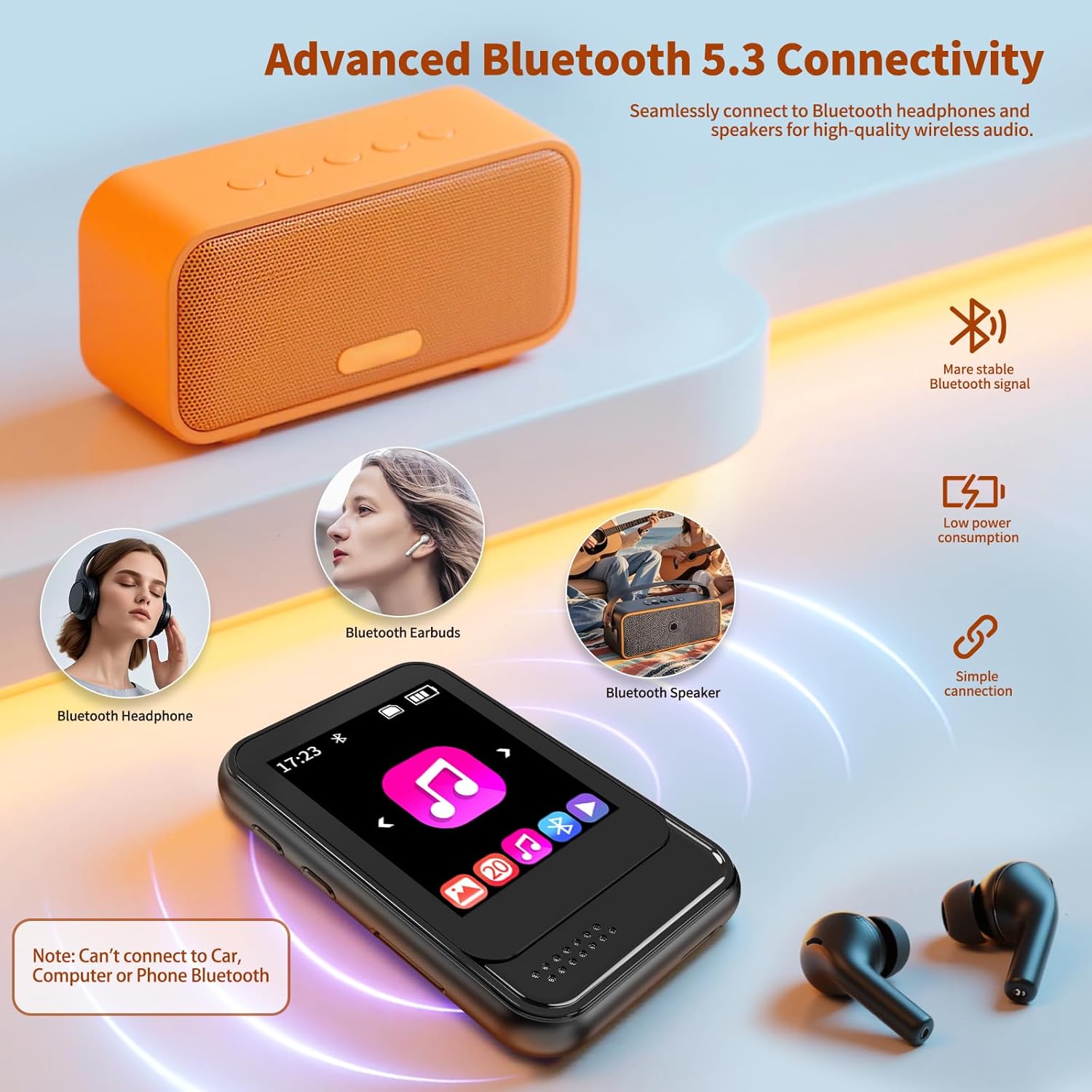
Image: The MP3 player connected via Bluetooth to various audio devices like Bluetooth headphones, earbuds, and a Bluetooth speaker, illustrating its advanced Bluetooth 5.3 connectivity.
- From the main menu, select the 'Bluetooth' icon or navigate to 'Settings' and then 'Bluetooth'.
- Attivare il Bluetooth sul lettore MP3.
- Ensure your Bluetooth speaker or earbuds are in pairing mode.
- Il lettore MP3 cercherà i dispositivi disponibili. Seleziona il tuo dispositivo dall'elenco per associarlo.
- Nota: This device is unable to pair via Bluetooth with phones, computers, or certain specific car models.
4.6 Radio FM
To use the FM radio function, a wired headset must be connected as it acts as the antenna.
- Plug in the wired headset into the 3.5mm audio jack.
- Dal menu principale, seleziona l'icona 'Radio FM'.
- Utilizzare i comandi sullo schermo per cercare le stazioni o sintonizzarsi manualmente su una frequenza.
4.7 Riproduzione video
The MP3 player supports AVI and AMV video formats.
- Dal menu principale, seleziona l'icona "Video".
- Sfoglia il tuo video files and tap to play.
4.8 Registrazione vocale
Utilizza il microfono integrato per registrare l'audio.
- From the main menu, select the 'Recorder' icon.
- Tocca il pulsante di registrazione per avviare e interrompere la registrazione.
- Recordings are saved and can be played back from the same menu.
4.9 Lettore di e-book
The device supports TXT format e-books.
- From the main menu, select the 'E-book' icon.
- Browse your TXT files and tap to open.
4.10 Altre funzioni
The MP3 player includes additional utilities:
- Sveglia: Imposta sveglie per orari specifici.
- Calendario: View la data e il mese correnti.
- Cronometro: Utilizzare per attività di cronometraggio.
4.11 Altoparlanti incorporati
The device features a built-in HD speaker, allowing you to enjoy music without headphones. This can be turned on or off in the settings menu.
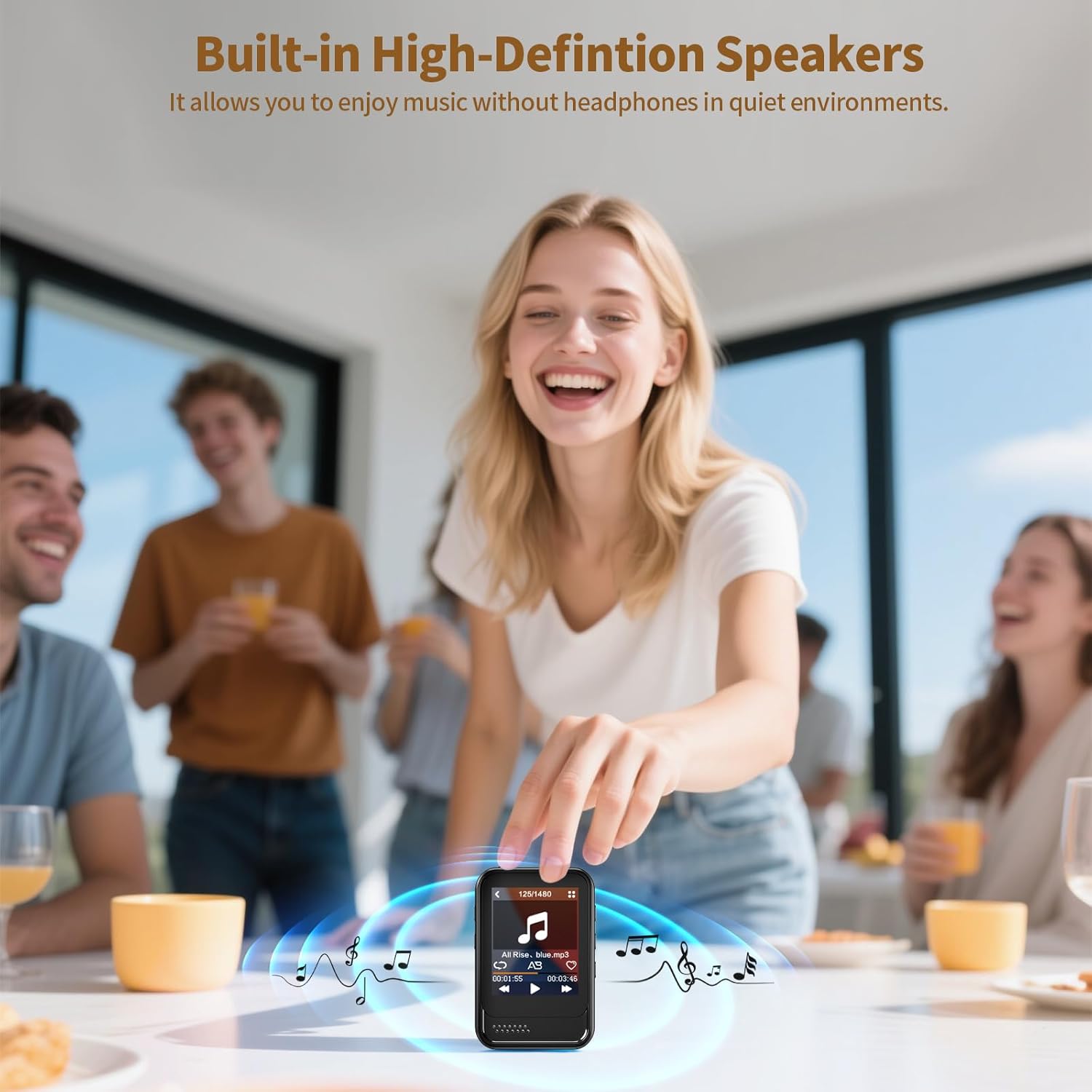
Image: A group of people enjoying music played from the Colorcool M8 MP3 Player's built-in speaker on a table, demonstrating its use without headphones.
5. Manutenzione
- Pulizia: Per pulire il dispositivo, utilizzare un panno morbido e asciutto. Non utilizzare detergenti liquidi o spray.
- Magazzinaggio: Conservare il dispositivo in un luogo fresco e asciutto quando non viene utilizzato.
- Cura della batteria: Per prolungare la durata della batteria, evitare di scaricarla completamente frequentemente. Caricare il dispositivo regolarmente, anche se non in uso.
- Aggiornamenti software: Controllare il produttore webperiodicamente il sito per verificare la disponibilità di eventuali aggiornamenti del firmware.
6. Risoluzione Dei Problemi
| Problema | Possibile causa | Soluzione |
|---|---|---|
| Il dispositivo non si accende. | Batteria scarica; crash del sistema. | Charge the device for at least 30 minutes. If unresponsive, use a pin to press the reset button. |
| Impossibile connettersi al dispositivo Bluetooth. | Bluetooth not enabled; Device not in pairing mode; Incompatible device. | Ensure Bluetooth is on for both devices and the receiving device is in pairing mode. Remember, the MP3 player cannot pair with phones, computers, or some car models. |
| Filenon viene trasferito al dispositivo. | Incorrect USB connection; Corrupted files; Full storage. | Ensure the USB cable is securely connected. Check file formats for compatibility. Verify available storage space on the device or Micro SD card. |
| La radio FM non funziona. | Cuffie cablate non collegate. | Plug in the wired headset; it acts as the antenna for the FM radio. |
| Qualità del suono scadente. | Audio di bassa qualità file; Incorrect equalizer settings; Damaged headphones. | Garantire l'audio files are high quality. Adjust equalizer settings. Test with different headphones. |
7. Specifiche
- Modello: M8
- Marca: Colorcool
- Memoria interna: 30 GB
- Memoria espandibile: Micro SD Card fino a 512GB
- Connettività: Bluetooth 5.3, USB Type-C, 3.5mm Aux
- Schermo: Schermo touch completo da 1.8 pollici
- Batteria: Polimero di litio da 350 mAh
- Tempo di ricarica: Circa 2.5 ore
- Formati audio: MP3, WMA, APE, FLAC, WAV, DRM, ACELP
- Formati video: AVI, AMV
- Formato e-book: TXT
- Caratteristiche speciali: FM Radio, Voice Recorder, Built-in Speaker, Equalizer, Alarm Clock, Calendar, Stopwatch
- Peso dell'articolo: 1.13 once (32 g)
- Dimensioni: 2.56 × 1.57 × 0.59 pollici (6.5 × 4 × 1.5 cm)
8. Garanzia e supporto
8.1 Informazioni sulla garanzia
Your Colorcool M8 MP3 Player comes with a standard manufacturer's warranty. Please refer to the warranty card included in your package or contact customer support for specific details regarding warranty coverage and duration.
8.2 Assistenza clienti
If you encounter any issues not covered in this manual or require further assistance, please contact Colorcool customer support through the retailer's platform or the official brand website. Please have your model number (M8) and purchase information ready when contacting support.


