Introduzione
The OPPO Enco Buds3 are advanced wireless earbuds designed to deliver a superior audio experience with convenience and comfort. Featuring a 12.4mm Titanium Plated Driver, these earbuds provide powerful bass and clear treble. Enjoy extended listening with up to 48 hours of playback time with the charging case, and quick recharges with fast charging capabilities. The Enco Buds3 also offer seamless dual connection, multiple touch controls, and AI Clear Phone Call technology for enhanced communication.
This manual provides essential information on how to set up, operate, maintain, and troubleshoot your OPPO Enco Buds3 wireless earbuds.
Contenuto della confezione
Prima di iniziare, assicurati che tutti gli articoli siano presenti nel pacco:
- OPPO Enco Buds3 Earbuds (Left and Right)
- Custodia di ricarica
- Cavo di ricarica USB-C
- Punte auricolari (varie misure)
- Manuale d'uso
Impostare
1. Ricarica degli auricolari e della custodia
Per prestazioni ottimali, caricare completamente gli auricolari e la custodia di ricarica prima del primo utilizzo.
- Riporre gli auricolari nella custodia di ricarica.
- Collegare il cavo di ricarica USB-C alla porta di ricarica sulla custodia e a una fonte di alimentazione.
- The indicator light on the charging case will show charging status. A full charge provides up to 48 hours of playback with the case. A 10-minute charge can provide up to 3 hours of listening time.
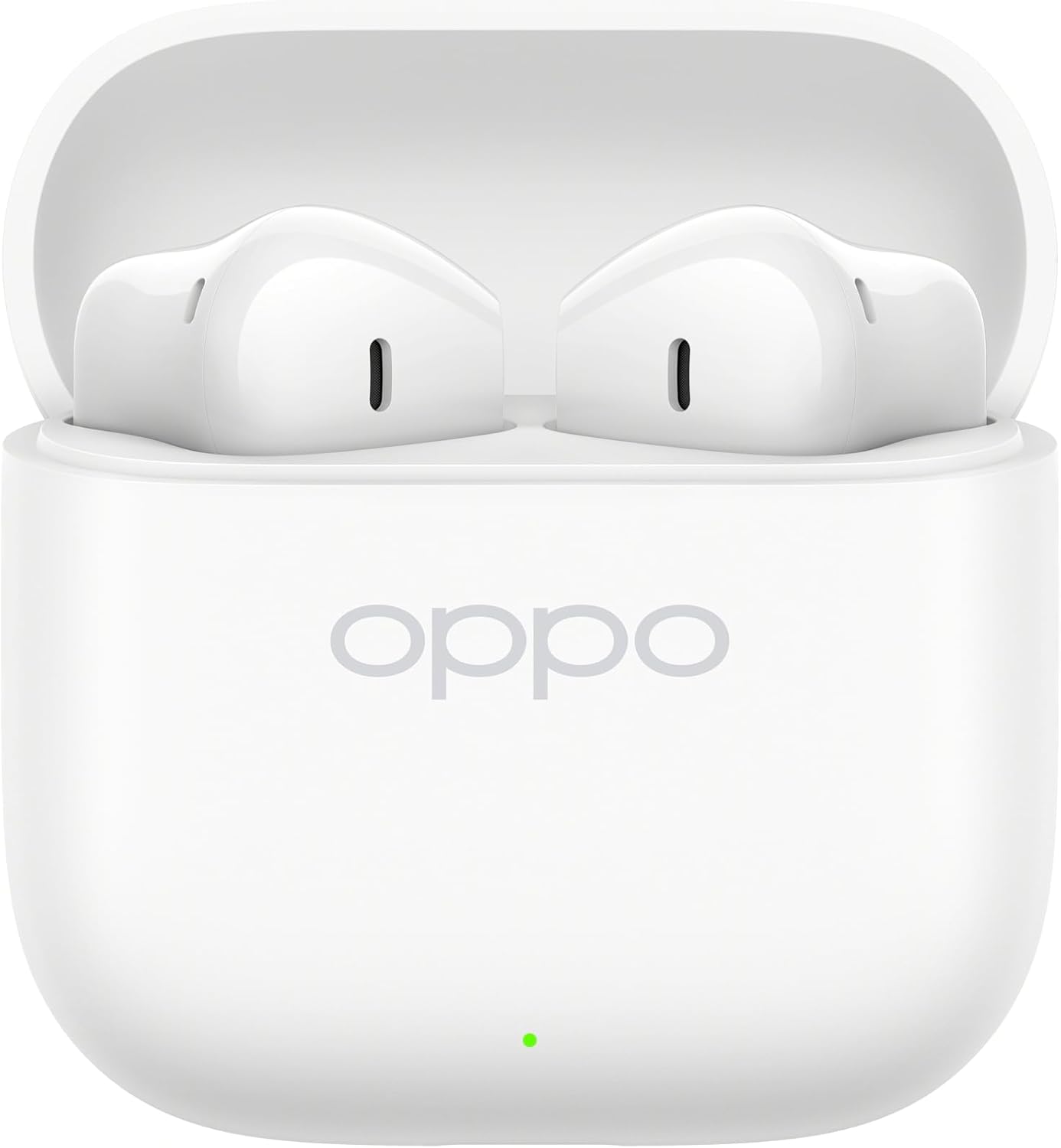
Image: OPPO Enco Buds3 earbuds placed inside their open charging case, indicating charging readiness.
2. Associazione con il tuo dispositivo
The OPPO Enco Buds3 support Bluetooth 5.4 and Google Fast Pair for quick and stable connections.
- Primo abbinamento: Aprire la custodia di ricarica. Gli auricolari entreranno automaticamente in modalità di associazione.
- Sul tuo dispositivo (smartphone, tablet, laptop), attiva il Bluetooth e cerca i dispositivi disponibili.
- Select "OPPO Enco Buds3" from the list of devices.
- A confirmation message will appear once pairing is successful.
- Google Fast Pair: If your Android device supports Google Fast Pair, simply open the case near your device, and a pop-up notification will guide you through the pairing process.
- Doppia connessione: The earbuds can be connected to two devices simultaneously. To switch between devices, pause audio on the first device and play on the second.
Istruzioni per l'uso
1. Indossare gli auricolari
Gently insert the earbuds into your ears, ensuring a snug and comfortable fit. Adjust the angle until the sound is clear and the earbuds feel secure.

Immagine: Pro lateralefile of the OPPO Enco Buds3 earbuds, showing their ergonomic design for comfortable wear.
2. Toccare Controlli
The OPPO Enco Buds3 feature multiple touch controls for easy management of music, calls, and other functions. The control method is touch-sensitive areas on the earbuds.
| Azione | Funzione |
|---|---|
| Singolo tocco | Riproduci/Metti in pausa la musica, Rispondi/Termina chiamata |
| Doppio tocco (auricolare sinistro) | Traccia precedente |
| Doppio tocco (auricolare destro) | Traccia successiva |
| Triplo tocco | Attiva l'Assistente Vocale |
| Long Press (1 second) | Rifiuta chiamata |
| Pressione lunga (2 secondi) | Switch between Noise Control modes (if applicable, check device settings) |
Note: Specific touch control functions may be customizable via the HeyMelody app (if available for your region/model).
3. Enco Master 3 Tuning Modes
The Enco Buds3 offer three distinct tuning modes to cater to different music preferences. These modes can typically be switched via the connected device's settings or a dedicated app.
4. AI Clear Phone Call
Utilizing AI technology, the earbuds enhance call clarity by reducing background noise, ensuring your voice is heard clearly during phone conversations.
5. Controllo della fotocamera
Certain devices may allow the earbuds to act as a remote shutter for your camera. Refer to your device's camera settings or the HeyMelody app for configuration.
Manutenzione
Proper maintenance ensures the longevity and optimal performance of your OPPO Enco Buds3 earbuds.
- Pulizia: Pulisci regolarmente gli auricolari e la custodia di ricarica con un panno morbido, asciutto e privo di lanugine. Non utilizzare detergenti abrasivi o solventi.
- Suggerimenti per le orecchie: Rimuovere i gommini auricolari e pulirli con acqua e sapone neutro, se necessario. Assicurarsi che siano completamente asciutti prima di riapplicarli.
- Resistenza all'acqua: The earbuds are rated as Resistente all'acqua. This means they can withstand splashes and sweat but are not designed for submersion in water. Avoid exposing them to heavy rain, showering, or swimming.
- Magazzinaggio: Quando non li usi, riponi gli auricolari nella custodia di ricarica per proteggerli da polvere e danni.
- Temperatura: Evitare di esporre gli auricolari a temperature estreme (calde o fredde) o a elevata umidità.
Risoluzione dei problemi
If you encounter issues with your OPPO Enco Buds3, try the following solutions:
- Gli auricolari non si associano:
- Ensure the earbuds are charged and the charging case is open.
- Disattiva e attiva il Bluetooth sul tuo dispositivo.
- Forget "OPPO Enco Buds3" from your device's Bluetooth list and try pairing again.
- Nessun suono da un auricolare:
- Riposizionare entrambi gli auricolari nella custodia di ricarica, chiudere il coperchio, attendere qualche secondo, quindi riaprirlo.
- Check the earbud's charging contacts for any debris.
- Problemi di ricarica:
- Assicurarsi che il cavo di ricarica sia collegato saldamente sia alla custodia sia alla fonte di alimentazione.
- Prova un cavo USB-C e un adattatore di alimentazione diversi.
- Pulisci la porta di ricarica sulla custodia.
- Ripristino degli auricolari: Se i problemi persistono, un ripristino delle impostazioni di fabbrica potrebbe risolverli.
- Inserire entrambi gli auricolari nella custodia di ricarica e tenere il coperchio aperto.
- Press and hold the function button on the charging case (usually located inside or on the back) for approximately 10-15 seconds until the indicator light flashes red three times.
- Close the case, then open it again to re-enter pairing mode. You will need to re-pair with your device.
Specifiche
Key technical specifications for the OPPO Enco Buds3 (Model OWWE242):
| Caratteristica | Dettaglio |
|---|---|
| Nome del modello | OPPO Enco Buds3 |
| Numero di modello | OWWE242 |
| Dimensioni del conducente | 12.4mm Titanium Plated Driver |
| Connettività | Bluetooth 5.4 |
| Durata della batteria (auricolari) | Fino a 9.5 ore (riproduzione continua) |
| Durata della batteria (con custodia) | Fino a 48 ore |
| Ricarica rapida | 10 minuti di carica per 3 ore di ascolto |
| Metodo di controllo | Tocco |
| Resistenza all'acqua | Resistente all'acqua |
| Materiale | Titanium (driver material) |
| Dispositivi compatibili | Smartphones, Laptops, Tablets, Smart Speaker, Car Audio Systems, Gaming Consoles, Desktops, Cellphones |
| Caratteristiche speciali | AI Clear Phone Call, Seamless Dual Connection, Google Fast Pair, Multiple Touch Controls, Camera Control, Enco Master 3 tuning modes |
Garanzia e supporto
Informazioni sulla garanzia: Your OPPO Enco Buds3 earbuds are covered by a limited warranty. Please refer to the warranty card included in your product packaging or visit the official OPPO websito per termini e condizioni dettagliati specifici per la tua regione.
Assistenza clienti: Per assistenza tecnica, assistenza o ulteriori richieste, contattare l'assistenza clienti OPPO tramite il loro sito ufficiale website or the contact information provided in your product documentation. Ensure you have your product model number (OWWE242) and proof of purchase ready when contacting support.
Puoi trovare maggiori informazioni e risorse di supporto sul sito ufficiale OPPO websito: www.oppo.com


