1. Introduzione
This manual provides essential information for setting up, operating, and maintaining your OnePlus Nord 5 smartphone. Please read this guide thoroughly to ensure optimal performance and longevity of your device.

Figura 1: Fronte e retro view of the OnePlus Nord 5 smartphone.
2. Contenuto della confezione
Upon unboxing your OnePlus Nord 5, verify that all the following items are included:
- Smartphone OnePlus Nord 5
- Adattatore di alimentazione (80 W)
- Cavo USB (tipo C)
- Espulsore del vassoio SIM
- Pellicola protettiva per lo schermo (pre-applicata o nella confezione)
- Custodia per telefono
- Guida rapida
- Scheda di garanzia
Video 1: Unboxing the OnePlus Nord 5 and reviewil suo contenuto.

Figura 2: Fronte view del OnePlus Nord 5.

Figura 3: Indietro view del OnePlus Nord 5.
3. Impostazione
3.1 Installazione della scheda SIM
- Individuare il vassoio della SIM sul lato del dispositivo.
- Inserire lo strumento di espulsione della SIM nel piccolo foro accanto al vassoio e premere con decisione finché il vassoio non fuoriesce.
- Inserisci la/le tua/e scheda/e Nano-SIM negli appositi slot sul vassoio. Assicurati che i contatti dorati siano rivolti verso il basso.
- Reinserire con cautela il vassoio della SIM nel telefono finché non scatta in posizione.
3.2 Accensione iniziale
Press and hold the Power button on the side of the device until the OnePlus logo appears. Follow the on-screen instructions to complete the initial setup, including language selection, Wi-Fi connection, and Google account setup.
4. Utilizzo del dispositivo
4.1 Prestazioni
The OnePlus Nord 5 is equipped with the Snapdragon 8s Gen 3 processor and LPDDR5X RAM, designed for demanding applications and gaming. The device features a 7300mm² VC cooling system to maintain optimal temperatures during extended use.
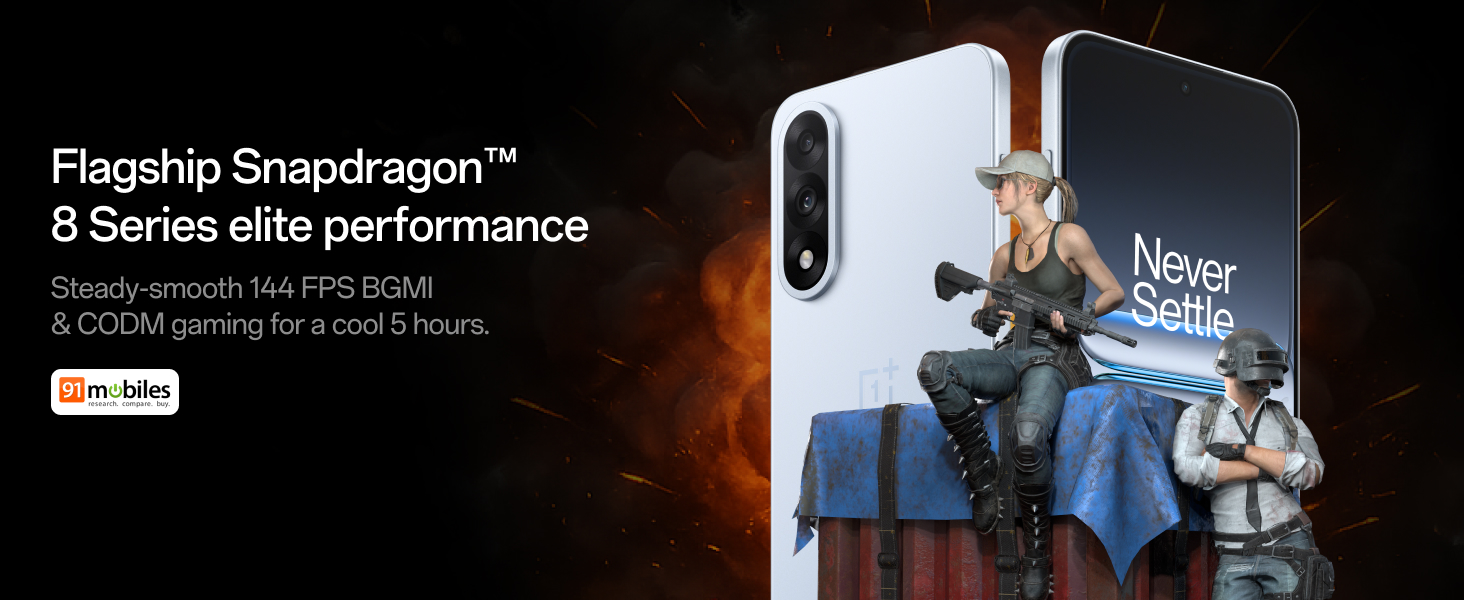
Figure 4: Snapdragon 8s Gen 3 processor for elite performance.
Video 2: Demonstration of gaming performance on the OnePlus Nord 5.
4.2 Caratteristiche della fotocamera
The device features a dual 50MP camera system, including a 50MP front camera (ISOCELL JN5 with hardware autofocus) and a 50MP Sony LYT-700 back camera with Optical Image Stabilization (OIS). It supports 4K 60 FPS video capture.
AI Camera Enhancements:
- Gomma AI: Removes unwanted objects or people from photos.
- AI Detail Boost: Migliora la nitidezza e i dettagli dell'immagine.
- AI Unblur: Corrects blurry images.
- Riformulazione dell'IA: Suggests improved compositions for photos.
- Tiro perfetto AI: Adjusts facial expressions and corrects blinked eyes in group photos.

Figure 5: Dual 50MP camera system overview.

Figure 6: AI features for photo enhancement.
4.3 Batteria e ricarica
The OnePlus Nord 5 features a 6800 mAh battery and supports 80W ultra-fast charging. It also includes an all-new Bypass Charging feature, which powers the phone directly from the charger during gaming to reduce heat and maintain performance.

Figure 7: Illustration of Bypass Charging technology.
4.4 Visualizzazione
Experience visuals on a 144Hz 1.5K AMOLED display with Aqua Touch 2.0 technology, offering a resolution of 2800 x 1272 pixels and up to 1400 nits brightness. Aqua Touch 2.0 improves touch responsiveness, even with wet or oily fingers.

Figure 8: Details of the 144Hz AMOLED display.
4.5 Funzionalità AI
The OnePlus Nord 5 integrates various AI functionalities to enhance user experience:
- Scriba vocale AI: Transcribe, translate, and summarize meetings or content.
- Cerchio per cercare: Cerca rapidamente le informazioni cerchiando i contenuti sullo schermo.
- Gemelli in diretta: An AI assistant for queries and information.
- Ricerca AI: Intuitively understands natural language prompts for searching device content.

Figure 9: AI VoiceScribe interface.
4.6 Multitasking with Open Canvas
The Open Canvas feature allows for enhanced split-screen multitasking, enabling flexible resizing of applications and drag-and-drop functionality between apps. This improves productivity by extending split-screen capabilities beyond physical display limits.
Video 3: Demonstration of multitasking features on the OnePlus Nord 5.

Figure 10: Open Canvas for advanced multitasking.
4.7 Connettività
The Nord 5 supports 5G-Advanced networking, offering faster internet speeds and improved signal stability, particularly in congested areas.

Figure 11: 5G-Advanced network features.
4.8 Software
The device runs on OxygenOS 15, based on Android 15. It is guaranteed to receive 4 Android version upgrades and 6 years of security updates, ensuring long-term software support and system smoothness.
5. Manutenzione
- Aggiornamenti software: Regularly install system updates to ensure optimal performance, security, and access to new features.
- Cura della batteria: To prolong battery life, avoid extreme temperatures and frequent full discharges. The device includes a 4-year healthy battery promise.
- Pulizia: Utilizzare un panno morbido e privo di lanugine per pulire lo schermo e il corpo. Evitare materiali abrasivi o prodotti chimici aggressivi.
- Gestione della memoria: Cancellare periodicamente ciò che non è necessario filee app per mantenere la velocità del dispositivo e liberare spazio di archiviazione.
6. Risoluzione Dei Problemi
If you encounter issues with your OnePlus Nord 5, consider the following general troubleshooting steps:
- Riavvia dispositivo: Un semplice riavvio può risolvere molti piccoli problemi software.
- Controlla gli aggiornamenti: Assicurati che il software del tuo dispositivo sia aggiornato.
- Cancella cache: Per problemi specifici dell'app, prova a svuotare la cache dell'app nelle Impostazioni.
- Ripristino di fabbrica: As a last resort, a factory reset can resolve persistent software problems. Avvertimento: Questa operazione cancellerà tutti i dati presenti sul dispositivo. Esegui il backup delle informazioni importanti prima di procedere.
- Contatta l'assistenza: If the issue persists, refer to the support section for contact information.
7. Specifiche
| Caratteristica | Dettaglio |
|---|---|
| Sistema operativo | Android 15, OxygenOS 15 |
| Processore | Snapdragon 8s Gen 3 (CPU Speed: 2, 2.8, 3 GHz) |
| Memoria RAM | 12 GB (as per current model) |
| Display | 144Hz 1.5K AMOLED, 2800 x 1272 Resolution |
| Telecamera posteriore | 50MP Sony LYT-700 with OIS |
| Fotocamera frontale | 50MP ISOCELL JN5 with Autofocus |
| Batteria | 6800 mAh, ricarica rapida da 80 W |
| Connettività | 5G-Advanced, Bluetooth, NFC, USB, Wi-Fi |
| Dimensioni | Dimensioni: 16.41 x 7.7 x 0.81 cm |
| Peso | 211 grammi |
| Numero di modello | CPH2707 |
| Produttore | Oppo Mobiles India Private Limited |
8. Garanzia e supporto
The OnePlus Nord 5 comes with a Lifetime Display Warranty, covering green line issues. For detailed terms and conditions, please refer to the official OnePlus website or the warranty card included in the box.

Figure 12: Lifetime Display Warranty information.
For customer service and technical support, you can contact OnePlus using the following information:
- Customer Service Contact Number: 1800 102 8411
- Supporto WhatsApp: +91-9289606888
- Indirizzo del produttore: PLOT-N.1, SETTORE ECOTECH-VII, GREATER, NOIDA, UTTAR PRADESH, India-201306


