1. Introduzione
This manual provides essential information for the safe and efficient use of your HP 140W USB-C AC Adapter (Model TPN-LA29). Please read this manual thoroughly before using the product and retain it for future reference.
The HP 140W USB-C AC Adapter is designed to provide reliable power to compatible HP laptops, including the HP Spectre 2-in-1 Laptop 16-aa0023dx, HP OMEN Transcend Laptop 14-fb0000 RTX 4050 4060, and HP Spectre x360 16-aa0000 Ultra 7 RTX 4050 models. It features a USB-C connector for versatile compatibility and fast charging capabilities.
2. Informazioni sulla sicurezza
Osservare le seguenti precauzioni di sicurezza per evitare lesioni o danni al dispositivo:
- Utilizzare solo con dispositivi compatibili come specificato nel presente manuale.
- Non esporre l'adattatore ad acqua, umidità o temperature estreme.
- Evitare di far cadere o di sottoporre l'adattatore a urti violenti.
- Non tentare di smontare o modificare l'adattatore. Ciò invaliderà la garanzia e potrebbe causare scosse elettriche o incendi.
- Assicurarsi che la presa di corrente sia facilmente accessibile e correttamente messa a terra.
- Disconnect the adapter from the power outlet during lightning storms or when unused for extended periods.
- Tenere l'adattatore lontano dalla portata dei bambini.
- If the adapter or cable is damaged, discontinue use immediately and seek professional assistance.
3. Contenuto della confezione
Verifica che tutti gli articoli siano presenti nel tuo pacco:
- HP 140W USB-C AC Adapter (Model TPN-LA29)
- Cavo di alimentazione
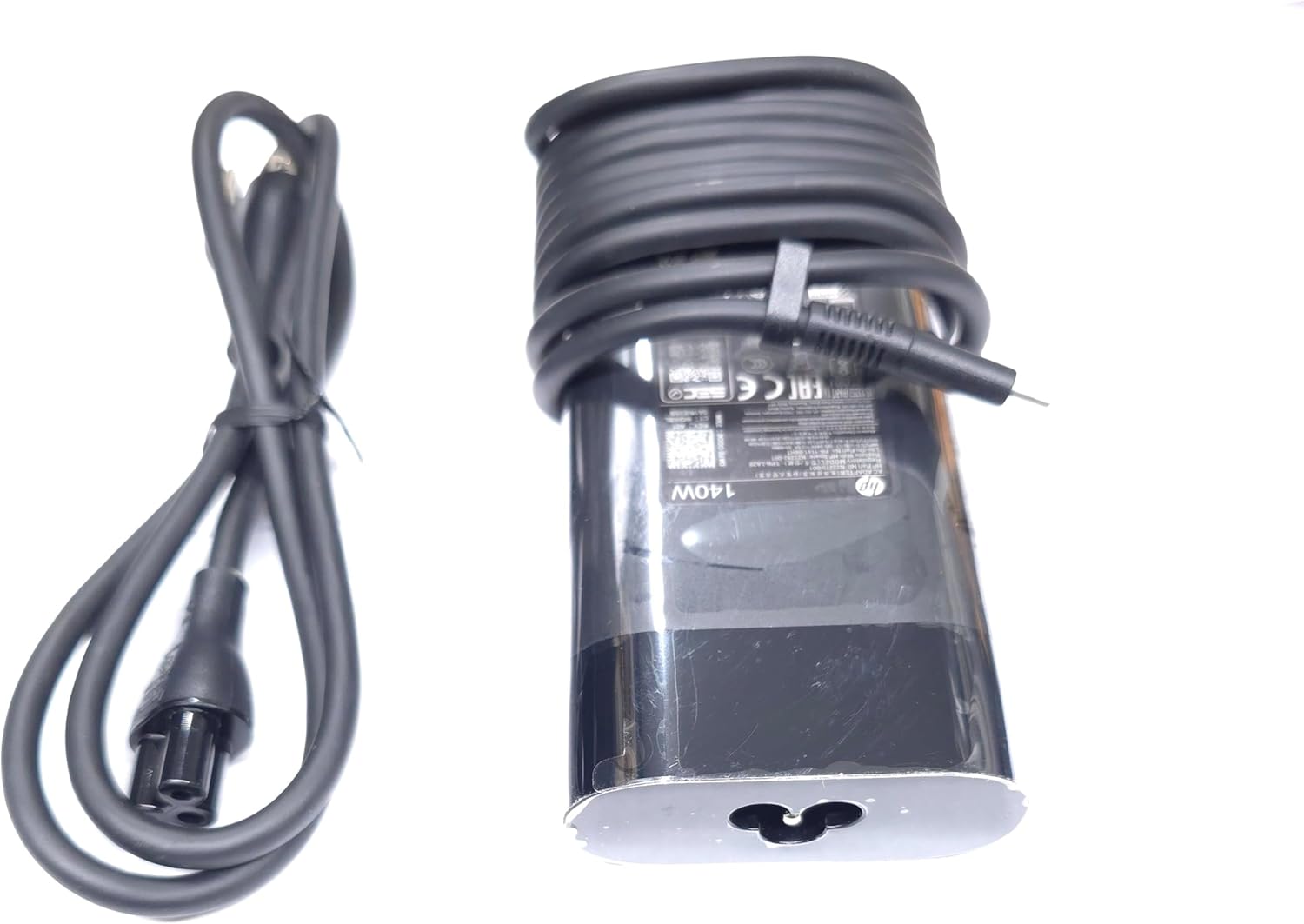
Image: The HP 140W USB-C AC Adapter and its accompanying power cord, as typically found in the product packaging.
4. Istruzioni per l'installazione
Follow these steps to set up your HP 140W USB-C AC Adapter:
- Collegare il cavo di alimentazione: Insert the power cord into the AC input port on the HP 140W USB-C AC Adapter. Ensure a firm connection.
- Collegare alla presa di corrente: Collegare l'altra estremità del cavo di alimentazione a una presa a muro CA standard.
- Connetti al laptop: Insert the USB-C connector of the adapter into the USB-C charging port on your compatible HP laptop.
- Verifica connessione: Confirm that your laptop indicates it is receiving power or charging.

Image: The USB-C end of the adapter cable, ready to be connected to a compatible laptop's charging port.
5. Istruzioni per l'uso
The HP 140W USB-C AC Adapter is designed for automatic operation. Once connected, it will provide power to your laptop and charge its battery.
- Indicatore di carica: Your laptop's operating system or physical indicator light will show the charging status.
- Prestazioni ottimali: For best performance, ensure the adapter is placed in a well-ventilated area to prevent overheating.
- Disconnessione: To disconnect, first unplug the USB-C connector from your laptop, then unplug the power cord from the wall outlet.
6. Manutenzione e cura
Proper care ensures the longevity and optimal performance of your adapter:
- Pulizia: Per pulire l'adattatore, utilizzare un panno morbido e asciutto. Non utilizzare detergenti liquidi o solventi.
- Magazzinaggio: When not in use, store the adapter in a cool, dry place. Avoid tightly wrapping the cables to prevent damage.
- Ispezione: Periodically inspect the adapter and cables for any signs of wear, cuts, or damage. If damage is found, replace the adapter.
7. Risoluzione Dei Problemi
If you encounter issues with your HP 140W USB-C AC Adapter, refer to the following common problems and solutions:
| Problema | Possibile causa | Soluzione |
|---|---|---|
| Il portatile non si carica. | Loose connection, faulty outlet, incompatible device. |
|
| L'adattatore è caldo al tatto. | Funzionamento normale, scarsa ventilazione, carico eccessivo. |
|
| Sparking at outlet when plugging in. | Normal inrush current, faulty outlet. |
|
8. Specifiche
Detailed technical specifications for the HP 140W USB-C AC Adapter:
- Numero modello: TPN-LA29
- Ingresso: AC 100V - 240V, 2.5A, 50-60Hz (Worldwide Use)
- Produzione:
- 5.0V/3.0A (15.0W)
- 9.0V / 3.0A
- 12.0V / 5.0A
- 15.0V / 5.0A
- 20.0V / 5.0A
- 28.0V / 5.0A
- Potenza totale in uscita: 140W
- Tipo di connettore: USB-C (Tipo-C)
- Colore: Nero
- Peso dell'articolo: Circa 1 libbra (0.45 kg)
- Dimensioni della confezione: 7.83 x 6.93 x 1.26 pollici (19.89 x 17.60 x 3.20 cm)
- Compatible P/N: TPN-LA29, N22270-001, N22282-001, PA-1141-08HT
- Produttore: Lite-On Technology Corp.
- Caratteristica speciale: Ricarica rapida
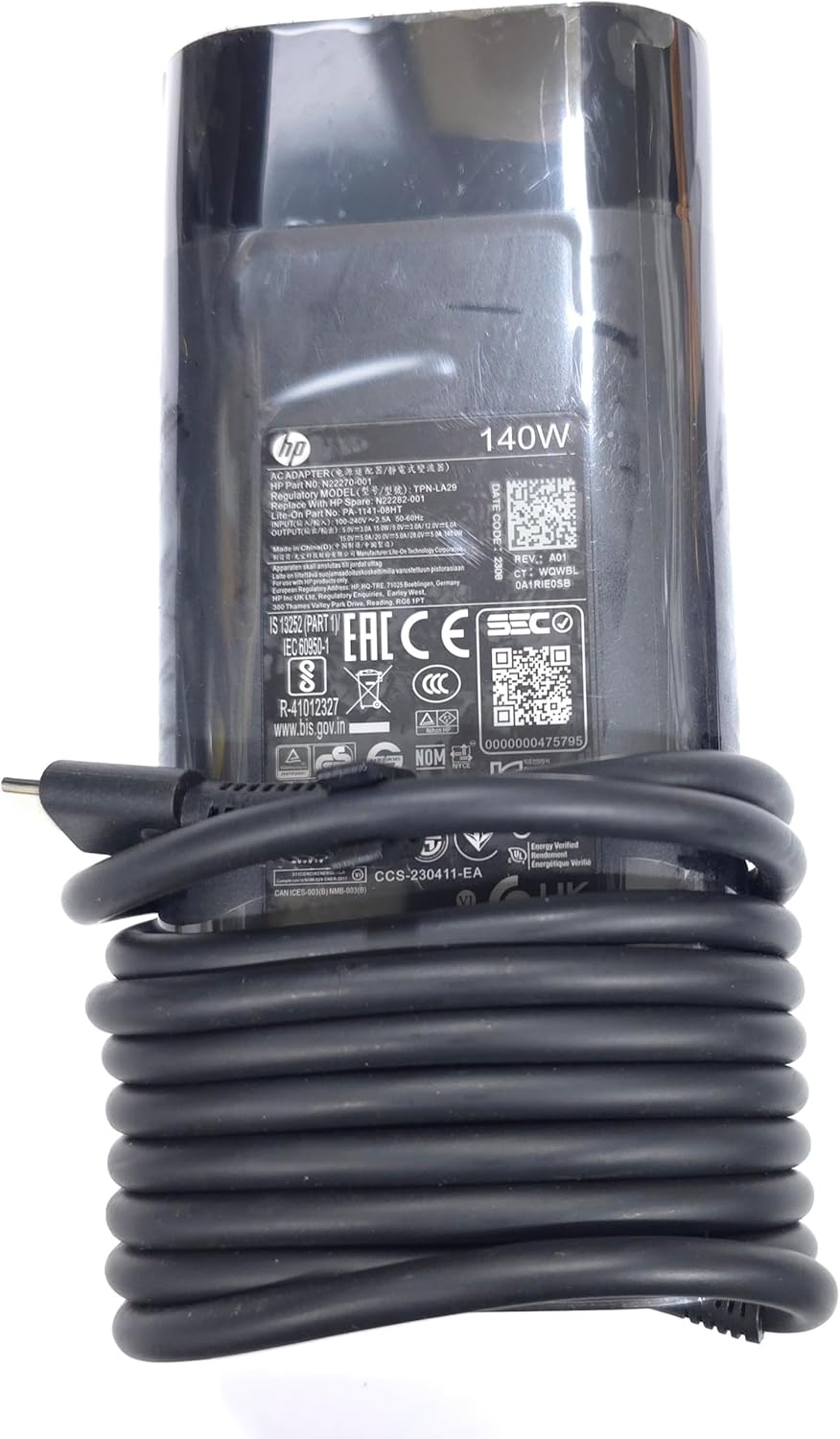
Immagine: un primo piano view of the adapter's label, displaying detailed electrical specifications and model information.
9. Garanzia e supporto
For warranty information and technical support, please refer to the documentation provided with your original HP laptop or visit the official HP support website. The manufacturer, Lite-On Technology Corp., provides the adapter under HP's quality standards.
Supporto online: For the latest drivers, troubleshooting guides, and product information, visit www.hp.com/support.
Contatta l'assistenza: Refer to your region-specific HP support contact details for phone or chat assistance.