1. Configurazione iniziale
This section guides you through the initial steps to set up your TCL 65C69K Smart TV, from unpacking to the first power-on.
1.1 Disimballaggio del televisore
Carefully remove the TV and all accessories from the packaging. Retain the packaging materials for future transport or service needs. Ensure all components listed in the packing list are present.
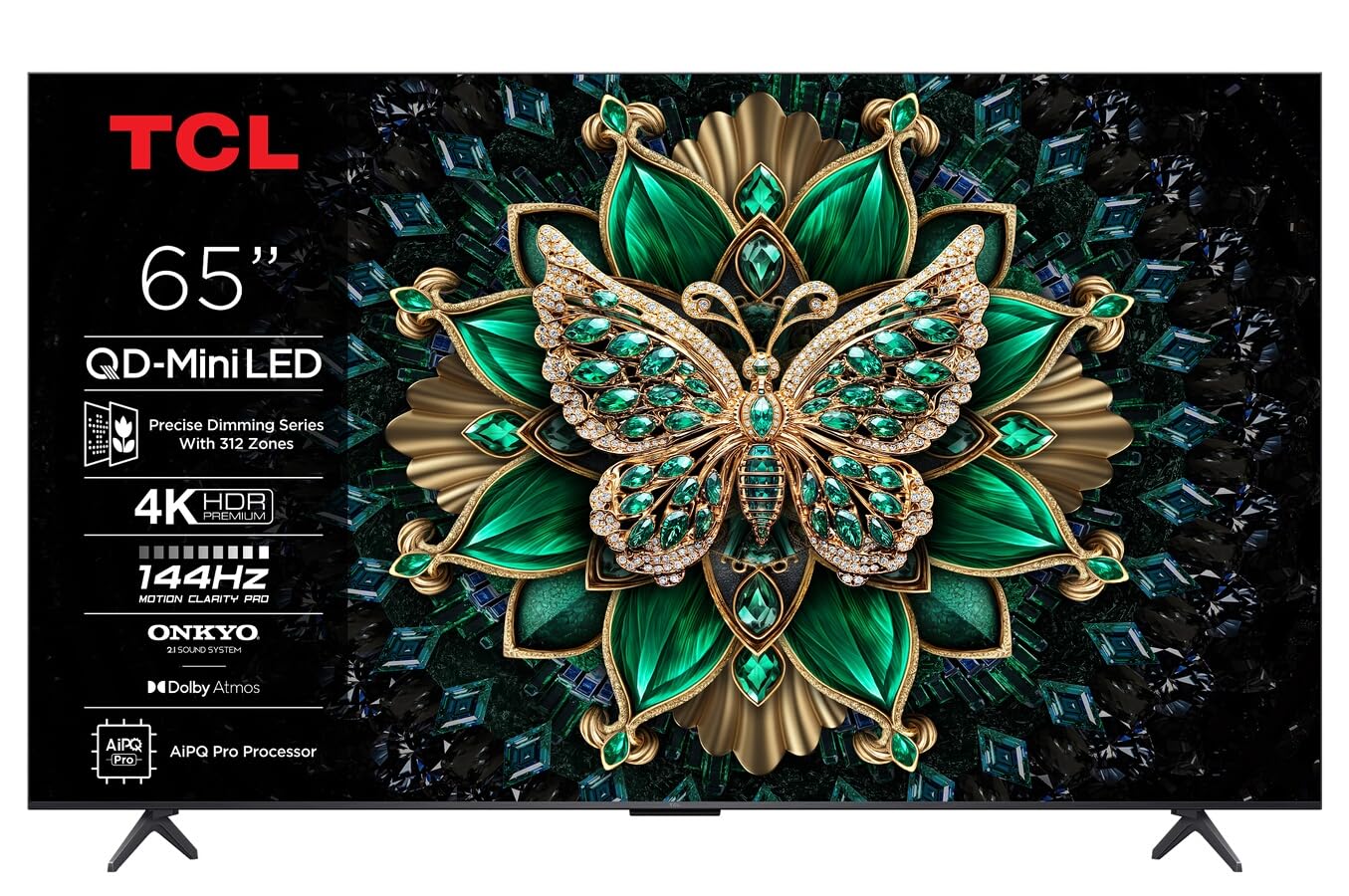
Immagine: Frontale view of the TCL 65C69K QD-MiniLED 4K Smart TV. The TV features a slim bezel and a central stand, showcasinil suo display e il suo design.
1.2 Installazione su supporto o montaggio a parete
Per l'installazione del supporto: Place the TV screen-down on a soft, flat surface. Align the stand with the designated slots on the bottom of the TV and secure it using the provided screws. Ensure the stand is firmly attached before placing the TV upright.
Per il montaggio a parete: Refer to the wall mount kit instructions (sold separately) for proper installation. Ensure the wall mount is compatible with VESA standards for your TV model. Always seek professional assistance for wall mounting to prevent damage or injury.
1.3 Collegamento delle periferiche
- Cavo di alimentazione: Collegare il cavo di alimentazione all'ingresso di alimentazione del televisore e poi a una presa a muro.
- Dispositivi HDMI: Connect external devices such as Blu-ray players, game consoles, or set-top boxes to the HDMI ports. This TV supports 4K resolution via HDMI.
- Antenna/cavo: Connect an antenna or cable TV coaxial cable to the "ANT/CABLE IN" port for broadcast television.
- Connessione di rete: For internet access, connect an Ethernet cable to the LAN port or use the built-in Wi-Fi connectivity.
- Dispositivi audio: For external audio systems, use the optical digital audio output or HDMI ARC/eARC port. The TV features Onkyo 2.1 audio.
1.4 First Power On and Initial Configuration
After connecting all necessary cables, press the power button on the TV or remote control. The TV will guide you through the initial setup process, which includes:
- Selezione della lingua: Scegli la tua lingua preferita.
- Configurazione di rete: Connect to your Wi-Fi network or confirm the Ethernet connection.
- Google TV Account: Sign in with your Google account to access smart features, apps, and personalized recommendations.
- Scansione canali: Scan for available broadcast channels if an antenna or cable is connected.
- Impostazioni sulla privacy: Review e modificare le impostazioni sulla privacy come desiderato.
2. Utilizzo del televisore
This section details the basic operation of your TCL 65C69K Smart TV, including remote control functions and smart features.
2.1 Controllo remoto finitoview
The remote control allows you to navigate the TV's interface, adjust settings, and access smart features. Familiarize yourself with buttons for power, volume, channel, input selection, home, back, and dedicated app buttons (if present).
2.2 Funzioni di base
- Accensione/spegnimento: Premere il tasto Energia pulsante sul telecomando o sulla TV.
- Regolazione del volume: Utilizzare il Volume su/giù pulsanti.
- Selezione canale: Utilizzare il Canale su/giù pulsanti o il tastierino numerico.
- Selezione input: Premere il tasto Ingresso button to switch between connected devices (HDMI 1, HDMI 2, TV, etc.).
2.3 Funzionalità Smart TV (Google TV)
Your TCL 65C69K runs on Google TV, providing access to a vast library of apps and streaming services. Press the Casa pulsante per accedere all'interfaccia di Google TV. Da qui puoi:
- Browse and launch pre-installed apps like Netflix, Amazon Prime Video, and Hulu.
- Download new apps from the Google Play Store.
- Access personalized content recommendations.
- Use Google Assistant for voice commands (if supported by your remote).
2.4 Impostazioni immagine e audio
Accedi al menu delle impostazioni della TV per personalizzare il tuo viewing and listening experience. Navigate to Settings > Display & Sound.
- Modalità immagine: Select from various picture modes (e.g., Standard, Movie, Game, Vivid) or customize settings like brightness, contrast, color, and sharpness. The QD-MiniLED panel and 4K resolution deliver exceptional clarity.
- Impostazioni immagine avanzate: Adjust settings related to Dolby Vision IQ for optimized picture quality based on ambient light. The TV supports a 120Hz refresh rate for smooth motion.
- Modalità audio: Choose sound modes (e.g., Standard, Music, Movie) or adjust equalizer settings. The integrated Onkyo 2.1 audio system with Dolby Atmos provides immersive sound.
3. Manutenzione
Proper maintenance ensures the longevity and optimal performance of your TCL 65C69K Smart TV.
3.1 Cleaning the Screen and Frame
- Scollegare sempre la TV prima di pulirla.
- Use a soft, lint-free cloth (e.g., microfiber) to gently wipe the screen. For stubborn marks, lightly dampImmergere il panno in acqua o in un detergente specifico per schermi. Non spruzzare mai il detergente direttamente sullo schermo.
- Wipe the TV frame and stand with a dry, soft cloth. Avoid abrasive cleaners or solvents.
3.2 Aggiornamenti software
Regular software updates provide new features, performance improvements, and security enhancements. To check for updates, navigate to Impostazioni > Sistema > Informazioni > Aggiornamento di sistema. Follow the on-screen prompts to download and install any available updates. Ensure your TV is connected to the internet during this process.
4. Risoluzione Dei Problemi
This section addresses common issues you might encounter with your TCL 65C69K Smart TV and provides solutions.
- Nessun potere:
- Ensure the power cable is securely connected to both the TV and a working wall outlet.
- Verificare che la presa a muro funzioni collegandovi un altro dispositivo.
- Prova a premere il pulsante di accensione sul televisore stesso, non solo sul telecomando.
- Nessuna immagine, ma l'audio è presente:
- Verificare che sia selezionata la sorgente di input corretta (ad esempio, HDMI 1, TV).
- Check the HDMI cable connection to both the TV and the external device. Try a different HDMI port or cable.
- Restart the connected external device.
- Nessun suono, ma l'immagine è presente:
- Increase the volume on the TV and ensure it is not muted.
- Controllare le impostazioni di uscita audio nel menu TV (ad esempio, altoparlanti interni, sistema audio esterno).
- Se si utilizzano altoparlanti esterni, assicurarsi che siano accesi e collegati correttamente.
- Problemi di connessione di rete:
- Riavvia il router e il modem Wi-Fi.
- Vai a Impostazioni> Rete e Internet e ristabilire la connessione.
- If using Wi-Fi, try moving the TV closer to the router or using an Ethernet cable for a more stable connection.
- Il telecomando non risponde:
- Sostituire le batterie del telecomando.
- Assicurarsi che non vi siano ostacoli tra il telecomando e il sensore IR del televisore.
- Se si tratta di un telecomando Bluetooth, prova ad associarlo nuovamente al televisore (per le istruzioni di associazione, consulta la guida sullo schermo del televisore).
If problems persist after trying these solutions, please contact TCL customer support for further assistance.
5. Specifiche tecniche
Below are the key technical specifications for the TCL 65C69K Smart TV.
| Nome del modello | 65C69K |
| Marca | TCL |
| Dimensioni dello schermo | 65 pollici |
| Tecnologia di visualizzazione | Mini LED |
| Risoluzione | 4K UHD (3840x2160) |
| Frequenza di aggiornamento | 120 Hz (nativo) |
| Caratteristiche speciali | Mini LED, 4K UHD, Premium Design, Smart Functions, Dolby Vision IQ |
| Tecnologia di connettività | Wi-Fi, HDMI, USB, Ethernet |
| Proporzioni | 16:9 |
| Servizi Internet supportati | Netflix, Amazon Prime Video, Hulu, Google TV ecosystem |
| Sistema audio | Onkyo 2.1, Dolby Atmos |


