Introduzione
This manual provides comprehensive instructions for the setup, operation, and maintenance of your HONOR Choice Watch 2i smartwatch. Please read this manual thoroughly to ensure proper use and to maximize the device's features.
Contenuto della confezione
- HONOR Choice Watch 2i Smartwatch
- Cavo di ricarica
- Manuale dell'utente (questo documento)
Impostare
1. Carica del dispositivo
Before initial use, fully charge your HONOR Choice Watch 2i. Connect the charging cable to the watch's charging port and a compatible USB power adapter. The watch will display a charging indicator. A full charge typically takes approximately 2 hours.
2. Accensione/spegnimento
- Accensione: Tenere premuto il pulsante laterale finché non viene visualizzato il logo HONOR.
- Spegni: From the watch face, swipe down to access quick settings, then tap the power icon, or go to Settings > System > Power Off.
3. Associazione con lo smartphone
- Scarica e installa il App HONOR Health dall'app store del tuo smartphone (Google Play Store per Android, Apple App Store per iOS).
- Apri l'app HONOR Health e segui le istruzioni sullo schermo per creare un account o effettuare l'accesso.
- Assicurati che il Bluetooth sia abilitato sul tuo smartphone.
- In the HONOR Health App, navigate to "Devices" and tap "Add Device" or the "+" icon.
- Seleziona "HONOR Choice Watch 2i" dall'elenco dei dispositivi disponibili.
- Conferma la richiesta di associazione sia sull'orologio che sullo smartphone.
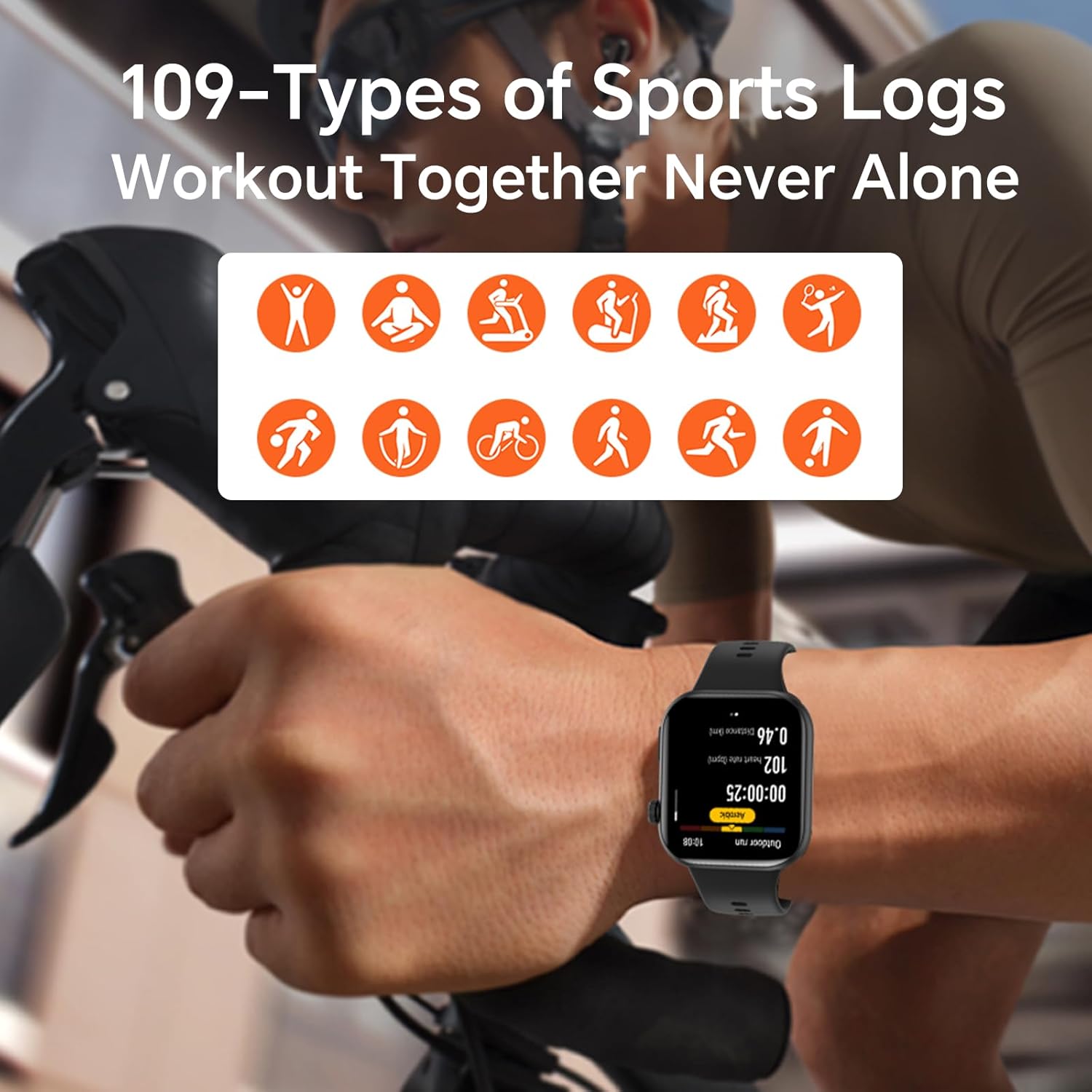
Image: The HONOR Health App interface displaying health data and device management options, essential for pairing and data synchronization.
4. Adjusting the Watch Strap
The HONOR Choice Watch 2i features a quick-release strap mechanism for easy replacement. To remove, slide the spring bar lever inwards and gently pull the strap away from the watch body. To attach, align the spring bar with the lug holes and release the lever.
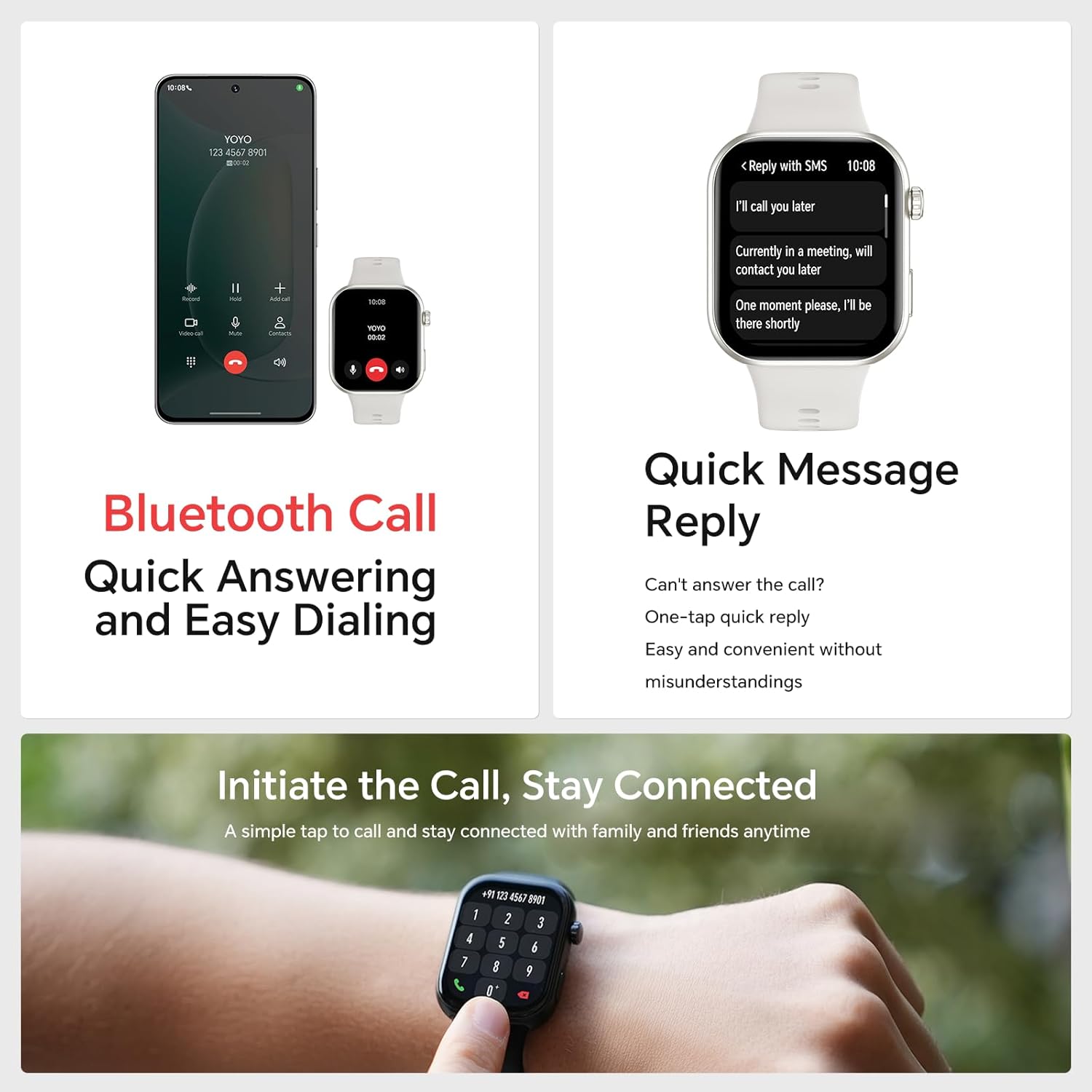
Immagine: Un dettaglio view of the watch's quick-release strap, illustrating how to detach and attach the band.
Funzionamento dell'orologio
1. Watch Navigation
- Schermo tattile: Scorri verso l'alto, verso il basso, verso sinistra o verso destra per navigare tra menu, notifiche e widget. Tocca per selezionare gli elementi.
- Pulsante laterale: Press to return to the watch face or access the app list. Press and hold for power options or to activate voice assistant (if configured).

Image: The main watch face of the HONOR Choice Watch 2i, showing typical information displayed during daily use.
2. Chiamate e notifiche Bluetooth
Once paired with your smartphone, the HONOR Choice Watch 2i allows you to make and receive calls directly from your wrist. You can also receive notifications for SMS, emails, and other applications.
- Rispondere alle chiamate: Tocca l'icona verde del telefono sullo schermo dell'orologio quando viene visualizzata una chiamata in arrivo.
- Effettuare le chiamate: Access the dialer from the app list on your watch to initiate calls.
- Risposta rapida: For incoming messages, use the quick reply feature to send predefined responses.
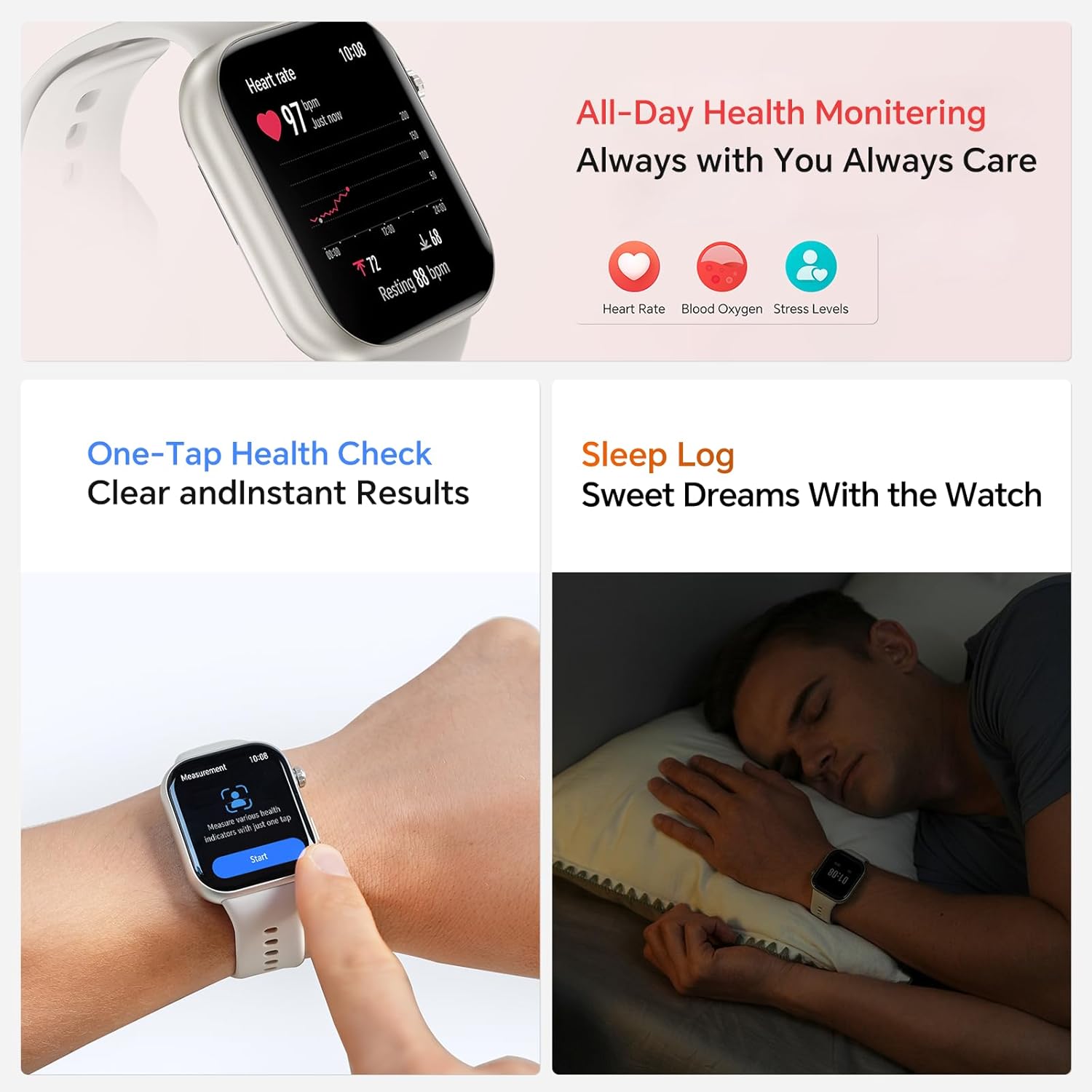
Image: The smartwatch showing both an incoming call interface and options for quick message replies, demonstrating its communication features.
3. Quadranti personalizzabili
Personalize your watch by changing the watch face. You can select from various pre-installed faces or download more through the HONOR Health App. To change directly on the watch, press and hold the watch face, then swipe left or right to browse and tap to select.

Image: A collection of HONOR Choice Watch 2i units showcasing various customizable watch faces, highlighting personalization options.
Funzionalità di monitoraggio della salute
The HONOR Choice Watch 2i is equipped with advanced sensors to track various health metrics continuously.
- Monitoraggio della frequenza cardiaca: Provides 24/7 continuous heart rate tracking and alerts for abnormal readings.
- Monitoraggio dell'ossigeno nel sangue (SpO2): Misura i livelli di ossigeno nel sangue.
- Monitoraggio del livello di stress: Tiene traccia dei livelli di stress durante il giorno.
- Monitoraggio del sonno: Analyzes sleep quality by detecting light, deep, and REM sleep stages.
- Monitoraggio del ciclo mestruale: Helps women monitor and manage their menstrual cycles.
- Controllo sanitario con un tocco: Quickly measure multiple health metrics simultaneously.
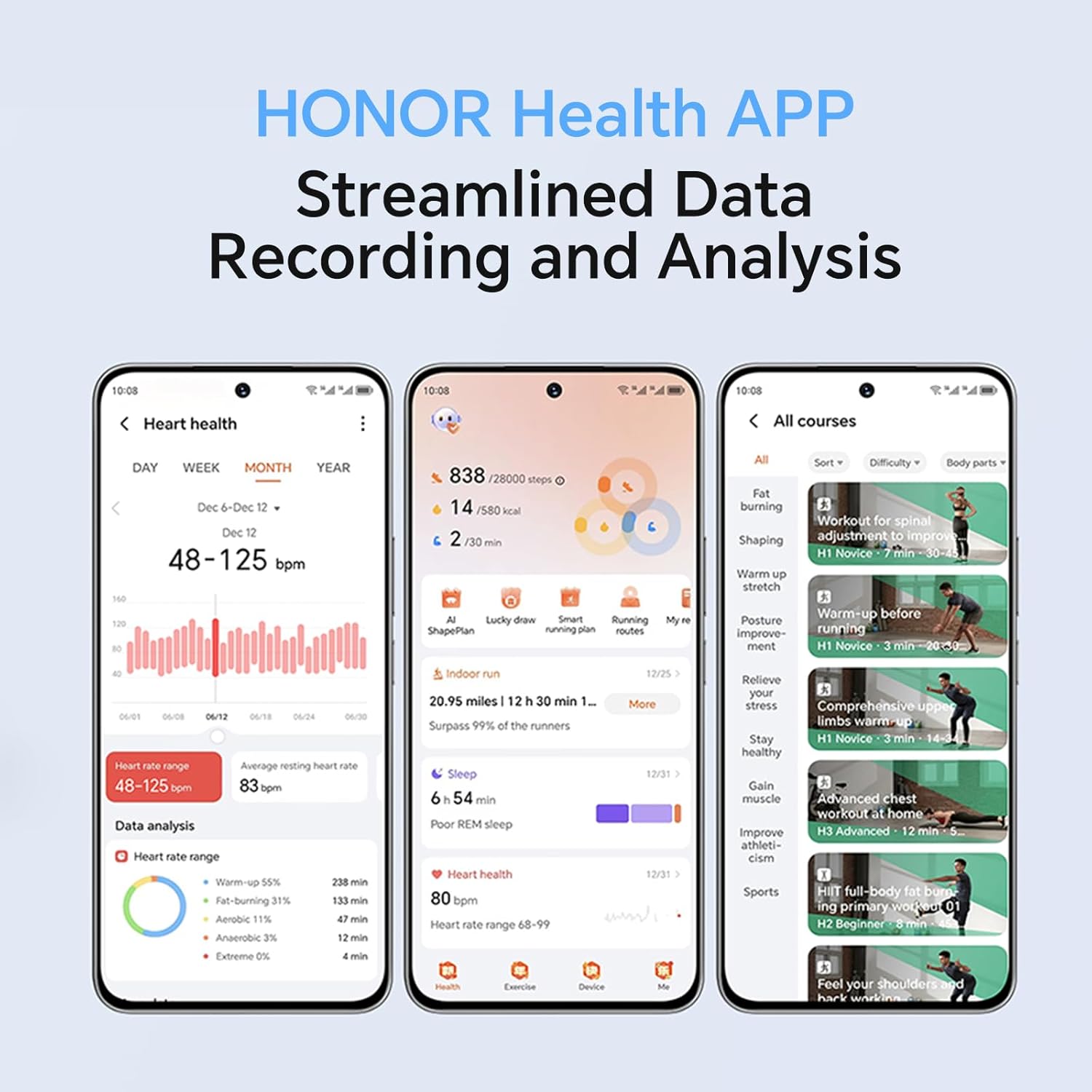
Image: The smartwatch screen showing real-time heart rate data and a user interacting with the "Start" button for a health measurement.
Fitness Tracking and Exercise Modes
The watch supports 109 exercise modes, automatically detecting common activities and providing detailed performance metrics. All data is synchronized with the HONOR Health App for comprehensive analysis.
Image: A user wearing the HONOR Choice Watch 2i while cycling, with the watch screen showing active workout data like duration and distance.
Informazioni sulla batteria
The HONOR Choice Watch 2i is equipped with a 330mAh battery. Under normal usage conditions, it provides up to 14 days of battery life. With heavy use, the battery can last up to 10 days.
Resistenza all'acqua
The watch has a 10-meter water resistance rating (IP68), making it suitable for everyday use, including splashes, rain, and sweat during exercise. It is not recommended for diving or high-pressure water activities.
Manutenzione e cura
- Pulizia: Pulire regolarmente l'orologio e il cinturino con un panno morbido eamp stoffa. Evitare l'uso di prodotti chimici aggressivi o materiali abrasivi.
- Essiccazione: Ensure the watch is dry before charging to prevent damage.
- Magazzinaggio: Quando non lo si utilizza, conservare l'orologio in un luogo fresco e asciutto.
- Evitare temperature estreme: Non esporre l'orologio a temperature estreme, sia calde che fredde.
Risoluzione dei problemi
- L'orologio non si accende: Assicurati che l'orologio sia completamente carico. Collegalo al caricabatterie per almeno 10 minuti.
- Impossibile associare il telefono:
- Assicurati che il Bluetooth sia abilitato sul telefono e sull'orologio.
- Make sure the HONOR Health App is updated to the latest version.
- Riavvia sia il telefono che l'orologio.
- Prova a disaccoppiare e riassociare il dispositivo tramite l'app.
- Dati sanitari inesatti:
- Assicurati che l'orologio sia indossato comodamente al polso, circa un dito sopra l'osso del polso.
- Mantenere l'area del sensore pulita e libera da ostruzioni.
- Breve durata della batteria:
- Ridurre la luminosità dello schermo.
- Disable continuous heart rate monitoring or set it to a lower frequency if not needed 24/7.
- Limita il numero di app che inviano notifiche all'orologio.
- Close unused background applications on the watch.
Specifiche del prodotto
| Marca | ONORE |
| Numero di modello | 1f15f2d1-dda6-4d72-84f6-3dcbc74fa2bb |
| Dimensioni dello schermo | 1.85 pollici |
| Sistema operativo | Indossare il sistema operativo |
| Tecnologia di connettività | Bluetooth |
| Capacità della batteria | 330 milioneamp Ore |
| Resistenza all'acqua | 10 meters (IP68 rating) |
| Caratteristiche speciali | Fitness Modes, Battery Life, Oximeter (SpO2), Heart Rate Monitor, Stress Monitor, Sleep Tracking, Menstrual Cycle Tracking, Bluetooth Call |
| Forma dell'oggetto | Rettangolare |
| Dimensioni del pacco | Dimensioni: 17.7 x 11.9 x 5.2 cm |
| Peso dell'articolo | 110 grammi |
Garanzia e supporto
Per informazioni sulla garanzia e supporto tecnico, fare riferimento al sito ufficiale HONOR websito o contattare il servizio clienti. Conservare la ricevuta d'acquisto come prova d'acquisto.


