
1. Introduzione
Thank you for choosing the Desky Flexi Monitor Arm. This manual provides detailed instructions for the safe and efficient installation, operation, and maintenance of your new monitor arm. Please read this manual thoroughly before installation and retain it for future reference.
2. Informazioni sulla sicurezza
Per evitare lesioni o danni al prodotto, osservare le seguenti precauzioni di sicurezza:
- Prima del montaggio, assicurarsi che tutti i componenti siano presenti e integri. Non utilizzare se alcuni componenti risultano mancanti o difettosi.
- Non superare la capacità di peso massima di 24.2 libbre (11 kg).
- Assicurati che la superficie della scrivania sia sufficientemente robusta da sostenere il peso combinato del braccio del monitor e del monitor stesso.
- Tighten all screws firmly, but do not overtighten. Overtightening can damage threads.
- Keep children away from small parts that could be swallowed.
- Adjust the tension of the arm carefully according to your monitor's weight to prevent sudden movement.
3. Contenuto della confezione
Verifica che tutti i seguenti componenti siano inclusi nel pacchetto:
- Gruppo braccio monitor
- Scrivania Clamp Montare
- Supporto passacavi
- Piastra VESA
- Kit hardware (viti, rondelle, chiavi a brugola)
- Manuale di istruzioni
Note: Specific screw sizes and quantities may vary. Refer to the hardware kit for exact contents.
4. Specifiche
| Caratteristica | Specificazione |
|---|---|
| Marca | Desky |
| Modello | Flexi Monitor Arm |
| Tipo di montaggio | Clamp or Through Desk (Grommet) |
| Tipo di movimento | Articolazione |
| Materiale | Steel, Plastic, Aluminium |
| Colore | Nero |
| Dimensioni del monitor compatibili | Da 17" a 35" |
| Capacità di peso | Da 6.6 a 24.2 libbre (da 3 a 11 kg) |
| Compatibilità VESA | 75x75mm, 100x100mm |
| Angolo di inclinazione | da +60° a -60° |
| Rotazione | 360° (with 180° rotation stop) |
| Altezza massima | 500mm (from desk surface) |
| Altezza minima | 250mm (from desk surface) |
The monitor arm supports a wide range of screen sizes and weights, offering flexibility for various setups.
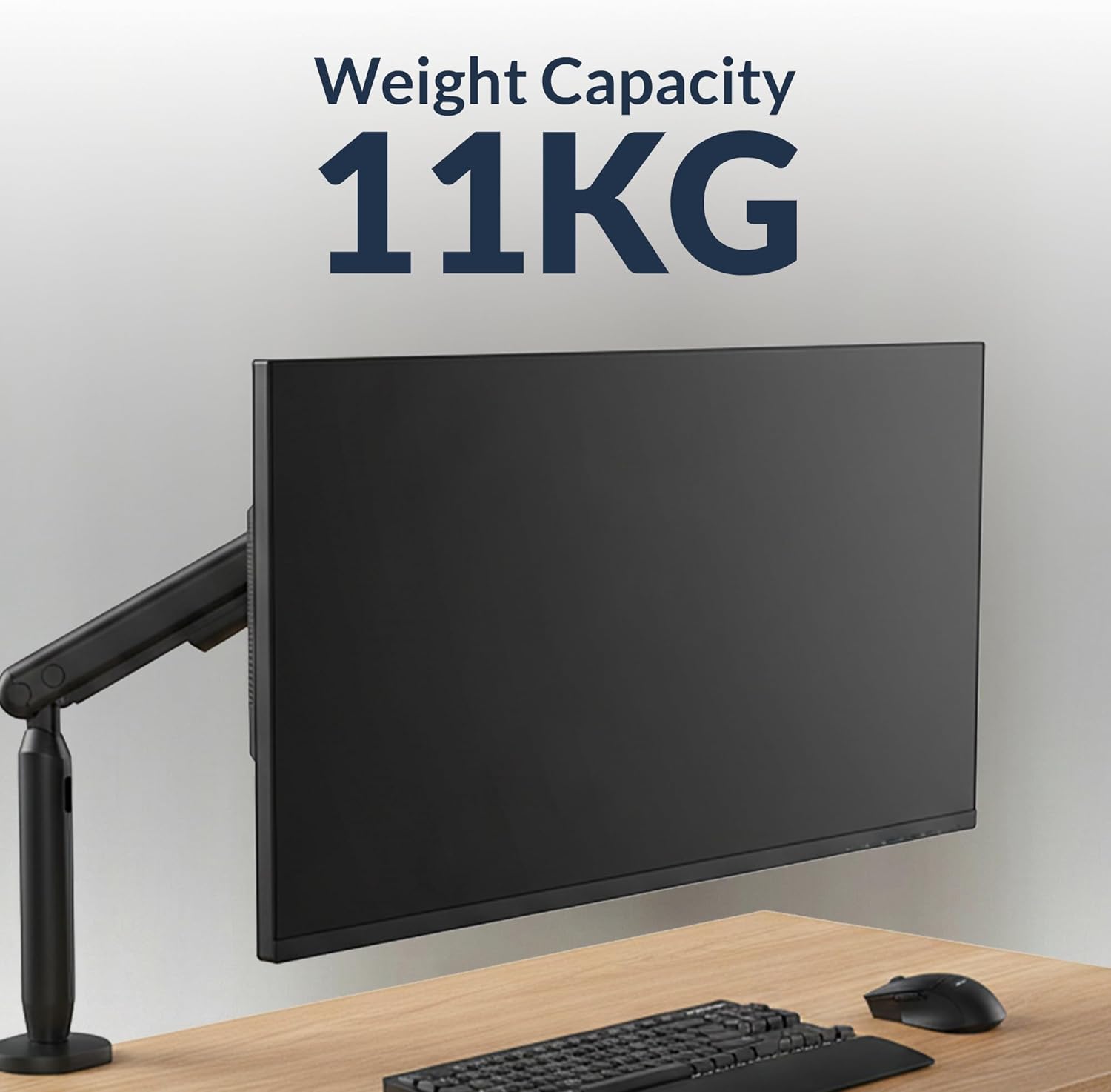
Image: The monitor arm is designed to support monitors up to 11 kg (24.2 lbs).

Image: The monitor arm is compatible with screens ranging from 17 to 35 inches.
5. Istruzioni per l'installazione
5.1 Scegli la tua opzione di montaggio
The Desky Flexi Monitor Arm offers two installation methods: Desk Clamp o supporto Grommet.
5.1.1 Scrivania Clamp Installazione
- Fissare la scrivania clamp to the bottom of the monitor arm pole.
- Posizionare il clamp sul bordo della scrivania.
- Stringere la clamp screw until the arm is securely fastened to the desk. Ensure it is stable and does not wobble.
5.1.2 Grommet Mount Installation
- Se la scrivania è dotata di un foro passacavo, inserire la base passacavo attraverso il foro.
- Fissare la base del passacavo da sotto la scrivania utilizzando la piastra e il dado forniti.
- Attach the monitor arm pole to the grommet base.
- Tighten all fasteners to ensure stability.
5.2 Fissaggio del monitor
- Attach the VESA plate to the back of your monitor using the appropriate screws from the hardware kit. Ensure the VESA mounting holes (75x75mm or 100x100mm) align.
- Slide the monitor (with the attached VESA plate) onto the VESA head of the monitor arm until it clicks into place.
- Secure the monitor by tightening any safety screws on the VESA head, if applicable.

Image: A Desky Flexi Monitor Arm securely mounted to a desk with a monitor attached, demonstrating a typical setup.
6. Istruzioni per l'uso
The Desky Flexi Monitor Arm allows for various adjustments to achieve an ergonomic viewesperienza di acquisizione.
6.1 Regolazione dell'altezza
The arm features a spring-assisted mechanism for effortless vertical movement. Gently push or pull the monitor to the desired height. If the monitor does not stay in position, adjust the tension screw on the arm using the provided Allen key. Turn clockwise to increase tension for heavier monitors, and counter-clockwise to decrease tension for lighter monitors.
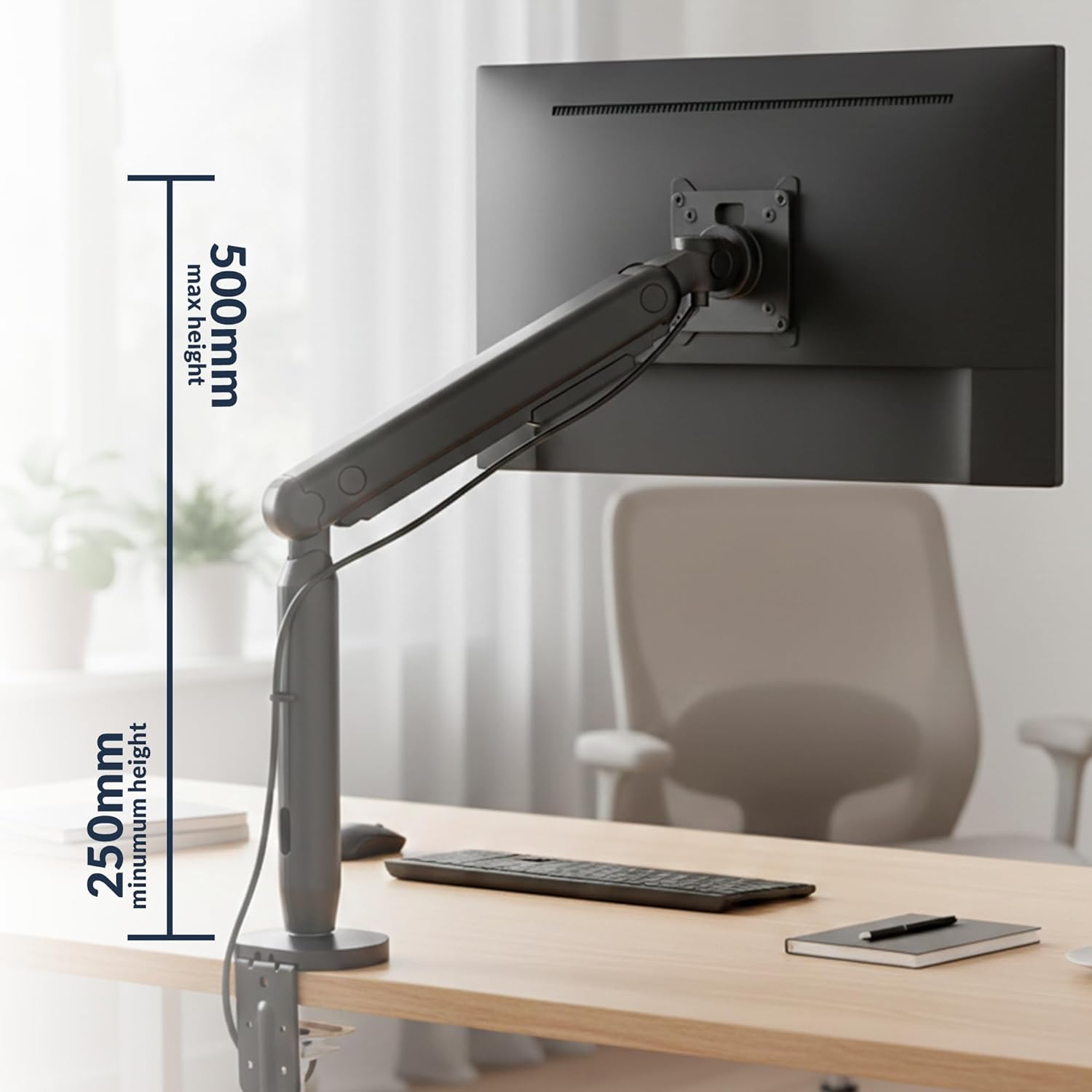
Image: The monitor arm can be adjusted vertically from a minimum height of 250mm to a maximum height of 500mm.
6.2 Inclinazione, rotazione e rotazione
- Inclinazione: Il monitor può essere inclinato da +60° a -60° per ridurre i riflessi e ottimizzare viewangoli di inclinazione.
- Girevole: The arm can swivel horizontally to share your screen or adjust your viewposizione di avanzamento.
- Rotazione: The VESA plate allows for 360° rotation, enabling easy switching between landscape and portrait modes. A 180° rotation stop prevents the arm from swinging too far.

Image: The monitor arm allows for a tilt range of +60° to -60° and rotation of +/-90° at the VESA plate.
6.3 Gestione dei cavi
Utilize the integrated cable management system to keep your workspace tidy. Route cables through the designated channels along the arm to conceal them.

Image: A monitor arm with a cable routed through its built-in cable management system, keeping the desk organized.
7. Manutenzione
Regular maintenance ensures the longevity and optimal performance of your monitor arm.
- Pulizia: Pulisci il braccio con un panno morbido eamp panno. Evitare detergenti abrasivi o solventi.
- Ispezione: Controllare periodicamente tutte le viti e i collegamenti per assicurarsi che siano ben serrati. Serrare nuovamente se necessario.
- Lubrificazione: The internal spring mechanism is designed for maintenance-free operation. Do not attempt to lubricate internal components.
8. Risoluzione Dei Problemi
If you encounter issues with your Desky Flexi Monitor Arm, refer to the following common problems and solutions:
| Problema | Possibile causa | Soluzione |
|---|---|---|
| Monitor sags or does not hold position | Arm tension is too low for monitor weight. | Increase tension by turning the adjustment screw clockwise with the provided Allen key. |
| Monitor is difficult to move up or down | Arm tension is too high for monitor weight. | Decrease tension by turning the adjustment screw counter-clockwise with the provided Allen key. |
| Arm feels unstable or wobbles | Montaggio clamp/grommet is not tight enough. | Assicurare la scrivaniaamp o il supporto passacavo sia fissato saldamente alla scrivania. |
| Monitor does not attach to VESA head | Incorrect VESA plate attachment or incompatible VESA pattern. | Verify VESA plate is correctly attached to monitor and that monitor supports 75x75mm or 100x100mm VESA patterns. |
9. Informazioni sulla garanzia
The Desky Flexi Monitor Arm comes with a 5 Years Supplier Warranty. This warranty covers defects in materials and workmanship under normal use. Please retain your proof of purchase for warranty claims. For specific terms and conditions, please refer to the warranty documentation included with your product or contact Desky customer support.
10. Assistenza clienti
For further assistance, technical support, or warranty inquiries, please contact Desky customer service. Visit the official Desky websito per informazioni di contatto e risorse aggiuntive.
Websito: Desky Store su Amazon
Please have your product model (Flexi Monitor Arm) and purchase information ready when contacting support.