Prodotto finitoview
The Monster Open AC601 Wireless Earbuds are designed to provide a high-fidelity audio experience with advanced features for everyday use. These clip-on earbuds offer comfort, stable connectivity, and environmental noise cancellation for clear communication.

Image: Monster Open AC601 Wireless Earbuds and their compact charging case.
Caratteristiche principali:
- Puro suono mostruoso: Features 13mm PVK composite sound film for Hi-Fi audio with powerful low frequencies and clear highs.
- Enhanced Call Quality with ENC: Advanced Environmental Noise Cancellation technology reduces background noise for clear conversations.
- Bluetooth 5.4 avanzato: Ensures stable connection, synchronized audio-video playback, low latency, and 90% faster transmission rate.
- Quick Charging & Long Battery Life: Total battery life of 32 hours with the charging case, designed for all-day use.
- IPX5 impermeabile: Protects against rain and sweat, suitable for active lifestyles.
- Smart Touch Design: Easy touch controls for calls, track switching, and volume adjustment.
- Comfortable Clip-on Design: Open ear clip design provides a secure, stress-free, and comfortable fit.
Guida all'installazione
1. Ricarica degli auricolari
Before first use, fully charge your Monster Open AC601 earbuds and charging case. Place the earbuds into their respective slots in the charging case. The indicator lights on the case will show the charging status. A full charge provides up to 32 hours of total playtime with the case.
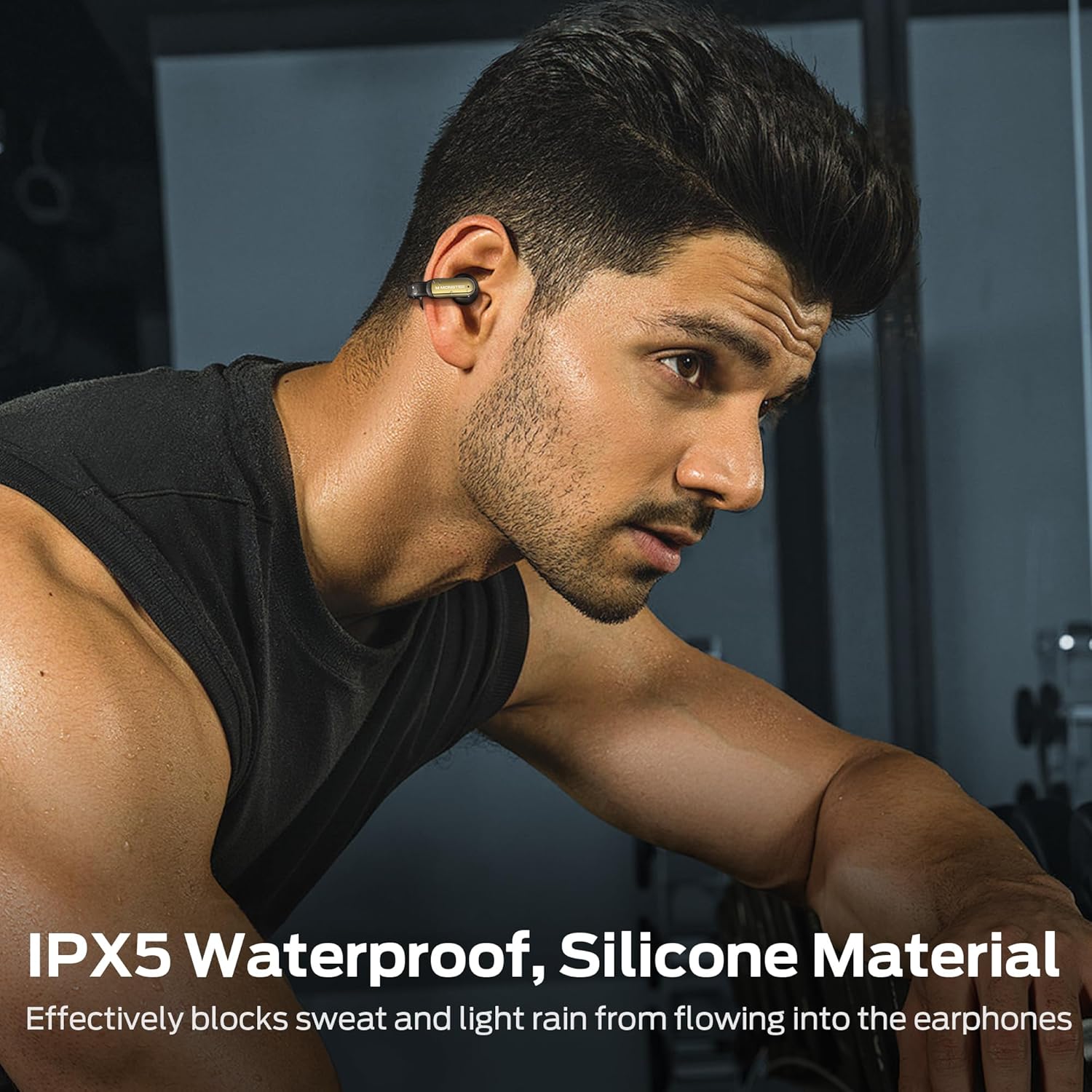
Image: The earbuds and charging case highlighting the 32-hour total playtime and fast charging capability.
2. Indossare gli auricolari
The Monster Open AC601 earbuds feature a unique clip-on design for secure and comfortable wear. To wear them:
- Place the smaller part of the earbud into your ear canal.
- Clip the larger, curved part of the earbud gently behind your ear.
- Adjust the earbud to a comfortable and secure position. The flexible design ensures a snug fit without causing discomfort, even during vigorous activities.

Image: Step-by-step diagram illustrating the correct way to wear the clip-on earbuds.

Image: A woman demonstrating the comfortable and secure fit of the Monster Open AC601 earbuds.
3. Accoppiamento Bluetooth
Per associare gli auricolari a un dispositivo:
- Aprire la custodia di ricarica. Gli auricolari entreranno automaticamente in modalità di associazione.
- Sul tuo dispositivo (smartphone, tablet, laptop), attiva il Bluetooth.
- Cercare "Monster Open AC601" in the list of available Bluetooth devices.
- Select it to connect. Once connected, you will hear an audible confirmation.
The earbuds utilize Bluetooth 5.4 for a stable and fast connection, ensuring low latency and synchronized audio-video playback.

Image: Diagram illustrating the advanced Bluetooth 5.4 technology for enhanced connectivity and transmission speed.
Istruzioni per l'uso
Funzioni di controllo touch
The Monster Open AC601 earbuds feature intuitive touch controls on each earbud. The following table outlines the common functions:

Image: Visual guide to the touch control functions available on the earbuds.
| Azione | Funzione |
|---|---|
| Tocca x2 (S/D) | Rispondi/Termina chiamata, Riproduci/Pausa |
| Tap x3 (L) | Decline Phone Call, Previous Song |
| Tap x3 (R) | Prossima canzone |
| Tap x1 (R) | Aumentare il volume |
| Tap x1 (L) | Riduci volume |
| Tap x2s (L/R) | Assistente vocale |
Gestione delle chiamate
The earbuds are equipped with Environmental Noise Cancellation (ENC) technology to ensure crystal-clear calls by effectively reducing ambient background noise.

Image: A woman using the earbuds for a call, illustrating the ENC Call Noise Reduction feature.
Riproduzione audio
Experience Hi-Fi level sound quality with the 13mm PVK composite sound film, delivering rich bass and clear treble for an immersive listening experience.

Immagine: Un esploso view diagramma mostracasing the internal components of the earbud's 13mm dynamic speaker for upgraded Hi-Fi sound quality.
Cura e manutenzione
Proper care ensures the longevity and optimal performance of your Monster Open AC601 earbuds.
Pulizia
- Pulisci delicatamente gli auricolari e la custodia di ricarica con un panno morbido, asciutto e privo di lanugine.
- Non utilizzare prodotti chimici aggressivi, solventi per la pulizia o detergenti aggressivi.
- Mantenere i contatti di ricarica puliti e privi di detriti.
Resistenza all'acqua (IPX5)
The earbuds are rated IPX5 waterproof, meaning they are protected against low-pressure water jets from any direction. This makes them suitable for workouts and light rain.
- Non immergere gli auricolari in acqua.
- Per evitare danni, assicurarsi che gli auricolari siano asciutti prima di riporli nella custodia di ricarica.

Image: A man wearing the earbuds during a workout, demonstrating their IPX5 waterproof capability against sweat and light rain.
Risoluzione dei problemi
If you encounter issues with your Monster Open AC601 earbuds, refer to the following common solutions:
- Nessun suono/Volume basso: Ensure earbuds are charged, connected to your device, and volume is turned up on both the earbuds and your device.
- Impossibile associare: Assicurati che il Bluetooth sia abilitato sul tuo dispositivo e che gli auricolari siano in modalità di associazione. Prova a disattivare e riattivare il Bluetooth sul tuo dispositivo.
- Connessione intermittente: Ensure earbuds are within range of your device (typically 10 meters/33 feet). Avoid obstacles that may interfere with the Bluetooth signal.
- Gli auricolari non si caricano: Check if the charging case has power. Ensure the earbuds are correctly seated in the charging case and the charging contacts are clean.
- I comandi touch non rispondono: Ensure your fingers are clean and dry. Try resetting the earbuds (refer to the full manual for specific reset instructions if needed).
Specifiche tecniche
| Caratteristica | Specificazione |
|---|---|
| Marca | Mostro |
| Nome del modello | E62 |
| Tecnologia di connettività | Wireless (Bluetooth) |
| Versione Bluetooth | 5.4 |
| Forma dell'auricolare | A clip |
| Dimensioni del driver audio | 13 millimetri |
| Tipo di driver audio | Driver dinamico |
| Livello di resistenza all'acqua | IPX5 (impermeabile) |
| Metodo di controllo | Tocco |
| Peso dell'articolo | 5.3 once |
| Batteria | È necessaria 1 batteria agli ioni di litio (inclusa) |
| Tempo di riproduzione totale (con custodia) | Fino a 32 ore |
| Colore | Nero |
| Dispositivi compatibili | Smartphone, Tablet, Laptop, Desktop |
Video ufficiali dei prodotti
Al momento non sono disponibili video ufficiali del venditore per questo prodotto.
Garanzia e supporto
Per informazioni sulla garanzia e sull'assistenza clienti, fare riferimento alla documentazione inclusa nella confezione del prodotto o visitare il sito ufficiale Monster websito. Conservare la prova d'acquisto per eventuali reclami in garanzia.


