1. Introduzione
Grazie per l'acquistoasing the AceGamer RGB Charging Dock for PlayStation Portal. This portable charging station is designed to provide a stable and efficient charging solution for your PlayStation Portal console, featuring customizable RGB lighting and essential protection features. Please read this manual carefully before use to ensure proper operation and maintenance.
2. Contenuto della confezione
- AceGamer RGB Charging Dock (1 unit)
- Cavo di ricarica di tipo C (1 unità)
- Manuale dell'utente (questo documento)
3. Caratteristiche del prodotto
- Dedicated Charging: Specifically designed for the PlayStation Portal console.
- Illuminazione RGB: Features 7 distinct lighting modes for personalized aesthetics.
- Ricarica rapida: Efficient power delivery for fast charging.
- Protezioni di sicurezza: Sovracorrente incorporata, over-voltage, e sotto-voltage protezione.
- Design ergonomico: 30-degree comfortable viewing angle for the PlayStation Portal.
- Base stabile: Equipped with anti-slip mats for secure placement.
- Connettività: USB Type-C input for power.
4. Istruzioni per l'installazione
- Connetti alimentazione: Insert the provided Type-C charging cable into the charging dock's input port and connect the other end to a suitable USB power adapter (not included).

Figure 4.1: Connecting the Type-C power cable to the charging dock.
- Place PlayStation Portal: Carefully align your PlayStation Portal console with the charging connector on the dock and gently place it into position. Ensure a secure connection for charging. The dock is designed to hold the Portal at a 30-degree angle for optimal viewing.

Figure 4.2: PlayStation Portal placed on the charging dock at a 30-degree angle.
- Anti-slip Stability: The base of the charging dock is equipped with anti-slip mats to prevent accidental movement. Ensure the dock is placed on a flat, stable surface.
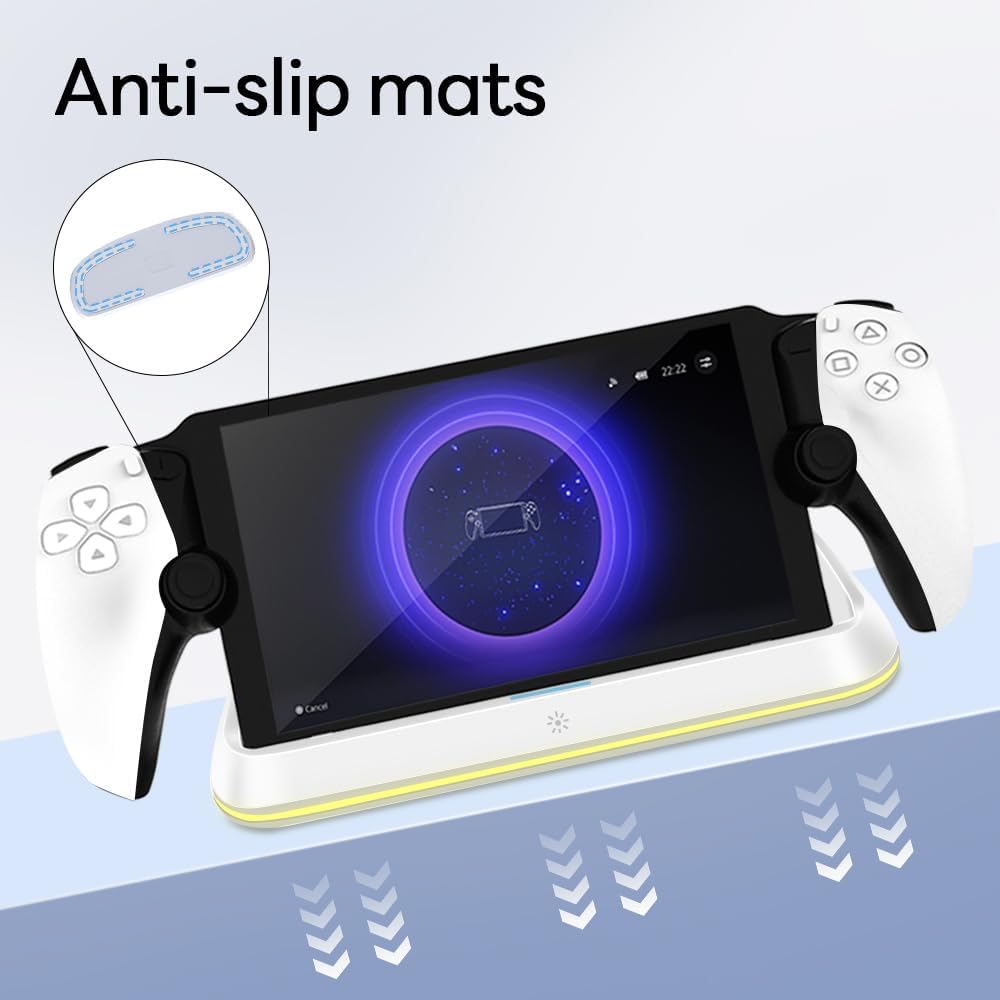
Figure 4.3: Anti-slip mats on the charging dock for enhanced stability.
- Guida visiva: For a visual demonstration of the setup process, please refer to the video below.
Video 4.1: Demonstration of connecting the power supply and placing the PlayStation Portal onto the charging dock.
5. Istruzioni per l'uso
- Charging the PlayStation Portal: Once the PlayStation Portal is correctly seated on the dock and the dock is powered, charging will begin automatically. A full charge typically takes approximately 3.5 hours. The dock includes protection against over-current, over-voltage, e sotto-voltage to safeguard your device.

Figure 5.1: Charging indicators and safety protection features.
- Controllo dell'illuminazione RGB: The charging dock features a touch-sensitive button to control the RGB lighting. Press the button to cycle through 7 different lighting modes or to turn the lights off.

Figure 5.2: RGB lighting modes and touch control button.
6. Manutenzione
- Keep the charging dock clean and free from dust. Use a soft, dry cloth for cleaning.
- Evitare di esporre il dispositivo a temperature estreme, umidità o luce solare diretta.
- Non utilizzare detergenti abrasivi o solventi, poiché potrebbero danneggiare la superficie.
- Ensure the charging port and connector are free of debris before placing the PlayStation Portal.
7. Risoluzione Dei Problemi
- Dispositivo non in carica:
- Ensure the Type-C cable is securely connected to both the dock and the power adapter.
- Verificare che l'adattatore di alimentazione funzioni correttamente e sia collegato a una presa di corrente funzionante.
- Check if the PlayStation Portal is properly seated on the charging connector.
- Prova a utilizzare un cavo Type-C o un adattatore di alimentazione diverso.
- Le luci RGB non funzionano:
- Ensure the charging dock is powered on.
- Press the touch light button to cycle through modes or turn the lights on.
- Unstable placement:
- Ensure the dock is placed on a flat, level surface.
- Check if the anti-slip mats are clean and intact.
8. Specifiche
| Marca | AceGamer |
| Numero di modello | PS-P-White |
| Dispositivi compatibili | Portale PlayStation |
| Ingresso volumetage | 5 Volt |
| Cosatage | 7 Watt |
| Tipo di connettore | USB Type-C (for power input) |
| Caratteristiche speciali | RGB Lighting, Fast Charging, Over-current Protection, Over-voltage Protezione, Sotto-voltage Protezione |
| Dimensioni | Circa 22.5 x 8.9 x 8.4 cm |
| Peso | Circa 290 g |
9. Garanzia e supporto
AceGamer products are designed and manufactured to the highest quality standards. For warranty information or technical support, please contact the retailer where you purchased the product or visit the official AceGamer websito per i dettagli di contatto del servizio clienti. Si prega di conservare la prova d'acquisto per eventuali reclami in garanzia.


