1. Introduzione
Welcome to the user manual for your new TTfone TT880 Mobile Phone. This phone is designed with simplicity and ease of use in mind, making it ideal for seniors and the elderly. It features a large, separated keypad, an emergency assistance button, and an extra loud speaker for clear communication. Please read this manual carefully to understand all features and ensure proper operation.
2. Cosa c'è nella scatola
Upon opening your TTfone TT880 package, you should find the following items:
- Telefono cellulare TTfone TT880
- Batteria ricaricabile
- Cavo di ricarica USB
- Manuale dell'utente (questo documento)

Image: The TTfone TT880 mobile phone, battery, and USB charging cable as typically found in the box.
3. Impostazione
3.1. Inserimento della scheda SIM e della batteria
- Rimuovere la cover posteriore: Gently slide the back cover downwards from the top edge of the phone to remove it.
- Inserire la carta SIM: Locate the SIM card slot. Insert your 2G compatible SIM card into the slot with the gold contacts facing down and the cut corner aligned as shown in the diagram. Ensure it clicks into place.
- Inserire la batteria: Align the battery contacts with the terminals inside the phone. Gently press the battery down until it is securely seated.
- Sostituisci la cover posteriore: Place the back cover over the phone and slide it upwards until it clicks securely into place.
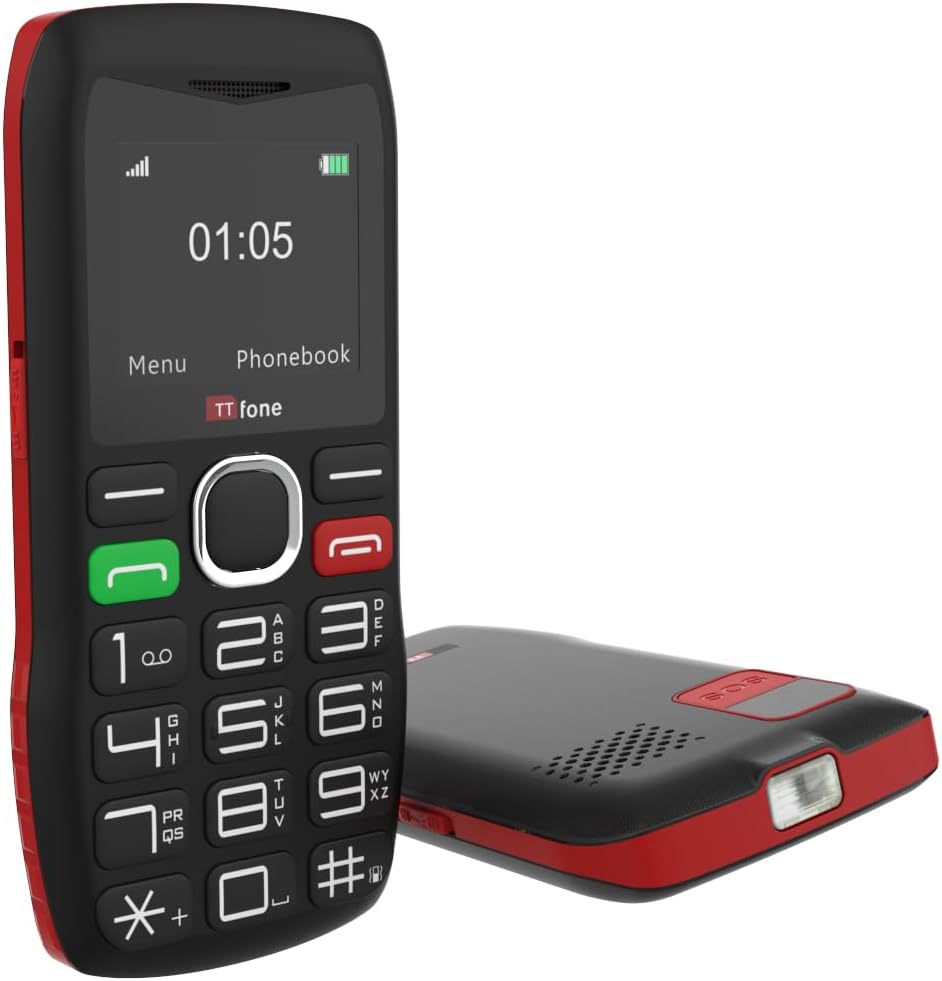
Immagine: Posteriore view of the TTfone TT880, illustrating the location for SIM card and battery insertion.
3.2. Ricarica del telefono
Before first use, fully charge your TTfone TT880. Use the provided USB charging cable.
- Connect the small end of the USB cable to the charging port on the side or bottom of the phone.
- Connect the larger end of the USB cable to a compatible USB power adapter (not included with USB cable version) or a computer's USB port.
- The battery indicator on the screen will show charging progress. A full charge typically takes a few hours.

Image: The TTfone TT880 phone being charged via its USB cable, showing the charging indicator on the screen.
4. Istruzioni per l'uso
4.1. Accensione/spegnimento
- Per accendere: Premere e tenere premuto il pulsante rosso di fine chiamata/accensione (✖) finché lo schermo non si illumina.
- Per spegnere: Premere e tenere premuto il pulsante rosso di fine chiamata/accensione (✖) finché non vengono visualizzate le opzioni di spegnimento, quindi confermare.
4.2. Effettuare e ricevere chiamate
- Per effettuare una chiamata:
- Inserire il numero di telefono utilizzando la tastiera.
- Premere il pulsante verde Chiama (✆) to dial.
- Per ricevere una chiamata: Quando squilla il telefono, premere il pulsante verde Chiama (✆) rispondere.
- Per terminare una chiamata: Premere il pulsante rosso Termina chiamata (✖).

Image: A person holding the TTfone TT880, highlighting its large, easy-to-use physical keys for comfortable dialing.
4.3. Emergency Assistance Button (SOS)
The TT880 features a dedicated SOS button for emergencies. When activated, it will call and send an SMS to pre-set emergency contacts.
- Impostazione dei contatti SOS:
- Navigate to the 'SOS Settings' in the phone's menu.
- Add up to 5 emergency contact numbers. These numbers will be called in sequence until one answers.
- You can also customize the emergency SMS message.
- Attivazione SOS: Press and hold the SOS button on the back of the phone for a few seconds. The phone will emit an alarm and begin dialing your emergency contacts.

Image: The TTfone TT880 with its SOS button prominently displayed, illustrating its use in an emergency scenario.
4.4. Funzione torcia
The TT880 includes a convenient torch function.
- Per accendere/spegnere: Use the dedicated torch switch located on the side of the phone.
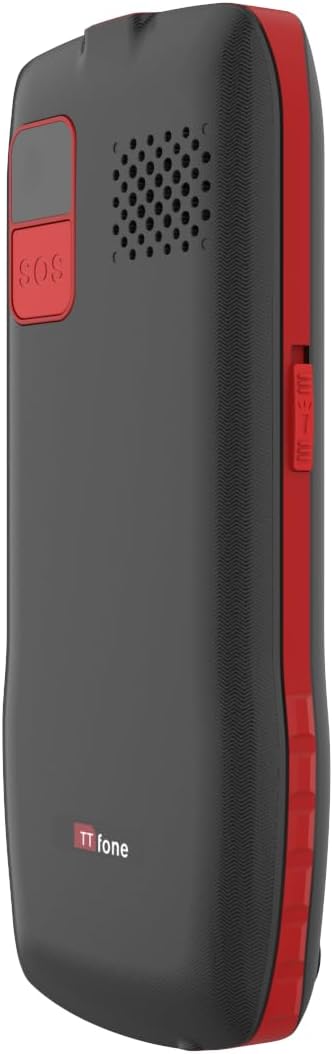
Image: The TTfone TT880 with its torch light illuminated, demonstrating its utility in low-light conditions.
4.5. Connettività Bluetooth
Pair your TT880 with other Bluetooth devices like headsets for hands-free communication.
- Navigate to 'Settings' > 'Bluetooth'.
- Attiva il Bluetooth.
- Seleziona 'Cercare devices' and choose your desired device from the list to pair.
5. Manutenzione
- Pulizia: Utilizzare un panno morbido e asciutto per pulire la superficie del telefono. Evitare detergenti liquidi o spray.
- Cura della batteria: Per prolungare la durata della batteria, evitare temperature estreme. Non lasciare il telefono completamente scarico per lunghi periodi.
- Magazzinaggio: If storing the phone for an extended period, charge the battery to about 50% and store in a cool, dry place.
6. Risoluzione Dei Problemi
| Problema | Possibile causa | Soluzione |
|---|---|---|
| Il telefono non si accende. | La batteria è scarica o non è inserita correttamente. | Caricare la batteria. Assicurarsi che la batteria sia inserita correttamente. |
| Impossibile effettuare o ricevere chiamate. | No network signal, SIM card not inserted, or SIM card not activated. | Check network signal strength. Reinsert SIM card. Contact your network provider to activate SIM. Ensure it's a 2G network. |
| Scarsa qualità delle chiamate / Volume basso. | Weak signal, speaker blocked, or volume too low. | Move to an area with better signal. Ensure speaker is not blocked. Adjust call volume during a call. |
| Il pulsante SOS non funziona. | SOS contacts not set up or invalid numbers. | Verify SOS settings and ensure valid numbers are programmed. |
7. Specifiche
- Modello: TT880
- Marca: Telefono
- Dimensioni dello schermo: 1.8 pollici
- Tecnologia cellulare: 2G
- Operatore wireless: Unlocked for All Carriers (2G networks only)
- Connettività: Bluetooth, USB
- Batteria: 1 batteria agli ioni di litio (inclusa)
- Dimensioni: Dimensioni: 15.1 x 11.3 x 2.4 cm
- Peso: 190 grammi
- Sistema operativo: TTfone (proprietario)
- Slot per scheda SIM: SIM singola
- Colore: Rosso
- Paese di origine: Cina
8. Garanzia e supporto
For warranty information and customer support, please refer to the documentation provided with your purchase or visit the official TTfone websito. Conservare la prova d'acquisto per eventuali reclami in garanzia.
Produttore: Telefono
Contatto: Please refer to the TTfone store on Amazon or their official websito per i contatti.
Informazioni sulla consegna: Please note that certain products may have delivery restrictions outside mainland UK. Confirm delivery eligibility at checkout.


