Introduzione
This manual provides detailed instructions for the safe and efficient use of your TCL 58V6B 58-inch 4K Ultra HD Smart TV. Please read this manual thoroughly before operating the device and retain it for future reference. This television integrates 4K HDR technology, Google TV, Dolby Audio, and Chromecast built-in, offering an enhanced viewesperienza di acquisizione.
Impostare
1. Disimballaggio
Estrarre con cautela il televisore e tutti gli accessori dall'imballaggio. Assicurarsi che tutti i componenti elencati nella lista di imballaggio siano presenti. Conservare l'imballaggio per eventuali trasporti o interventi di manutenzione futuri.
2. Installazione dello stand
If using the included stand, place the TV screen-down on a soft, flat surface to prevent scratches. Attach the stand components to the designated slots on the bottom of the TV using the provided screws. Ensure the stand is securely fastened before placing the TV upright.
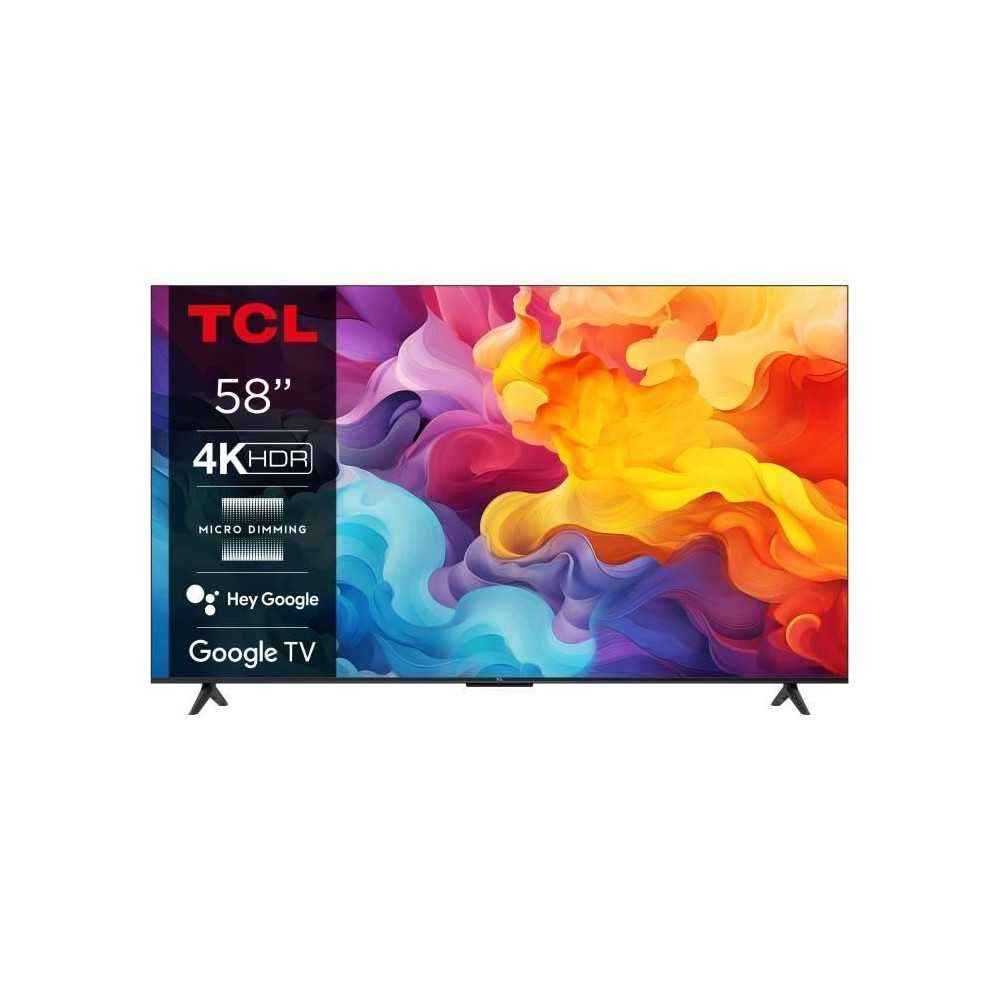
Image: The TCL 58V6B 58-inch Smart TV shown with its stand, ready for placement.
3. Montaggio a parete (opzionale)
For wall mounting, consult a professional installer and use a VESA-compatible wall mount kit (not included). Refer to the wall mount kit's instructions for proper installation. Ensure adequate ventilation around the TV when wall-mounted.
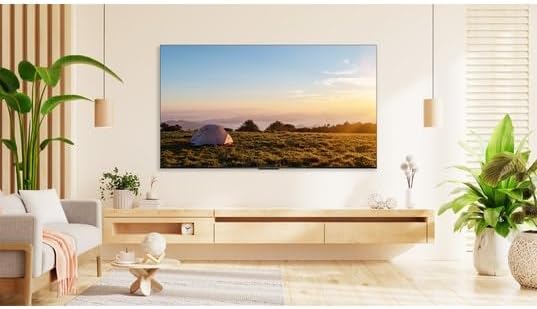
Image: The TCL 58V6B TV displayed mounted on a wall in a modern living room environment.
4. Collegamento di periferiche
Connect your external devices such as set-top boxes, gaming consoles, or sound systems to the TV's ports. The TV features multiple HDMI inputs, a USB port, LAN, and optical audio output.
- HDMI: Per video e audio ad alta definizione.
- USB: Per la riproduzione di contenuti multimediali da dispositivi di archiviazione USB.
- LAN: Per la connessione internet cablata.
- Ottico: Per l'uscita audio digitale su soundbar o sistemi home theater.
- Ingresso AV: Per dispositivi più vecchi che utilizzano video composito e audio stereo.
- Cuffia: Per l'ascolto privato.

Image: A detailed diagram illustrating the placement and types of connectivity ports available on the TCL 58V6B television.
5. Accensione iniziale e configurazione iniziale
After connecting the power cable, press the power button on the remote control or the TV. Follow the on-screen instructions to complete the initial setup, which includes language selection, network connection (Wi-Fi or LAN), and Google TV account login. This process will guide you through setting up Google Assistant and Chromecast.
Operativo
1. Controllo remoto finitoview
The remote control allows access to all TV functions. Familiarize yourself with the buttons for power, volume, channel, input selection, navigation, and dedicated app buttons.
2. Navigazione dell'interfaccia di Google TV
The Google TV interface organizes content from various streaming services and live TV into a personalized home screen. Use the directional pad on your remote to navigate through menus, select apps, and browse content. The "For You" tab provides personalized recommendations.

Image: The TCL 58V6B TV screen showing the Google TV home interface with popular streaming applications and content recommendations.
3. Funzionalità intelligenti
- Applicazioni di streaming: Access pre-installed apps like Netflix, Prime Video, Disney+, and YouTube. More apps can be downloaded from the Google Play Store.
- Chromecast integrato: Cast content from your compatible smartphone, tablet, or computer directly to the TV screen.
- Controllo vocale (Assistente Google): Premi il pulsante Google Assistant sul telecomando e pronuncia i comandi per cercare contenuti, controllare i dispositivi della smart home o ottenere informazioni.

Image: Visual representation of the TCL 58V6B's core features, including 4K HDR, Google TV, and various connectivity options.
4. Impostazioni immagine e audio
Access the TV settings menu to adjust picture modes (e.g., Standard, Dynamic, Movie), brightness, contrast, color, and sharpness. For audio, select sound modes (e.g., Standard, Music, Movie) and adjust equalizer settings. The TV supports Dolby Audio for an enhanced sound experience.
Manutenzione
1. Cleaning the Screen and TV Body
Before cleaning, unplug the power cord. Use a soft, dry, lint-free cloth to gently wipe the screen and TV body. For stubborn marks, lightly dampen the cloth with water or a specialized screen cleaner. Avoid using harsh chemicals, abrasives, or alcohol-based cleaners, as these can damage the screen or finish.
2. Aggiornamenti software
The TV may receive automatic software updates to improve performance and add new features. Ensure your TV is connected to the internet to receive these updates. You can also manually check for updates in the TV's settings menu.
Risoluzione dei problemi
Se riscontri problemi con il tuo televisore, fai riferimento ai seguenti problemi comuni e alle relative soluzioni:
| Problema | Soluzione |
|---|---|
| Nessun potere | Check if the power cord is securely plugged into both the TV and the wall outlet. Ensure the outlet is functional. Try pressing the power button on the TV itself, not just the remote. |
| Nessuna immagine / Schermo nero | Verificare che sia selezionata la sorgente di ingresso corretta. Controllare tutti i collegamenti via cavo (HDMI, AV). Provare a riavviare il televisore e tutti i dispositivi collegati. |
| Nessun suono | Increase the volume. Check if the TV is muted. Ensure external audio devices (soundbar, receiver) are properly connected and powered on. Check audio output settings in the TV menu. |
| Il telecomando non funziona | Sostituisci le batterie. Assicurati che non ci siano ostacoli tra il telecomando e il sensore IR del televisore. Riassocia il telecomando se è un telecomando Bluetooth. |
| Problemi di connessione di rete | Restart your router and modem. Check Wi-Fi password. If using a wired connection, ensure the LAN cable is properly connected. Try connecting to a different Wi-Fi network if available. |
Specifiche
Key technical specifications for the TCL 58V6B 58-inch 4K Ultra HD Smart TV:
- Marca: TCL
- Numero modello: 58V6B
- Dimensioni dello schermo: 58 pollici (147 cm)
- Tecnologia di visualizzazione: GUIDATO
- Risoluzione: Risoluzione 4K Ultra HD (3840 x 2160 pixel)
- Frequenza di aggiornamento: Frequenza 60 Hz
- Sistema operativo: TV di Google
- Caratteristiche speciali: 4K HDR, HDR10, Dynamic Color Enhancement, Micro Dimming, Dolby Audio, Chromecast built-in, Google Assistant, Voice Control, Motion Clarity, Wi-Fi, Bluetooth
- Connettività: 3x HDMI, 1x USB, LAN, Optical Audio Out, AV Input, Headphone Jack, CI Slot
- Dimensioni (con supporto): 30.1D x 128.5W x 80.1H centimetri
- Colore: Frontale in metallo titanio spazzolato
- Componenti inclusi: Remote control, batteries, manual, power cable

Image: The energy efficiency label for the TCL 58V6B television, detailing power consumption and display resolution.
Informazioni sulla garanzia
TCL provides a limited warranty for this product. Please refer to the warranty card included in your product packaging or visit the official TCL webVisita il sito per i termini e le condizioni di garanzia dettagliati specifici per la tua regione. Conserva la ricevuta d'acquisto come prova d'acquisto per eventuali reclami in garanzia.
Supporto
For technical assistance, product registration, or further inquiries, please contact TCL Customer Support. You can find contact information on the official TCL websito o nella documentazione fornita con il televisore.
- Supporto online: Visita www.tcl.com for FAQs, support articles, and software downloads.
- Linea diretta del servizio clienti: Fare riferimento al TCL regionale websito per i numeri di contatto locali.