Introduzione
Thank you for choosing the Hama Freedom Run II Bluetooth In-Ear Headphones. This manual provides essential information for the safe and efficient operation of your device. Please read it carefully before use and keep it for future reference.
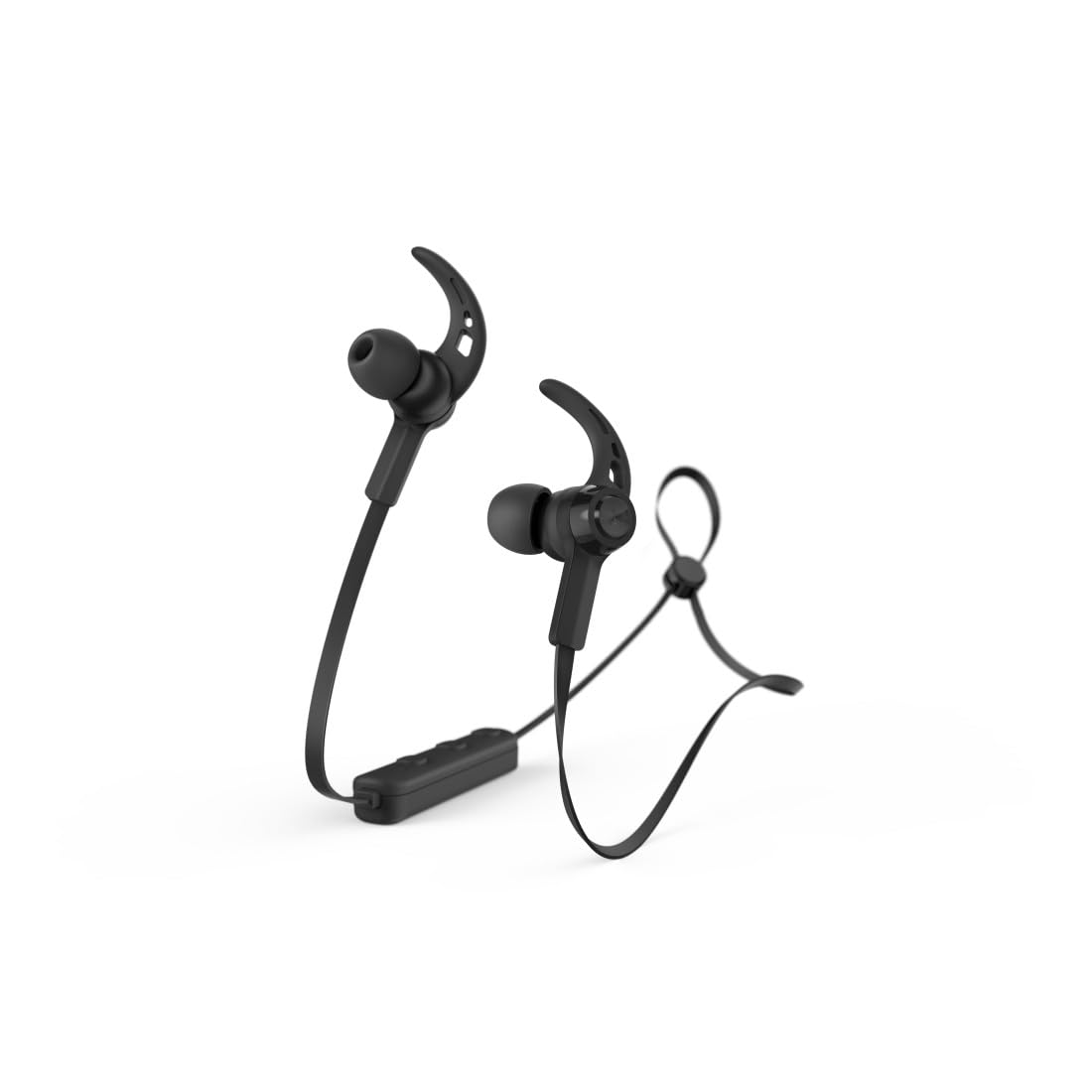
Image: Hama Freedom Run II Bluetooth In-Ear Headphones in black, showcasing the magnetic earbuds and flat, tangle-free cable design.
Impostare
1. Carica delle cuffie
Before first use, ensure the headphones are fully charged. Connect the charging cable to the charging port on the headphones and to a suitable USB power source. The LED indicator will show the charging status.
2. Associazione con un dispositivo Bluetooth
- Assicurati che le cuffie siano spente.
- Press and hold the multi-function button until the LED indicator flashes alternately blue and red, indicating pairing mode.
- Activate Bluetooth on your device (smartphone, tablet, etc.) and search for available devices.
- Select "Hama Freedom Run II" from the list of found devices.
- Una volta connesso, l'indicatore LED lampeggerà lentamente in blu.
These headphones support simultaneous connection to multiple Bluetooth devices.
3. Indossare le cuffie
- Selezione degli auricolari: Choose the silicone ear tips (S, M, L) that provide the most comfortable and secure fit for optimal sound isolation.
- Regolazione del cavo: The neck cable can be adjusted to your personal preference for comfort and stability.
- Fissare il cavo: Use the included clip to attach the cable to your clothing (e.g., T-shirt) for additional support during movement.
Operativo
1. Accensione/spegnimento
- Accensione: Press and hold the multi-function button until the LED indicator flashes blue.
- Spegni: Press and hold the multi-function button until the LED indicator flashes red and then turns off.
2. Riproduzione di musica
- Riproduci/Pausa: Premi una volta il pulsante multifunzione.
3. Gestione delle chiamate
The integrated microphone allows seamless switching between music and calls.
- Rispondi alla chiamata: Premere una volta il pulsante multifunzione durante una chiamata in arrivo.
- Termina chiamata: Premere una volta il pulsante multifunzione durante una chiamata.
- Rifiuta chiamata: Tenere premuto il pulsante multifunzione durante una chiamata in arrivo.
- Ricomponi l'ultimo numero: Premere due volte il pulsante multifunzione.
4. Controllo del volume
Volume can be controlled via the integrated remote on the neckband or through your device's voice assistant.
5. Controllo dello stato della batteria
The battery charge status can be checked on compatible iOS and Android devices.
Manutenzione
1. Pulizia
Clean the headphones with a soft, dry cloth. Do not use harsh cleaning agents or solvents. Remove ear tips for separate cleaning if necessary.
2. Conservazione
When not in use, the earbuds can be conveniently joined together magnetically to prevent tangling and for easy storage.
3. Sweat Resistance
The headphones feature sweat-resistant materials, making them suitable for sports and active use. However, avoid submerging them in water.
Risoluzione dei problemi
- Nessun potere: Assicurarsi che le cuffie siano completamente cariche.
- Impossibile associare: Make sure the headphones are in pairing mode (flashing blue/red). Ensure Bluetooth is enabled on your device and it is within range. Try restarting both devices.
- Nessun suono: Check the volume level on both the headphones and your connected device. Ensure the headphones are correctly paired and connected.
- Scarsa qualità del suono: Ensure the headphones are within range of your device and there are no obstructions. Try adjusting the ear tips for a better seal.
- Problemi di chiamata: Ensure the microphone is not obstructed. Check that the headphones are selected as the audio output device during calls on your smartphone.
Specifiche
| Nome del modello | Freedom Run II |
| Numero di modello | 00184189 |
| Marca | Hama |
| Tecnologia di connettività | Wireless (Bluetooth) |
| Posizionamento dell'orecchio | In-ear (auricolare) |
| Fattore di forma | In-ear (auricolare) |
| Materiale | Silicone |
| Livello di resistenza all'acqua | Waterproof (Sweat-resistant) |
| Caratteristiche speciali | Lightweight, Integrated Microphone, Magnetic Earbuds |
| Dispositivi compatibili | Smartphone, tablet, laptop, computer desktop, altoparlanti intelligenti |
| Componenti inclusi | Punte per le orecchie |
Garanzia e supporto
Le informazioni relative a termini di garanzia specifici e contatti dell'assistenza clienti non sono disponibili nei dati di prodotto forniti. Fare riferimento alla confezione del prodotto o al manuale d'uso ufficiale del produttore. websito per informazioni dettagliate sulla garanzia e sulle opzioni di supporto.


