1. Introduzione
Thank you for choosing the SBS MagSafe Compatible Wireless Power Bank. This compact and versatile 5000 mAh power bank is designed to provide convenient and efficient charging for a wide range of devices, including iPhones with MagSafe technology, Android smartphones, e-readers, smartwatches, and TWS earphones. Its dual charging capabilities (wireless and USB-C) ensure your devices stay powered on the go. This manual provides essential information on how to set up, operate, and maintain your power bank.

Image 1: The SBS MagSafe Compatible Wireless Power Bank magnetically attached to the back of an iPhone, illustrating its primary use.
2. Prodotto finitoview
2.1 Caratteristiche principali
- Capacità 5000mAh: Provides sufficient power to charge most smartphones up to two times.
- Compatibilità MagSafe: Magnetic attachment and wireless charging for compatible iPhones.
- Ricarica wireless universale: Supports wireless charging for other Qi-enabled Android devices.
- USB-C 10W Output/Input: Fast and safe wired charging for various devices, and for recharging the power bank itself.
- Intelligent Charge (IC) Technology: Optimizes charging speed for connected devices.
- Indicatori di stato a LED: Four LEDs to precisely monitor the power bank's internal charge level.
- Design compatto e portatile: Facile da trasportare per la ricarica in movimento.
- Approvato dalla compagnia aerea: Safe for transport in aircraft cabins.
- Caratteristiche di sicurezza: Includes short-circuit protection and overload protection.
2.2 Contenuto della confezione
- SBS MagSafe Compatible Wireless Power Bank (Model: TEBB5000MAG1CK)
- Cavo di ricarica da USB-A a USB-C

Image 2: The power bank's interface, highlighting its compatibility with various electronic devices.

Immagine 3: Dettagliata view of the power bank's features, including wireless charging area and port labels.
3. Impostazione
3.1 Ricarica iniziale del Power Bank
Before first use, it is recommended to fully charge your SBS Power Bank. This ensures optimal performance and battery longevity.
- Connect the included USB-A to USB-C charging cable to the USB-C port on the power bank.
- Collegare l'estremità USB-A del cavo a un adattatore da parete USB compatibile (non incluso) o alla porta USB di un computer.
- Gli indicatori LED sul power bank si illumineranno per mostrare l'avanzamento della ricarica. Tutti e quattro i LED saranno accesi fissi quando la carica sarà completa.
Una carica completa richiede in genere diverse ore, a seconda della fonte di alimentazione.
4. Istruzioni per l'uso
4.1 Controllo del livello della batteria
Press the power button once to check the current battery level of the power bank. The four LED indicators will light up to show the remaining charge:
- 1LED: 0-25% di carica
- 2 LED: 25-50% di carica
- 3 LED: 50-75% di carica
- 4 LED: 75-100% di carica
4.2 Charging Devices Wirelessly (MagSafe & Qi Compatible)
The power bank supports both MagSafe magnetic wireless charging for compatible iPhones and standard Qi wireless charging for other devices.
- Per iPhone compatibili con MagSafe: Align the power bank with the back of your iPhone. The magnets will automatically snap it into place, and wireless charging will begin.
- For Other Qi-Enabled Devices (e.g., Android phones): Place your device centrally on the wireless charging surface of the power bank. Ensure proper alignment for charging to initiate.
The power bank's LEDs may indicate active wireless charging. Remove your device once fully charged or when you no longer need to charge.
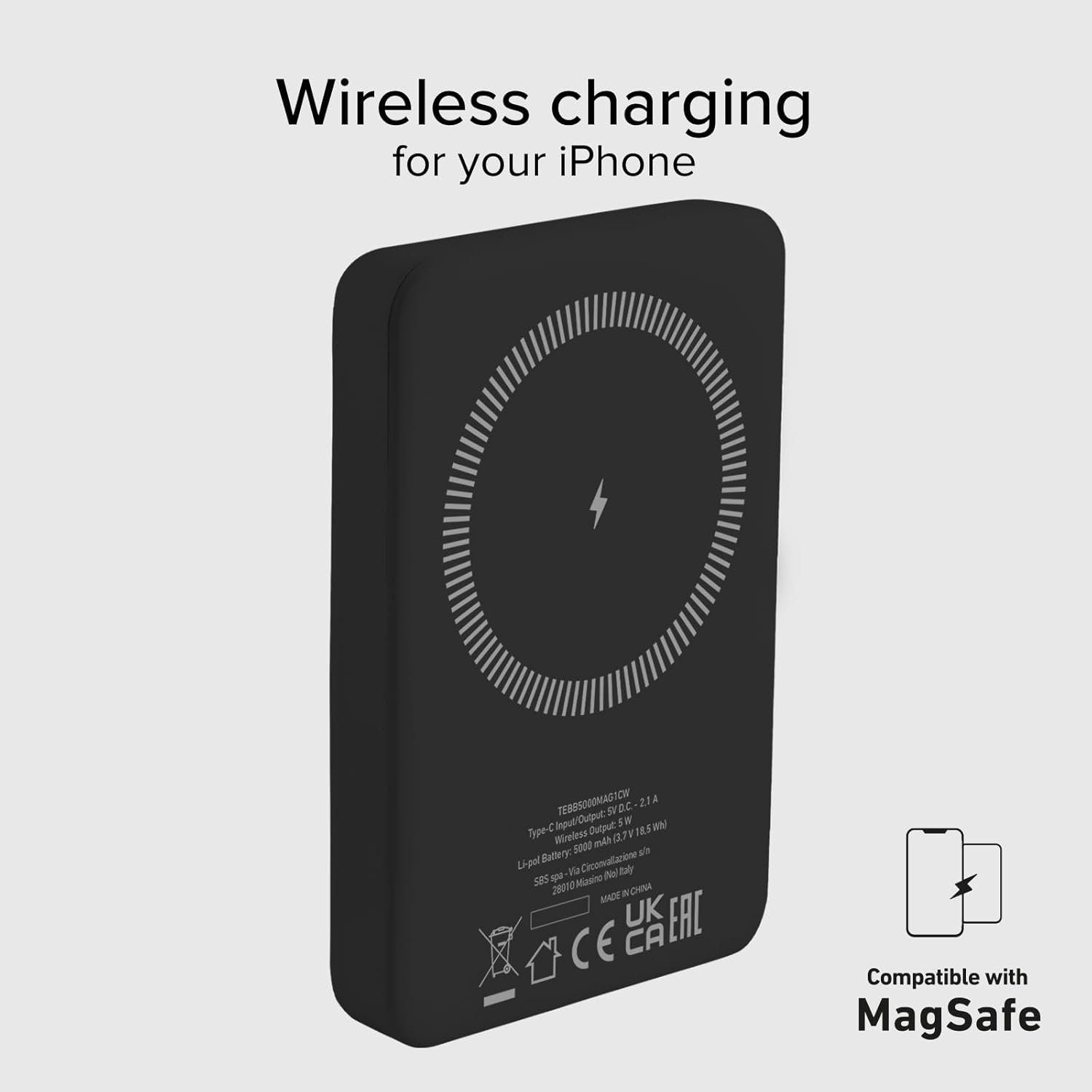
Image 4: The power bank's wireless charging surface, designed for MagSafe compatibility.

Image 5: Demonstrating the magnetic attachment of the power bank to a compatible iPhone.

Image 6: Wireless charging an Android device by placing it on the power bank.
4.3 Ricarica dei dispositivi tramite cavo USB-C
The USB-C port on the power bank can be used to charge devices that support wired charging.
- Connect one end of a compatible USB-C cable (or the included USB-A to USB-C cable with an appropriate adapter for your device) to the USB-C port on the power bank.
- Collega l'altra estremità del cavo alla porta di ricarica del tuo dispositivo.
- Charging will begin automatically. The power bank's Intelligent Charge (IC) technology will optimize the charging speed for your device.
The 10W output ensures rapid charging for most compatible devices.

Image 7: Charging a smartphone using the USB-C cable.
4.4 Ricarica simultanea
The power bank can charge one device wirelessly and another via the USB-C port simultaneously, though total output may be shared.

Image 8: The power bank allows for device usage while charging.
5. Manutenzione
Una cura e una manutenzione adeguate prolungheranno la durata del tuo power bank.
- Pulizia: Utilizzare un panno morbido e asciutto per pulire la superficie del power bank. Non utilizzare prodotti chimici aggressivi o materiali abrasivi.
- Magazzinaggio: Conservare il power bank in un luogo fresco e asciutto, lontano dalla luce solare diretta, da temperature estreme e dall'umidità.
- Cura della batteria: Per preservare la salute della batteria, caricare e scaricare completamente il power bank almeno una volta ogni tre mesi, se non lo si utilizza regolarmente.
- Evitare gocce: Proteggere il dispositivo da urti e cadute.
- Esposizione all'acqua: This power bank is not waterproof. Avoid exposure to water or other liquids.
6. Risoluzione Dei Problemi
Se riscontri problemi con il tuo power bank, fai riferimento alle seguenti soluzioni comuni:
- Power Bank non in carica:
- Assicurarsi che il cavo di ricarica sia collegato saldamente sia al power bank sia alla fonte di alimentazione.
- Prova un adattatore USB da parete o una porta USB diversi.
- Verificare che la fonte di alimentazione sia attiva.
- Dispositivo non in carica in modalità wireless:
- Ensure your device is Qi-enabled or MagSafe compatible.
- Check that your device is correctly centered on the power bank's wireless charging surface.
- Rimuovere eventuali custodie spesse che potrebbero interferire con la ricarica wireless.
- Device Not Charging via USB-C:
- Assicurati che il cavo USB-C sia collegato saldamente sia al power bank sia al dispositivo.
- Prova un altro cavo USB-C.
- Verify your device's charging port is clean and free of debris.
- Ricarica lenta:
- Ensure you are using a compatible charging cable and adapter.
- Charging speed can be affected by the device's battery level (slower when nearly full).
- Evitare di utilizzare eccessivamente il dispositivo durante la ricarica.
- I LED non si accendono:
- The power bank might be completely discharged. Connect it to a power source for a few minutes.
- Press the power button to activate the LED indicators.
If problems persist, please contact SBS customer support.
7. Specifiche
| Attributo | Dettaglio |
|---|---|
| Marca | SBS |
| Nome del modello | Mag Power Bank Color |
| Numero di modello | TEBB5000MAG1CK |
| Capacità della batteria | 5000 milioneamper-hour (mAh) |
| Composizione della batteria | Polimero di litio |
| Porta di ingresso / uscita | 1 x USB-C (10W) |
| Uscita di ricarica wireless | 5 W (senza fili) |
| Voltage | 5 Volt |
| Dispositivi compatibili | Smartphones (iPhone, Android), E-readers, Speakers, Headphones, Smartwatches, MP3 Players, Cameras |
| Caratteristiche speciali | Lightweight, Short-circuit Protection, Overload Protection, Wireless Charging, LED Indicator Lights |
| Peso | 187 grammi |
| Colore | Nero |
| Componenti inclusi | Cavo di ricarica (da USB-A a USB-C) |
| Airline Transportable | Yes (Cabin Allowed) |

Image 9: The power bank is approved for air travel.
8. Garanzia e supporto
For warranty information and customer support, please refer to the documentation provided with your purchase or visit the official SBS website. You can also visit the SBS Brand Store on Amazon for more product information and support resources.
SBS Brand Store: https://www.amazon.it/stores/SBS/page/57FDEEEA-56BF-47BC-BBDB-9389D6E570BD


