Introduzione
The DJI Focus Pro Hand Unit is designed for precise wireless control of focus, iris, and zoom (FIZ) functions. It supports seamless wireless communication with the DJI Focus Pro Motor from distances up to 160 meters. This unit offers real-time, stepless damping adjustment, balancing comfort and precision for professional video applications.
This manual provides essential information for setting up, operating, maintaining, and troubleshooting your DJI Focus Pro Hand Unit to ensure optimal performance.
Cosa c'è nella scatola
Upon unboxing your DJI Focus Pro Hand Unit, verify that all the following components are present:
- Focus Pro Hand Unit × 1
- D-TAP to USB-C Power Cable (50 cm) × 1
- Replaceable Focus Marking Ring × 4

Image: The DJI Focus Pro Hand Unit shown with its included accessories: the D-TAP to USB-C power cable and four replaceable focus marking rings.
Impostare
1. Installazione della batteria
The hand unit utilizes the NP-F550 battery model. To install, open the battery compartment cover, insert the NP-F550 battery according to the polarity indicators, and close the cover securely. Ensure the battery dimensions are 71×38.6×21.1 mm (L×W×H) for proper fit.

Immagine: Lato view of the DJI Focus Pro Hand Unit, highlighting the battery compartment for NP-F550 battery installation.
2. Attaching Focus Marking Rings
The hand unit comes with replaceable focus marking rings. These rings allow you to customize the focus throw for different lenses, accommodating varying rotation requirements. To attach a ring, align it with the focus wheel and gently press until it clicks into place. Ensure it is securely seated.
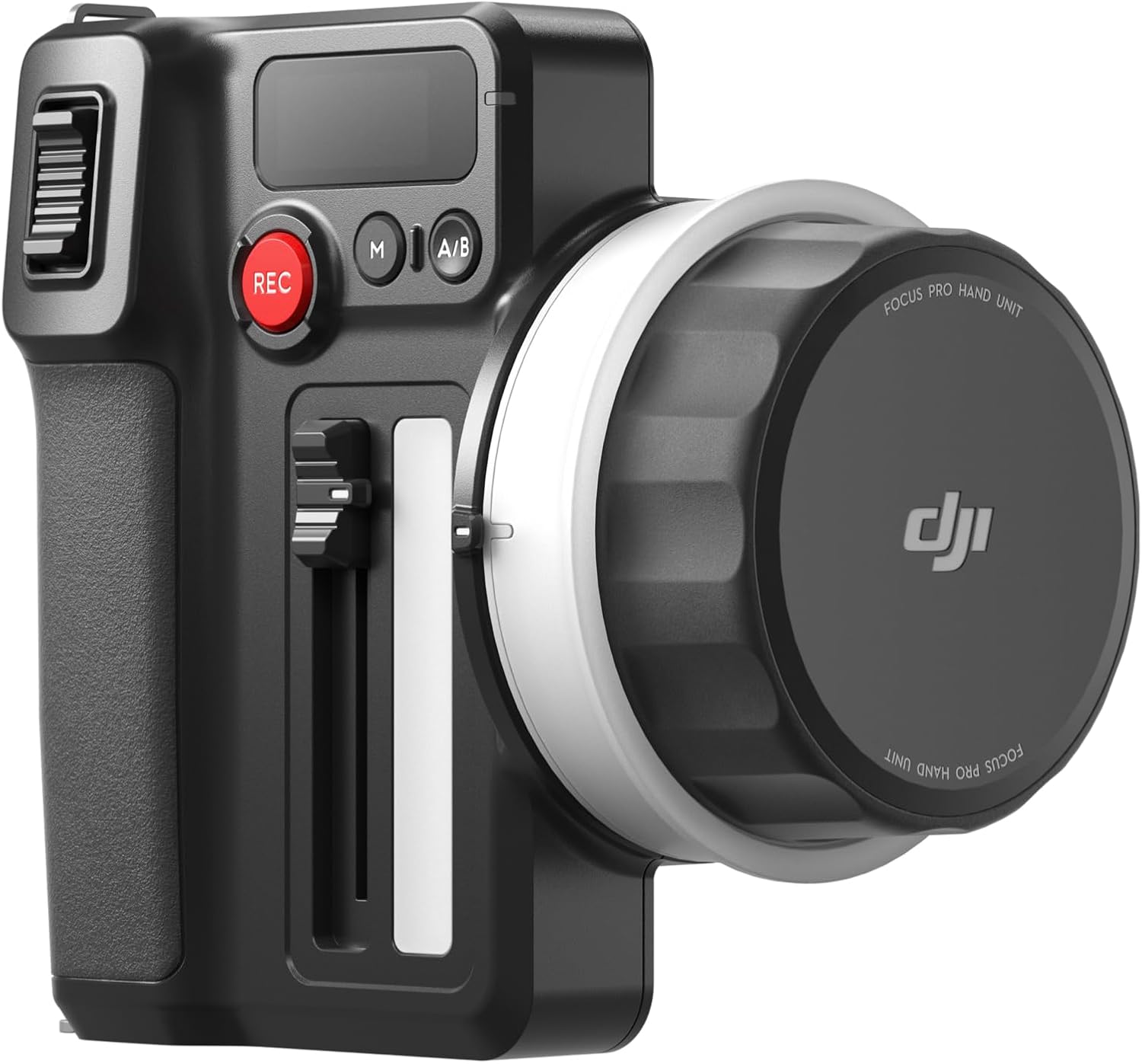
Immagine: un primo piano view of the DJI Focus Pro Hand Unit, showing the focus wheel with a white marking ring attached.
3. Compatibility and Connection
The DJI Focus Pro Hand Unit is compatible with the DJI Focus Pro Motor, DJI Ronin 4D*, and DJI Inspire 3*. It features a built-in RF module for wireless communication with the DJI Focus Pro Motor up to 160 meters away. For compatibility with DJI Ronin 4D and DJI Inspire 3, the DJI High-Bright Remote Monitor is required.
To connect, power on the hand unit and the compatible DJI Focus Pro Motor. The devices will automatically attempt to establish a wireless connection. Refer to the DJI Focus Pro Motor manual for specific pairing instructions if automatic connection fails.
Istruzioni per l'uso
1. FIZ Control (Focus, Iris, Zoom)
The hand unit provides comprehensive FIZ control:
- Ruota di messa a fuoco: Rotate the large wheel on the front to adjust focus. The replaceable marking rings allow for precise focus pulls tailored to your lens's throw.
- Iris Slider: Use the vertical slider on the side of the unit to control the lens's iris (aperture), regulating the amount of light entering the camera.
- Zoom Rocker: The rocker switch on the top-left allows for smooth zoom in/out functionality, ideal when using a zoom lens with a connected motor.
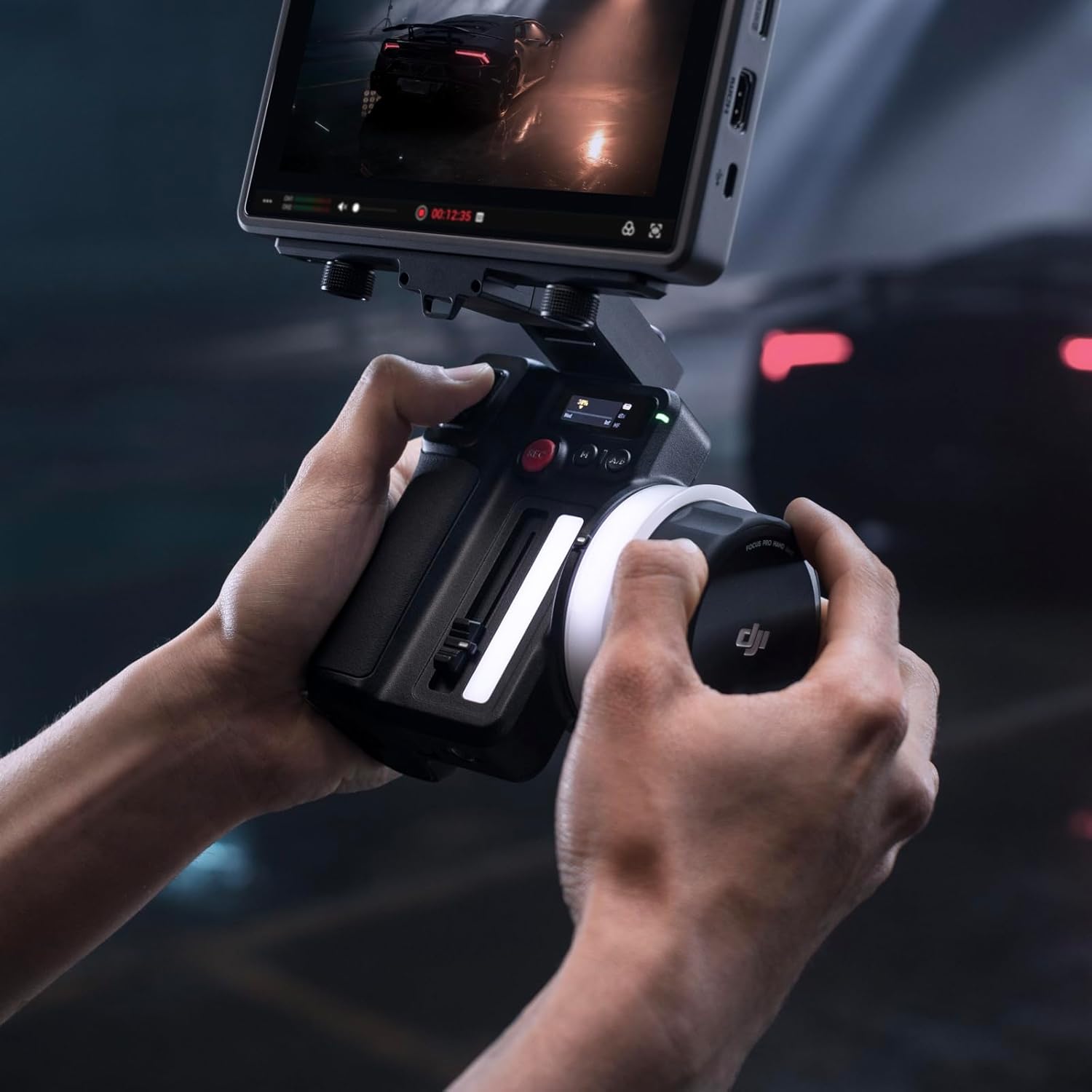
Image: A user's hands demonstrating the operation of the DJI Focus Pro Hand Unit, showing interaction with the focus wheel and other controls.
2. Laampregolazione
Regola il damping of the focus wheel using the dedicated trigger. This allows you to fine-tune the resistance of the wheel, from free-moving to stiff, providing enhanced control for subtle or rapid focus adjustments. This real-time, stepless adjustment helps balance comfort and precision.
3. A/B Markers
The A/B buttons allow you to set specific focus points. Once set, the unit provides tactile feedback (resistance) when the focus wheel reaches these programmed points, enabling consistent and repeatable focus pulls without needing to visually monitor the lens.
4. Pulsante Registra
Press the red 'REC' button to start or stop recording on your connected camera system.
5. Mounting and Handling
The hand unit features robust mounting points on the top and bottom, allowing for attachment to various rigs or accessories. Additionally, metal clasps are provided for attaching a strap, offering secure handling and convenience during operation or when temporarily not in use.
Manutenzione
- Pulizia: Use a soft, dry cloth to clean the exterior of the hand unit. Avoid using harsh chemicals or abrasive materials.
- Cura della batteria: Store NP-F550 batteries in a cool, dry place. Do not expose them to extreme temperatures. Charge batteries fully before extended storage and periodically recharge them to maintain battery health.
- Magazzinaggio: When not in use, store the hand unit in its protective case to prevent dust and damage.
Risoluzione dei problemi
| Problema | Possibile causa | Soluzione |
|---|---|---|
| L'unità non si accende | Low or uncharged battery; incorrectly installed battery. | Ensure battery is charged and correctly inserted. Try a different NP-F550 battery. |
| No wireless connection to motor | Out of range; interference; motor not powered on; pairing issue. | Move closer to the motor (within 160m). Ensure motor is powered on. Re-attempt pairing as per motor manual. Avoid strong signal interference. |
| FIZ controls unresponsive | Motor not calibrated; loose connection; firmware issue. | Perform motor calibration. Check all connections. Update firmware for both hand unit and motor. |
Specifiche
| Caratteristica | Dettaglio |
|---|---|
| Dimensioni del prodotto | 5 x 3.42 x 5.15 pollici |
| Peso dell'articolo | 12.6 once |
| Numero di modello | 6941565981080 |
| ASIN | B0CV78VR17 |
| Tipo di batteria | 1 Lithium Ion (NP-F550 recommended) |
| wireless Range | Up to 160 meters (with DJI Focus Pro Motor) |
| Produttore | DJI |
| Primo disponibile | 9 aprile 2024 |
Garanzia e supporto
For warranty information, technical support, and service inquiries, please visit the official DJI website or contact DJI customer service. Keep your purchase receipt for warranty claims.
Puoi trovare maggiori informazioni e risorse di supporto su Negozio DJI su Amazon.


