1. Introduzione
This manual provides essential information for the safe and efficient use of your Google TV 7000 Series 4K Ultra HD LED Television. Please read these instructions thoroughly before operating the device and retain them for future reference.
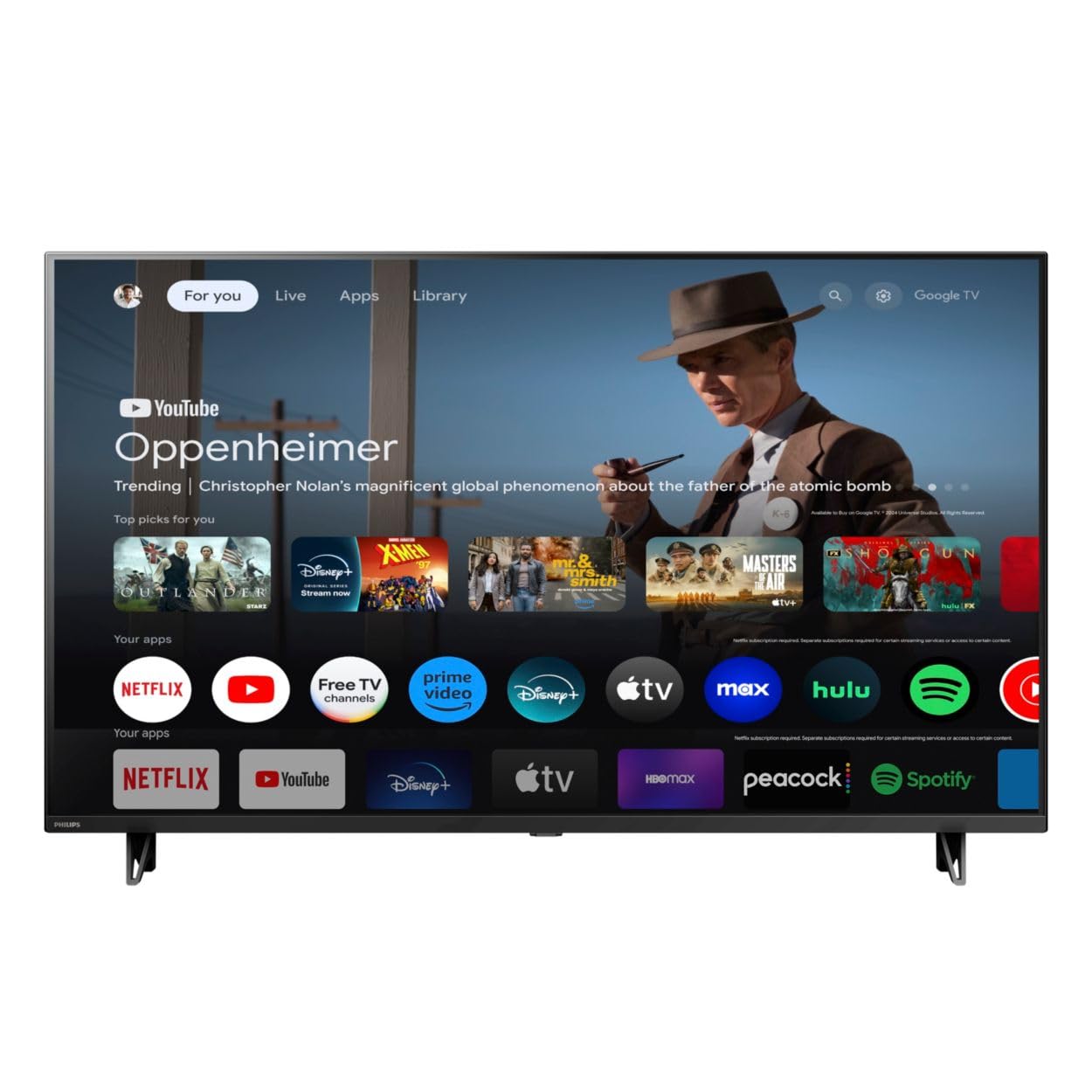
Davanti view of the Google TV 7000 Series 4K Ultra HD LED Television, showcasingrazie alla sua cornice sottile e al display.
2. Impostazione
2.1 Disimballaggio e contenuto della confezione
Rimuovere con attenzione tutti gli articoli dall'imballaggio. Assicurarsi che tutti i componenti siano presenti:
- Google TV 7000 Series Television
- Telecomando
- Batterie per il telecomando
- Supporto da tavolo
- Screws for tabletop stand
- Guida rapida
- Manuale dell'utente (questo documento)
2.2 Collegamento dell'alimentazione
Connect the power cord to the TV's power input, then plug the other end into a wall outlet. Ensure the power outlet is easily accessible.
2.3 Collegamento di dispositivi esterni
Your television supports various connectivity options:
- HDMI: Connect devices like Blu-ray players, game consoles, or set-top boxes to the HDMI ports. This model features Audio Return Channel (HDMI 2).
- USB: Use the USB port for media playback or connecting compatible accessories.
- Collegamento Ethernet: Per una connessione Internet cablata stabile, collegare un cavo Ethernet alla porta LAN.
- Uscita cuffie: Collega le cuffie per l'ascolto privato.
- Uscita audio digitale (ottica): Per il collegamento a sistemi audio esterni.
- CVBS+Audio L/R In: Per collegare dispositivi analogici più vecchi.
2.4 Configurazione iniziale
Alla prima accensione, il televisore ti guiderà attraverso la procedura di configurazione iniziale. Questa include:
- Selezione della lingua
- Connecting to a Wi-Fi network or using Ethernet
- Signing in with your Google account to access Google TV features and apps
- Scanning for available channels (ATSC, NTSC)
2.5 Opzioni di montaggio
You can place your TV on a tabletop using the included stand or mount it on a wall.
- Supporto da tavolo: Attach the tabletop stand using the provided screws as per the quick start guide.
- Wall Mount: For wall mounting, use a VESA compatible mount (600 x 400 mm). Consult a professional for wall mounting to ensure safety and proper installation.
3. Istruzioni per l'uso
3.1 Controllo remoto finitoview
The remote control allows you to navigate the Google TV interface, adjust settings, and control playback. It supports voice control for Google Assistant.
3.2 Funzioni di base
- Energia: Premere il pulsante di accensione per accendere o spegnere la TV.
- Volume: Utilizzare i pulsanti del volume per regolare il livello del suono.
- Canali: Use the channel buttons to switch between TV channels.
- Ingresso: Selezionare la sorgente di ingresso desiderata (HDMI, USB, ecc.).
3.3 Navigazione dell'interfaccia di Google TV
Use the directional pad and 'OK' button on your remote to navigate the Google TV home screen. The home screen provides access to your installed apps, recommended content, and settings.
3.4 Funzionalità intelligenti
- Chromecast integrato: Cast content from your compatible mobile devices or computer directly to your TV.
- Assistente Google integrato: Press the Google Assistant button on your remote to use voice commands for searching content, controlling smart home devices, getting information, and more.
- Applicazioni di streaming: Access popular streaming services like Netflix, YouTube, Discovery+, Tubi TV, and Prime Video directly from the Google TV interface.
3.5 Impostazioni immagine e audio
Personalizza il tuo viewesperienza di ascolto e riproduzione tramite il menu delle impostazioni del televisore:
- Picture Style: Choose from various preset picture modes or customize settings like brightness, contrast, color, and sharpness. Features include Dynamic contrast, Film mode, Blue stretch, and Custom Color management.
- Supporto HDR: The TV supports HDR10 and HLG for enhanced contrast and color with compatible content.
- Modalità di gioco: Optimize picture settings for gaming to reduce input lag.
- Stile sonoro: Select sound presets or adjust bass and treble. Features include Dolby Audio and Auto Volume Leveling.
- Proporzioni: Adjust the screen aspect ratio (e.g., Automatic, 4:3, Movie Expand, Full).
3.6 Connettività
Your TV offers various ways to connect to networks and devices:
- Wifi: Collegati in modalità wireless alla tua rete domestica per accedere a Internet.
- Bluetooth: Collega dispositivi Bluetooth compatibili, come cuffie o controller di gioco.
- Collegamento Ethernet: Fornisce una connessione Internet cablata stabile.
4. Manutenzione
4.1 Pulizia dello schermo e del corpo del televisore
- Scollegare sempre la TV prima di pulirla.
- Utilizzare un panno morbido, asciutto e privo di lanugine per pulire delicatamente lo schermo e il corpo del televisore.
- Per segni ostinati, leggermente dampImmergere il panno in acqua o in un detergente specifico per schermi. Non spruzzare mai il detergente direttamente sullo schermo.
- Evitare l'uso di detergenti abrasivi, cere o solventi.
4.2 Aggiornamenti software
Your Google TV may receive automatic software updates to improve performance and add new features. Ensure your TV is connected to the internet to receive these updates. You can also manually check for updates in the settings menu.
4.3 Cura del telecomando
Replace batteries when the remote control's response becomes sluggish. Do not mix old and new batteries or different types of batteries. Keep the remote control away from moisture and direct sunlight.
5. Risoluzione Dei Problemi
Se riscontri problemi con il tuo televisore, fai riferimento alle seguenti soluzioni comuni:
| Problema | Possibile soluzione |
|---|---|
| Nessun potere | Controllare che il cavo di alimentazione sia collegato saldamente sia al televisore che alla presa a muro. Assicurarsi che la presa sia funzionante. |
| Nessuna immagine, ma l'audio è presente | Verificare che sia selezionata la sorgente di ingresso corretta. Controllare i collegamenti del dispositivo esterno. |
| Nessun suono, ma l'immagine è presente | Controllare il livello del volume e lo stato di disattivazione dell'audio. Assicurarsi che i sistemi audio esterni siano correttamente collegati e accesi. |
| Il telecomando non funziona | Sostituisci le batterie. Assicurati che non ci siano ostacoli tra il telecomando e il sensore IR del televisore. |
| Problemi di connessione di rete | Riavvia il router e il modem. Riconnettiti alla rete Wi-Fi o controlla la connessione via cavo Ethernet. |
| Picture quality issues (e.g., pixelation) | Check the signal strength for broadcast channels. For streaming content, ensure a stable internet connection. Adjust picture settings. |
5.1 Ripristino delle impostazioni di fabbrica
If problems persist, a factory reset may resolve them. This will erase all personal settings and installed apps, returning the TV to its original factory state. Consult the on-screen menu for the factory reset option, usually found under System or Device Preferences in Settings.
6. Specifiche
Key technical specifications for the Google TV 7000 Series 4K Ultra HD LED Television:
| Caratteristica | Specificazione |
|---|---|
| Dimensioni dello schermo | 43 pollici |
| Tecnologia di visualizzazione | LCD UltraHD Display, LED Backlight |
| Risoluzione | 4K (2160p) |
| Frequenza di aggiornamento | 120 PMR (Picture Motion Rate) |
| Formato HDR supportato | HDR10, HLG |
| Sistema operativo | Android 11 (Google TV) |
| Tecnologia di connettività | Bluetooth, Ethernet, USB, Wi-Fi |
| Caratteristiche audio | Dolby Audio, Auto Volume Leveling |
| Caratteristiche speciali | Chromecast Built-in, Google Assistant Built-in, Game Mode, Digital Noise Reduction, MPEG artifact reduction, Dynamic contrast |
| Dimensioni del prodotto (P x L x A) | 9.8"P x 37.9"L x 23.9"A |
| Peso dell'articolo | 14.99 libbre |
| Standard di montaggio VESA | 600 x 400 millimetri |
| Produttore | Philips |
| Numero di modello | 43PUL7652/F7 |
| Codice UPC | 609585254893 |
7. Garanzia e supporto
7.1 Informazioni sulla garanzia
This product comes with a Limited Warranty. Please refer to the warranty card included in your package or contact the manufacturer for specific terms and conditions regarding coverage and duration.
7.2 Assistenza clienti
For technical assistance, troubleshooting beyond this manual, or warranty claims, please contact the manufacturer, Philips, or your retailer. Have your model number (43PUL7652/F7) and serial number ready when contacting support.


