1. Introduzione
This manual provides essential information for the safe and efficient operation of your VW 43-inch QL Frameless Series 4K Ultra HD Smart QLED TV. Please read this manual thoroughly before using the product and retain it for future reference.

Immagine: Frontale view of the VW 43-inch QL Frameless Series 4K Ultra HD Smart QLED TV, showcasinil suo design senza cornice e il display vibrante.
2. Informazioni sulla sicurezza
Per evitare danni al televisore e garantire la sicurezza personale, osservare le seguenti precauzioni di sicurezza:
- Non ostruire le aperture di ventilazione.
- Non posizionare il televisore vicino a fonti di calore o alla luce diretta del sole.
- Proteggere il cavo di alimentazione per evitare che venga calpestato o schiacciato.
- Scollegare il televisore durante i temporali o quando non viene utilizzato per lunghi periodi.
- Affidare tutti gli interventi di assistenza a personale qualificato.
- Evitare di esporre il televisore alla pioggia o all'umidità.
- Non aprire la TV casing; all'interno non ci sono parti riparabili dall'utente.
3. Contenuto della confezione
Verificare che tutti gli articoli siano presenti nella confezione:
- Televisore LED da 1 pollici
- 2 basi per supporto da tavolo
- 1 Staffa per montaggio a parete
- 1 Scheda di garanzia
- 1 Remote Control (Magic Remote)
4. Impostazione
4.1 Montaggio del televisore
Your TV can be mounted on a table stand or a wall. Ensure the mounting surface is stable and can support the TV's weight.
- Installazione del supporto da tavolo: Attach the two table stand bases to the bottom of the TV using the provided screws. Place the TV on a flat, stable surface.
- Installazione a parete: Use the included wall mount bracket. Follow the instructions provided with the wall mount for secure installation. Professional installation is recommended for wall mounting.
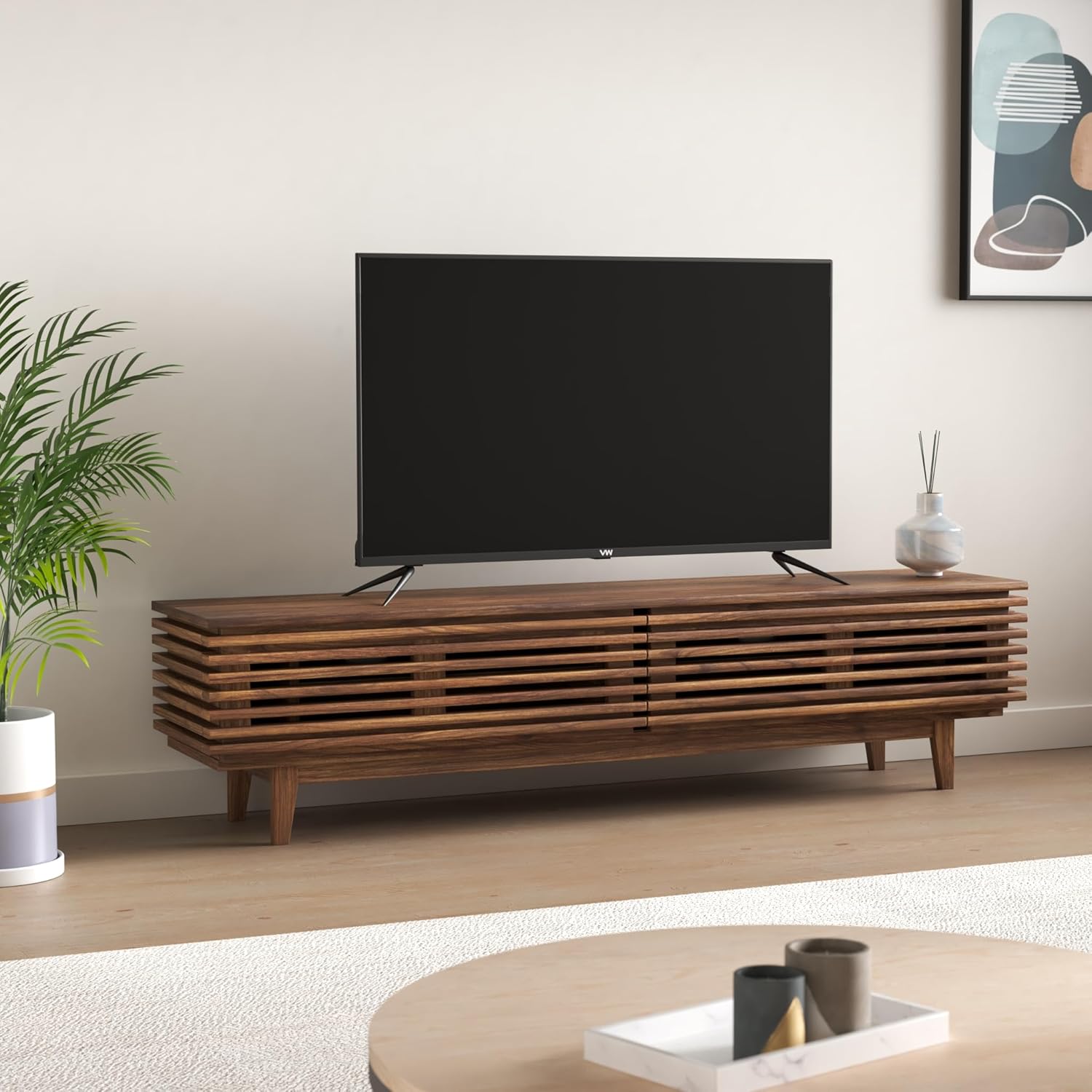
Image: The VW 43-inch QLED TV placed on a modern TV stand in a living room setting.
4.2 Collegamento delle periferiche
Connect external devices to your TV using the available ports. Refer to the image below for port locations.
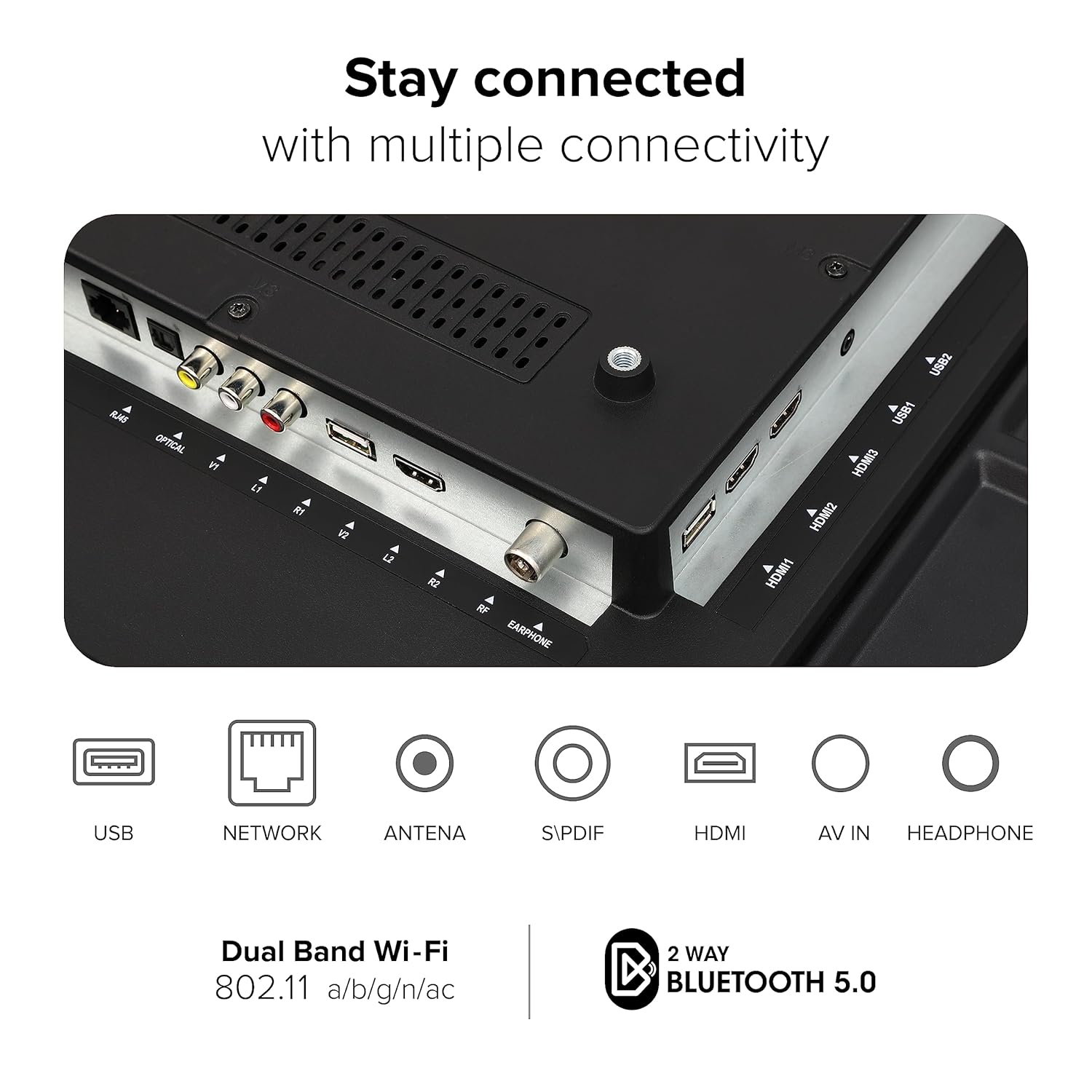
Immagine: dettagliata view of the rear panel of the VW QLED TV, highlighting various connectivity ports including USB, Network, Antenna, S/PDIF, HDMI, AV In, and Headphone jacks.
- Porte HDMI (3): Connect gaming consoles, set-top boxes, Blu-ray players.
- Porte USB (2): Collega dischi rigidi e altri dispositivi USB per la riproduzione multimediale.
- Uscita ottica: Per il collegamento a sistemi audio esterni.
- Porta Ethernet: Per la connessione internet cablata.
- Ingresso AV: Per collegare dispositivi più vecchi con video composito e audio stereo.
- Jack per cuffie: Per l'ascolto privato.
5. Utilizzo del televisore
5.1 Configurazione iniziale e webSistema operativo TV
Upon first power-on, the TV will guide you through the initial setup process, including language selection, network connection, and channel scanning. The TV operates on webOS TV, providing a user-friendly interface.

Immagine: Screenshot del webOS TV home screen, displaying recent input, TV functions, and a selection of popular streaming applications like Netflix, YouTube, and Prime Video.
5.2 Telecomando magico
The included Magic Remote offers intuitive control over your TV and compatible connected devices.

Image: Diagram illustrating the features of the Magic Remote, including Air Mouse, Universal Control, Quick Access Buttons, Voice Control, Scroll Wheel, and dedicated hotkeys for Netflix and Prime Video.
- Topo d'aria: Use the remote as a pointer for on-screen navigation.
- Controllo vocale: Utilize the ThinQ AI Voice Assistant for commands and searches.
- Controllo universale: Manage compatible connected devices with a single remote.
- Pulsanti di accesso rapido: Customize shortcuts to your favorite apps or functions.
- Rotella di scorrimento: For easy scrolling through content.
- Tasti di scelta rapida dedicati: Direct access to popular streaming services like Netflix and Prime Video.
5.3 Funzionalità della Smart TV
- ThinQ AI Voice Assistant: Controlla la tua TV e cerca contenuti tramite comandi vocali.
- Miracast: Riproduci in modalità wireless i contenuti dei dispositivi compatibili sul tuo televisore.
- Apple AirPlay & Apple Home: Stream content from Apple devices and integrate with your Apple Home ecosystem.
- Applicazioni supportate: Access a wide range of apps including Netflix, YouTube, Prime Video, Disney+ Hotstar, SonyLiv, Zee5, Apple TV, Apple Music, Jio Cinema, and more.
- Impostazioni personalizzate: Customize picture and sound settings within individual applications.
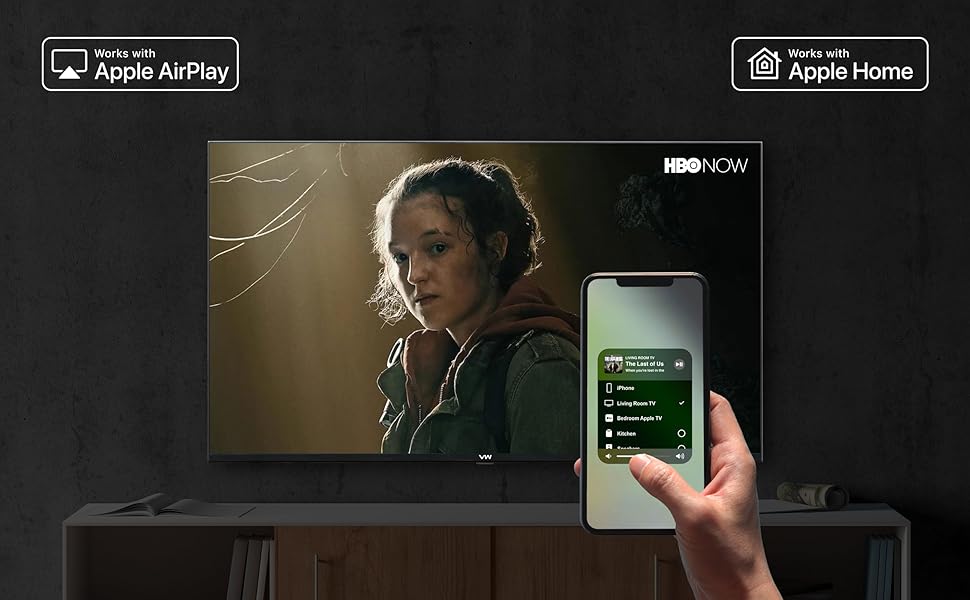
Image: An iPhone screen demonstrating Apple AirPlay functionality, mirroring content to the VW QLED TV, and showing integration with Apple Home for smart device control.
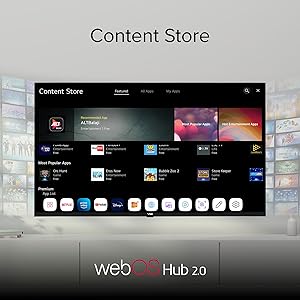
Immagine: Il webOS Hub 2.0 Content Store interface on the VW QLED TV, displaying various categories like Featured, All Apps, and My Apps, with numerous application icons.
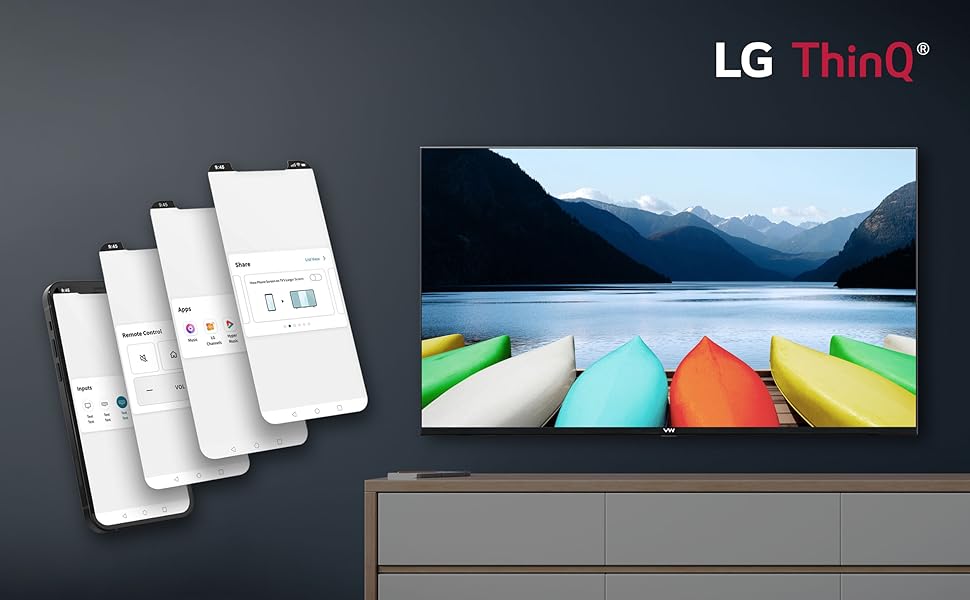
Image: Multiple smartphone screens showing the LG ThinQ app interface, demonstrating remote control, app management, and input selection for the VW QLED TV.
5.4 Caratteristiche di gioco
The TV includes features optimized for gaming, such as a 60Hz refresh rate and a dedicated Game Dashboard.
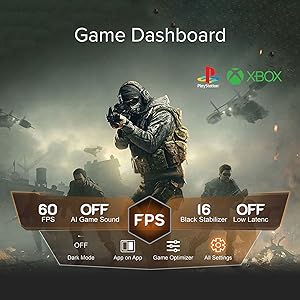
Image: The Game Dashboard interface on the VW QLED TV, showing settings for FPS, AI Game Sound, Black Stabilizer, Low Latency, Dark Mode, and Game Optimizer, with PlayStation and Xbox logos in the background.
6. Caratteristiche di visualizzazione e audio
Tecnologia di visualizzazione 6.1
The VW QLED TV offers advanced display technologies for a superior viewesperienza di acquisizione.

Image: A collage highlighting key features of the VW QLED TV, such as QLED DCI-P3 94%, 60Hz Game Accelerator, MEMC, Apple AirPlay, Dolby Audio, 4K Upscaling, LG ThinQ, 1.5GB RAM, 8GB ROM, HDR10+, and HLG.
- Schermo QLED: Quantum Dot LED technology delivers enhanced color volume and brightness, featuring 1.1 Billion Colors.
- Risoluzione Ultra HD 4K: (3840 x 2160) per immagini nitide e dettagliate.
- HDR10+ & HLG: Support for High Dynamic Range formats provides greater contrast and a wider range of colors.
- MEMC (Stima del movimento, Compensazione del movimento): Reduces motion blur and image judder for smoother fast-moving scenes.
- AMO Technology: Further enhances display performance.
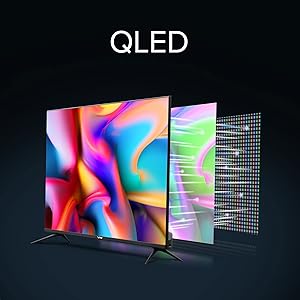
Image: Diagram illustrating the layers of a QLED display, showing how quantum dots enhance color and brightness compared to traditional LED screens.
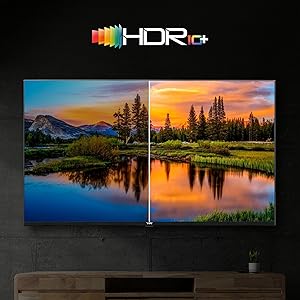
Image: A split-screen comparison demonstrating the enhanced contrast and color vibrancy of HDR10+ content versus standard dynamic range content on the VW QLED TV.
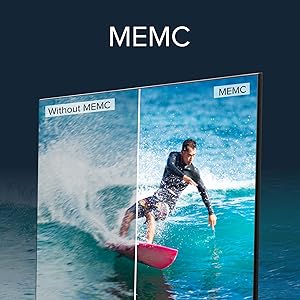
Image: A split-screen comparison showing the effect of MEMC (Motion Estimation, Motion Compensation) technology, with the MEMC side displaying smoother motion for a surfing scene compared to the non-MEMC side.
6.2 Sistema audio
- Potenza in uscita 30 Watt: Powerful speakers deliver clear audio.
- Audio Dolby: Offre un'esperienza sonora immersiva.
7. Manutenzione
Una corretta manutenzione garantisce la longevità e le prestazioni ottimali del tuo televisore:
- Pulizia dello schermo: Pulisci delicatamente lo schermo con un panno morbido, asciutto e privo di lanugine. Per le macchie ostinate, utilizza una soluzione detergente specifica per schermi, applicata sul panno e non direttamente sullo schermo.
- Pulizia del Casing: Utilizzare un panno morbido e asciutto per pulire il televisore casing. Evitare l'uso di detergenti abrasivi o solventi.
- Ventilazione: Assicurarsi che le aperture di ventilazione sul retro del televisore non siano ostruite per evitare il surriscaldamento.
- Cavo di alimentazione: Controllare regolarmente il cavo di alimentazione per verificare la presenza di eventuali danni. In caso di danni, sostituirlo immediatamente con un cavo approvato.
8. Risoluzione Dei Problemi
Se riscontri problemi con la tua TV, fai riferimento alle seguenti soluzioni comuni:
- Nessun potere: Ensure the power cord is securely plugged into both the TV and a working power outlet. Check the power indicator light on the TV.
- Nessuna immagine/suono: Verificare che sia selezionata la sorgente di ingresso corretta. Controllare tutti i collegamenti dei cavi (HDMI, AV).
- Il telecomando non funziona: Check the batteries in the Magic Remote. Ensure there are no obstructions between the remote and the TV. Re-pair the remote if necessary (refer to the on-screen instructions).
- Nessuna connessione internet: Check your Wi-Fi router and internet service. For Wi-Fi, ensure the correct password is entered. For wired connection, check the Ethernet cable.
- Scarsa qualità dell'immagine: Regola le impostazioni dell'immagine (luminosità, contrasto, nitidezza). Assicurati che la sorgente di ingresso fornisca un segnale di alta qualità.
Per problemi persistenti, contattare l'assistenza clienti.
9. Specifiche
| Marca | VW |
| Modello | VW43QUW1 |
| Dimensioni dello schermo | 43 pollici (109 cm) |
| Tecnologia di visualizzazione | QLED |
| Risoluzione | Risoluzione 4K Ultra HD (3840 x 2160) |
| Frequenza di aggiornamento | 60 Hertz |
| Sistema operativo | webOS |
| Memoria RAM | 1.5 GB |
| Memoria (ROM) | 8 GB |
| Processore | IMG BXE4 GPU (700Mhz) / Realtek ARM Quad Core |
| Uscita audio | 30 Watt |
| Tecnologia audio | Audio Dolby |
| Porte HDMI | 3 |
| Porte USB | 2 |
| Connettività wireless | Dual Band Wi-Fi (802.11 a/b/g/n/ac), Bluetooth 5.0 |
| Caratteristiche speciali | QLED display, 4K HDR, HDR10+, HLG, MEMC, Magic Remote, ThinQ AI Voice Assistant, Apple AirPlay, Apple Home |
| Dimensioni del prodotto (LxWxH) | Dimensioni: 109 x 9 x 57 cm |
| Peso dell'articolo | 8.2 kg |

Image: Diagram showing the dimensions of the VW QLED TV, including height (57cm/22.44in), length (97cm/38.19in), and base width (22cm/8.66in), with a diagonal screen size of 109cm/42.91in.
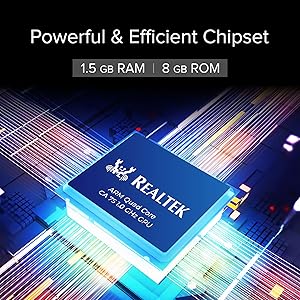
Image: Close-up of the Realtek ARM Quad Core chipset, highlighting the powerful and efficient processing unit within the VW QLED TV.
10. Garanzia e supporto
Informazioni sulla garanzia: Your VW QLED TV comes with a 12-month warranty provided by the manufacturer from the date of purchase.
Produttore: Beston Sky Vision Pvt Ltd
Informazioni sui contatti:
- Indirizzo: A-51, Sector 63 Rd, A Block, Sector 63, Noida, Uttar Pradesh, India-201301
- Telefono: 9532730000
- E-mail: info@bestonskyvision.com
- Contatto dell'importatore: 18001020777
For technical assistance or warranty claims, please contact the manufacturer directly using the provided details.