1. Introduzione
The MiLESEEY DP20 Bilateral Laser Distance Meter is a professional-grade measuring tool designed for accuracy and efficiency in various applications. This device features patented coaxial optical technology, multiple measurement functions, and a durable design, making it suitable for both professional and DIY use. This manual provides comprehensive instructions for its safe and effective operation.

Figure 1: MiLESEEY DP20 Bilateral Laser Distance Meter
2. Informazioni sulla sicurezza
Si prega di leggere attentamente tutte le istruzioni di sicurezza prima di utilizzare il dispositivo. La mancata osservanza di queste istruzioni può causare esposizione a radiazioni laser, scosse elettriche, incendi o lesioni gravi.
2.1 Sicurezza generale
- Tenere il dispositivo fuori dalla portata dei bambini.
- Non tentare di modificare o smontare il dispositivo. Le riparazioni devono essere eseguite solo da personale autorizzato.
- Evitare di utilizzare il dispositivo in atmosfere esplosive o in prossimità di materiali infiammabili.
- Proteggere il dispositivo da temperature estreme, umidità e forti vibrazioni.
2.2 Sicurezza laser
WARNING: This product emits Class 2 laser radiation. Avoid direct eye exposure to the laser beam.
- Non fissare direttamente il raggio laser.
- Non puntare il raggio laser verso persone o animali.
- Non utilizzare strumenti ottici (ad esempio binocoli, telescopi) per view il raggio laser.
- Ensure the laser is switched off when not in use.
3. Contenuto della confezione
Verificare che tutti gli articoli siano presenti nel pacco:
- MiLESEEY DP20 Bilateral Laser Distance Meter x1
- Hard Case x1
- Cavo di ricarica di tipo C x1
- Manuale utente x1
- Cinturino da polso x1

Figure 2: Contents included in the DP20 package
4. Prodotto finitoview
The MiLESEEY DP20 is engineered for precision and ease of use. Key features include:
- Bilateral Measurement: Allows measurement between two points from any position along the measurement line, significantly speeding up tasks.
- Patented Coaxial Optical Technology: Ensures both laser beams share a common geometric axis, eliminating measurement inaccuracies.
- Molteplici funzioni di misurazione: Includes single, continuous, area, volume, automatic horizontal/vertical height, and line segment division.
- OLED Display with Big Text Mode: Provides clear readability of measurements, even in challenging lighting conditions.
- Design durevole e compatto: Made from aerospace-grade magnesium-aluminum alloy, offering robustness and a comfortable grip.
- Batteria ricaricabile: Integrated 1000mAh lithium battery with USB-C charging for extended use.
4.1 Componenti e display
Familiarize yourself with the device's components and display interface.
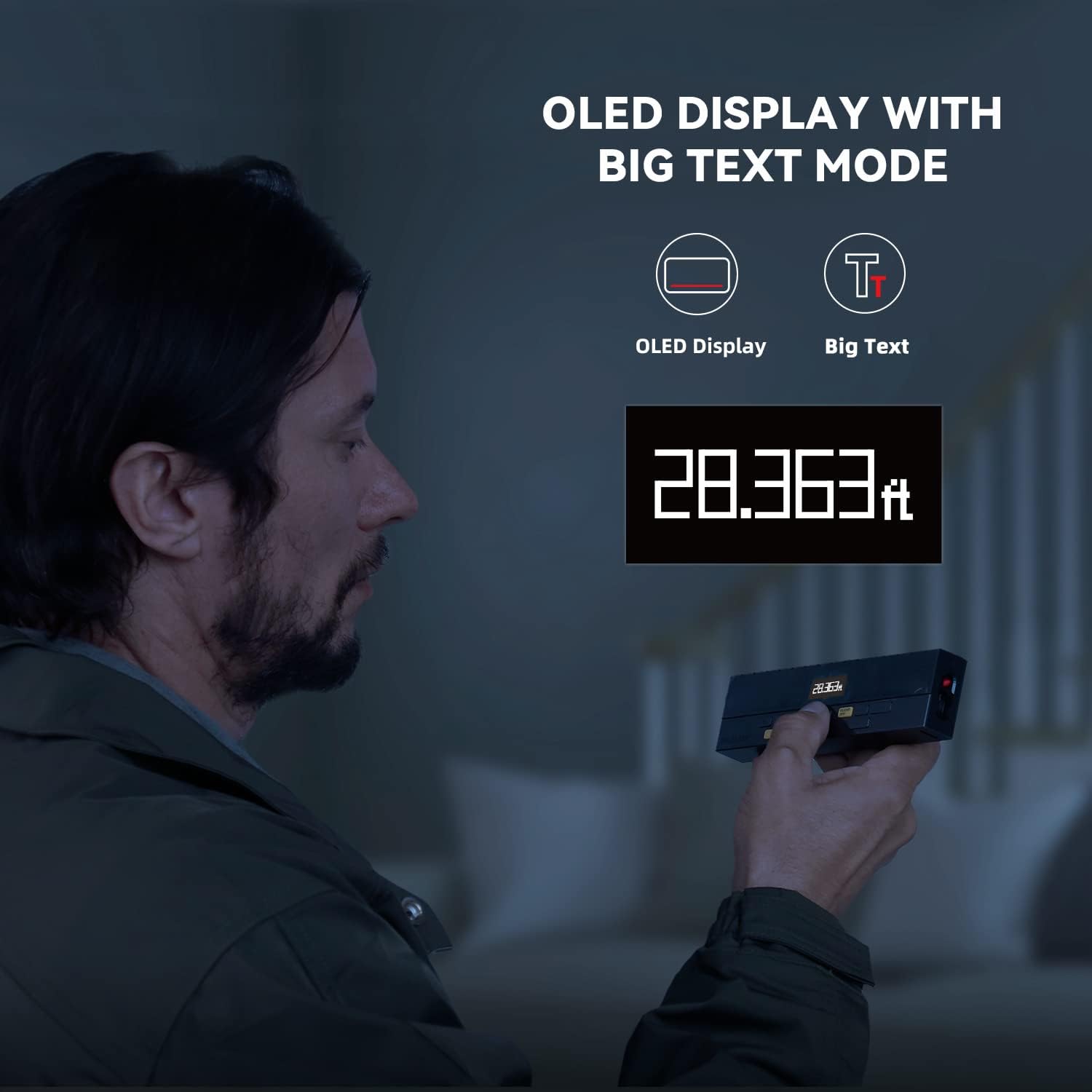
Figure 3: Clear OLED Display with Big Text Mode for enhanced readability.

Figure 4: Illustration of the patented coaxial optical design for precise measurements.
5. Impostazione
5.1 Caricamento della batteria
The DP20 comes with a built-in 1000mAh lithium battery. Before first use, fully charge the device using the provided Type-C charging cable.
- Collegare il cavo Type-C alla porta di ricarica del dispositivo.
- Collegare l'altra estremità del cavo a un adattatore di alimentazione USB (non incluso) o a una porta USB del computer.
- The battery indicator on the display will show charging status. A full charge typically takes about 2 hours.

Figure 5: Charging the DP20 via USB-C port.
5.2 Accensione/spegnimento
- Per accendere, premere il MISURA pulsante.
- To power off, long-press the SMAMMARE pulsante. Il dispositivo si spegnerà automaticamente dopo un periodo di inattività per preservare la batteria.
6. Modalità operative
The DP20 offers a variety of measurement modes to suit different needs. Use the MODALITÀ button to cycle through the available functions.
6.1 Single and Continuous Measurement
For basic distance measurements.
- Premere il tasto MISURA button once for a single measurement.
- Premere a lungo il tasto MISURA button to enter continuous measurement mode, which also displays minimum and maximum distances. Press MISURA di nuovo per fermare.
6.2 Bilateral and One-Way Measurement
The DP20 allows switching between bilateral (two-way) and one-way laser measurement.
- Utilizzare il pulsante dedicato (spesso etichettato V/R or similar, refer to device markings) to switch between bilateral and one-way laser modes.
- Bilateral mode measures the distance between two points by positioning the device anywhere along the line.
- One-way mode measures from the device to a single target point.
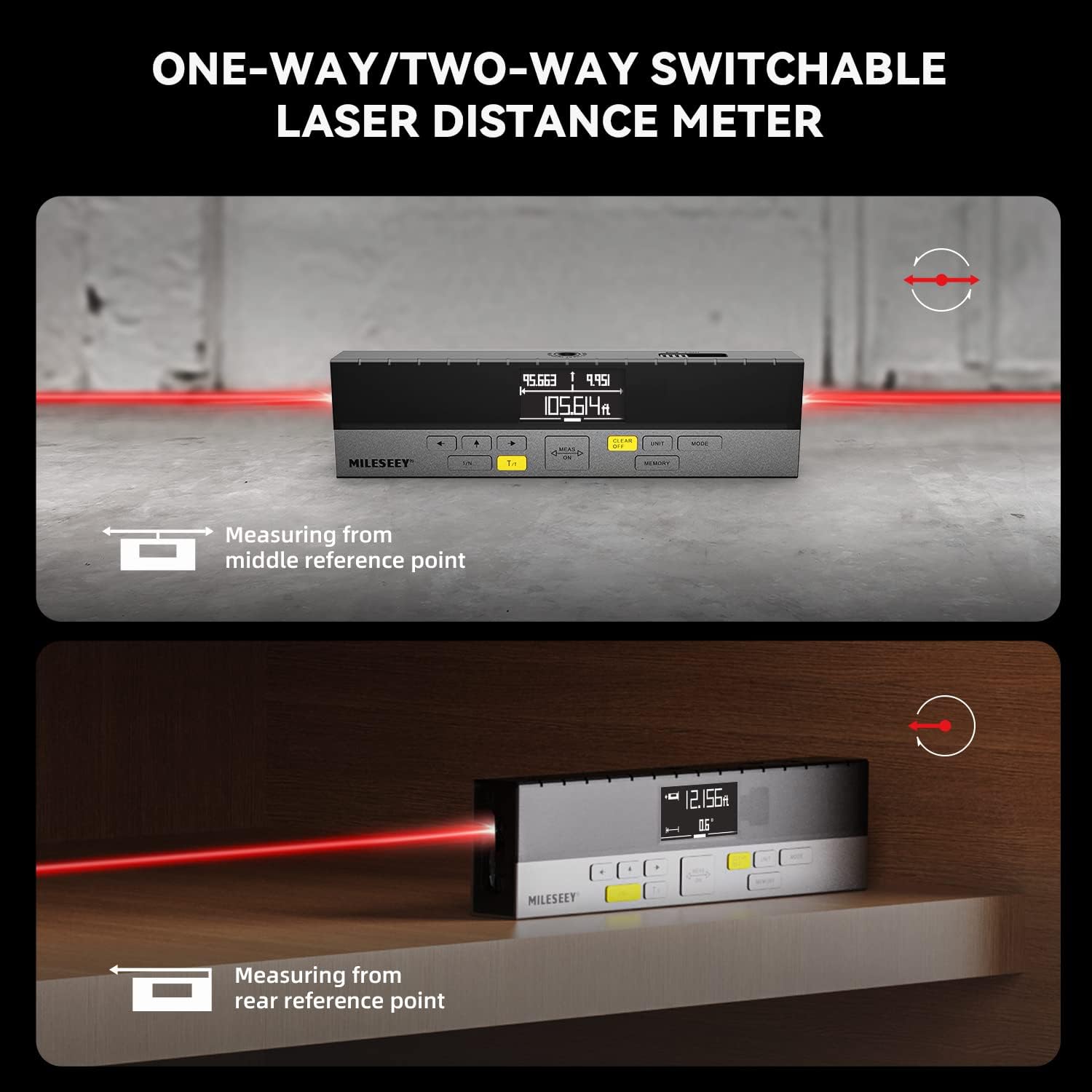
Figure 6: Demonstrating one-way and two-way measurement capabilities.
6.3 Misurazione dell'area e del volume
To calculate area or volume:
- Select the Area or Volume mode using the MODALITÀ pulsante.
- Follow the on-screen prompts to take the required number of measurements (e.g., length and width for area; length, width, and height for volume).
- The device will automatically calculate and display the result.
6.4 Misurazione pitagorica
For indirect measurements of height or distance where direct measurement is not possible.
- Select the Pythagorean mode using the MODALITÀ pulsante.
- Follow the on-screen prompts to take the necessary measurements (e.g., hypotenuse and one leg for height).
- Il dispositivo calcolerà e visualizzerà la dimensione sconosciuta.
6.5 Line Segment Division (Staking Out)
This function divides a line segment into equal smaller segments, useful for tasks like installing multiple items at consistent intervals.
- Enter the Line Segment Division mode (often labeled 1/N).
- Set the number of desired segments (N).
- Measure the total length of the line. The device will then guide you to the division points.
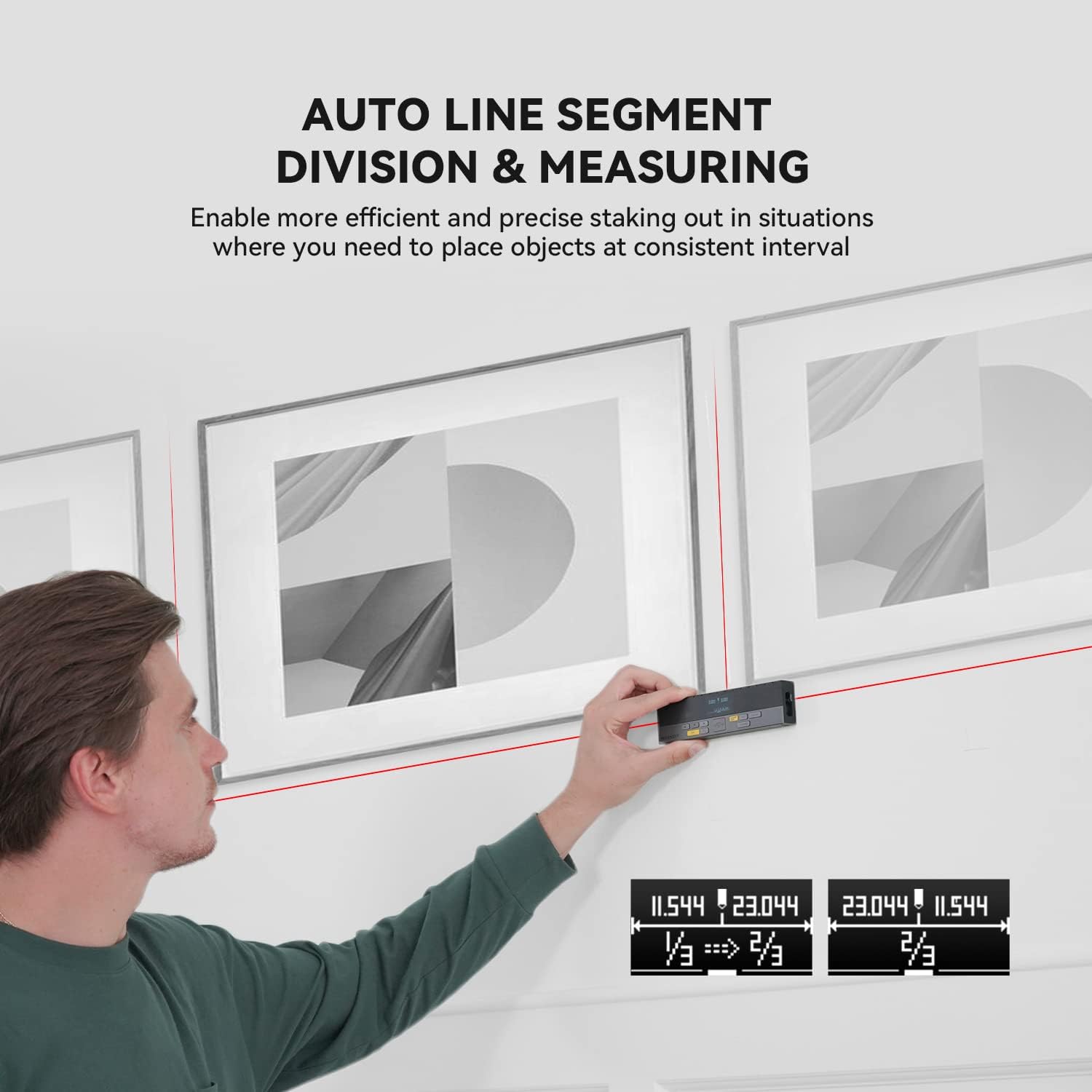
Figure 7: Using the auto line segment division feature for consistent spacing.
6.6 Digital Angle Level
The integrated digital angle level provides real-time angle measurements.
- The device automatically displays the current tilt angle.
- This feature can be used in conjunction with other measurement modes for more complex calculations.

Figure 8: The digital tilt sensor provides accurate angle readings.
7. Funzionalità avanzate
7.1 Bluetooth Connectivity and App Synchronization
The DP20 supports Bluetooth connectivity, allowing it to pair with the
Documenti correlati - DP20
 |
Manuale utente del misuratore di distanza laser MileSeey S6 Manuale utente completo per il distanziometro laser MileSeey S6, che comprende istruzioni di sicurezza, funzionamento, funzioni di misurazione (singola, continua, area, volume, pitagorica), connettività Bluetooth, risoluzione dei problemi e specifiche tecniche. Scopri come utilizzare l'S6 per misurazioni di distanza accurate. |
 |
Manuale utente del misuratore laser MILESEEY S6 Il manuale utente del misuratore laser MILESEEY S6 fornisce istruzioni dettagliate per l'utilizzo del misuratore laser di distanza S6, evidenziandone le 8 funzioni per una misurazione e un'esperienza utente migliorate, tra cui misurazioni di distanza, area, volume e pitagoriche, insieme alla risoluzione dei problemi e alle specifiche tecniche. |
 |
Mileseey DP20 Series Laser Distance Meter Quick Start Guide Quick start guide for the Mileseey DP20 Series Laser Distance Meter, detailing product overview, technical specifications, and operation instructions for various measurement modes. |
 |
Guida rapida per il misuratore di distanza laser MILESEEY S2 Una guida concisa al distanziometro laser MILESEEY S2, che ne illustra caratteristiche, funzionamento, istruzioni di sicurezza, risoluzione dei problemi e specifiche. Impara a misurare distanza, area, volume e a utilizzare le funzioni pitagoriche. |
 |
Manuale utente del misuratore di distanza laser Mileseey X5 Manuale utente completo per il misuratore di distanza laser Mileseey X5, che ne descrive le caratteristiche, il funzionamento, le modalità di misurazione e la risoluzione dei problemi. |
 |
Manuale d'uso del misuratore di distanza laser MILESEEY serie DP20 PRO Manuale utente completo per il misuratore di distanza laser MILESEEY DP20 PRO Series, che descrive in dettaglio il prodottoview, istruzioni di sicurezza, specifiche tecniche, istruzioni operative per varie modalità di misurazione (singola, continua, area, volume, livello automatico, altezza automatica), connettività Bluetooth, integrazione con app e risoluzione dei problemi. |