1. Introduzione
This manual provides instructions for the safe and efficient operation of your Hama 8-inch LED Ring Light with Tripod and Mobile Phone Holder. This device is designed to provide adjustable illumination for photography, video conferencing, streaming, and other applications requiring enhanced lighting.
Please read these instructions thoroughly before first use and keep them for future reference. Always observe all safety warnings and instructions.
2. Istruzioni di sicurezza
- Non utilizzare il dispositivo se è visibilmente danneggiato.
- Proteggere il prodotto da sporco, umidità e surriscaldamento.
- Non far cadere il prodotto né esporlo a urti violenti.
- Non modificare il prodotto in alcun modo. Ciò invalida la garanzia.
- Tenere questo prodotto, come tutti i prodotti elettrici, fuori dalla portata dei bambini.
- Utilizzare il prodotto solo per lo scopo per cui è stato concepito.
- Only use the product in moderate climatic conditions.
- Do not use the product in the immediate vicinity of heaters or other heat sources.
- Scollegare il prodotto dall'alimentazione durante i temporali.
3. Contenuto della confezione
Verificare che tutti gli elementi elencati di seguito siano presenti e in buone condizioni:
- 1x LED Ring Light "SpotLight Smart 80 II" with cable remote control
- 1x Gooseneck with smartphone holder
- 1x Cold shoe to 1/4" adapter
- 1x Table tripod with head adapter
- 1x Manuale utente

Figura 3.1: Tutti i componenti sono inclusi nella confezione.
4. Impostazione
- Montare il treppiede: Extend the legs of the table tripod to a stable position. The tripod height can be adjusted from 13.5 cm to 17.5 cm.
- Collega la luce ad anello: Screw the LED ring light onto the head adapter of the table tripod. Ensure it is securely fastened. The ring light can be rotated and tilted on the tripod ball head.
- Install the Gooseneck and Phone Holder: Attach the gooseneck with the smartphone holder to one of the available 1/4" connections on the ring light. The gooseneck allows for flexible positioning of your smartphone.
- Inserisci Smartphone: Aprire delicatamente la clamp spring holder and insert your smartphone. The holder accommodates phones from 6.0 cm to 8.0 cm wide. Rubber inserts protect your phone from scratches.
- Connetti alimentazione: Plug the USB-A cable from the ring light into a compatible USB power source (e.g., laptop, power bank, USB wall adapter). The cable length is 1.9 meters.
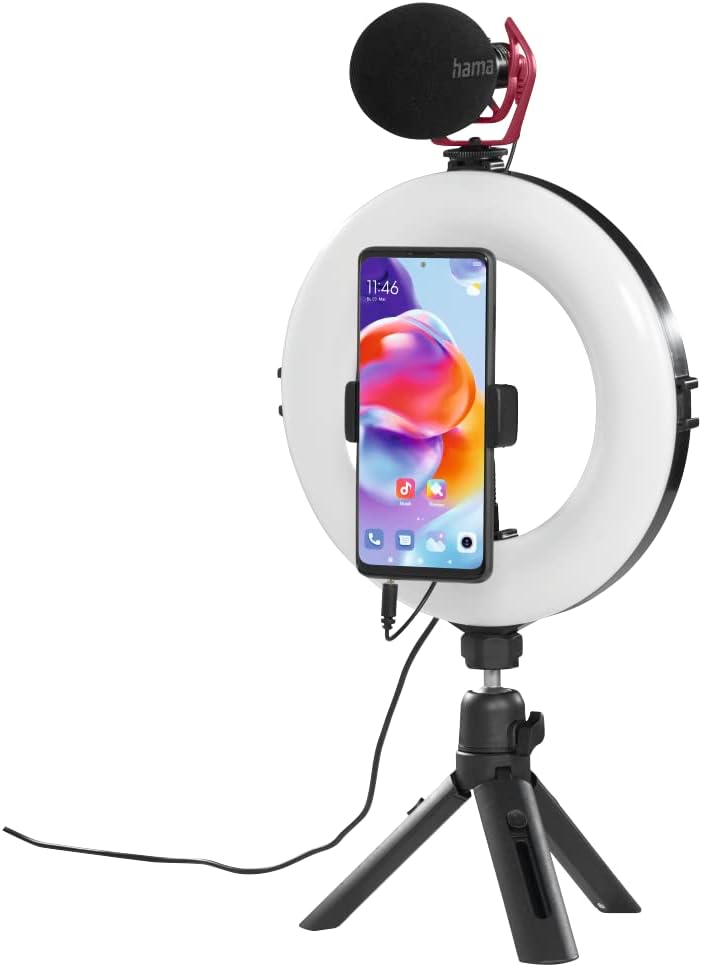
Figura 4.1: Assembled ring light with smartphone and optional microphone.
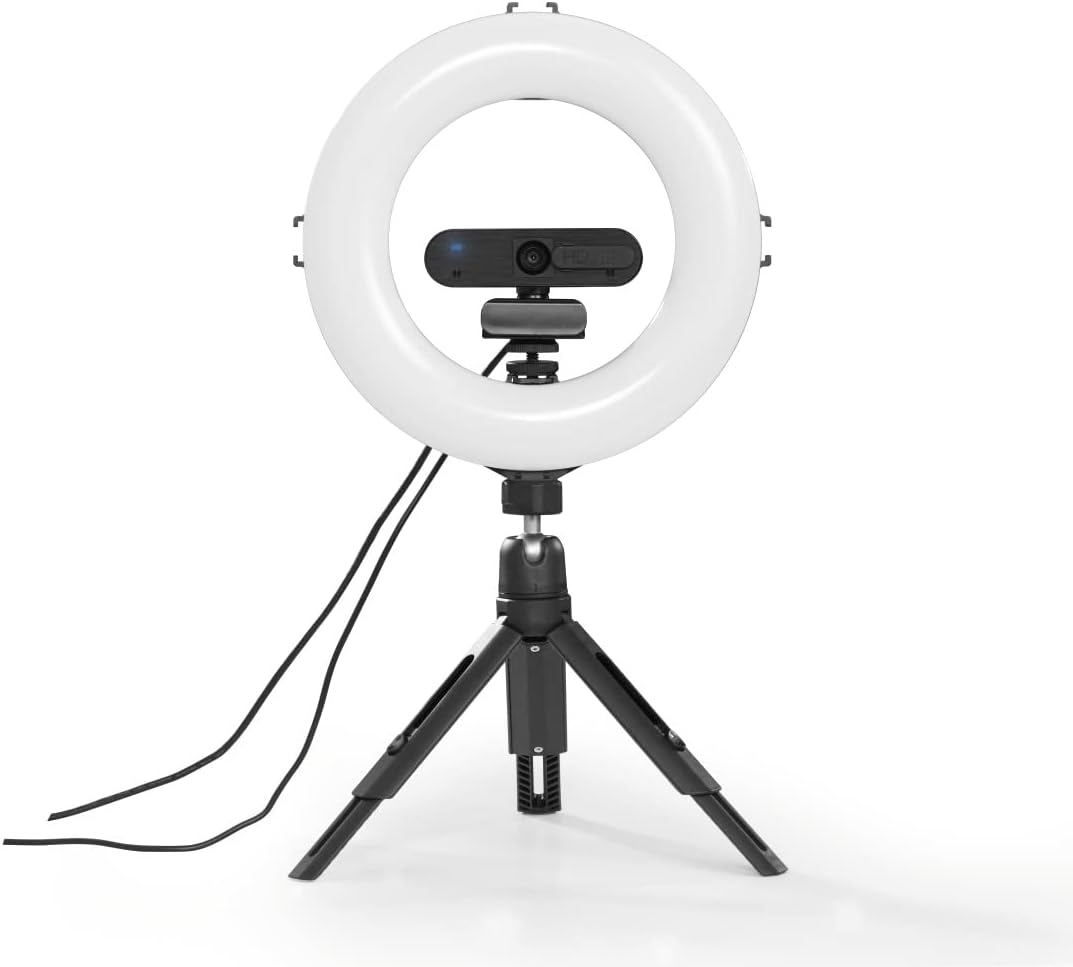
Figura 4.2: Ring light with a webcam, demonstrating accessory mounting options.
5. Istruzioni per l'uso
The ring light is controlled via the integrated cable remote control.

Figura 5.1: In-line remote control for the ring light.
- Accensione/spegnimento: Premere il tasto Acceso/Spento button to turn the ring light on or off.
- Regola luminosità: Utilizzare il + E - buttons to increase or decrease the light intensity. There are 10 dimmable levels.
- Cambia temperatura colore: Premere il tasto Modalità button (usually indicated by a circular arrow or color temperature icon) to cycle through the three available color temperature settings: warm white, neutral white, and daylight bright (2100K/3000K/5500K).
- Posizionamento: Adjust the gooseneck and ball head to achieve the desired angle and orientation for your smartphone or camera, whether portrait or landscape.

Figura 5.2: Example of the ring light in use for personal grooming or content creation.
6. Manutenzione
- Pulisci questo prodotto solo con un detergente leggermente abrasivo.amp, un panno privo di pelucchi e non utilizzare detergenti aggressivi.
- Ensure no water enters the product.
- Quando non in uso, conservare il prodotto in un luogo pulito e asciutto, lontano dalla luce solare diretta.
7. Risoluzione Dei Problemi
| Problema | Possibile causa | Soluzione |
|---|---|---|
| La luce ad anello non si accende. | Nessuna alimentazione o connessione allentata. | Assicurati che il cavo USB sia collegato saldamente a una fonte di alimentazione USB funzionante. Prova una porta USB diversa o un adattatore di alimentazione diverso. |
| Light intensity or color temperature cannot be adjusted. | Remote control malfunction or incorrect button press. | Ensure the remote control buttons are pressed firmly. If the issue persists, contact customer support. |
| Lo smartphone non è stabile nel supporto. | Smartphone width exceeds holder capacity or not properly secured. | Ensure your smartphone's width is between 6.0 cm and 8.0 cm. Re-insert the phone, ensuring it is firmly gripped by the clamp. |
8. Specifiche
| Caratteristica | Dettaglio |
|---|---|
| Numero di modello | 00004657 |
| Ring Light Diameter (Outer) | 21 cm (8 pollici) |
| Quantità LED | 96 |
| Funzione dimmerabile | 10 livelli |
| Temperatura del colore | 2100K (warm white), 3000K (neutral white), 5500K (daylight bright) |
| Massimo. Lume | 950 lumen |
| Altezza del treppiede (regolabile) | da 13.5 cm a 17.5 cm |
| Collo d'oca | 9.5 centimetri |
| Larghezza del supporto per smartphone | 6.0 centimetri - 8.0 centimetri |
| Tecnologia di connettività | USB |
| Lunghezza del cavo | 190 cm (1.9 metro) |
| Alimentazione esterna | USB 5V/1.8A |
| Dimensioni del prodotto | 10.24 x 9.84 x 1.97 pollici (26 x 25 x 5 cm) |
| Peso dell'articolo | 1.31 libbre (circa 0.59 kg) |
9. Garanzia e supporto
Hama GmbH & Co KG non si assume alcuna responsabilità e non fornisce alcuna garanzia per danni derivanti da installazione/montaggio improprio, uso improprio del prodotto o dalla mancata osservanza delle istruzioni per l'uso e/o delle note di sicurezza.
For technical support or warranty claims, please contact your local Hama customer service or visit the official Hama websito per ulteriori informazioni.


